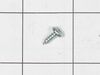
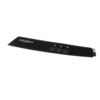
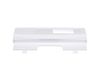
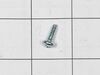
This replacement switch helps control the power to your compactor, turning it on and off as needed. If your compactor won’t stop after a cycle or shuts off too soon, the switch could be the issue. It’s an OEM part made to fit your appliance perfectly. Before starting the repair, make sure to unplug the compactor and follow the instructions provided for a safe installation.
How Buying OEM Parts Can Save You Time and Money
Troubleshooting
This part fixes the following symptoms:
Doesn’t stop at end of compacting cycle | Won’t start
This part works with the following products:
Trash Compactor, Dryer.
This part works with the following products:
Whirlpool, Maytag, Kenmore.
Part# W10813586 replaces these:
9871824, W10723644, WP9871824
Customer Repair Stories
Average Repair Rating: 4.4 / 5.0, 5 reviews.
What's this?
< Prev
1
Next >
Sort by:
Search filter:
Clear Filter
Your search term must have 3 or more characters.
Keep searches simple. Use keywords, e.g. "leaking", "pump", "broken" or "fit".
Sorry, we couldn't find any existing installation instruction that matched.
motor would not stop at end of cycle
Remove compactor drawer Remove screws holding compactor to counter screw in adjustable feet a short distance slide compactor out far enough to unplug loosen top screws that hold tiedown strips and move tie down strips out of way remove two phillips screws on control panel push control panel assymbly up and out of front of compactor remove and replace wires one at a time onto new switch remove two phillips screws on old switch and removeswitch.install new switch with same screws install front switch assy by inserting in front panel of compactor and pushing down untill two holes match up for phillip screws. install screws realign both tie down straps and tighten screws plug in compactor push compactor back into place level compactor with adjustable feet replace tiedown screws to underside of counter replace compactor drawer push on/off switch to on. push start switch to start compactor. watch as compactor stops at end of cycle. Hurrah!!
Other Parts Used:
John from Sandy, UT
Difficulty Level:
Easy
Total Repair Time:
15 - 30 mins
Tools:
Nutdriver, Screw drivers
17 of 24 peoplefound this instruction helpful.
Was this instruction helpful to you?
Thank you for voting!
Appliance would not power on
Unplug appliance. Open trash compactor drawer. Remove two small Phillips screws on tabs of control panel. Lift control panel up and out. Mark location of wires on old circuit board. Disconnect wires. Remove two hex head screws retaining circuit board. Discard old board. Place new board in position and reattach with screws. Reconnect wires. Replace control panel. Replace two Phillips screws securing panel. Close drawer. Reconnect appliance. Test.
Other Parts Used:
Ernest from CORP CHRISTI, TX
Difficulty Level:
Easy
Total Repair Time:
Less than 15 mins
Tools:
Nutdriver, Screw drivers
2 of 3 peoplefound this instruction helpful.
Was this instruction helpful to you?
Thank you for voting!
replacing parts that were beginning to rust from outdoor exposure.
I had no problem. My husband is an engineer, so the repairs went well. The only problem I did have was that one of the parts did not arrive. come to find out that it was on backorder and arrived a day or two after I called. The person I spoke with when I inquired was most helpful and expeditious. All in all, my experience was excellent.
the selector off switch was broke so it just kept running
too the switch out and put in new one replaced the front and screwed back together. really easy
Other Parts Used:
ivan from BELTON, TX
Difficulty Level:
Really Easy
Total Repair Time:
15 - 30 mins
Tools:
Screw drivers
1 of 2 peoplefound this instruction helpful.
Was this instruction helpful to you?
Thank you for voting!
trash compactor would not turn on
removed two screws that hold on control panel and then removed three wires to switch then removed two screws that hold switch. I replaced switch and put everything back together. very simple and easy
Other Parts Used:
heather from atco, NJ
Difficulty Level:
Really Easy
Total Repair Time:
Less than 15 mins
Tools:
Screw drivers
1 of 2 peoplefound this instruction helpful.
Was this instruction helpful to you?
Thank you for voting!
< Prev
1
Next >
Questions and Answers
Ask our experts a question about this part and we'll get back to you as soon as possible!
2 questions answered by our experts.
< Prev
1
Next >
Sort by:
Search filter:
Clear Filter
Your search term must have 3 or more characters.
Keep searches simple. Use keywords, e.g. "leaking", "pump", "broken" or "fit".
Sorry, we couldn't find any existing answers that matched.Try using some different or simpler keywords, or submit your new question by using the "Ask a Question" button above!
George
November 16, 2025
Will this selector switch #W10813586 fit my compactor. All of the info that I can find does not list my model number as compatible.
For model number GC900QPPB7
Hello George, thank you for reaching out. Yes, the switch you mentioned is compatible with your model. We hope this information helps!
1 person found this helpful.
Was this helpful?
Thank you for voting!
Oscar
November 28, 2023
Won’t cut off when it comes back up after going down it just sits there and runs bumping I replaced the switch that is supposed to cut it off but it did not stop it from bumping
For model number 66514729112
Hello Oscar, Thank you for your inquiry. We would recommend checking the directional switch, and the drive gear kit if you have already replaced the off switch. We hope this helps.
Fresh Flow Produce Preserver is made for your refrigerator to help keep produce fresh for longer by absorbing the chemical, ethylene, that causes your fruits and vegetables to ripen quicker. Your produce could be fresh f...
Having a problem with a funky-smelling washing machine, or one that just doesn't seem to clean your clothes as well as it used to? Say hello to the Affresh Washing Machine Cleaner by Whirlpool. This powerful washing help...
Affresh dishwasher Cleaner is specially formulated to help remove limescale and mineral build-up that can be unsightly and could affect your dishwasher's performance. Each tablet is designed to clean inside your machine ...
Make your cooktop shine with Frigidaire ReadyClean Glass and Ceramic Cleaner. Our scratch-free, streak-free formula removes smudges, grease, burnt-on food, dirt and oil, while protecting and polishing to repel dust and d...