




















WW30430PC Jenn-Air Wall Oven - Instructions
Keep searches simple. Use keywords, e.g. "leaking", "pump", "broken" or "fit".
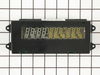
Display Was Dim
I opened the top oven. Then unscrewed the screws below the display unit. Took off the attaching wires. Unscrewed the broken display. Screwed the new display back on. Re-attached the wires. Screwed the support screws back on. It took about 10 minutes.
The only "difficulty" was in removing the wires. One of them is attached in a pressure attachment which isn't immediately obvious (that's the largest attachment in the center). Just be careful when taking that one out.
The only "difficulty" was in removing the wires. One of them is attached in a pressure attachment which isn't immediately obvious (that's the largest attachment in the center). Just be careful when taking that one out.
Parts Used:
-
Edwin from Clovis, CA
-
Difficulty Level:Easy
-
Total Repair Time:Less than 15 mins
-
Tools:Screw drivers
1 person
found this instruction helpful.
Was this instruction helpful to you?
Thank you for voting!
LCD Panel went blank
removed the trim bezel housing the controls and clock assy, by removing 3ea phillips head screws on top and 4ea screws on the bottom of the trim bezel. disconnected the wiring harnesses. removed the 4 screws securing the LCD assy to the bezel. Repeated the process in reverse for installing replacement unit. Very simple. One note: Always shut off power to the appliance from the breaker panel. it will ensure proper reset of the panel when the power is turned back on. this is a procedure a 10 year old could handle. very simple and no electrical experience necessary. Saved myself at least $300 for a few minutes of my time....
Parts Used:
-
James from Sun City West, AZ
-
Difficulty Level:Really Easy
-
Total Repair Time:Less than 15 mins
-
Tools:Nutdriver, Screw drivers
1 person
found this instruction helpful.
Was this instruction helpful to you?
Thank you for voting!
Door hinge
My wife help take the door off. It was a little heavy . The door came apart very easy and went back the same way.We save over $300 by doing it our selfs.
Parts Used:
-
Mr. Mike F from SAN ANTONIO, TX
-
Difficulty Level:Really Easy
-
Total Repair Time:30 - 60 mins
-
Tools:Screw drivers
1 person
found this instruction helpful.
Was this instruction helpful to you?
Thank you for voting!
Oven temperature fluctuates
Replaced the thermostat according to existing videos and had to adjust the thermostat using instuctions in the user manual for model CWE4800ACB.
Parts Used:

-
Larry from SOLON, IA
-
Difficulty Level:Easy
-
Total Repair Time:30 - 60 mins
-
Tools:Screw drivers
1 person
found this instruction helpful.
Was this instruction helpful to you?
Thank you for voting!
While baking pizza, F4 on display and no response pressing Cancel/OFF, turned off circuit breaker.
First tried the Oven Temp. Sensor, no difference. Next replaced the Electronic Relay Control Board. Successful repair. Total cost: $290.00. I removed spade connectors and molex connectors one at a time, placing them on the new board.
Parts Used:

-
Daniel from PRUNEDALE, CA
-
Difficulty Level:A Bit Difficult
-
Total Repair Time:30 - 60 mins
-
Tools:Pliers, Screw drivers
1 person
found this instruction helpful.
Was this instruction helpful to you?
Thank you for voting!
Bottom (bake) is not heating, broiler is working
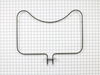
I replaced the heating element but that didn’t help. So then I replaced the oven sensor and that didn’t work either. Both were pretty easy to do but I’ve now spend $170 and my oven still isn’t working. I called number listed and got a recording that all agents were busy and there was a high call volume so I can’t get any help.
Parts Used:
-
Amy from MCKINNEY, TX
-
Difficulty Level:Really Easy
-
Total Repair Time:15 - 30 mins
-
Tools:Screw drivers
1 person
found this instruction helpful.
Was this instruction helpful to you?
Thank you for voting!
Broken oven door hinge
My daughter & I followed the instructions in your video and had fun repairing the door. The video showed exactly how to do the repair. I hope I don't need any appliance parts very soon but I will certainly pull up your web site if I do. Thanks for an excellent instruction video.
John - Hot Springs Village, AR
John - Hot Springs Village, AR
Parts Used:
-
John from HOT SPRINGS, AR
-
Difficulty Level:Very Easy
-
Total Repair Time:15 - 30 mins
-
Tools:Screw drivers
1 person
found this instruction helpful.
Was this instruction helpful to you?
Thank you for voting!
Oven door was locked, couldn't set oven temps
Got a bent metal coathook to temporarily release the oven door, removed the screws from the old probe, inserted the new one, and hooked it up, using the one of the plug adapters provided. Problem solved! The oven door latch was now disengaged, the oven would now accept temperature inputs, and the rear cooling fan (which wouldn't shut off) now turned off. That's a lot of things working better for less than $50!
Parts Used:
-
William from Nashville, TN
-
Difficulty Level:Easy
-
Total Repair Time:15 - 30 mins
-
Tools:Screw drivers
1 person
found this instruction helpful.
Was this instruction helpful to you?
Thank you for voting!
"F3" error message and no oven heat
Unplugged the range, removed screws holding the old sensor. When I pulled it out, the wire connecting to the sensor was completely broken through,therefore I could not just pull the wire to get to the connector. Unscrewed one side of back panel to access the connector. Pushed the connector and wire of the new sensor through the hole ( and behind the insulation), disconnected the old sensor and connected the new one. Re screwed the new connector in place plus rescrewed the back panel. Plugged the range in and - Viola! Everything now works like a charm and I have my oven back. Easy-Peasy. Oh - I am an older female with very limited DYI experience. I just saved myself $650.00!
Parts Used:
-
Pat from PAYSON, AZ
-
Difficulty Level:Very Easy
-
Total Repair Time:15 - 30 mins
-
Tools:Screw drivers
1 person
found this instruction helpful.
Was this instruction helpful to you?
Thank you for voting!
Digital display went dim
Turned off power to oven. Unscrewed panel to expose digital board. Disconnected wire plugs. Removed digital board. Replaced new board and reconnected plugs. It really was that easy...
Parts Used:
-
Rudy from Ontario, CA
-
Difficulty Level:Really Easy
-
Total Repair Time:Less than 15 mins
-
Tools:Screw drivers, Socket set
2 of 4 people
found this instruction helpful.
Was this instruction helpful to you?
Thank you for voting!
Oven would not hold temperature, not turn on, and would shut off during use.
Extremely simple repair to make. Move stove away from wall and disconnect power. Remove the oven racks. Remove the rear sheet metal panel covering the wiring harnesses. Caution: Sharp edges and corners on sheet metal.Sensor is located in upper left corner on rear oven wall. Using a long-shafted #2 Philips screwdriver, remove the two Philips head screws and gently pull the sensor 1" away from the oven wall. At this point, it will help to have an assist from someone while you are behind the range. Have the assistant gently tug on the sensor while you watch for wires moving on the rear of the range. After locating the sensor wires, gently disconnect the plastic connector clip. Note: plastic connectors become brittle with age and exposure to heat Move to front of range and gently remove sensor from rear wall by pulling the wiring through the oven wall. Before inserting the new sensor wire through the oven wall, "dry fit" the wiring connectors to see that the new sensor is a correct connection. Make connection, and secure the sensor to the rear oven wall with the two screws. Install racks, reinstall rear sheet metal panel, and connect the power. Set the oven baking temperature to a moderately low temp, 300 - 350 deg. to test the new sensor.
Parts Used:
-
John from Arvada, CO
-
Difficulty Level:Very Easy
-
Total Repair Time:Less than 15 mins
-
Tools:Nutdriver, Screw drivers
1 person
found this instruction helpful.
Was this instruction helpful to you?
Thank you for voting!
The clock was so dim it couldn't be seen anymore.
First, I turned the power off to the oven. With a screwdriver, I removed the 3 screws above and the 4 screws below the control panel. Next, gently pulled out the control panel. Three cables attached the electronic clock assembly to the bundle of cables controlling the oven. By pulling on the plastic tabs, I was able to loosen two of the cables. The other "cable" resembles a ribbon. Squeeze the black tabs on each side of the base of the ribbon connector and pull slightly. The ribbon itself then needs to be bent and gently removed from the connector (you can see two slits in the ribbon that hold it in place). Using my wrench set, I removed the four screws that held the electronic clock assembly to the control panel. Then I attached the new clock assembly, replaced the cables and ribbon cable, snapped in the control panel and secured it into place with the seven screws. It was very easy to do this.
Parts Used:
-
Amy from Newtown, CT
-
Difficulty Level:Really Easy
-
Total Repair Time:Less than 15 mins
-
Tools:Screw drivers, Wrench set
1 of 2 people
found this instruction helpful.
Was this instruction helpful to you?
Thank you for voting!
door of oven came apart when plastic screw holders broke
put back together with parts ordered. Parts arrived in 2 days!!!! and saved my large dinner party the following day from being ruined. Thank you so much for your parts inventory and for Jenn Air supplying only the part needed and not the entire door. It was a life saver!
Parts Used:
-
patricia from chipely, FL
-
Difficulty Level:Really Easy
-
Total Repair Time:15 - 30 mins
-
Tools:Screw drivers
1 of 2 people
found this instruction helpful.
Was this instruction helpful to you?
Thank you for voting!
Oven not heating to desired temp
Had to remove oven from mounting cabinet to get to the back since the wire lenght to the conector was to short to come through the mounting hole.
Other than that the repair was straight forward. 4 screws to dismount the Oven from cabinet, 2 screws to remove Sensor and 3 srews to open the back of the oven once out in the open. New cable adapter that came with the new sensor was needed in my case.
Other than that the repair was straight forward. 4 screws to dismount the Oven from cabinet, 2 screws to remove Sensor and 3 srews to open the back of the oven once out in the open. New cable adapter that came with the new sensor was needed in my case.
Parts Used:
-
Raymond from Ridgecrest, CA
-
Difficulty Level:A Bit Difficult
-
Total Repair Time:1- 2 hours
-
Tools:Nutdriver, Screw drivers
2 of 5 people
found this instruction helpful.
Was this instruction helpful to you?
Thank you for voting!
Display faded to unreadable
Switch off the breaker to the oven. Unscrew the 3 top and 4 bottom screws holding on the control panel cover. Unplug the 2 cables from the clock assembly (which run to the oven). Remove the 4 hex screws which attach the clock assembly to the control panel cover. Unplug the ribbon which attaches the clock assembly to the control panel cover by lifting the black tabs and sliding it out (there is not a plug on the end of the ribbon). Switch out the old clock assembly for the new one, reverse the steps to put it back together.
Parts Used:
-
david from Los Angeles, CA
-
Difficulty Level:Easy
-
Total Repair Time:Less than 15 mins
-
Tools:Nutdriver, Screw drivers
1 of 2 people
found this instruction helpful.
Was this instruction helpful to you?
Thank you for voting!