




















WW27430WC Jenn-Air Wall Oven - Instructions
Keep searches simple. Use keywords, e.g. "leaking", "pump", "broken" or "fit".
Digital Display Was Getting Very Dim
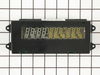
It took us longer to do this repair than others report, but the repair was relatively easy. As with others, our clock display was getting very dim. In fact, when we turned on the oven to bake, the clock and temperature display would both completely dim. While we were not sure that the clock assembly was the part we needed, the comments from others led us to believe that replacing the clock assembly would likely fix the problem – which it did!
To be safe, we first turned off the power to the oven. Next, using a #2 Phillips screwdriver, we removed the three screws on the top of the control panel and the four screws on the bottom of the control panel. Now, the control panel is completely loose from the oven except for the two wired connectors running between the clock assembly and the oven. The two wired connectors take a little bit of care and effort to remove since a “lip” secures them. For the four-wire connector, we were able to remove the connector by wiggling and pulling on it. For the other connector, we needed to use a small flat head screw driver to bend back the lip on the clock assembly, and then still needed to wiggle and pull on the connector to get it loose. Be careful not to pull on the wires!
Note that a connector does not terminate the ribbon cable. To remove the ribbon cable, squeeze together the two tabs on each end of the connector on the clock assembly and pull up on the connector (i.e., pull away from the board). The part of the connector that you are squeezing will rise up slightly and the ribbon cable will rise up with it. (You might want to practice with the new clock assembly to see how this works as it is easier to unhook the connector when the ribbon cable is not connected.) The ribbon cable has two holes in it that fit over two pegs on the part of the connector that rises up. The ribbon cable should simply pull out once the connector is opened up.
Use a ¼” nut driver to remove the four hex head screws that attach the clock assembly to the control panel. The clock assembly is now free from the control panel, but we still needed to pull on the clock assembly to remove it since the fit was very tight.
Assembly is simply reversing the above steps. To fit the new clock assembly onto the control panel, we needed to use a pair of pliers to first slightly bend the metal tabs on the control panel outward, as the fit (as noted) was very tight. After fitting the clock assembly into place, tighten it down with the four hex head screws. If you have not already done so, release the ribbon cable assembly on the new clock assembly by squeezing the tabs and pulling up. Fit the two holes in the ribbon cable over the two pegs on the connector, and then simply push the connector piece down until it snaps into place (making sure that the ribbon cable stays on the two pegs). Take the control panel back to the oven and reconnect the other two wire connectors. To finish up, place the control panel back on the oven, replace the seven screws, and then turn the power back on.
If your experience is like ours, you will be amazed at how bright the new display is!
To be safe, we first turned off the power to the oven. Next, using a #2 Phillips screwdriver, we removed the three screws on the top of the control panel and the four screws on the bottom of the control panel. Now, the control panel is completely loose from the oven except for the two wired connectors running between the clock assembly and the oven. The two wired connectors take a little bit of care and effort to remove since a “lip” secures them. For the four-wire connector, we were able to remove the connector by wiggling and pulling on it. For the other connector, we needed to use a small flat head screw driver to bend back the lip on the clock assembly, and then still needed to wiggle and pull on the connector to get it loose. Be careful not to pull on the wires!
Note that a connector does not terminate the ribbon cable. To remove the ribbon cable, squeeze together the two tabs on each end of the connector on the clock assembly and pull up on the connector (i.e., pull away from the board). The part of the connector that you are squeezing will rise up slightly and the ribbon cable will rise up with it. (You might want to practice with the new clock assembly to see how this works as it is easier to unhook the connector when the ribbon cable is not connected.) The ribbon cable has two holes in it that fit over two pegs on the part of the connector that rises up. The ribbon cable should simply pull out once the connector is opened up.
Use a ¼” nut driver to remove the four hex head screws that attach the clock assembly to the control panel. The clock assembly is now free from the control panel, but we still needed to pull on the clock assembly to remove it since the fit was very tight.
Assembly is simply reversing the above steps. To fit the new clock assembly onto the control panel, we needed to use a pair of pliers to first slightly bend the metal tabs on the control panel outward, as the fit (as noted) was very tight. After fitting the clock assembly into place, tighten it down with the four hex head screws. If you have not already done so, release the ribbon cable assembly on the new clock assembly by squeezing the tabs and pulling up. Fit the two holes in the ribbon cable over the two pegs on the connector, and then simply push the connector piece down until it snaps into place (making sure that the ribbon cable stays on the two pegs). Take the control panel back to the oven and reconnect the other two wire connectors. To finish up, place the control panel back on the oven, replace the seven screws, and then turn the power back on.
If your experience is like ours, you will be amazed at how bright the new display is!
Parts Used:
-
Curt from Hawthorn Woods, IL
-
Difficulty Level:Easy
-
Total Repair Time:15 - 30 mins
-
Tools:Nutdriver, Pliers, Screw drivers
4 of 5 people
found this instruction helpful.
Was this instruction helpful to you?
Thank you for voting!
the hinge sring broke on one side of the oven door
Remove the screws from bottom of door to gain access to the hinge screws. Remove the bottom hinge screws and then open the door to gain access to the top hinge screws. CAUTION after removing the top screws close the door as far as possible while still griping the sides of the door. Pull up on the sides to remove the door from the stove. The springs are fully loaded if you have the door open all the way and try to lift up (like I did) the hinge will spring back and get your finger. Install the new hinge, put the door back into the oven, install all the screws and then remove the temporary rivet that comes installed in the new hinge.
Parts Used:
-
stephen from canton, MA
-
Difficulty Level:A Bit Difficult
-
Total Repair Time:15 - 30 mins
-
Tools:Screw drivers
4 of 5 people
found this instruction helpful.
Was this instruction helpful to you?
Thank you for voting!
No heat in oven
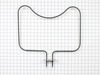
The repair was really simple. I removed the 2 screws holding the baking element to the oven wall, pulled the element out about 2 inches, lifted the front of the element and pulled it out more to reach the 2 wires. I disconnected the two wires and reversed the procedure for installation, inserted the 2 screws and turned the power back on. The element works fine.
Parts Used:
-
Thomas from Pittsburgh, PA
-
Difficulty Level:Really Easy
-
Total Repair Time:Less than 15 mins
-
Tools:Screw drivers, Socket set
3 of 3 people
found this instruction helpful.
Was this instruction helpful to you?
Thank you for voting!
Oven erratic, not heating correctly, timer beeper sounding
The video indicating •unscrew old sensor, •pull wiring, •unplug old sensor, and •plug in replacement was good until I pulled the old one and saw wire nuts behind the small square hole! After some research, I learned that the nuts COULD come through that small hole with use of needle nose pliers. One of the wire nuts had the edges pinched off (chipped) in the process. Then I learned about ceramic wire nuts, which I'd never previously encountered. Very important if you don't want to melt your nuts! I cut and stripped the end of a disconnect plug to the stove wiring and now I have a plug in place; which, hopefully, I'll never need to use.
Parts Used:

-
Dave from SANTA BARBARA, CA
-
Difficulty Level:A Bit Difficult
-
Total Repair Time:30 - 60 mins
-
Tools:Pliers, Screw drivers
3 of 3 people
found this instruction helpful.
Was this instruction helpful to you?
Thank you for voting!
Oven stopped heating
I had a service guy come in and he told me the repair would be $550.00. I asked for a part list and did it myself. You guys saved me hundreds of dollars.
Parts Used:

-
Christopher from Royal Oak, MI
-
Difficulty Level:Really Easy
-
Total Repair Time:15 - 30 mins
-
Tools:Screw drivers, Socket set, Wrench set
4 of 7 people
found this instruction helpful.
Was this instruction helpful to you?
Thank you for voting!
ovens wouldn't maintain temperature after preheat cycle
unplugged oven. removed 2 screws that hold the sensor in place, then removed the dozen or so screws that hold on the rear panel, unplugged sensor and fed wire through insulation. identified and installed correct harness adapter then fed new wire and connecter through insulation and connected to adapter. installed sensor retaining screws.plugged oven back in and tested function.no dice. unplugged oven once again. removed oven control panel and upon inspection of printed circuit board discovered 3 solder joints had failed. dang. resoldered failed joints and also sweetened up a few others that looked suspect. reinstalled controller, replaced all retaining hardware, and plugged in the oven. tah-dah!! works like a charm now. moral of the story is check the pc board first and save $50 for unneeded pats!!! or buy the controller from parts direct for $260ish. btw a roll of solder and soldering iron from an auto parts store cost around $10, learned to solder on you-tube $0. amazing all the home appliances yo can fix if you're not afraid to take a few screws out and poke around a bit. CHEERS!
Parts Used:
-
sherri from elk horn, IA
-
Difficulty Level:A Bit Difficult
-
Total Repair Time:30 - 60 mins
-
Tools:Screw drivers
3 of 4 people
found this instruction helpful.
Was this instruction helpful to you?
Thank you for voting!
The display light was not working
Removed three screws on top and 4 on bottom to open the compartment of the display clock. Four more screws were removed to take the display clock itself. Three connecting wires were easily remomed (pay attention to the thin wide wire connection, you will need to pull the tabs from both end to free the wire connection). Put the new display light in place. Connected the wire and put the screws back.
I am not a mechanic by any means and I think everyone should be able to do it easily, as long as they know how to unscrew. (dont forget to shut off the power to the oven while doing this)
Somone had suggested that they can fix the faulty part. I will send this to them for $10 only (to cover shipping and handling). They can repair and sell it. My unit is functioning except for the infamous display failure.
I am not a mechanic by any means and I think everyone should be able to do it easily, as long as they know how to unscrew. (dont forget to shut off the power to the oven while doing this)
Somone had suggested that they can fix the faulty part. I will send this to them for $10 only (to cover shipping and handling). They can repair and sell it. My unit is functioning except for the infamous display failure.
Parts Used:
-
Ravindra from Peoria, IL
-
Difficulty Level:Easy
-
Total Repair Time:30 - 60 mins
-
Tools:Screw drivers
3 of 4 people
found this instruction helpful.
Was this instruction helpful to you?
Thank you for voting!
left cover for the oven light broke when trying to replace the bulb
Ordered the part. when it arrived-quite speedily, I just unpacked it and put the cotton gasket around the glass and screwed it to the proper place in the oven. Very easy.
Parts Used:

-
Mark from SHOREVIEW, MN
-
Difficulty Level:Very Easy
-
Total Repair Time:Less than 15 mins
2 of 2 people
found this instruction helpful.
Was this instruction helpful to you?
Thank you for voting!
Replacing the bulb in the freezer side
Removed the ice brucket,
Removed the light shield by releasing one screw using a nutdriver.
Replacing the bulb and reinstalled the light shield.
Your web site is one of the best and most helpfull service sites I ever used. Just wish that in the future you will ship parts overseas.
Removed the light shield by releasing one screw using a nutdriver.
Replacing the bulb and reinstalled the light shield.
Your web site is one of the best and most helpfull service sites I ever used. Just wish that in the future you will ship parts overseas.
Parts Used:
-
Yafa (and David) from Bothell, WA
-
Difficulty Level:Easy
-
Total Repair Time:Less than 15 mins
-
Tools:Nutdriver
5 of 11 people
found this instruction helpful.
Was this instruction helpful to you?
Thank you for voting!
Element burnt out
First I removed the two retaining screws that hold the element in place. I then pulled the element out about 3 inches to disconnected the two wire leads. Removed element.
Note: Retain the two screws, the new element doesn't come with new screws.
To install new element simply reverse what you did to remove old element.
Note: Retain the two screws, the new element doesn't come with new screws.
To install new element simply reverse what you did to remove old element.
Parts Used:
-
George from Medford, NJ
-
Difficulty Level:Really Easy
-
Total Repair Time:Less than 15 mins
-
Tools:Screw drivers
3 of 5 people
found this instruction helpful.
Was this instruction helpful to you?
Thank you for voting!
Replace the oven Sensor
The sensor is mounted in the top right side of the oven.An extra long screw driver helps to avoid damage to the sensor when replacing it.The connectors were the opposite to the old sensor and I did not see that there were adapter cables included. It might help to connect or tie these together as I only expected the sensor and did not look for adapters.I had cut the wires and used wire nuts when I found the adapters.The repairs works fine.
Mike
Mike
Parts Used:
-
Michael from Exeter, NH
-
Difficulty Level:Really Easy
-
Total Repair Time:15 - 30 mins
-
Tools:Nutdriver, Pliers, Screw drivers
3 of 5 people
found this instruction helpful.
Was this instruction helpful to you?
Thank you for voting!
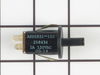
Door Lock Switch fell apart
My son removed the switch panel and unpluged
the switch. Then he replaced it with the new
switch fasten back the panel and turned the
power back on and everythiing worked fine.
the switch. Then he replaced it with the new
switch fasten back the panel and turned the
power back on and everythiing worked fine.
Parts Used:
-
Yvonne from Lake Odessa, MI
-
Difficulty Level:Really Easy
-
Total Repair Time:Less than 15 mins
-
Tools:Socket set
2 of 2 people
found this instruction helpful.
Was this instruction helpful to you?
Thank you for voting!
Oven would not heat
Spoke to your very helpful staff, who advised me that a likely problem was the oven sensor. I took a chance and ordered the part, which came promptly. Your service video for the part was most helpful in my decision to try the part. Installation was a breeze, but it was the oven controller board that had failed and not the oven sensor. That called for a service professional, who ultimately fixed the problem. Your service though, was excellent and I would highly recommend you to others.
Parts Used:
-
francis from mount holley, VA
-
Difficulty Level:Really Easy
-
Total Repair Time:Less than 15 mins
-
Tools:Screw drivers
2 of 2 people
found this instruction helpful.
Was this instruction helpful to you?
Thank you for voting!
Door switch for oven light
1. Remove four screws on metal panel between top and lower oven doors. Pull the panel forward. You may need to open the top door partially to ease removal of panel.
2. Reach behind panel and unplug wire connector from old switch.
3. With panel free, squeeze ears on old switch and push through opening to remove.
4. Insert new switch in to hole and push from front to seat the switch. BE CAREFUL NOT to mess with the ears--if you try to splay them out (to better seat the switch) the switch will come apart.
5. Hold the panel up to opening to connect the wire harness to the switch.
6. Realign the metal plate to holes for screws and insert screws. (You may have to twist and turn to get the panel lined up.)
Done!
2. Reach behind panel and unplug wire connector from old switch.
3. With panel free, squeeze ears on old switch and push through opening to remove.
4. Insert new switch in to hole and push from front to seat the switch. BE CAREFUL NOT to mess with the ears--if you try to splay them out (to better seat the switch) the switch will come apart.
5. Hold the panel up to opening to connect the wire harness to the switch.
6. Realign the metal plate to holes for screws and insert screws. (You may have to twist and turn to get the panel lined up.)
Done!
Parts Used:
-
Sam from Garland, TX
-
Difficulty Level:Easy
-
Total Repair Time:15 - 30 mins
-
Tools:Screw drivers
3 of 5 people
found this instruction helpful.
Was this instruction helpful to you?
Thank you for voting!
Oven Display Dim
After turning off the breaker, my husband removed the Oven Control Panel Cover. the Display assembly was connected with two multiple wire plugs. Once those were unplugged he plugged them into the new display assembly, reinstalled it, reinstalled the control panel. Turned hte breaker back on and HOORAY, after nearly a year with no oven display it still seem odd to beable to read the clock and oven temp!
Parts Used:
-
Caroline from Maineville, OH
-
Difficulty Level:Easy
-
Total Repair Time:15 - 30 mins
-
Tools:Screw drivers, Socket set
2 of 2 people
found this instruction helpful.
Was this instruction helpful to you?
Thank you for voting!