




















WW27430PR Jenn-Air Wall Oven - Instructions
Keep searches simple. Use keywords, e.g. "leaking", "pump", "broken" or "fit".
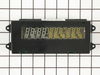
Display became progressively dim, barely visible
Thanks for the hint from this forum.
My display became very dimm, eventually unreadable.
WIth suggestion from this forum, I replaced the Electronic Clock assembly. I took me about 15 minutes. The display works perfectly fine and makes the oven look like new with its nice bright digits.
BJ
My display became very dimm, eventually unreadable.
WIth suggestion from this forum, I replaced the Electronic Clock assembly. I took me about 15 minutes. The display works perfectly fine and makes the oven look like new with its nice bright digits.
BJ
Parts Used:
-
Boguslaw from Orange, CA
-
Difficulty Level:Really Easy
-
Total Repair Time:15 - 30 mins
-
Tools:Nutdriver, Screw drivers
0 of 1 people
found this instruction helpful.
Was this instruction helpful to you?
Thank you for voting!
Display was completely blank
Turned off current at breaker box. Removed the panel above the top oven (dual-oven) by removing the seven screws that held it on. Disconnected the wires going to the clock assembly. Laid the entire panel face down on the counter, removed the four screws holding the clock assy in place and removed clock. Installed new clock and reinstalled panel. It was that easy!
Parts Used:
-
Michael from Manquin, VA
-
Difficulty Level:Really Easy
-
Total Repair Time:Less than 15 mins
-
Tools:Screw drivers
0 of 1 people
found this instruction helpful.
Was this instruction helpful to you?
Thank you for voting!
clock display dim.
easy peasy. the only tricky part, if you don't have prior knowledge, is releasing the ribbon from the old part. I recommend going on youtube and searching for any video that shows you how to release a ribbon connector. We did that and it was invaluable. The alternative is practicing on your new part, but I really didn't want to do this. The new part works beautifully and PartSelect had it to us in 2 days.
Parts Used:
-
Jeffrey from Grand Rapids, MI
-
Difficulty Level:Really Easy
-
Total Repair Time:Less than 15 mins
-
Tools:Screw drivers, Socket set
0 of 1 people
found this instruction helpful.
Was this instruction helpful to you?
Thank you for voting!
Oven display not working
I read installation advise on this web site, so when the part arrived I was more than ready to replace it. Removing a few screws below the faceplate, pulling the faceplate out slightly then up, being careful with the electronic connections, (there are tabs on the sides that need to be pressed to remove the connectors. The largest connecter is tricky, the side tabs need to be pressed then gently pulled up to release the electronic "tape".) It took about ten minutes to complete. Very satisfied.
Parts Used:
-
Martin from Salem, MA
-
Difficulty Level:Really Easy
-
Total Repair Time:Less than 15 mins
-
Tools:Nutdriver, Screw drivers
0 of 1 people
found this instruction helpful.
Was this instruction helpful to you?
Thank you for voting!
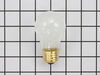
replaced oven lightbulb
-
peggy ann from forest city, NC
-
Difficulty Level:Really Easy
-
Total Repair Time:Less than 15 mins
0 of 1 people
found this instruction helpful.
Was this instruction helpful to you?
Thank you for voting!
Light burned out in upper oven
-
Shirley from Las Vegas, NV
-
Difficulty Level:Really Easy
-
Total Repair Time:Less than 15 mins
0 of 1 people
found this instruction helpful.
Was this instruction helpful to you?
Thank you for voting!
not heating/kicking oven off
Husband got on partselect.com and read reviews, we ordered a long oven sensor kit. When it came in the mail, I took it out and look at it, decided I could probably switch the part.... and so I did. Easy Breezy ... and it worked well
Parts Used:

-
Kevin from Virginia, IL
-
Difficulty Level:Easy
-
Total Repair Time:Less than 15 mins
-
Tools:Screw drivers
0 of 1 people
found this instruction helpful.
Was this instruction helpful to you?
Thank you for voting!
light bulb went out in my oven
My husband took the plastic cover off and took out old bulb and screwed in the new one. Then put the cover back on.
Parts Used:
-
Janet from Ada, MI
-
Difficulty Level:Really Easy
-
Total Repair Time:Less than 15 mins
2 of 7 people
found this instruction helpful.
Was this instruction helpful to you?
Thank you for voting!
Clock had gone dim over time
Removed screws holding in control panel. Replaced clock assembly following instructions listed by others. Easy. Wife happy.
Parts Used:
-
Mark from North Richland Hills, TX
-
Difficulty Level:Really Easy
-
Total Repair Time:15 - 30 mins
-
Tools:Pliers, Screw drivers, Socket set
0 of 1 people
found this instruction helpful.
Was this instruction helpful to you?
Thank you for voting!
Oven clock and temp light wouldn't illuminate
Easy repair- read the other reviews and followed it. Pretty straight forward.
Quick delivery on the part.
Quick delivery on the part.
Parts Used:
-
NANCY from RIDGEFIELD, CT
-
Difficulty Level:Easy
-
Total Repair Time:15 - 30 mins
-
Tools:Pliers, Screw drivers
0 of 1 people
found this instruction helpful.
Was this instruction helpful to you?
Thank you for voting!
Lost timmer light
Unscrew 7 screws on foace plate,unplug computer board,replace with new board,rescrew 7 screws ,finished
Parts Used:
-
David from Mount Arlington, NJ
-
Difficulty Level:Really Easy
-
Total Repair Time:Less than 15 mins
-
Tools:Screw drivers
0 of 1 people
found this instruction helpful.
Was this instruction helpful to you?
Thank you for voting!
Display was out
Removed the screws pulled the control panel out and plugged in the new one......it was easy. It was 2 days before Thanksgiving, we were so happy to get it fixed.
Parts Used:
-
Heather from Bloomington, IL
-
Difficulty Level:Easy
-
Total Repair Time:Less than 15 mins
-
Tools:Screw drivers
0 of 1 people
found this instruction helpful.
Was this instruction helpful to you?
Thank you for voting!
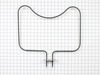
Bake element worn out
As per instructions on the web, removed 3 screws to get round metal plate out to get to wires, removed 2 screws to get element out, it was a breeze.
Parts Used:
-
John from Marietta, GA
-
Difficulty Level:Really Easy
-
Total Repair Time:15 - 30 mins
-
Tools:Pliers, Screw drivers
0 of 1 people
found this instruction helpful.
Was this instruction helpful to you?
Thank you for voting!
Getting codes and beeping
Control panel was responsive however oven would not heat up. I Replaced sensor with one of the adapters and oven is now working again.
Parts Used:
-
Arthur from Dallas, TX
-
Difficulty Level:Really Easy
-
Total Repair Time:15 - 30 mins
-
Tools:Pliers, Screw drivers
1 of 4 people
found this instruction helpful.
Was this instruction helpful to you?
Thank you for voting!
replaced bottom element and broken light bulb
7 minutes to turn off the breaker - unscrew the old element, pull out the old element attach the new element and rescrew. 10 minutes to replace the broken bulb since the base was left without the glass bulb to turn.
Parts Used:
-
Mary Lee from Watonga, OK
-
Difficulty Level:Really Easy
-
Total Repair Time:15 - 30 mins
-
Tools:Pliers, Screw drivers
0 of 1 people
found this instruction helpful.
Was this instruction helpful to you?
Thank you for voting!