




















WW27430PR Jenn-Air Wall Oven - Instructions
Keep searches simple. Use keywords, e.g. "leaking", "pump", "broken" or "fit".
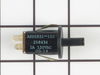
Door Lock Switch fell apart
My son removed the switch panel and unpluged
the switch. Then he replaced it with the new
switch fasten back the panel and turned the
power back on and everythiing worked fine.
the switch. Then he replaced it with the new
switch fasten back the panel and turned the
power back on and everythiing worked fine.
Parts Used:
-
Yvonne from Lake Odessa, MI
-
Difficulty Level:Really Easy
-
Total Repair Time:Less than 15 mins
-
Tools:Socket set
2 of 2 people
found this instruction helpful.
Was this instruction helpful to you?
Thank you for voting!
Oven would over heat and produce a F2 error code on the display. It would not turn off or cool down until I switched the circuit breaker off.
I switched the oven sensor easily enough, but it did not remedy the problem, so we are in the process of replacing the oven since it's about 20 yrs. old.
Parts Used:

-
richard from SAINT MARYS, KS
-
Difficulty Level:Very Easy
-
Total Repair Time:Less than 15 mins
-
Tools:Screw drivers
2 of 2 people
found this instruction helpful.
Was this instruction helpful to you?
Thank you for voting!
Cooling fan runs fault code displayed
Removed the two screws holding the sensor to the rear oven wall. pulled out sensor wire. It was caught on other wires behind the oven. removed the three screws holding the 8" inspection plate in the center of the rear panel. Carefully move the insulation and reach in to grasp the back end of the sensor wire. Once free from the snag it easily pulls out with the sensor just as stated in the video. using the appropriate adaptor it was easy to re-asseble and and attach to the oven wall. Replace the rear panel with the three screws and it was done
Parts Used:
-
FRANK from CLARENCE CTR, NY
-
Difficulty Level:Easy
-
Total Repair Time:30 - 60 mins
-
Tools:Screw drivers
2 of 2 people
found this instruction helpful.
Was this instruction helpful to you?
Thank you for voting!
Hinge on one side had snapped.
Although only one side hinge had snapped, I replaced both sides with new oven door hinges. Followed the website video installation directions and all went well; the new hinges work perfectly.
Parts Used:
-
Michael from ALTADENA, CA
-
Difficulty Level:Really Easy
-
Total Repair Time:30 - 60 mins
-
Tools:Screw drivers
2 of 2 people
found this instruction helpful.
Was this instruction helpful to you?
Thank you for voting!
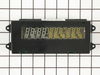
oven clock and temp display control and door hinge failure
For display replacement: remove top three phillip head screws and four underneath bezel screws. Detach 3 wire harness sockets. With control panel assembly detached from oven face remove two screws holding display control using socket driver and replace with new. Reverse steps for installation.
Hinge replacement: Follow guidelines written by previous comments. Before re-installing door in to oven cavity slots be sure to remove temporary hinge "open" pin (small round-head pin approx. 3/8" long which holds the spring loaded hinge in a position to insert it through the oven door housing assy. slots). Also download the PDF service manual found on the web!
Hinge replacement: Follow guidelines written by previous comments. Before re-installing door in to oven cavity slots be sure to remove temporary hinge "open" pin (small round-head pin approx. 3/8" long which holds the spring loaded hinge in a position to insert it through the oven door housing assy. slots). Also download the PDF service manual found on the web!
Parts Used:
-
David A from Nellysford, VA
-
Difficulty Level:A Bit Difficult
-
Total Repair Time:1- 2 hours
-
Tools:Nutdriver, Pliers, Screw drivers, Socket set, Wrench (Adjustable)
4 of 8 people
found this instruction helpful.
Was this instruction helpful to you?
Thank you for voting!
Maytag range had "F3" code display, oven would not work.
Oven sensor replacement was easy. Thermistor was installed in less than 15 minutes. After installation STILL had "F3" error message. Harness was ok, "Clock" or ECU needed to be replaced. "Computer" is obsolete, no spares available, some companies will rebuilt for $400+. Since the stove was going to the landfill I had nothing to lose by taking the "Clock" apart. It has one chip that is probably the power supply and control chip, another chip is an EEPROM with 128 bytes of storage and the last is a darlington chip that controls the relays. Cleaned up everything that looked like it needed cleaning with alcohol. When I reassembled the unit the pins for the thermistor harness felt loose, so I took it apart, again, and found cold solder joints on all four pins. It must have been there all along but plugging and unplugging the harness finally broke out the solder so I could see it. Soldered the pins back in and now it all works. It's worth a try if you're getting the "F3" message. If the relays on your stove aren't working it would be a good idea to replace the darlington chip. Good luck.
Parts Used:
-
phillip from Farmington, NM
-
Difficulty Level:Difficult
-
Total Repair Time:More than 2 hours
-
Tools:Nutdriver, Screw drivers
2 of 2 people
found this instruction helpful.
Was this instruction helpful to you?
Thank you for voting!
Both door hinges was simply worn out from 20+ years of usage.
Bought a pair for needed door hinges for replacement. Found a DIY video on You Tube showing technique to replace. Door removal was a bit awkward but hinge replacement and door reinstallation was as detailed in video. Could not nor would not have tackled this project without video. Premium quality parts sent and received within days of ordering. Wife happy therefore so am I.
Parts Used:
-
Ron from SCROGGINS, TX
-
Difficulty Level:A Bit Difficult
-
Total Repair Time:1- 2 hours
-
Tools:Pliers, Screw drivers
2 of 2 people
found this instruction helpful.
Was this instruction helpful to you?
Thank you for voting!
No temperature control
Turned off breakers to oven. Removed two screws that held oven in cabinet. Removed oven door by opening slightly and pulling up on door. Pulled oven out 1/3 of way. Took out four screws on top of control panel. Took oven light switch off by unscrewing holding ring. Removed temp knob on right by pulling. Removed start / stop knob same way.Removed glass straight out. Removed four screws that held elecrtonic clock conrtol board. Unpluged three wire plug from right side and the nine wire plug from the left side. Worked board out at and angle. Went backwards to connect and replace board, screws and door.Slid oven back in and tested oven after turning breakers back on, worked like new.
Parts Used:
-
Max from Houston, TX
-
Difficulty Level:Easy
-
Total Repair Time:30 - 60 mins
-
Tools:Screw drivers
2 of 3 people
found this instruction helpful.
Was this instruction helpful to you?
Thank you for voting!
The oven door slammed shut and the door lock switch broke causing the light to stay on continuously.
I contacted a local appliance repair store who didn't know what I was talking about. I looked online and the store called me back to tell me the part would probably be $75.00. I took the broken part out of the door frame and found the exact part online at your site, and ordered it for $14.00. Received the part within 2 days and put it in in 10 minutes.
Parts Used:
-
Lynne from Belchertown, MA
-
Difficulty Level:Easy
-
Total Repair Time:Less than 15 mins
-
Tools:Screw drivers
2 of 3 people
found this instruction helpful.
Was this instruction helpful to you?
Thank you for voting!
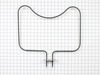
Oven element burned through 2 hours before Thanksgiving dinner
Ordered the part Thanksgiving Day, received it Tuesday. Came home and my son, who has the mechanical aptitude of a rock, had already changed it. Must not be too hard.
Parts Used:
-
Douglas from Nicholasville, KY
-
Difficulty Level:Really Easy
-
Total Repair Time:Less than 15 mins
-
Tools:Screw drivers
2 of 3 people
found this instruction helpful.
Was this instruction helpful to you?
Thank you for voting!
Broken oven door hinge
I watched a You Tube video,removed and dismantled the door, installed the new hinge. I forgot to remove the small pin which is similar to a rivet. When I tried to close the door it bent. Eventually, I remembered the shipping pin and pulled it out with any damage. Believe it or not, I had read about the shipping pin on customer comments on PartsSelect...Good luck, it is relatively easy!
Parts Used:
-
Stephen from Monmouth, OR
-
Difficulty Level:Really Easy
-
Total Repair Time:Less than 15 mins
-
Tools:Screw drivers
2 of 3 people
found this instruction helpful.
Was this instruction helpful to you?
Thank you for voting!
Oven Temperature was 50 degrees low
Took screws out of the back on the side the sensor was on, unplugged it & took out the two screws on the inside of the oven to release the sensor. Put new sensor in place with the two screws & used one of the adapters to plug in the new sensor. Put screws back in the back panel & turned on the oven which unfortunately is still 50 degrees low. Need a new clock with computer which is out of stock & unavailable. I was an electrician for 25 years so didn't experience any problems. It was a cheap thing to try.
Parts Used:
-
Eugene from Clinton, IA
-
Difficulty Level:Really Easy
-
Total Repair Time:15 - 30 mins
-
Tools:Screw drivers
2 of 3 people
found this instruction helpful.
Was this instruction helpful to you?
Thank you for voting!
The lights in the clock/temperature assembly went dim and then eventually went out.
After turning off the power to the oven, I first removed four screws under the face of the control panel (open the oven door and look up). The entire front face of the control panel then slid out. I then unplugged the two sets of wires that led from that piece to the main oven (so that I could lay the front panel on the counter) taking care to remember where they would plug back in.
I then unplugged two wires from the clock assembly. Next, I unscrewed the clock assembly (an approx 3 inch by 5 inch assembly that is screwed to the very center of the control panel) using a small ratchet wrench set (they are hex screws). I then replaced the broken clock assembly with the new one, plugged it back in, plugged the front panel back into the oven, slid the panel back into place, and replaced the four screws. Turned back on the power. All done! 10-15 minutes.
Just take care to get the correct clock assembly for your model of Jenn-Air oven. There are several different versions that are not interchangeable.
I then unplugged two wires from the clock assembly. Next, I unscrewed the clock assembly (an approx 3 inch by 5 inch assembly that is screwed to the very center of the control panel) using a small ratchet wrench set (they are hex screws). I then replaced the broken clock assembly with the new one, plugged it back in, plugged the front panel back into the oven, slid the panel back into place, and replaced the four screws. Turned back on the power. All done! 10-15 minutes.
Just take care to get the correct clock assembly for your model of Jenn-Air oven. There are several different versions that are not interchangeable.
Parts Used:
-
Lisa from Shaver Lake, CA
-
Difficulty Level:Easy
-
Total Repair Time:15 - 30 mins
-
Tools:Screw drivers, Wrench set
2 of 3 people
found this instruction helpful.
Was this instruction helpful to you?
Thank you for voting!
Electronic control clock readout failed
Open oven 220V circuit breaker. Take top and bottom Phillips screws holding panel. Turn panel and use an small flat blade screwdriver to pry the two small electrical connectors out freeing the panel from the oven. Place panel on a table. With thumb and index finger push lightly towards the inside the two vertical branches of sank long U type plastic holding flat ribbon and try to gently lift the U. The U doesn't come out all the way, it only needs to come out enough to free the ribbon. I broke the legs of the old one trying to bring it all the way up, fortunately the replacement has a new U. The assembly PS2077427 is removed and replaced after freeing the ribbon. When placing ribbon back, the very small hooks on the plastic U need to engage the two little holes in the ribbon to bring the ribbon down and grab it so it makes contact. The rest is easy.
Parts Used:
-
Carlos from Camarillo, CA
-
Difficulty Level:Easy
-
Total Repair Time:15 - 30 mins
-
Tools:Screw drivers, Socket set
1 person
found this instruction helpful.
Was this instruction helpful to you?
Thank you for voting!
Oven would not hold temperature, not turn on, and would shut off during use.
Extremely simple repair to make. Move stove away from wall and disconnect power. Remove the oven racks. Remove the rear sheet metal panel covering the wiring harnesses. Caution: Sharp edges and corners on sheet metal.Sensor is located in upper left corner on rear oven wall. Using a long-shafted #2 Philips screwdriver, remove the two Philips head screws and gently pull the sensor 1" away from the oven wall. At this point, it will help to have an assist from someone while you are behind the range. Have the assistant gently tug on the sensor while you watch for wires moving on the rear of the range. After locating the sensor wires, gently disconnect the plastic connector clip. Note: plastic connectors become brittle with age and exposure to heat Move to front of range and gently remove sensor from rear wall by pulling the wiring through the oven wall. Before inserting the new sensor wire through the oven wall, "dry fit" the wiring connectors to see that the new sensor is a correct connection. Make connection, and secure the sensor to the rear oven wall with the two screws. Install racks, reinstall rear sheet metal panel, and connect the power. Set the oven baking temperature to a moderately low temp, 300 - 350 deg. to test the new sensor.
Parts Used:
-
John from Arvada, CO
-
Difficulty Level:Very Easy
-
Total Repair Time:Less than 15 mins
-
Tools:Nutdriver, Screw drivers
1 person
found this instruction helpful.
Was this instruction helpful to you?
Thank you for voting!