




















SVD48600WC Jenn-Air Range - Instructions
Keep searches simple. Use keywords, e.g. "leaking", "pump", "broken" or "fit".
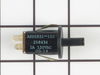
The oven door slammed shut and the door lock switch broke causing the light to stay on continuously.
I contacted a local appliance repair store who didn't know what I was talking about. I looked online and the store called me back to tell me the part would probably be $75.00. I took the broken part out of the door frame and found the exact part online at your site, and ordered it for $14.00. Received the part within 2 days and put it in in 10 minutes.
Parts Used:
-
Lynne from Belchertown, MA
-
Difficulty Level:Easy
-
Total Repair Time:Less than 15 mins
-
Tools:Screw drivers
2 of 3 people
found this instruction helpful.
Was this instruction helpful to you?
Thank you for voting!
Front burner inoperative
Simply removed the front burner using 1/4 incn nutdriver on
two screws.placed new burner in position and tightenwd two screws.
Simplest and easiest job I ever did!
Works as new!
two screws.placed new burner in position and tightenwd two screws.
Simplest and easiest job I ever did!
Works as new!
Parts Used:

-
Robert from Portland, OR
-
Difficulty Level:Really Easy
-
Total Repair Time:Less than 15 mins
-
Tools:Nutdriver
2 of 3 people
found this instruction helpful.
Was this instruction helpful to you?
Thank you for voting!
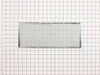
time to replace the filter
-
Karen D from Columbia, MD
-
Difficulty Level:Really Easy
-
Total Repair Time:Less than 15 mins
2 of 3 people
found this instruction helpful.
Was this instruction helpful to you?
Thank you for voting!
Needed Replacement Filters
Remove Vent Cover, Remove Old Filter, Replace With New Filter, Replace Vent Cover, Repair Complete
Parts Used:
-
Grady E from Vidalia, GA
-
Difficulty Level:Really Easy
-
Total Repair Time:Less than 15 mins
3 of 6 people
found this instruction helpful.
Was this instruction helpful to you?
Thank you for voting!
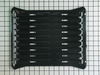
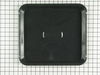
I needed a broiler pan
I took the broiler pan out of the shipping container and put it in the oven.
Parts Used:
-
Rhoda P. from Secaucus, NJ
-
Difficulty Level:Really Easy
-
Total Repair Time:Less than 15 mins
4 of 9 people
found this instruction helpful.
Was this instruction helpful to you?
Thank you for voting!
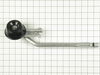
Burner Ports were worn and oversize
Removed the two screws that hold burners on mounting bracket . Removed burners and installed new burners. re-adjusted air flow to elimenate yellow flame.
Parts Used:
-
John H from Newfoundland, PA
-
Difficulty Level:Really Easy
-
Total Repair Time:Less than 15 mins
-
Tools:Nutdriver
2 of 3 people
found this instruction helpful.
Was this instruction helpful to you?
Thank you for voting!
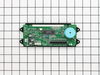
could not read time or temp
it took me longer to get my portable screwdriver from my shop than to remove four screws from the panel and two screws from the clock assembly and to unplug and replug wiring , then reassemble the panel
Parts Used:
-
martin from castalian springs, TN
-
Difficulty Level:Really Easy
-
Total Repair Time:Less than 15 mins
2 of 3 people
found this instruction helpful.
Was this instruction helpful to you?
Thank you for voting!
Oven Temperature was 50 degrees low
Took screws out of the back on the side the sensor was on, unplugged it & took out the two screws on the inside of the oven to release the sensor. Put new sensor in place with the two screws & used one of the adapters to plug in the new sensor. Put screws back in the back panel & turned on the oven which unfortunately is still 50 degrees low. Need a new clock with computer which is out of stock & unavailable. I was an electrician for 25 years so didn't experience any problems. It was a cheap thing to try.
Parts Used:

-
Eugene from Clinton, IA
-
Difficulty Level:Really Easy
-
Total Repair Time:15 - 30 mins
-
Tools:Screw drivers
2 of 3 people
found this instruction helpful.
Was this instruction helpful to you?
Thank you for voting!
Display Very Dim & Broil not working
Turn off the electrical breaker before starting! Open the oven door & remove the 4 silver hex head screws under the bottom of the control panel with a 1/4 " nut driver. Pull out on the bottom of panel. This will access the clock assembly. Unplug the ribbon cable by pushing in & up on the small clips on each end of the connector - this is a little tricky but not that difficult. Remove the two small connectors and remove the two clock assembly mounting screws. Reverse the procedure for installation. This corrected the problem with the broil element not working - apparently the electronic clock assembly was the problem there as well.
Parts Used:
-
Roger from Oxford, NC
-
Difficulty Level:Easy
-
Total Repair Time:15 - 30 mins
-
Tools:Nutdriver, Screw drivers
2 of 3 people
found this instruction helpful.
Was this instruction helpful to you?
Thank you for voting!
No temperature control
Turned off breakers to oven. Removed two screws that held oven in cabinet. Removed oven door by opening slightly and pulling up on door. Pulled oven out 1/3 of way. Took out four screws on top of control panel. Took oven light switch off by unscrewing holding ring. Removed temp knob on right by pulling. Removed start / stop knob same way.Removed glass straight out. Removed four screws that held elecrtonic clock conrtol board. Unpluged three wire plug from right side and the nine wire plug from the left side. Worked board out at and angle. Went backwards to connect and replace board, screws and door.Slid oven back in and tested oven after turning breakers back on, worked like new.
Parts Used:
-
Max from Houston, TX
-
Difficulty Level:Easy
-
Total Repair Time:30 - 60 mins
-
Tools:Screw drivers
2 of 3 people
found this instruction helpful.
Was this instruction helpful to you?
Thank you for voting!
LED Display to dim to read
I first turned the breaker off. Then removed the screws under the display with the oven door open. Then removed the side screws. Then removed the trim kit for the microwave which exposed 3 more screws. The middle one with the Micro Door open. The complete display panel then was removable. I took a digital picture of the 2 wire and 1 ribbon connectiors (I know-anal). Then removed the 2 wire groups-struggled somewhat with the ribbon connector until I realized by trial & Error that the 2 little tabs on the sides only pull upward, releasing the ribbon. Removed 4 nutdriver screws to remove old display-installed new one in reverse fashion. Then I CLEANED everything I could reach it was so dirty! (I live in the desert,duh!) I just paid great attention to how it came apart and it was relatively easy. The best part is that I didn't have to remove the Oven/Microwave unit to do the repair.The new part works perfectly, thanks!
Parts Used:
-
Dennis from Scottsdale, AZ
-
Difficulty Level:Easy
-
Total Repair Time:30 - 60 mins
-
Tools:Nutdriver, Screw drivers
1 person
found this instruction helpful.
Was this instruction helpful to you?
Thank you for voting!
"F3" error message and no oven heat
Unplugged the range, removed screws holding the old sensor. When I pulled it out, the wire connecting to the sensor was completely broken through,therefore I could not just pull the wire to get to the connector. Unscrewed one side of back panel to access the connector. Pushed the connector and wire of the new sensor through the hole ( and behind the insulation), disconnected the old sensor and connected the new one. Re screwed the new connector in place plus rescrewed the back panel. Plugged the range in and - Viola! Everything now works like a charm and I have my oven back. Easy-Peasy. Oh - I am an older female with very limited DYI experience. I just saved myself $650.00!
Parts Used:
-
Pat from PAYSON, AZ
-
Difficulty Level:Very Easy
-
Total Repair Time:15 - 30 mins
-
Tools:Screw drivers
1 person
found this instruction helpful.
Was this instruction helpful to you?
Thank you for voting!
Oven door was locked, couldn't set oven temps
Got a bent metal coathook to temporarily release the oven door, removed the screws from the old probe, inserted the new one, and hooked it up, using the one of the plug adapters provided. Problem solved! The oven door latch was now disengaged, the oven would now accept temperature inputs, and the rear cooling fan (which wouldn't shut off) now turned off. That's a lot of things working better for less than $50!
Parts Used:
-
William from Nashville, TN
-
Difficulty Level:Easy
-
Total Repair Time:15 - 30 mins
-
Tools:Screw drivers
1 person
found this instruction helpful.
Was this instruction helpful to you?
Thank you for voting!
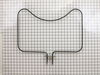
bake function inoperable
always remeber the first thing to do when working on electric components turn off the breaker
remove 2 screws securing the element, pull the element out enough to view the wire terminal attached to element and remove with needle nose plirers ,apply to new element ,replace screws
remove 2 screws securing the element, pull the element out enough to view the wire terminal attached to element and remove with needle nose plirers ,apply to new element ,replace screws
Parts Used:
-
Marvin from Woodbine, GA
-
Difficulty Level:Really Easy
-
Total Repair Time:15 - 30 mins
-
Tools:Nutdriver, Socket set
1 person
found this instruction helpful.
Was this instruction helpful to you?
Thank you for voting!
Clock light was out. Oven worked but it was a guess that I could not see the temp
Cut of electricity. Opened the oven door and removed some screw that were over the door that let a plate be removed. Then that let the part drop down that was holding the clock. I removed 2 screws that was holding the clock in place, unplugged the 3 connectors that feed the clock, attached the 2 screws back in that held the clock, put the part back up in place, added the plate and was done. Turned the power back on. I was delighted when I saw the clock light on. Easy to install.
Parts Used:
-
Ila from Carthage, NC
-
Difficulty Level:Really Easy
-
Total Repair Time:15 - 30 mins
-
Tools:Screw drivers, Socket set
1 person
found this instruction helpful.
Was this instruction helpful to you?
Thank you for voting!