




















SMH4150WD Microwave - Instructions
Keep searches simple. Use keywords, e.g. "leaking", "pump", "broken" or "fit".
Microwave door did not close
Initially I called a Samsung recommended appliance repair outfit to fix the latch. The technician informed me that he does not fix latches. I need to buy a full new door for the microwave for $215 plus he charges $165 to come to my house. I got angry and did some research and it turned out that this is a very common problem. I ordered part PS4229162 "door key" $6.67 then followed the instructions on a youtube video by zimsjeep
"Repair a Broken Microwave Door Latch" to install. At first I struggled a bit hooking up the spring to the frame, but then I used a slim plier to hold the spring (instead of my fingers) and that did the trick.
"Repair a Broken Microwave Door Latch" to install. At first I struggled a bit hooking up the spring to the frame, but then I used a slim plier to hold the spring (instead of my fingers) and that did the trick.
Parts Used:

-
Rozsa from MADISON, NJ
-
Difficulty Level:Easy
-
Total Repair Time:30 - 60 mins
44 of 63 people
found this instruction helpful.
Was this instruction helpful to you?
Thank you for voting!
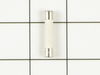
microwave oven blew fuse
First I removed upper front grill by removing two Philips head screws on top and pulling off. This exposed the Philips head screw which holds control panel in place. After removing screw I pushed up on panel and it came off to expose fuse. With needle nose pliers I removed old fuse and again with pliers held new fuse in position. With the help of a bladed screwdriver, I pushed new fuse into holder, then replaced panel, screw and grill. This took less than 15 minutes even as one of the wires on control panel pulled out of connection and took some time to locate where to reconnect, otherwise was an easy fix
.
.
Parts Used:
-
tad from tamarack, MN
-
Difficulty Level:Really Easy
-
Total Repair Time:Less than 15 mins
-
Tools:Pliers, Screw drivers
27 of 42 people
found this instruction helpful.
Was this instruction helpful to you?
Thank you for voting!
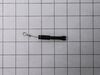
Buzzing noise, no heating of food
Removed control panel, discharged HV capacitor. Removed old diode, tested to confirm failure. Replaced part. Other than the removal of the panel swapping the part was almost as easy as replacing a light bulb.
Parts Used:
-
Ted from Hudson, NH
-
Difficulty Level:Easy
-
Total Repair Time:30 - 60 mins
-
Tools:Pliers, Screw drivers
22 of 32 people
found this instruction helpful.
Was this instruction helpful to you?
Thank you for voting!
microve stopped working
Jenn-Air Microwave would not turn on. Clock worked , light worked, timer worked and would count down .I changed' Part #0813140 Switch, Micr} cost $8.99 plus shippingNow it works Thank You for good advise
Parts Used:
-
Denice from Montgomery, AL
-
Difficulty Level:Really Easy
-
Total Repair Time:15 - 30 mins
15 of 30 people
found this instruction helpful.
Was this instruction helpful to you?
Thank you for voting!
Microwave stopped working - would not heat up
I removed the outer cover and exposed the inner workings. I watched a video on partselect.com to show how to remove and replace the Diode. I followed the instructions and it was very easy to replace.
Unfortunately, the diode was only part of the issue. I ended up replacing the High Voltage capacitor and Magnetron also. Those were a little more complicated but still easy to do.
Now the Microwave works just like new! Cost me less than $100 for all parts.
Unfortunately, the diode was only part of the issue. I ended up replacing the High Voltage capacitor and Magnetron also. Those were a little more complicated but still easy to do.
Now the Microwave works just like new! Cost me less than $100 for all parts.
Parts Used:
-
louis from PARRISH, FL
-
Difficulty Level:Easy
-
Total Repair Time:1- 2 hours
-
Tools:Pliers, Screw drivers
11 of 19 people
found this instruction helpful.
Was this instruction helpful to you?
Thank you for voting!
Appears to work, but food not heated
The high voltage tired was shorted. I replaced it with a new one, but that did not solve the problem.
You can test the high voltage tired with a voltmeter and a 9 V battery. Search Search for it on YouTube.
You can also test the high voltage capacitor, the high-voltage transformer, and the magnetron with a multi meter. Search for the procedures on YouTube.
I tested all these high-voltage components with a low-voltage multi meter, and they all checked out OK (after replacing the diode). However the microwave still did not heat food.
When working on a microwave it is important to unplug it and also discharge the high voltage capacitor. The capacitor has a 10 megaohm resister to automatically discharge itself, but it may have failed – – so discharge it manually.
In the end I ordered a new microwave.
You can test the high voltage tired with a voltmeter and a 9 V battery. Search Search for it on YouTube.
You can also test the high voltage capacitor, the high-voltage transformer, and the magnetron with a multi meter. Search for the procedures on YouTube.
I tested all these high-voltage components with a low-voltage multi meter, and they all checked out OK (after replacing the diode). However the microwave still did not heat food.
When working on a microwave it is important to unplug it and also discharge the high voltage capacitor. The capacitor has a 10 megaohm resister to automatically discharge itself, but it may have failed – – so discharge it manually.
In the end I ordered a new microwave.
Parts Used:
-
Joel from CAMBRIDGE, MA
-
Difficulty Level:Difficult
-
Total Repair Time:1- 2 hours
20 of 47 people
found this instruction helpful.
Was this instruction helpful to you?
Thank you for voting!
microwave ran with the door open
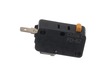
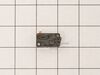
First I read through the customer comments, reviews, questions, etc. at Parts Select, which is always a good bet. Then I put "samsung microwave door switch replacement" into youtube and watched some videos. They don't even have to be for Samsung. From what I can tell, many of the appliance companies use the same design and the same junk parts, so watching a GE video is almost the same for example. Watch some videos to familiarize yourself with the steps. There are maybe six to disassemble and install the new part. I replaced all three switches. They are not expensive and to replace 3 is only 5% more work than to replace just one; you have to take the microwave apart in either case. UNPLUG THE MICROWAVE FROM THE WALL. Start taking it apart. I use my phone to take a picture of any thing I remove, unscrew or disconnect, especially wires, BEFORE I disconnect them. Thee pictures serve as a reference when I go to reconnect and reassemble. If I am uncertain then I check the picture. Good luck!
Parts Used:
-
david from WASHINGTON, DC
-
Difficulty Level:Easy
-
Total Repair Time:30 - 60 mins
-
Tools:Screw drivers
9 of 14 people
found this instruction helpful.
Was this instruction helpful to you?
Thank you for voting!
Our microwave would turn on after the timer was set but only the light would turn on, nothing else.
I replaced all 3 door switches. Once you remove the top vent then remove the panel. Then remove the two screws holding the door switches in place and pop them out and replace them. It was tricky getting around all the wires but eventually was able to get around them. Took less than 20 mins to do and was less than $40 to fix. Much better than having to replace our over the stove microwave.
Parts Used:
-
Adam from GILBERTS, IL
-
Difficulty Level:Really Easy
-
Total Repair Time:15 - 30 mins
-
Tools:Screw drivers
5 of 5 people
found this instruction helpful.
Was this instruction helpful to you?
Thank you for voting!
Microwave went pop and nothing would work.
I mistakenly thought I had to remove the microwave to get to the back, not so. I would have had access to what I needed to unscrew; but I have to admit the hassle of taking it down and putting it back equals having to work on it attached to the shelf-your call on how you do this. I unscrewed the front top to remove the vent piece that is across the top front of the microwave. This will reveal the control panel screw. (While you have the vent removed you might want to clean the vent and the exposed filter.) carefully lift and pull out control panel. I unplugged a piece as the wires were tied tight. It will not completely detach, so carefully tip it back from exposed insides. The fuse is not clear but white with silver ends so look in upper right for it. I popped it out and replaced it. Replugged the wired part to cover and carefully fit tabs in and slide down to secre. Replace screw, replace vent piece and secure screws on top of microwave. I plugged it in to test before putting it back above my stove.
Parts Used:
-
Deborah from STRUM, WI
-
Difficulty Level:Easy
-
Total Repair Time:30 - 60 mins
-
Tools:Screw drivers
6 of 8 people
found this instruction helpful.
Was this instruction helpful to you?
Thank you for voting!
Died while heating lasagna
Removed 4 small star head screws from back of microwave, lifted body off, removed blown fuse and replaced with new one (found where cord enters). This model is stainless inside and out and I like it a lot. It is also sold by Daewoo and a few other manufacturers.
Parts Used:
-
connie from madison, NC
-
Difficulty Level:Really Easy
-
Total Repair Time:Less than 15 mins
9 of 17 people
found this instruction helpful.
Was this instruction helpful to you?
Thank you for voting!
Turntable started turn when door opened, then unit wouldn't run when start was pressed
Unplugged the unit. With a screwdriver removed two screws on the top plastic vent. This exposed the screw holding the control panel. Removed that screw to access the switches. Removed the visible connected wiring from the switches. Grabbed each switch with pliers to gentle pull them from their holders. Inserted new switches and reconnected wiring, ensuring the correct orientation of switches in their holders.
Recommend replace all three switches.
Recommend replace all three switches.
Parts Used:
-
Phil from RALEIGH, NC
-
Difficulty Level:Easy
-
Total Repair Time:1- 2 hours
-
Tools:Pliers, Screw drivers
5 of 6 people
found this instruction helpful.
Was this instruction helpful to you?
Thank you for voting!
Replace broken turntable coupler and motor
Unplug micro, Remove 6 bottom pan screws, remove pan. Remove 1 screw holding motor, slide motor over and down, and unplug.
Remove coupler upward, slide of center to remove.
Install new coupler, insert motor in coupler slide in place and install screw.
Plug in microwave, place cup of water microwave to the side and test, if working OK, install bottom pan.
Remove coupler upward, slide of center to remove.
Install new coupler, insert motor in coupler slide in place and install screw.
Plug in microwave, place cup of water microwave to the side and test, if working OK, install bottom pan.
Parts Used:


-
Richard from BOYNTON BEACH, FL
-
Difficulty Level:Very Easy
-
Total Repair Time:Less than 15 mins
-
Tools:Screw drivers
4 of 4 people
found this instruction helpful.
Was this instruction helpful to you?
Thank you for voting!
Microwave would keep running when door was open
Searched for a YouTube video that included “replace Samsung microwave body latch” (whatever part name). There are plenty of easy how-tos.
Parts Used:

-
Todd from GOSHEN, IN
-
Difficulty Level:Really Easy
-
Total Repair Time:30 - 60 mins
-
Tools:Screw drivers
4 of 6 people
found this instruction helpful.
Was this instruction helpful to you?
Thank you for voting!
The microwave would not turn on or would run with the door open
Other tools that are usefull long needle nose pliers, long thin blade screw driver and small magnetic flashlight. Place the microwave on a work bench and remove the case it cover 3 sides. Place the microwave on a chair so it can stand with the controls up. You are replacing the lower door microswitch. The switch is located behind the control panel in the lower part of the area. The switch is several inches inside this area and your hands will not fit. Take care when moving wires and a couple of sensors. Use the thin blade screwdriver to release a tab holding the switch in place. Do not break this tab. Take the needle nose pliers and remove the switch. Put the wires on the new switch, open the door a short distance so a door lever moves enough to put the microswitch back into the bracket.
Parts Used:
-
Raymond from TROY, OH
-
Difficulty Level:Easy
-
Total Repair Time:1- 2 hours
-
Tools:Screw drivers
6 of 13 people
found this instruction helpful.
Was this instruction helpful to you?
Thank you for voting!
broke glass serving tray in microwave, hard to find item

-
walter from coatesville, IN
-
Difficulty Level:Really Easy
-
Total Repair Time:Less than 15 mins
2 of 2 people
found this instruction helpful.
Was this instruction helpful to you?
Thank you for voting!