




















SCE30600BC Jenn-Air Range - Instructions
Keep searches simple. Use keywords, e.g. "leaking", "pump", "broken" or "fit".
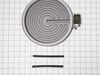
front burner would not heat
simply took off smooth surface top flipped it upsde down on a towel. unbolted the entire burner assembly. matched connections with the new burner with limit switch. replaced smooth surface top plugged it in. no problems. extremely easy fix no repair charges.
Parts Used:
-
Jack A from Biloxi, MS
-
Difficulty Level:Really Easy
-
Total Repair Time:Less than 15 mins
-
Tools:Socket set
2 of 3 people
found this instruction helpful.
Was this instruction helpful to you?
Thank you for voting!
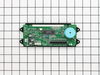
could not read time or temp
it took me longer to get my portable screwdriver from my shop than to remove four screws from the panel and two screws from the clock assembly and to unplug and replug wiring , then reassemble the panel
Parts Used:
-
martin from castalian springs, TN
-
Difficulty Level:Really Easy
-
Total Repair Time:Less than 15 mins
2 of 3 people
found this instruction helpful.
Was this instruction helpful to you?
Thank you for voting!
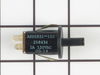
The oven door slammed shut and the door lock switch broke causing the light to stay on continuously.
I contacted a local appliance repair store who didn't know what I was talking about. I looked online and the store called me back to tell me the part would probably be $75.00. I took the broken part out of the door frame and found the exact part online at your site, and ordered it for $14.00. Received the part within 2 days and put it in in 10 minutes.
Parts Used:
-
Lynne from Belchertown, MA
-
Difficulty Level:Easy
-
Total Repair Time:Less than 15 mins
-
Tools:Screw drivers
2 of 3 people
found this instruction helpful.
Was this instruction helpful to you?
Thank you for voting!
Display Very Dim & Broil not working
Turn off the electrical breaker before starting! Open the oven door & remove the 4 silver hex head screws under the bottom of the control panel with a 1/4 " nut driver. Pull out on the bottom of panel. This will access the clock assembly. Unplug the ribbon cable by pushing in & up on the small clips on each end of the connector - this is a little tricky but not that difficult. Remove the two small connectors and remove the two clock assembly mounting screws. Reverse the procedure for installation. This corrected the problem with the broil element not working - apparently the electronic clock assembly was the problem there as well.
Parts Used:
-
Roger from Oxford, NC
-
Difficulty Level:Easy
-
Total Repair Time:15 - 30 mins
-
Tools:Nutdriver, Screw drivers
2 of 3 people
found this instruction helpful.
Was this instruction helpful to you?
Thank you for voting!
Oven Temperature was 50 degrees low
Took screws out of the back on the side the sensor was on, unplugged it & took out the two screws on the inside of the oven to release the sensor. Put new sensor in place with the two screws & used one of the adapters to plug in the new sensor. Put screws back in the back panel & turned on the oven which unfortunately is still 50 degrees low. Need a new clock with computer which is out of stock & unavailable. I was an electrician for 25 years so didn't experience any problems. It was a cheap thing to try.
Parts Used:

-
Eugene from Clinton, IA
-
Difficulty Level:Really Easy
-
Total Repair Time:15 - 30 mins
-
Tools:Screw drivers
2 of 3 people
found this instruction helpful.
Was this instruction helpful to you?
Thank you for voting!
The display faded away almost to nothing
There were only 4 screws to remove to take off the thingy that houses the electronics portion. Then, there was a ribbon connector and two push on connectors to unconnect. Unscrewed the 4 nuts holding the faulty Assembly in place, replaced with new Assembly, and reversed the process.
That easy. The only problem was making sure which of the parts we actually needed.
That easy. The only problem was making sure which of the parts we actually needed.
Parts Used:
-
Vicky from Fort Bragg, AR
-
Difficulty Level:Really Easy
-
Total Repair Time:Less than 15 mins
-
Tools:Nutdriver, Screw drivers
2 of 3 people
found this instruction helpful.
Was this instruction helpful to you?
Thank you for voting!
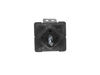
Lefrt Front Burner Quit Working
Removed two nut screws (accessed with oven door open) with nutdriver, panel dropped out. Transferred wiring one-by-one to new switch, removed old switch with allen wrench, installed new switch, replaced panel. Done! However, the problem is not corrected and all other possibilities have been explored with no solution in site. Ideas needed.
Parts Used:
-
Jerry from Sedro-Woolley, WA
-
Difficulty Level:Really Easy
-
Total Repair Time:Less than 15 mins
-
Tools:Nutdriver, Pliers
2 of 3 people
found this instruction helpful.
Was this instruction helpful to you?
Thank you for voting!
Time and temp not displaying
I have only two things to add to the other repair stories on this site: (1) Unlike the ribbon cables inside desktop computers, the ribbon cable on this range is entirely separate from the connector, which is permanently attached to the clock assembly. There are clips on the top of the connector at each end. Push them in and raise them gently to release the ribbon cable. (2) There are two Molex connectors attached to the clock assembly. The pins for one of them were bent on the new clock assembly I received. Before installing it, I spent some time gently coaxing those pins back into alignment. Use your fingernail, and be patient.
Parts Used:
-
John from Hadley, MA
-
Difficulty Level:Easy
-
Total Repair Time:Less than 15 mins
-
Tools:Nutdriver, Screw drivers
1 person
found this instruction helpful.
Was this instruction helpful to you?
Thank you for voting!
display dimmed to nothing
unscrewed the top face plate assembly disconnect 2 wire harnesses 4 screws to release display clock 1 wire harness and then reverse order
Parts Used:
-
Geoff from Madison, CT
-
Difficulty Level:Easy
-
Total Repair Time:Less than 15 mins
-
Tools:Screw drivers
1 person
found this instruction helpful.
Was this instruction helpful to you?
Thank you for voting!
Clock and oven display quit working.
Turn off breaker to stove. Open oven door and remove screws up under display. Slide display down and tip top edge forward so you can see the back side. Remove 2 screws holding digital display and disconnect 3 wiring plugs. One of them is a ribon connector and you must squeeze it to make the front edge rise up to disconnet the ribbon and again when putting new part in. Reverse the proceedure. It took my husband 10 min to replace the part. Being able to read how others had done it was invaluable.
Parts Used:
-
Carol from Florence, AL
-
Difficulty Level:Really Easy
-
Total Repair Time:Less than 15 mins
-
Tools:Nutdriver
1 person
found this instruction helpful.
Was this instruction helpful to you?
Thank you for voting!
Display on Oven initially dimmed then went blank
I removed the three screws that was on top of the display enclosure. I then removed the four screws on the bottom of the display enclosure.
I unplugged the two connectors going to the old enclosure and removed the enclosure to the kitchen table. I then pressed the two locks on the ribbon cable lock and pulled up on the ribbon cable lock. I was unsure how to do this, but if you press the two tabs and slightly pull up on the lock, the ribbon cable will come free.
I then removed the four screws holding on the old display and put the new part in. Fastened with the four screws and connected the ribbon cable, squeezing tabs and raising the black lock, inserting ribbon cable and pressing down to lock in place.
I then took the enclosure to the oven, connected the other two sets of wires and mounted the enclosure with the three upper scres and four bottom screws. Took me about 15 minutes. My $148 PartsSelect part was $267 locally.
I unplugged the two connectors going to the old enclosure and removed the enclosure to the kitchen table. I then pressed the two locks on the ribbon cable lock and pulled up on the ribbon cable lock. I was unsure how to do this, but if you press the two tabs and slightly pull up on the lock, the ribbon cable will come free.
I then removed the four screws holding on the old display and put the new part in. Fastened with the four screws and connected the ribbon cable, squeezing tabs and raising the black lock, inserting ribbon cable and pressing down to lock in place.
I then took the enclosure to the oven, connected the other two sets of wires and mounted the enclosure with the three upper scres and four bottom screws. Took me about 15 minutes. My $148 PartsSelect part was $267 locally.
Parts Used:
-
James from Farmington, NM
-
Difficulty Level:Really Easy
-
Total Repair Time:Less than 15 mins
-
Tools:Screw drivers
1 person
found this instruction helpful.
Was this instruction helpful to you?
Thank you for voting!
The control paned lights went completely out over time.
Turned off power to stove
Removed control knobs and retaining screws under the knobs.
Opened oven door.
REmoved screws (4) holding the face plate to the stove.
pulled the panel downwards.
Unscreewed clock circuit board.
Removed connectors (3) (See Below)
NOTE the flat ribbon needs to be removed by pinching the ends of the black connector , liftiing and GENTLY pulling the ribbon out of the connector. The black connector remains on the circuit board.
When in stalling the ribbon, pinch the ends of the black connector and lift slightly, insert ribbon, then push down on the loose side of the connector until it snaps shut ,forming a tight connection.
Reverse steps
Removed control knobs and retaining screws under the knobs.
Opened oven door.
REmoved screws (4) holding the face plate to the stove.
pulled the panel downwards.
Unscreewed clock circuit board.
Removed connectors (3) (See Below)
NOTE the flat ribbon needs to be removed by pinching the ends of the black connector , liftiing and GENTLY pulling the ribbon out of the connector. The black connector remains on the circuit board.
When in stalling the ribbon, pinch the ends of the black connector and lift slightly, insert ribbon, then push down on the loose side of the connector until it snaps shut ,forming a tight connection.
Reverse steps
Parts Used:
-
James from Virginia Beach, VA
-
Difficulty Level:Really Easy
-
Total Repair Time:Less than 15 mins
-
Tools:Screw drivers
1 person
found this instruction helpful.
Was this instruction helpful to you?
Thank you for voting!
Clock Assembly very dim, hard to read
Remove four screws behind control knobs. Remove four hex nuts under control panel (open oven door to locate). Pull control panel down and out. Remove two hex nuts holding clock assembly. Remove three wire connectors on the old clock assembly and carefully insert on new clock assembly. Reverse instructions to re-assemble. It's a breeze to do! Took longer to get my tool box than the time it took to replace the clock assembly.
Parts Used:
-
Richard from Ellijay, GA
-
Difficulty Level:Really Easy
-
Total Repair Time:Less than 15 mins
-
Tools:Nutdriver, Screw drivers
1 person
found this instruction helpful.
Was this instruction helpful to you?
Thank you for voting!
readout dimmed to nothing
piece of cake KILL POWER AT BREAKER BOX. Remove burner knobs exposing 4 screws. Open oven door exposing 4 philips srews, four 1/4 hex head screws, and 2 philps screws for end caps. Had to pull out range about an inch (less) away from countertop. Remove screws. Move end caps away from face plate.Pull out face plate. Pull down / out bottom plate to expose Assembly. Unclip wire connection, carefully pull out ribbon connection. Remove 2 screws. Install in reverse.
Parts Used:
-
Edward from Rohnert Park, CA
-
Difficulty Level:Easy
-
Total Repair Time:15 - 30 mins
1 person
found this instruction helpful.
Was this instruction helpful to you?
Thank you for voting!
fading display
My microwave is stacked on this stove. I had to pull cover off to slide part off. screws were a snap. only problem was the slip catches on the ribon strips. Sperating with flat head was scary but worked fine.
Parts Used:
-
Karl from Rockford, MI
-
Difficulty Level:Easy
-
Total Repair Time:15 - 30 mins
-
Tools:Screw drivers
1 person
found this instruction helpful.
Was this instruction helpful to you?
Thank you for voting!