




















SCE30500W Jenn-Air Range - Instructions
Keep searches simple. Use keywords, e.g. "leaking", "pump", "broken" or "fit".
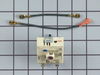
Burner switch was shorting circuit breaker
Removed glass top from stove by taking out hex screws which secured glass top to stove frame. There are two phillips head screws inside the exhaust as well. Removed two phillips head screws which hold the burner switch in place. With a sharpie pen I marked the color coded wires on the faulty switch. Removed wires from the faulty switch. Replaced new switch using the old switch as a guide to insure that wires were connected properly. Secured new switch and glass burner top reversing above procedure. Problem solved. Note: The white dot on the control knob did not line up properly with the off position. Black out white dot and make a new one in the proper spot on the knob.
Parts Used:
-
Robert from Jacksonville, FL
-
Difficulty Level:Easy
-
Total Repair Time:30 - 60 mins
-
Tools:Nutdriver, Pliers
3 of 5 people
found this instruction helpful.
Was this instruction helpful to you?
Thank you for voting!
The burner would turn on and not off. The temperature just kept accelerating.
Raised the unit and blocked it with 2 boards. TURN OFF THE POWER IF YOU WANT TO COMPLETE THIS REPAIR. Removed the philip head screws for removal of glass top. Remove the corner screws on switch end. Remove screws holding the switch. Remove screws holing the bracket for all switches. Lift and roll gently to get at wiring. Follow the directions for moving wires from old switch to new switch. MOVING WIRES IS THE MOST IMPORTANT STEP. Reverse your procedure to put back together and when finished remember to turn on the power.
Parts Used:
-
Norbert from SPARTANBURG, SC
-
Difficulty Level:Very Easy
-
Total Repair Time:30 - 60 mins
-
Tools:Screw drivers
2 of 2 people
found this instruction helpful.
Was this instruction helpful to you?
Thank you for voting!
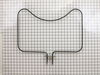
My baking element went out.
I only had to unscrew two screws to remove the existing element. Unfortunately, when I removed the element I found that the electrical wire connected to it had melted off, so the element is actually still good. I had to strip the wire back and put a new wire connector on. Once that was done I hooked the element back on and screwed it back together.
Parts Used:
-
Susan from Standish, CA
-
Difficulty Level:Easy
-
Total Repair Time:15 - 30 mins
-
Tools:Screw drivers
2 of 2 people
found this instruction helpful.
Was this instruction helpful to you?
Thank you for voting!
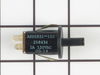
Door switch for oven light
1. Remove four screws on metal panel between top and lower oven doors. Pull the panel forward. You may need to open the top door partially to ease removal of panel.
2. Reach behind panel and unplug wire connector from old switch.
3. With panel free, squeeze ears on old switch and push through opening to remove.
4. Insert new switch in to hole and push from front to seat the switch. BE CAREFUL NOT to mess with the ears--if you try to splay them out (to better seat the switch) the switch will come apart.
5. Hold the panel up to opening to connect the wire harness to the switch.
6. Realign the metal plate to holes for screws and insert screws. (You may have to twist and turn to get the panel lined up.)
Done!
2. Reach behind panel and unplug wire connector from old switch.
3. With panel free, squeeze ears on old switch and push through opening to remove.
4. Insert new switch in to hole and push from front to seat the switch. BE CAREFUL NOT to mess with the ears--if you try to splay them out (to better seat the switch) the switch will come apart.
5. Hold the panel up to opening to connect the wire harness to the switch.
6. Realign the metal plate to holes for screws and insert screws. (You may have to twist and turn to get the panel lined up.)
Done!
Parts Used:
-
Sam from Garland, TX
-
Difficulty Level:Easy
-
Total Repair Time:15 - 30 mins
-
Tools:Screw drivers
3 of 5 people
found this instruction helpful.
Was this instruction helpful to you?
Thank you for voting!
oven light glass cover was broken
took out the old dome cover and replaced it with a new one by unscrewing and replaced the new one and a fiberglass gasket. simple.
Parts Used:

-
wayne from LIMINGTON, ME
-
Difficulty Level:Really Easy
-
Total Repair Time:15 - 30 mins
2 of 2 people
found this instruction helpful.
Was this instruction helpful to you?
Thank you for voting!
Replace the oven Sensor
The sensor is mounted in the top right side of the oven.An extra long screw driver helps to avoid damage to the sensor when replacing it.The connectors were the opposite to the old sensor and I did not see that there were adapter cables included. It might help to connect or tie these together as I only expected the sensor and did not look for adapters.I had cut the wires and used wire nuts when I found the adapters.The repairs works fine.
Mike
Mike
Parts Used:

-
Michael from Exeter, NH
-
Difficulty Level:Really Easy
-
Total Repair Time:15 - 30 mins
-
Tools:Nutdriver, Pliers, Screw drivers
3 of 5 people
found this instruction helpful.
Was this instruction helpful to you?
Thank you for voting!
Oven wouldn't heat and hold temperature.
I removed the screws that held the element in place. I then pulled the element out and disconnect the two wires. Connected the wires and place element in place and screws to hold in place.
Note: this is the second part that I acquired to fix the problem. Had I listened to my wife the first time the problem would have been solved the first time around because she made the correct diagnosis.
Note: this is the second part that I acquired to fix the problem. Had I listened to my wife the first time the problem would have been solved the first time around because she made the correct diagnosis.
Parts Used:
-
Carl from Carlisle, PA
-
Difficulty Level:Really Easy
-
Total Repair Time:Less than 15 mins
-
Tools:Nutdriver, Socket set
2 of 2 people
found this instruction helpful.
Was this instruction helpful to you?
Thank you for voting!
broken hinge on oven door
Open the door and remove the top screws holding the hinge retainer plates. Remove the three screws holding the glass in place at the bottom, the three screws and two nuts holding the top cover. Remove the glass, then the two screws holding the hinge in place. Reverse order for reassembly. Easy fix, but don't do what I did. I went cheap and only replaced the side that was bad only to have the other side go bad a few weeks later. Change both at the same time.
Parts Used:

-
Joseph from HAMMONTON, NJ
-
Difficulty Level:Easy
-
Total Repair Time:30 - 60 mins
-
Tools:Nutdriver, Screw drivers
2 of 2 people
found this instruction helpful.
Was this instruction helpful to you?
Thank you for voting!
The bottom heating element of my Jenn Air cooking range stopped working.
My husband did the repair. He had difficulty removing the old element, probably because it had been in there for 20 years. Once he got the old element out, it took less than 30 minutes to install the new one.
Parts Used:
-
CAROLYN from PRIEST RIVER, ID
-
Difficulty Level:Easy
-
Total Repair Time:15 - 30 mins
-
Tools:Wrench set
2 of 2 people
found this instruction helpful.
Was this instruction helpful to you?
Thank you for voting!
Maytag range had "F3" code display, oven would not work.
Oven sensor replacement was easy. Thermistor was installed in less than 15 minutes. After installation STILL had "F3" error message. Harness was ok, "Clock" or ECU needed to be replaced. "Computer" is obsolete, no spares available, some companies will rebuilt for $400+. Since the stove was going to the landfill I had nothing to lose by taking the "Clock" apart. It has one chip that is probably the power supply and control chip, another chip is an EEPROM with 128 bytes of storage and the last is a darlington chip that controls the relays. Cleaned up everything that looked like it needed cleaning with alcohol. When I reassembled the unit the pins for the thermistor harness felt loose, so I took it apart, again, and found cold solder joints on all four pins. It must have been there all along but plugging and unplugging the harness finally broke out the solder so I could see it. Soldered the pins back in and now it all works. It's worth a try if you're getting the "F3" message. If the relays on your stove aren't working it would be a good idea to replace the darlington chip. Good luck.
Parts Used:
-
phillip from Farmington, NM
-
Difficulty Level:Difficult
-
Total Repair Time:More than 2 hours
-
Tools:Nutdriver, Screw drivers
2 of 2 people
found this instruction helpful.
Was this instruction helpful to you?
Thank you for voting!
Cooling fan runs fault code displayed
Removed the two screws holding the sensor to the rear oven wall. pulled out sensor wire. It was caught on other wires behind the oven. removed the three screws holding the 8" inspection plate in the center of the rear panel. Carefully move the insulation and reach in to grasp the back end of the sensor wire. Once free from the snag it easily pulls out with the sensor just as stated in the video. using the appropriate adaptor it was easy to re-asseble and and attach to the oven wall. Replace the rear panel with the three screws and it was done
Parts Used:
-
FRANK from CLARENCE CTR, NY
-
Difficulty Level:Easy
-
Total Repair Time:30 - 60 mins
-
Tools:Screw drivers
2 of 2 people
found this instruction helpful.
Was this instruction helpful to you?
Thank you for voting!
The instructions were confusing concerning the attachment of the red wires
Trial and error and reading and rereading the instructions.The use of the jumper wire was not detailed enough. Caller a repair man.
Parts Used:
-
Otto from Goldsboro, NC
-
Difficulty Level:Difficult
-
Total Repair Time:More than 2 hours
-
Tools:Nutdriver, Pliers, Screw drivers
5 of 11 people
found this instruction helpful.
Was this instruction helpful to you?
Thank you for voting!
Dual surface switch replacement
My cook top has the red wire piggybacked along all the cook top switches. It was easy enough to reroute the red wire coming from the dual surface burner to pin 4 i believe on the new switch. Follow the previous thread and look at the instruction sheet online for this switch
Parts Used:
-
Charles from SAN ANTONIO, TX
-
Difficulty Level:A Bit Difficult
-
Total Repair Time:1- 2 hours
-
Tools:Nutdriver, Pliers, Screw drivers
2 of 3 people
found this instruction helpful.
Was this instruction helpful to you?
Thank you for voting!
replaced a broken dual burner switch
IMPORTANT WIRE CONNECTIONS: The manufacturer instructions describing where each wire connects is woefully incomplete. There are 6 or 7 wires to connect and only 2 are explained in the instructions. I took several photos of the original switch showing where each of the wires was connected before disconnecting and installing the new switch. If I hadn't taken the photos I would have been completely lost on where each wire connected.
Parts Used:
-
chris from ann arbor, MI
-
Difficulty Level:A Bit Difficult
-
Total Repair Time:30 - 60 mins
-
Tools:Nutdriver, Pliers, Screw drivers, Socket set, Wrench set
3 of 6 people
found this instruction helpful.
Was this instruction helpful to you?
Thank you for voting!
No temperature control
Turned off breakers to oven. Removed two screws that held oven in cabinet. Removed oven door by opening slightly and pulling up on door. Pulled oven out 1/3 of way. Took out four screws on top of control panel. Took oven light switch off by unscrewing holding ring. Removed temp knob on right by pulling. Removed start / stop knob same way.Removed glass straight out. Removed four screws that held elecrtonic clock conrtol board. Unpluged three wire plug from right side and the nine wire plug from the left side. Worked board out at and angle. Went backwards to connect and replace board, screws and door.Slid oven back in and tested oven after turning breakers back on, worked like new.
Parts Used:
-
Max from Houston, TX
-
Difficulty Level:Easy
-
Total Repair Time:30 - 60 mins
-
Tools:Screw drivers
2 of 3 people
found this instruction helpful.
Was this instruction helpful to you?
Thank you for voting!