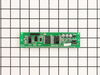
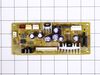
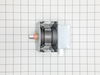
This ceramic microwave fuse is just over an inch in length. It is white in the center, and metal on both ends. This is a 20-amp fuse, and is used to power your microwave. If the touch pad on the micro...
If your microwave won’t start even though the door is shut, this switch might be the reason. It helps your microwave know the door is closed so it can run safely. This genuine part is easy to install ...
This diode cable is a replacement electrical component designed to regulate current flow within an appliance circuit. It helps protect sensitive components and is commonly replaced when electrical fau...
This capacitor delivers the electrical boost required for motors to start and operate efficiently. Proper capacitance reduces strain on motor components and helps prevent startup failures or inconsist...
Isn't it frustrating when your microwave doesn't heat your food evenly? Solve that issue with this genuine GE turntable motor. Its primary job is to smoothly rotate the glass tray in your microwave. T...
Ask our experts a question about this model and we'll get back to you as soon as possible!
6 questions answered by our experts.
< Prev
1
2
Next >
Sort by:
Search filter:
Clear Filter
Your search term must have 3 or more characters.
Keep searches simple. Use keywords, e.g. "leaking", "pump", "broken" or "fit".
Sorry, we couldn't find any existing answers that matched.Try using some different or simpler keywords, or submit your new question by using the "Ask a Question" button above!
Morris
November 9, 2023
Display panel rapidly flashing clock all across window. Oven still functions using Express Button. Some times it will not stop, opening the door will pause but when door is shut it starts again. Cycling the circuit breaker will correct it for a brief moment.
For model number SCB1001MSS001
Hi Morris, thank you for contacting us. Based on our understanding of the issue, we would suggest checking the relay board, part number PS12725850, as it is most likely faulty and may need to be replaced. We hope this solves your problem!
1 personfound this helpful.
Was this helpful?
Thank you for voting!
William
May 24, 2024
panel doesn't respond. on display screen there is a flashing" --" (dash) and on the bottom the "timer" is the only word lit up
For model number SCB1001MSS001
Hi William, thank you for reaching out. You may need to unplug the unit for 2 to 3 minutes. If the issue persists, we would suggest checking the display control board, part number PS1022528. You may need to replace it to fix the issue. We hope this solves your problem!
Hello, my Advantium 120 has had issues with the display not responding and now the display has cut out completely and only the express button will turn the microwave on. Have you seen this issue before.
For model number SCB1001MSS001
Hello Brian, thank you for reaching out. Based on the description that you have provided, it seems like the digitron of your model is malfunctioning. We would recommend checking the digitron, part number PS1018741, to solve the problem. It is the digital display that shows the temperature setting and cooking time. We hope this helps!
My display screen is rapidly flashing. I can use the microwave but it's tricky finding the setting you want with the screen flashing. Sometimes I feel like the timer takes longer due to the flashing screen. Can you point me to the correct part to order?
For model number SCB1001MSS001
Hi Michael, thank you for reaching out. Based on the description you have provided, it seems that there is an issue with the digitron, part number PS1018741. You may need to replace it to fix the issue. We hope this solves your problem!
When pressing start: unit powers off, screen goes blank then reboots. Turntable rotates while unit is off. Then screen says check food power failed. While cooking press any keypad and then reset clock which works. Able to choose function and adjust time. Press start screen goes dark and then screen repeats check food power failed.
For model number SCB1001MSS 01
Hello Robert, thank you for getting in touch. Based on the issue description, the turntable rotating while the unit is technically "off" or resetting is a dead giveaway of a stuck or shorted relay on the relay board or is due to a failing power board. You will need to replace the relay board, part number PS12725850, and the power board, part number PS1020967, to fix the issue. We hope this helps.
Turned out the issue was easily solved by replacing a single, inexpensive fuse.
First off, UNPLUG THE MICROWAVE.
The fuse is located under the plastic grill at the top of the microwave. It's held on by two screws. Once you've removed the screws and taken off the plastic grill, you go to the right side of the microwave and remove another screw that holds a small metal grill in place. Removing the small metal grill is probably the toughest part of this repair. You kind of have to rock it back and forth a bit to get it to release. Once that's off, you can get to the fuse. I removed the burnt out one with a pair of needle nose pliers. I also put a small piece of cardboard under the fuse when I did this so I didn't accidentally drop it into the innards of the microwave. I did the same thing when I replaced the new fuse. I then plugged the appliance back in and made sure it worked. Once that was confirmed, I replaced both grills.
Unscrewed the light cover beneath the microwave with a phillips head screwdriver. The bulb is very tiny and has 2 straight parallel prongs that slide into 2 small holes. Grab bulb from both sides with each hand firmly and slide STRAIGHT out (no twisting or pushing). Don't worry about breaking even though it may take a fair amount of pressure to pull out. New bulb arrived within a couple of days. Due to high shipping cost, suggest buying 2 or more bulbs at once. Bulb is often used as a kitchen night light so that is probably why I only got 9 months out of it.
Unpluged power cord!! Removed front control panel to expose electronics (need to remove top horizontal vent cover to expose mounting hardware). Unplugged leads to control panel board. Removed magnetron with Tstat (3- phillip heads, need stubby). Installed new parts and control panel, plugged it in tested. Done.