




















SCB1000KB - Instructions
Keep searches simple. Use keywords, e.g. "leaking", "pump", "broken" or "fit".
Try to heat food and fuse would blow.

-
bart from new sarpy, LA
-
Difficulty Level:A Bit Difficult
-
Total Repair Time:1- 2 hours
-
Tools:Screw drivers
8 of 22 people
found this instruction helpful.
Was this instruction helpful to you?
Thank you for voting!
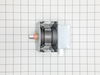
Burned out magnetron
Removed cover
Disconnected capacitor from old magnetron
Removed old magnetron
Installed new part
Connected capacitor
Reinstalled cover
Disconnected capacitor from old magnetron
Removed old magnetron
Installed new part
Connected capacitor
Reinstalled cover
Parts Used:
-
Dewey from MADISON, AL
-
Difficulty Level:Very Easy
-
Total Repair Time:15 - 30 mins
-
Tools:Screw drivers
1 person
found this instruction helpful.
Was this instruction helpful to you?
Thank you for voting!
M/W would not start. control panel OK
unplugged power
removed main black cover.
located part WB24X10047 and replaced
removed main black cover.
located part WB24X10047 and replaced
Parts Used:
-
Jeffrey from FULSHEAR, TX
-
Difficulty Level:A Bit Difficult
-
Total Repair Time:30 - 60 mins
-
Tools:Pliers, Screw drivers
1 person
found this instruction helpful.
Was this instruction helpful to you?
Thank you for voting!
MOTOR STILL DOES NOT TURN
-
Robert P. from DEDHAM, MA
-
Difficulty Level:Really Easy
-
Total Repair Time:30 - 60 mins
-
Tools:Screw drivers
1 person
found this instruction helpful.
Was this instruction helpful to you?
Thank you for voting!
Microwave failed to head and light, fan, and turntable failed to come on.
Problem was due to a faulty door switch. Replaced with a new switch and the microwave now works fine! Only thing that was tricky was that LG uses the hex screws with a peg in the middle to keep the microwave cover on. Had to use a small screwdriver and pliers (on the screwdriver) to unscrew the screws.
Parts Used:
-
Robert from Cedar Park, TX
-
Difficulty Level:A Bit Difficult
-
Total Repair Time:30 - 60 mins
-
Tools:Nutdriver, Screw drivers
1 of 2 people
found this instruction helpful.
Was this instruction helpful to you?
Thank you for voting!
Items were not getting heated up in the microwave,

-
Kenneth from CRYSTAL LAKE, IL
-
Difficulty Level:Really Easy
-
Total Repair Time:15 - 30 mins
-
Tools:Screw drivers
1 of 2 people
found this instruction helpful.
Was this instruction helpful to you?
Thank you for voting!
Light Bulb appeared to be burned out
The Halogen Light Bulbs for lighting the area below the microwave seemed to be burned out. I order new bulbs but by the time they arrived the old bulbs appeared to be working again. Not sure why this happened but I have new bulbs if they become burned out for good at some point.
Parts Used:
-
Peter from CHARLOTTESVLE, VA
-
Difficulty Level:Very Easy
-
Total Repair Time:Less than 15 mins
1 of 2 people
found this instruction helpful.
Was this instruction helpful to you?
Thank you for voting!
Thermostat quit.
Checked all sensors with a multi-meter, found the thermostat to be the problem, no continuity.
Parts Used:
-
Tony from ITHACA, MI
-
Difficulty Level:Easy
-
Total Repair Time:Less than 15 mins
-
Tools:Screw drivers
1 of 2 people
found this instruction helpful.
Was this instruction helpful to you?
Thank you for voting!
bulbs burnt out and needed to be changed
Ridiculously easy, unscrew, and change bulbs. Having the correct bulbs made all the difference, I did not have to waste time looking for the correct one.
Parts Used:
-
Kathleen from Bedford, NH
-
Difficulty Level:Really Easy
-
Total Repair Time:Less than 15 mins
-
Tools:Screw drivers
1 of 3 people
found this instruction helpful.
Was this instruction helpful to you?
Thank you for voting!
Bulbs Burnt Out
Removed old bulbs replaced with new. Bulb fit perfect thank you
Parts Used:
-
DOMINICK from VENICE, FL
-
Difficulty Level:Easy
-
Total Repair Time:Less than 15 mins
-
Tools:Screw drivers
0 of 1 people
found this instruction helpful.
Was this instruction helpful to you?
Thank you for voting!
bulbs for sueface light burned out
Removed screw holding faceplate that covered bulbs. Next inserted new bulbs into sockets.
Turned on surface light to insure they worked - they did. Re-attached faceplate.
Turned on surface light to insure they worked - they did. Re-attached faceplate.
Parts Used:
-
Raymond from Ashland, VT
-
Difficulty Level:Really Easy
-
Total Repair Time:Less than 15 mins
0 of 1 people
found this instruction helpful.
Was this instruction helpful to you?
Thank you for voting!
No heat

-
Edwin from New York, NY
-
Difficulty Level:Really Easy
-
Total Repair Time:15 - 30 mins
-
Tools:Screw drivers
0 of 1 people
found this instruction helpful.
Was this instruction helpful to you?
Thank you for voting!
The halogen bulb had blown
It was just a matter of removing the old bulb and easily putting the new one in place. Very simple repair and the bulb was received amazingly fast. Was no doubt the best service I have received and I appreciate the quick response.
Parts Used:
-
Norma from De Moines, IA
-
Difficulty Level:Really Easy
-
Total Repair Time:Less than 15 mins
0 of 1 people
found this instruction helpful.
Was this instruction helpful to you?
Thank you for voting!
no heat
unplug the unit then pull down , lot of screws are on top. open the cover . you could see the parts that need to replace on the right hand side (heavy side). disconnect wires then test the parts that need to replace by a tester to make sure that it's really broke .then unscrew part and replace .
Parts Used:
-
Nelia from Streamwood, IL
-
Difficulty Level:Really Easy
-
Total Repair Time:30 - 60 mins
-
Tools:Nutdriver, Screw drivers
0 of 1 people
found this instruction helpful.
Was this instruction helpful to you?
Thank you for voting!
Microwave operated but did not heat
Initial failure of over range microwave Aug 3rd. Control Panel worked but no heat. Took to local LG authoriaed local repair place. They fixed it quickly and we re-installed it. Worked fine for 2 months then had similar failure again. Agaim took to same authorized repairer. They kept unit for 3 months but finally concluded theu could not fix it and suggested we contact LG for a partial refund. When they tested the unit during re-assembly in my presence, there was a blue flash and the fuse blew. Since we had built a custom tile mural back splash around this unit, I brought it home, ordered a number of time delay fuses new capacitor and two new high voltage diodes. However, using my Fluke DMM, I checked the existing capacitor and high voltage diode and they checked OK so I just replaced the time delay fuse. The high voltage transformer leads had 2 possible ways to connect to capacitor and diode. Tried one way, plugged unit in and turned it on, and immediatly blew the fuse. Replaced the fuse and reversed the high voltage transformer connections,amd turned unit pn, and it worked perfectly. Since we had experienced several power failures during the time of the original failure, the repairer concluded that power spikes might be at fault, so I also purchased a TrippLite ISOBAR4ULTRA 3300 Joule surge protector between wall outlet and microwave, and re-installed over range. It has worked perfectly since.
Parts Used:

-
Donald from Oak Ridge, TN
-
Difficulty Level:Easy
-
Total Repair Time:1- 2 hours
-
Tools:Screw drivers
3 of 10 people
found this instruction helpful.
Was this instruction helpful to you?
Thank you for voting!