




















PSB1201NSS01 General Electric Microwave - Instructions
Keep searches simple. Use keywords, e.g. "leaking", "pump", "broken" or "fit".
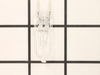
Both my microwave halogen lamps went out.
Using a phillips screwdriver I opened the panel in which the two lamps are located and easily removed the lamps. I ordered them through the internet and was pleasantly surprised when I received them the next day.
Parts Used:
-
Vincent from Mount Sinai, NY
-
Difficulty Level:Really Easy
-
Total Repair Time:Less than 15 mins
-
Tools:Screw drivers
4 of 9 people
found this instruction helpful.
Was this instruction helpful to you?
Thank you for voting!
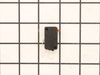
Bad door switch and divide
Remove upper grill, then control panel, then 2 screws hold door switch mounting bracket, that will let you roll the switches out to work on them. Remove each switch by carefully pushing back retainer clips. Diode a long pair of needlenose pliers is helpful. The control board in front of capacitor comes out with a flat screwdriver and pry up. Removing grnd wires helps
Parts Used:

-
Robert from COLORADO SPGS, CO
-
Difficulty Level:Easy
-
Total Repair Time:30 - 60 mins
-
Tools:Screw drivers
3 of 6 people
found this instruction helpful.
Was this instruction helpful to you?
Thank you for voting!
The unit would run when the door was open!
First I had to accept the fact that the unit was designed to keep non-professional people from doing any repairs. The switch was installed in such a manner that I had to break the mounting to remove the switch, then drill a hole in the mounting to secure the new switch in place.
Parts Used:
-
Mike from BLUFFTON, SC
-
Difficulty Level:A Bit Difficult
-
Total Repair Time:1- 2 hours
-
Tools:Nutdriver, Pliers, Screw drivers, Socket set, Wrench set
1 person
found this instruction helpful.
Was this instruction helpful to you?
Thank you for voting!
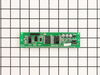
Blank LCD screen
.Shut breaker to microwave
. Remove two screws on each side of microwave cabinet frame holding it to the wood frame
. Get assistance in pulling microwave out of cabinet
.unplug power cable before pulling microwave completely out of cabinet
. Microwave has two separate panels top and sides removed all screws around frame along the door and sides
. Remove top steel panel
. Remove sides
. Locate screws around the electrical board screen just behind the front cover
. Use small flat head screwdriver to move plastic fasteners on each side of the electrical to release the board.
. Identify the LCD screen board and remove two screws on each side unplug the wire harness from the board.
. Lift LCD board off the two set pins
. Replace board
. Replace screws
. Plug harness back into board
. Reassemble electrical board back into display panel. Pay attention to re-engage the two plastic clips before replacing screws.
. Once panel is completely replaced.
. Resemble all panels in reverse order
. Test microwave before installing unit back into cabinet.
. Remove two screws on each side of microwave cabinet frame holding it to the wood frame
. Get assistance in pulling microwave out of cabinet
.unplug power cable before pulling microwave completely out of cabinet
. Microwave has two separate panels top and sides removed all screws around frame along the door and sides
. Remove top steel panel
. Remove sides
. Locate screws around the electrical board screen just behind the front cover
. Use small flat head screwdriver to move plastic fasteners on each side of the electrical to release the board.
. Identify the LCD screen board and remove two screws on each side unplug the wire harness from the board.
. Lift LCD board off the two set pins
. Replace board
. Replace screws
. Plug harness back into board
. Reassemble electrical board back into display panel. Pay attention to re-engage the two plastic clips before replacing screws.
. Once panel is completely replaced.
. Resemble all panels in reverse order
. Test microwave before installing unit back into cabinet.
Parts Used:
-
Ezequiel from Lithia, FL
-
Difficulty Level:Easy
-
Total Repair Time:30 - 60 mins
-
Tools:Screw drivers
1 person
found this instruction helpful.
Was this instruction helpful to you?
Thank you for voting!
Canopy Mica broke off piece that secures to the top of the micro

-
Kathy from SARASOTA, FL
-
Difficulty Level:Very Easy
-
Total Repair Time:Less than 15 mins
1 person
found this instruction helpful.
Was this instruction helpful to you?
Thank you for voting!
Microwave would not heat up
-
Suzanne from POWELL, OH
-
Difficulty Level:Really Easy
-
Total Repair Time:15 - 30 mins
1 person
found this instruction helpful.
Was this instruction helpful to you?
Thank you for voting!
Door Switch went bad, Internal Fan would run every time you open the door
Unscrewed the control panel (2 screws), lift up and let hang, with a plan screwdriver open bracket holding the switch, unplug 2 wires, replace with new switch, plug in the 2 wires, push switch back into bracket. Then slide on the control panel, put the 2 screws back. Easy fix.
Parts Used:
-
gilbert from TOMS RIVER, NJ
-
Difficulty Level:Really Easy
-
Total Repair Time:15 - 30 mins
-
Tools:Screw drivers
1 person
found this instruction helpful.
Was this instruction helpful to you?
Thank you for voting!
Try to heat food and fuse would blow.

-
bart from new sarpy, LA
-
Difficulty Level:A Bit Difficult
-
Total Repair Time:1- 2 hours
-
Tools:Screw drivers
8 of 22 people
found this instruction helpful.
Was this instruction helpful to you?
Thank you for voting!
no power in microwave in turn table wouldn't turn light would work act like door was open
remov cover to check voltage and found problem at the interlock switch ohm the switch and found it was open replace both switches it work fine now
Parts Used:
-
johnny from port orange, FL
-
Difficulty Level:Easy
-
Total Repair Time:1- 2 hours
-
Tools:Screw drivers
5 of 13 people
found this instruction helpful.
Was this instruction helpful to you?
Thank you for voting!
Turntable Stopped Working/Display Timer Would Countdown But Not Heat
With this model, you must remove the outer covering. Don't try to access the display unit from the front like I've seen in some other GE microwave videos. After removing the outer covering, the switches are easy to replace. They are very visible and easy to get to without taking any other parts off. You will see the door switches just behind the display board. Remove the switch and then remove the connecting wires to ensure you don't inadvertently brake a wire. You will need a tamper resistant star bit to remove 3 or 4 screws from the back panel. All other screws are philips head. I went ahead and replaced both switches (yes...there are two of them) and works like a charm. I saved an $800 microwave for less than $60 and know what to do if it happens again. Appears to be a common problem on this model. Thanks for others making a post...It saved me time and money reading others remarks. Good luck!
Parts Used:
-
Steve from Wesley Chapel, FL
-
Difficulty Level:Really Easy
-
Total Repair Time:30 - 60 mins
-
Tools:Screw drivers
1 person
found this instruction helpful.
Was this instruction helpful to you?
Thank you for voting!
MOTOR STILL DOES NOT TURN
-
Robert P. from DEDHAM, MA
-
Difficulty Level:Really Easy
-
Total Repair Time:30 - 60 mins
-
Tools:Screw drivers
1 person
found this instruction helpful.
Was this instruction helpful to you?
Thank you for voting!
light bulb burned out
Remove 1 screw, remove light bulb and replace and replace screw. No problem.
Parts Used:
-
David from SAINT LOUIS, MO
-
Difficulty Level:Very Easy
-
Total Repair Time:Less than 15 mins
-
Tools:Screw drivers
1 person
found this instruction helpful.
Was this instruction helpful to you?
Thank you for voting!
Timer, light and control pad worked. Turn table and heat did not work. Oven would not start up.
I first read where someone had the same problem. Their solution was a burned-out fuse. I ordered a new fuse...installed it and that did not solve my problem. I revisted PartSelect and read how Marla (from Arlington, TX)solved her problem. I purchased a secondary switch and when it arrived, I made a copy of Marla's instructions and followed them to the letter. I installed the new secondary switch into the secondary space, put everything back together and the oven STILL DID NOT WORK. I had to take the latching panel apart again and test each switch to see if there was another bad one. I found that the third switch was burned out. So I took the new switch out of the second slot and installed it into the third slot. I tested the switches before reinstalling the latching panel. This time everything worked. So I put everything back together, reinstalled the microwave on the wall, tested it again, and everything worked perfectly.
Parts Used:

-
Pearlie from Beulaville, NC
-
Difficulty Level:A Bit Difficult
-
Total Repair Time:30 - 60 mins
-
Tools:Screw drivers
1 person
found this instruction helpful.
Was this instruction helpful to you?
Thank you for voting!
M/W would not start. control panel OK
unplugged power
removed main black cover.
located part WB24X10047 and replaced
removed main black cover.
located part WB24X10047 and replaced
Parts Used:
-
Jeffrey from FULSHEAR, TX
-
Difficulty Level:A Bit Difficult
-
Total Repair Time:30 - 60 mins
-
Tools:Pliers, Screw drivers
1 person
found this instruction helpful.
Was this instruction helpful to you?
Thank you for voting!
Burned out magnetron
Removed cover
Disconnected capacitor from old magnetron
Removed old magnetron
Installed new part
Connected capacitor
Reinstalled cover
Disconnected capacitor from old magnetron
Removed old magnetron
Installed new part
Connected capacitor
Reinstalled cover
Parts Used:
-
Dewey from MADISON, AL
-
Difficulty Level:Very Easy
-
Total Repair Time:15 - 30 mins
-
Tools:Screw drivers
1 person
found this instruction helpful.
Was this instruction helpful to you?
Thank you for voting!