




















PLEB30M9ECF Frigidaire Microwave Oven Combo - Instructions
Keep searches simple. Use keywords, e.g. "leaking", "pump", "broken" or "fit".
Baking element got fried and turned into a pretzel with a crack in one loop
Cut power to your oven in your circuit breaker panel
Take out racks and bottom pan from the oven
Remove 2 screws in element bracket at back of oven
Lift element gently, tilt upward and pull towards you out of insulation
Get the tilted wire connectors clear of the back panel
Remove two wires from from connectors gently with your fingers
Take bad element out of oven
Replace it with new element
Replace everything else
Piece of cake. 20 minutes max: remove old; plug and play.
Take out racks and bottom pan from the oven
Remove 2 screws in element bracket at back of oven
Lift element gently, tilt upward and pull towards you out of insulation
Get the tilted wire connectors clear of the back panel
Remove two wires from from connectors gently with your fingers
Take bad element out of oven
Replace it with new element
Replace everything else
Piece of cake. 20 minutes max: remove old; plug and play.
Parts Used:
-
Edward D from GRAND BLANC, MI
-
Difficulty Level:Really Easy
-
Total Repair Time:15 - 30 mins
-
Tools:Screw drivers
8 of 8 people
found this instruction helpful.
Was this instruction helpful to you?
Thank you for voting!
Oven wouldn’t get up to temperature
I removed the sensor from inside the oven with a 1/4” nut driver, pulled the sensor out slowly and then took the connection apart and found out that the connector was different, I cut the connector off of the oven side and then cut the connector off of the new sensor and wired it together. I am still trying to find the ceramic nuts. My oven is working for now. Very easy fix, just wish there were ceramic wire nuts with the new sensor
Parts Used:
-
Al from THORNTOWN, IN
-
Difficulty Level:Very Easy
-
Total Repair Time:15 - 30 mins
-
Tools:Nutdriver
8 of 9 people
found this instruction helpful.
Was this instruction helpful to you?
Thank you for voting!
Oven light stayed on & smelled like electrical burning.
Wife was cooking our thanks giving turkey, when an oder of burning was noticed. I walked over to the oven and smelled the area of oven light, it was bad. I turned off and unpluged oven. Got a screw driver, unscrewed 4 screws then noticed the burned switch from under the oven top. removed 3 wires, covered w/ elec. tape, and pulled oven light switch out front. looked at part number and ordered online. We were able to cook our turkey and enjoyed our meal.
Parts Used:
-
Vincent from Brunswick, GA
-
Difficulty Level:Easy
-
Total Repair Time:15 - 30 mins
-
Tools:Screw drivers
16 of 35 people
found this instruction helpful.
Was this instruction helpful to you?
Thank you for voting!
Oven light bulb went dark; it needed replacing
-
Lise from CEDAR GROVE, NJ
-
Difficulty Level:Very Easy
-
Total Repair Time:Less than 15 mins
10 of 17 people
found this instruction helpful.
Was this instruction helpful to you?
Thank you for voting!
Temperature in the oven was not consistent
1. Turn off power to the electric oven
2. Removed the two screws in the top side of the oven that hold it into the cabinet.
3. Made a support to set the oven on once you remove it from the wall. Or set it on the floor. You will need help this is not a one person job.
4. Used a Philips head screw drive removed the back of the oven panel. I did not have to remove the whole thing just took out half the screws and the electrical plug for the temperature sensor is right on the edge.
5. Unplugged sensor
6. Took out the two screw on the inside of the oven that holds the thermal sensor in place. Pulled it out the front.
7. Side the new thermal sensor in place replace the screws.
8. Pull the plug out and plug it back in. Check and push the insulation back in place where the thermal sensor.
9. Replace the back and replace the screws.
10. Slide oven back into the wall.
11. Replace the two screws that hold the oven in place in the frame.
12. Turn power back on
Check the temperature
2. Removed the two screws in the top side of the oven that hold it into the cabinet.
3. Made a support to set the oven on once you remove it from the wall. Or set it on the floor. You will need help this is not a one person job.
4. Used a Philips head screw drive removed the back of the oven panel. I did not have to remove the whole thing just took out half the screws and the electrical plug for the temperature sensor is right on the edge.
5. Unplugged sensor
6. Took out the two screw on the inside of the oven that holds the thermal sensor in place. Pulled it out the front.
7. Side the new thermal sensor in place replace the screws.
8. Pull the plug out and plug it back in. Check and push the insulation back in place where the thermal sensor.
9. Replace the back and replace the screws.
10. Slide oven back into the wall.
11. Replace the two screws that hold the oven in place in the frame.
12. Turn power back on
Check the temperature
Parts Used:
-
Cheryl from PRAIRIEVILLE, LA
-
Difficulty Level:Really Easy
-
Total Repair Time:30 - 60 mins
-
Tools:Screw drivers
6 of 6 people
found this instruction helpful.
Was this instruction helpful to you?
Thank you for voting!
Error Code F1
I usually try the cheapest part to replace when I come to a fork In the road but I wasn't home at the time and my other half called in the "expert". He said it was the clock timer and it would be $450 to replace it. She sent him away and I bought one online for $200 and put it in only to find out that it didn't solve the problem. Did some reading and found out that it could be the sensor. Put an ohm meter on it and found that to be the problem. Left the new clock timer in it anyway so now we're good for another 100,000 cookies or 1000 pizzas, which ever comes first
Parts Used:
-
Jon from Little Silver, NJ
-
Difficulty Level:Easy
-
Total Repair Time:Less than 15 mins
-
Tools:Screw drivers
6 of 7 people
found this instruction helpful.
Was this instruction helpful to you?
Thank you for voting!
Refrigerator Light bulb went out
I replaced the bulb using my hands to twist the bulb in the socket located at the top of the refrigerator.
Parts Used:
-
ANGELA from MEBANE, NC
-
Difficulty Level:Very Easy
-
Total Repair Time:Less than 15 mins
7 of 10 people
found this instruction helpful.
Was this instruction helpful to you?
Thank you for voting!
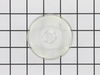
broken lens over oven light
Your service was OUTSTANDING...Ordered one afternoon, and before lunch time the next day, the delivery man rang my door bell...Thanks a bunch for you excellent service.....
Parts Used:
-
Leslie from Warsaw, VA
-
Difficulty Level:Really Easy
-
Total Repair Time:Less than 15 mins
11 of 22 people
found this instruction helpful.
Was this instruction helpful to you?
Thank you for voting!
Oven would overheat and not control properly
Simply took oven out of wall, removed back plate, unplugged old sensor, went in the front and unscrewed old sensor, put in new sensor, went in back and plugged in new sensor, put on back plate, push oven in wall. Turn on power
Parts Used:
-
Mason from WESTVILLE, OK
-
Difficulty Level:Really Easy
-
Total Repair Time:Less than 15 mins
-
Tools:Screw drivers
5 of 5 people
found this instruction helpful.
Was this instruction helpful to you?
Thank you for voting!
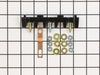
The elements were not heating up
It was really easy just unplugged it took off the back cover changed the part out put back cover on plugged it in and the elements were working great!
Parts Used:
-
Tanya from KALISPELL, MT
-
Difficulty Level:Really Easy
-
Total Repair Time:15 - 30 mins
-
Tools:Screw drivers
6 of 8 people
found this instruction helpful.
Was this instruction helpful to you?
Thank you for voting!
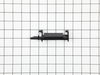
The microwave door was stuck shut, because the p;lastic piece internal was broken...
first of all, ordered the right piece, second, brought the right handyman to help...getting the over/microwave out as one piece took some doing...then the cover of the microwave had to come off...once we got to the piece itself, it was no issue... then putting it all back together...took about two hours...he needed our assistance because of thew weight and the need to pull the units out simultaneously
Parts Used:
-
Larry from BEAVERCRK TWP, OH
-
Difficulty Level:A Bit Difficult
-
Total Repair Time:1- 2 hours
-
Tools:Screw drivers, Socket set
5 of 5 people
found this instruction helpful.
Was this instruction helpful to you?
Thank you for voting!
When oven was set at 400, actual temp would run about 285.
1 Turned off the oven breaker.
2. Removed the oven racks.
3. With a Phillips screwdriver, removed the mounting screws holding the temperature sensor and unplugged it.
4. New sensor plug did not match 20 year old connector. Had to cut and solder splice the connectors.
5. Installed the new sensor and now oven holds temperature steady.
Easy order, quick delivery and easy installation, happy wife.
2. Removed the oven racks.
3. With a Phillips screwdriver, removed the mounting screws holding the temperature sensor and unplugged it.
4. New sensor plug did not match 20 year old connector. Had to cut and solder splice the connectors.
5. Installed the new sensor and now oven holds temperature steady.
Easy order, quick delivery and easy installation, happy wife.
Parts Used:
-
James from MOBILE, AL
-
Difficulty Level:Really Easy
-
Total Repair Time:30 - 60 mins
-
Tools:Screw drivers
7 of 12 people
found this instruction helpful.
Was this instruction helpful to you?
Thank you for voting!
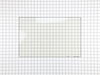
Broken ; oven door inner glass
Watched the repair video on your web site. Used the video as a step by step guide in the actual repair.
Parts Used:
-
Garland Futrell from CHESAPEAKE, VA
-
Difficulty Level:Very Easy
-
Total Repair Time:1- 2 hours
-
Tools:Screw drivers, Socket set
5 of 6 people
found this instruction helpful.
Was this instruction helpful to you?
Thank you for voting!
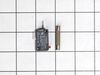
Microwave would not turn on
To determine which switch was bad, I removed all three switches from microwave. I used a D-cell battery taping two pieces of wire to the POS and NEG ends. Tape the POS end of wire to a flashlight bulb's bottom tip. Tape or twist the NEG end to the bottom of the switch. Connect another piece of wire to the top of switch and touch the side of the flashlight bulb with the other end of the wire; the bulb should come on. Depress the red button on the switch and the light should go out. The switch is good if this occurs. If light does not come on or the bulb does not got out once the red button is depressed, the switch is bad. Now you have determined which switch to order for replacement.
Parts Used:
-
Jacob from Ludowici, GA
-
Difficulty Level:Really Easy
-
Total Repair Time:Less than 15 mins
-
Tools:Screw drivers
6 of 9 people
found this instruction helpful.
Was this instruction helpful to you?
Thank you for voting!
While removing burned out light bulb, the glass cover fell to the floor of the oven and broke!!
Husband very ill in bed. It's up to me!! Got a new bulb at HomeDepot and figured out how to get that wire 'thing' back in and the new glass cover installed. I DID IT!! WOW! My husband has always done these jobs around the house.......but now it's up to me.......and I'm not so dumb after all! I DID IT!! Now everyone who comes in the house.....I show them what I DID!! :-)
Parts Used:
-
Phyllis from GAINESVILLE, GA
-
Difficulty Level:Easy
-
Total Repair Time:Less than 15 mins
5 of 7 people
found this instruction helpful.
Was this instruction helpful to you?
Thank you for voting!