




















PGCS1NFXCSS General Electric Refrigerator - Instructions
Keep searches simple. Use keywords, e.g. "leaking", "pump", "broken" or "fit".
Loud whirling noises when the motor started up, then they subside (and stop) in a short time
I have not yet done the repair. After watching this repair video two problems came to mind. First I only ordered one grommet not knowing that there were two (or more I don't yet know). The second problem is that this video must be for a fridge from like the 1940, but it looks NOTHING like mine from 2008. The manual shows a bazillion parts and frankly I'm just a wee bit afraid to get started, and I am generally very handy, buuuttttttttt I don't know about this one
Parts Used:

-
Randy from VALLEY CENTER, CA
-
Difficulty Level:Very Difficult
-
Total Repair Time:More than 2 hours
1 person
found this instruction helpful.
Was this instruction helpful to you?
Thank you for voting!
Loud Sound In Freezer
I followed the video for my model refrigerator on parts select. My hint: when returning the back panel of the freezer, it's slightly adjustable left and right to avoid grazing the fan.
Parts Used:

-
Carolyn from Santa Ana, CA
-
Difficulty Level:Really Easy
-
Total Repair Time:30 - 60 mins
-
Tools:Pliers, Screw drivers, Socket set
1 person
found this instruction helpful.
Was this instruction helpful to you?
Thank you for voting!
Loud Squeal when fan was running
WE (WIFE) took out the old parts an replaced with new one ..Be careful to get the placement of the Grommet or they "POP" out on you. fast ship on the parts too.
Parts Used:

-
Daniel from BURNEY, CA
-
Difficulty Level:Easy
-
Total Repair Time:30 - 60 mins
-
Tools:Nutdriver, Socket set
1 person
found this instruction helpful.
Was this instruction helpful to you?
Thank you for voting!
Broken light switch
This was so easy I think it took me 2 minutes. I am not very mechanically inclined but that didn't matter! Works perfect thank you!
Parts Used:

-
Deborah from BRADLEYVILLE, MO
-
Difficulty Level:Very Easy
-
Total Repair Time:Less than 15 mins
-
Tools:Pliers, Screw drivers
1 person
found this instruction helpful.
Was this instruction helpful to you?
Thank you for voting!
Refrigerator not getting cold
-
Dan from COLUMBIA, SC
-
Difficulty Level:Really Easy
-
Total Repair Time:15 - 30 mins
-
Tools:Pliers, Socket set
1 person
found this instruction helpful.
Was this instruction helpful to you?
Thank you for voting!
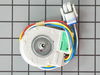
Bottom of refrigerator wouldn't coool
I removed the top vent and unplugged the ice machine ,took the back cover off the freezer.Removed the old fan which was pretty easy(unplugged it after I took the housing out for easy access) I plugged the new fan in and put everything back in the order I took off, and yada yada yada we have cooling.
Parts Used:
-
Charles from El Dorado, AR
-
Difficulty Level:Easy
-
Total Repair Time:15 - 30 mins
-
Tools:Nutdriver
2 of 4 people
found this instruction helpful.
Was this instruction helpful to you?
Thank you for voting!
My son's Refrigerator
I started out replacing a bad thermostat, no problem,
when I hooked up the water, I found that the water resovior had a leak.
I replaced the resovior, easy fix, but I had to buy two 5/16 brass couplers.
then I found that the box would not get below 10 degrees, and the suction pressure was very low.
I figured that the fan motor was burned out, so I opened up the access covers, the fan motor was hanging there with broken mounts, so I replaced the motor, and repaired the mount.
Everything works great now, The parts shiping was very fast, I was impressed.
I thought I was going to get away without fixing everyones
HVAC problems when I retired.
Friends and family still remember that you are the HVAC man.
Tom
when I hooked up the water, I found that the water resovior had a leak.
I replaced the resovior, easy fix, but I had to buy two 5/16 brass couplers.
then I found that the box would not get below 10 degrees, and the suction pressure was very low.
I figured that the fan motor was burned out, so I opened up the access covers, the fan motor was hanging there with broken mounts, so I replaced the motor, and repaired the mount.
Everything works great now, The parts shiping was very fast, I was impressed.
I thought I was going to get away without fixing everyones
HVAC problems when I retired.
Friends and family still remember that you are the HVAC man.
Tom
Parts Used:
-
Thomas from Brentwood, CA
-
Difficulty Level:Easy
-
Total Repair Time:More than 2 hours
-
Tools:Nutdriver, Screw drivers, Wrench (Adjustable)
2 of 4 people
found this instruction helpful.
Was this instruction helpful to you?
Thank you for voting!
Fan was not centered in the middle of the back panel opening.
Bent the motor bracket down, then using a rat tail file, elongated the holes in the back panel of the refrigerator to secure the fan in the "centered" position. This was a problem that was with the refrig. since it was made. The parts involved were perfect. NO problem at all installing them.
Parts Used:
-
James from GREENSBORO, NC
-
Difficulty Level:Easy
-
Total Repair Time:30 - 60 mins
-
Tools:Screw drivers, Socket set
1 person
found this instruction helpful.
Was this instruction helpful to you?
Thank you for voting!
Ice built up around evaporator fan blades and blades chipped and broke. Refrigerator was making loud vibrating noises.
Removed ice bucket, and unplugged ice maker. Removed light cover. Removed ice maker. Pulled fan blades straight up and removed. Pushed new blades on to motor shaft. Fairly easy .
Parts Used:

-
David from KNOXVILLE, TN
-
Difficulty Level:Really Easy
-
Total Repair Time:15 - 30 mins
-
Tools:Nutdriver
1 person
found this instruction helpful.
Was this instruction helpful to you?
Thank you for voting!
Light went out in refrigerator
Pop out switch, pull wires, attach wires to new switch and pop back in. Easy smeasy!
Parts Used:
-
Gary from EAST JORDAN, MI
-
Difficulty Level:Really Easy
-
Total Repair Time:Less than 15 mins
-
Tools:Pliers, Screw drivers
1 person
found this instruction helpful.
Was this instruction helpful to you?
Thank you for voting!
40 year old refrigerator brittle light switch fell apart
with a jewelry screwdriver I pried the lock tab in and pulled switch down carefully, the hardest part was that the power wire connector was stuck on good but the pliers and the jewelry screwdriver was its match for a bout 5 minute for one connection a simple pull off prong connection. After the wire connected back to switch it popped back in SNAPP
Parts Used:
-
Loren from EL PASO, TX
-
Difficulty Level:Really Easy
-
Total Repair Time:Less than 15 mins
-
Tools:Pliers, Screw drivers
1 person
found this instruction helpful.
Was this instruction helpful to you?
Thank you for voting!
Light Switch Not Working - Needed New Switch
Remove the top cover above the door by lifting it slightly and pulling forward. I used a mirror to make sure that there was nothing in the way of accessing the switch from above. I used a blade screwdriver to press against the switch retainer on the topside, while GENTLY prying from below with another blade screwdriver to get the switch dislodged. Once the retainer was past the opening, I wiggled the switch downward and then rotated it to the left when the rounded top right edge of the switch was visible. This allowed the wiring to the connector to pass thru the hole. I pushed the wiring from the top and pulled from below to get the connector below the opening for the switch. I then unplugged the switch, plugged in the new switch and reversed the removal process feeding the connector thru first then rotating the switch to the right to get the rounded edge of the switch thru the opening, then pressed the switch up into the opening until it snapped into place. Total time less than 10 minutes.
Parts Used:
-
Joe from SUGAR LAND, TX
-
Difficulty Level:Really Easy
-
Total Repair Time:Less than 15 mins
-
Tools:Screw drivers
1 person
found this instruction helpful.
Was this instruction helpful to you?
Thank you for voting!
Fan making noise.
Remove ice maker and all of it's accessories in order to remove the panel covering the fan. Don't drop the screws!
Unscrew the lower fan bracket. You will see the lower red rubber grommet. Hold fan motor with one hand and push the fan off the shaft and into the compartment above. Then remove the round retainer thing below it by holding it and pulling down on the motor assembly. Install new grommet on upper part. and put it all together.
REMEMBER where the fan is on the shaft. It has about one inch of shaft placement. I put mine so that most of it was above the hole that the fan goes into and about 20 percent showing below the sheet metal.
Also check to see if your fan is damaged. Mine was not.
This refrigerator has been awesome! I have had many issues but have been able to fix all of them for the last 15 years!
Unscrew the lower fan bracket. You will see the lower red rubber grommet. Hold fan motor with one hand and push the fan off the shaft and into the compartment above. Then remove the round retainer thing below it by holding it and pulling down on the motor assembly. Install new grommet on upper part. and put it all together.
REMEMBER where the fan is on the shaft. It has about one inch of shaft placement. I put mine so that most of it was above the hole that the fan goes into and about 20 percent showing below the sheet metal.
Also check to see if your fan is damaged. Mine was not.
This refrigerator has been awesome! I have had many issues but have been able to fix all of them for the last 15 years!
Parts Used:
-
Matthew from Escondido, CA
-
Difficulty Level:Really Easy
-
Total Repair Time:30 - 60 mins
-
Tools:Screw drivers
1 person
found this instruction helpful.
Was this instruction helpful to you?
Thank you for voting!
noisy refrigerator
I followed your video and completely dismantled the refrigerator evaporator motor, fan, brackets, and grommet, I completely cleaned the refrigerator including the cooling coils. I then ordered the evaporator motor ,fan, grommets, lid bumper, and brackets. The order would take a week to arrive. In the meantime I cleaned and reassembled all the old parts, waiting for the new ones to come. Guess what! The refrigerator was quiet as a mouse. I really did not need the new parts, but I kept them anyway just for good luck. Not bad for a refrigerator that's twenty four years old.
Parts Used:

-
James from NEW YORK, NY
-
Difficulty Level:Easy
-
Total Repair Time:1- 2 hours
-
Tools:Nutdriver, Pliers, Screw drivers, Socket set
1 person
found this instruction helpful.
Was this instruction helpful to you?
Thank you for voting!
Light was flicking
-
Stephanie from KEARNY, NJ
-
Difficulty Level:Really Easy
-
Total Repair Time:Less than 15 mins
-
Tools:Screw drivers
1 of 2 people
found this instruction helpful.
Was this instruction helpful to you?
Thank you for voting!