




















PCB800SP2SS General Electric Range - Instructions
Keep searches simple. Use keywords, e.g. "leaking", "pump", "broken" or "fit".
Oven Temp. went too high and the door locked. Burnt the food
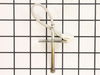
This temperature sensor is very easy to replace. There are two screws inside the oven in the top middle of the back of the oven. Take these off. on the back of the stove there is a metal plate with 5 screws I believe. Take these off with a nut driver. Then you will see a white connector coming from the spot where you took the other screws off. Take the white connector apart and pull out the temperature sensor from the inside of the oven. Then put the new one in.
Parts Used:
-
Nathan from BILLINGS, MT
-
Difficulty Level:Very Easy
-
Total Repair Time:Less than 15 mins
-
Tools:Nutdriver, Screw drivers
4 of 4 people
found this instruction helpful.
Was this instruction helpful to you?
Thank you for voting!
F2 fault code kept appearing on oven
Removed the oven door and shelves. Moved the oven out from wall, so that I could access the rear panel. Unplugged the oven. Removed the five (5) screws holding the rear panel in place and removed the panel. Disconnected the sensor at the connector. Removed the screw holding the sensor in place inside the oven and removed the sensor. Theaded the sensor wire through the rear of the oven wall. Installed the sensor and screw to hold it in place. Snapped the connector from the sensor to the mating connector at the rear of the oven. Installed the rear panel. Installed the five (5) screws to hold the panel. Plugged the oven back in and slide the oven back to the wall. Installed the oven shelves and the oven door.
Parts Used:
-
emmett from rocky mount, NC
-
Difficulty Level:Easy
-
Total Repair Time:15 - 30 mins
-
Tools:Nutdriver
5 of 7 people
found this instruction helpful.
Was this instruction helpful to you?
Thank you for voting!
One of the drawer supports broke off
I pulled out the drawer and inserted the new support. This one inserts into the back of the drawer as opposed to the sides. I had ordered two of the replacements even though I only needed one and decided to replace both. I think it was a good move as the drawer works better than when we first got it. Just one simple screw made it complete.
Parts Used:
-
John from Sandy Hook, CT
-
Difficulty Level:Really Easy
-
Total Repair Time:Less than 15 mins
-
Tools:Nutdriver
5 of 7 people
found this instruction helpful.
Was this instruction helpful to you?
Thank you for voting!
temp sensor in oven was failing.
I picked the least expensive and most likely issue with our oven that was not indicating a correct oven temperature. I am sure with a 15+ year appliance that the circuitry is on its way out but wanted to give this a try to avoid a new appliance purchase. Oven pre-heat setting takes much longer to finish with the age of the oven. However, after the new sensor the oven will maintain a more even temperature for the cycle.
Removal of the sensor from the inside of the oven is a bit awkward since it is located between the broiler elements at the back but a nut driver was the correct tool and worked fine. A bit stuck with the heating of the connection but pretty simple to replace. Must remove the back first to uncouple the connector. Simplest part of the repair.
At best a temporary fix for a an appliance this old.
Removal of the sensor from the inside of the oven is a bit awkward since it is located between the broiler elements at the back but a nut driver was the correct tool and worked fine. A bit stuck with the heating of the connection but pretty simple to replace. Must remove the back first to uncouple the connector. Simplest part of the repair.
At best a temporary fix for a an appliance this old.
Parts Used:
-
Chad from FRANKLIN, NC
-
Difficulty Level:Easy
-
Total Repair Time:15 - 30 mins
-
Tools:Nutdriver
4 of 4 people
found this instruction helpful.
Was this instruction helpful to you?
Thank you for voting!
Bake element broke into pieces
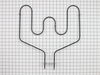
Disconnect electric at panel box. Pull oven out. Remove 5 screws from rear panel. Pull off the 2 clips at the tips of the old element which is located about 2/3 down the back side of the oven. Remove broken element from inside the oven and slide new element in place. Push 2 clips firmly on the ends of the new element. Replace back cover. Turn power on. Test oven. Slide oven back in place.
Parts Used:
-
Rita from LYMAN, SC
-
Difficulty Level:Very Easy
-
Total Repair Time:Less than 15 mins
-
Tools:Nutdriver
4 of 4 people
found this instruction helpful.
Was this instruction helpful to you?
Thank you for voting!
F2 Error on Display
The repair was very easy to do. Our oven was showing the F2 error code, which is associated with an over-temperature fault. Upon inspection, the oven was warm, but definitely not beyond the temperature threshold. I researched the issue and found this temperature sensor.
Swapping the sensor was extremely easy. You take off the back panel of the oven, unhook a single wiring harness, and undo some bolts inside the oven, which allows you to pull off the old sensor. Simply hook up the new sensor to the harness, pull everything back through, replace the fasteners, and you're good to go.
Swapping the sensor was extremely easy. You take off the back panel of the oven, unhook a single wiring harness, and undo some bolts inside the oven, which allows you to pull off the old sensor. Simply hook up the new sensor to the harness, pull everything back through, replace the fasteners, and you're good to go.
Parts Used:
-
Tom from FORNEY, TX
-
Difficulty Level:Very Easy
-
Total Repair Time:Less than 15 mins
-
Tools:Nutdriver, Screw drivers
4 of 4 people
found this instruction helpful.
Was this instruction helpful to you?
Thank you for voting!
Burnt Smell
Unplugged the Range and removed the two screws holding down the cook top. You do not need to remove the vent chamber at the rear of the range since the top lifts up about 4 inches. This should be enough room to get your hand onto the plug going to the door switch. Pull off the plug and remove the swich. Pop in the new one, put on the plug, reinstall the two screws and you are done!
Read the thread on "burnt smell" and DO NOT assume it is a burned out element. Follow your nose!!
Read the thread on "burnt smell" and DO NOT assume it is a burned out element. Follow your nose!!
Parts Used:

-
Eugene from Hilton Head, SC
-
Difficulty Level:Really Easy
-
Total Repair Time:Less than 15 mins
-
Tools:Nutdriver
8 of 17 people
found this instruction helpful.
Was this instruction helpful to you?
Thank you for voting!
Broker inner glass
-
marc from PARK RIDGE, NJ
-
Difficulty Level:Really Easy
-
Total Repair Time:15 - 30 mins
-
Tools:Screw drivers
4 of 5 people
found this instruction helpful.
Was this instruction helpful to you?
Thank you for voting!
Oven would not heat up
Changed the lower heating element. Simple, simple, simple. I first went on YouTube and watched a couple of videos. Reassurance is a good thing. Okay here we go. 1) Pull the oven out from the wall 2) UNPLUG 3) remove the racks in the oven 4) Unscrew the (2) screws holding the element to the back wall of the oven. 5) There are two (2) connections that you simply pull off. Remove the element. 6) Throw the old heating element away and connect the NEW element where the OLD one was. 7) Put the old screws back in. Plug the oven back in and test. VOILA!!! you are now a repairman.
Parts Used:
-
Myron from SCOTTSDALE, AZ
-
Difficulty Level:Very Easy
-
Total Repair Time:15 - 30 mins
-
Tools:Socket set
3 of 3 people
found this instruction helpful.
Was this instruction helpful to you?
Thank you for voting!
Incorrect oven temperature due to defective temperature sensor.
-
Anthony from FARMINGVILLE, NY
-
Difficulty Level:Really Easy
-
Total Repair Time:Less than 15 mins
-
Tools:Nutdriver
3 of 3 people
found this instruction helpful.
Was this instruction helpful to you?
Thank you for voting!
Baking element cut on fire
In this case I had to pull the range out to disconnect the power and also to remove the plate covering the electrical connectors. This was the only way to reconnect the elements terminals since the wires were too short to do it inside the oven. Undo the 2 screws holding the element in place from inside the oven to remove and install the new one before connecting the terminals from the back. Put back the rear cover and reconnect the power.
Parts Used:
-
Hedayat from LONGWOOD, FL
-
Difficulty Level:Easy
-
Total Repair Time:15 - 30 mins
-
Tools:Nutdriver, Pliers
3 of 3 people
found this instruction helpful.
Was this instruction helpful to you?
Thank you for voting!
Needed to replace oven door gasket
-
Jayne from EAST PEORIA, IL
-
Difficulty Level:Very Easy
-
Total Repair Time:15 - 30 mins
-
Tools:Screw drivers
3 of 3 people
found this instruction helpful.
Was this instruction helpful to you?
Thank you for voting!
Original heating Element was burned out
1st replacement part was damaged from Shipping.
Parts Select sent a new one that i received in only a few days.
our stove is slid into a granite island so the disassembly was not as simple as most. It was necessary to remove the controls, the controls housing & screws along the top of the oven door.
Within an hour the stove was back in place and working perfectly.
Great service from Parts Select
Parts Select sent a new one that i received in only a few days.
our stove is slid into a granite island so the disassembly was not as simple as most. It was necessary to remove the controls, the controls housing & screws along the top of the oven door.
Within an hour the stove was back in place and working perfectly.
Great service from Parts Select
Parts Used:
-
Janice from ST CLR SHORES, MI
-
Difficulty Level:Easy
-
Total Repair Time:30 - 60 mins
-
Tools:Nutdriver, Pliers, Screw drivers
3 of 3 people
found this instruction helpful.
Was this instruction helpful to you?
Thank you for voting!
Heating element burnt out
I am a 62 year old woman with NO experience fixing appliances However I didn't have the money for a repairman so I ordered the part and googled "Hiw to change a heating element in a GE range". All the instructions were there and now my oven is working perfectly. I even posted on Facebook for my female friends to encourage them to do repairs themselves. What a GREAT feeling.
Parts Used:
-
Margie from MYRTLE BEACH, SC
-
Difficulty Level:Really Easy
-
Total Repair Time:30 - 60 mins
-
Tools:Screw drivers
3 of 3 people
found this instruction helpful.
Was this instruction helpful to you?
Thank you for voting!
Element went out in glass top stove.
-
Aleshia from O BRIEN, FL
-
Difficulty Level:Really Easy
-
Total Repair Time:15 - 30 mins
-
Tools:Nutdriver
4 of 6 people
found this instruction helpful.
Was this instruction helpful to you?
Thank you for voting!