




















MMV1175JW01 Maytag Microwave - Instructions
Keep searches simple. Use keywords, e.g. "leaking", "pump", "broken" or "fit".
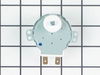
Microwave turntable stopped rotating.
1. Unplug the power cord from the wall socket. 2. Remove the 10 screws holding the bottom cabinet cover in place. The bottom cabinet cover will swing down allowing acces to the inside ofe the microwave. 3. Remove the connector from the turntable motor. 4. Use a T15 Torx driver to remove the 2 Torx screws holding the motor in place. 5. Remove the motor. 6. Reverse the process using the new motor.
Parts Used:
-
Larrt from Minooka, IL
-
Difficulty Level:Easy
-
Total Repair Time:15 - 30 mins
-
Tools:Screw drivers
Was this instruction helpful to you?
Thank you for voting!
The capacitor was melted in the microwave
My husband open the microwave and see the capacitor melted. He try to find the piece in store,but unfortunatly he didn't find any. I found the piece on the web and ordered it. My husband replaced the part easily. The microwave work very well.The microwave was to our friend. He did replace it by a new one. Now we have a new microwave with a fan.
Parts Used:

-
Jocelyne from Fort Pierce, FL
-
Difficulty Level:Really Easy
-
Total Repair Time:Less than 15 mins
-
Tools:Screw drivers
Was this instruction helpful to you?
Thank you for voting!