
















MER5752BAB15 Maytag Range - Instructions
Keep searches simple. Use keywords, e.g. "leaking", "pump", "broken" or "fit".
Old glass support rusty in one spot.
I took the door off and removed five phillip screws from the old bottom support and removed it. I took the opportunity to clean the glass on the front and back before placing it back on. It simply fits into two keepers at top and is held on by the new support at the bottom. I replaced the five screws and put the door back on. It is a simple job that only takes a few minutes.
Parts Used:

-
Gregory from ALEXANDRIA, LA
-
Difficulty Level:Really Easy
-
Total Repair Time:Less than 15 mins
-
Tools:Screw drivers
2 of 2 people
found this instruction helpful.
Was this instruction helpful to you?
Thank you for voting!
Oven would over heat and produce a F2 error code on the display. It would not turn off or cool down until I switched the circuit breaker off.
I switched the oven sensor easily enough, but it did not remedy the problem, so we are in the process of replacing the oven since it's about 20 yrs. old.
Parts Used:
-
richard from SAINT MARYS, KS
-
Difficulty Level:Very Easy
-
Total Repair Time:Less than 15 mins
-
Tools:Screw drivers
2 of 2 people
found this instruction helpful.
Was this instruction helpful to you?
Thank you for voting!
Replacing the bulb in the freezer side
Removed the ice brucket,
Removed the light shield by releasing one screw using a nutdriver.
Replacing the bulb and reinstalled the light shield.
Your web site is one of the best and most helpfull service sites I ever used. Just wish that in the future you will ship parts overseas.
Removed the light shield by releasing one screw using a nutdriver.
Replacing the bulb and reinstalled the light shield.
Your web site is one of the best and most helpfull service sites I ever used. Just wish that in the future you will ship parts overseas.
Parts Used:
-
Yafa (and David) from Bothell, WA
-
Difficulty Level:Easy
-
Total Repair Time:Less than 15 mins
-
Tools:Nutdriver
5 of 11 people
found this instruction helpful.
Was this instruction helpful to you?
Thank you for voting!
Element burn. Not working.
Element was sent by buyer, As they recommended, when model of stove given to them. It was upper right rear. When element came. First took off old element. ...Match both element , new element did not look exactly the same, small variation. It did not come on.. I moved old element from left side to right side . Old element worked on both side .. tried new element on left side also.. still didn't work.. so I called right away and explained.. new element did not work.. not defective, but, just wasn't the right one.. I had a specialist came and check it out also. I was told wrong element.
Parts Used:
-
Marc from SUNRISE, FL
-
Difficulty Level:Really Easy
-
Total Repair Time:Less than 15 mins
-
Tools:Pliers, Screw drivers
2 of 2 people
found this instruction helpful.
Was this instruction helpful to you?
Thank you for voting!
I burned out my element
All I had to do was, unscrew two screws. Carefully pull the broken element out, disconnect. Push carefully back in. And replace screws and Walla!
Parts Used:
-
Tosha from PLEASANTVILLE, NJ
-
Difficulty Level:Really Easy
-
Total Repair Time:Less than 15 mins
-
Tools:Screw drivers
2 of 2 people
found this instruction helpful.
Was this instruction helpful to you?
Thank you for voting!
After cleaning, F1-1 error flashed and neither oven worked
First I called a repairman and left a message. That was 3 weeks ago. So, I 'googled' the error message and determined what part I thought I needed. Ordered the part on Wednesday evening and it was there when I got home from work on Friday. I unpacked the part, got a phillips screwdriver and then watched the repair video on your website. About 20 minutes later I pushed my stove back in place and the flashing said 'set time'. Then I checked both ovens, and have since used both, and everything works!!
Parts Used:
-
Georgene from Rock City, IL
-
Difficulty Level:Easy
-
Total Repair Time:15 - 30 mins
-
Tools:Screw drivers
3 of 5 people
found this instruction helpful.
Was this instruction helpful to you?
Thank you for voting!
Replace the oven Sensor
The sensor is mounted in the top right side of the oven.An extra long screw driver helps to avoid damage to the sensor when replacing it.The connectors were the opposite to the old sensor and I did not see that there were adapter cables included. It might help to connect or tie these together as I only expected the sensor and did not look for adapters.I had cut the wires and used wire nuts when I found the adapters.The repairs works fine.
Mike
Mike
Parts Used:
-
Michael from Exeter, NH
-
Difficulty Level:Really Easy
-
Total Repair Time:15 - 30 mins
-
Tools:Nutdriver, Pliers, Screw drivers
3 of 5 people
found this instruction helpful.
Was this instruction helpful to you?
Thank you for voting!
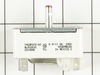
light would stay on all the time saying burner was on although it wasn`t
unplugged power took the back panel off unplugged the 5 wires removed knob by grabbing and pulling off took two screws out of front panel removed the switched put new switch in place and reversed the procedure went very smooth know problem at all any one with any kind of ability should change this switch in know time at all
Parts Used:
-
Joseph F Gott from FELTON, DE
-
Difficulty Level:Very Easy
-
Total Repair Time:15 - 30 mins
-
Tools:Pliers, Screw drivers
2 of 2 people
found this instruction helpful.
Was this instruction helpful to you?
Thank you for voting!
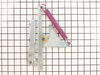
Old hinge spring broke
• Removed the oven door (pulled right off old hinges)
• Removed two screws
• Removed broken hinge
• Placed new hinge in place
• Replaced screws
• Replaced oven door.
• Removed two screws
• Removed broken hinge
• Placed new hinge in place
• Replaced screws
• Replaced oven door.
Parts Used:
-
Steve from LONGVIEW, WA
-
Difficulty Level:Really Easy
-
Total Repair Time:15 - 30 mins
-
Tools:Screw drivers
2 of 2 people
found this instruction helpful.
Was this instruction helpful to you?
Thank you for voting!
Oven door wouldn’t close all the way.
Bought new hinges as that was the obvious problem.
Below is the removal, installation process for new hinges. Turns out in my case there was nothing wrong with the hinges. Problem was still there after installing new ones. I found that the metal in the door that butted against the hinges was fatigued causing looseness. I ended up compressing the metal back into shape with a hammer. Problem solved but money wasted on hinges.
If you replace hinges. Here is what I did.
1. Open door slightly to where it stops in broiler position.
2. Remove the door by pulling up.
3. Remove two screws in front of hinges that hold them in.
4. Pull range out a few inches for access the remove the side fillers that trim out the stove.
5. Reach in from the side and work hinges out.
5. Pop in new hinges and reattach the 2 front holding screws and the side trim screws.
You are done.
Below is the removal, installation process for new hinges. Turns out in my case there was nothing wrong with the hinges. Problem was still there after installing new ones. I found that the metal in the door that butted against the hinges was fatigued causing looseness. I ended up compressing the metal back into shape with a hammer. Problem solved but money wasted on hinges.
If you replace hinges. Here is what I did.
1. Open door slightly to where it stops in broiler position.
2. Remove the door by pulling up.
3. Remove two screws in front of hinges that hold them in.
4. Pull range out a few inches for access the remove the side fillers that trim out the stove.
5. Reach in from the side and work hinges out.
5. Pop in new hinges and reattach the 2 front holding screws and the side trim screws.
You are done.
Parts Used:
-
Michael from BOISE, ID
-
Difficulty Level:Easy
-
Total Repair Time:15 - 30 mins
-
Tools:Nutdriver, Screw drivers
2 of 2 people
found this instruction helpful.
Was this instruction helpful to you?
Thank you for voting!
replace inner glass Jenn air range
Hired a pro. Parts are difficult to get on a timely basis today , if at all. Screw up this repair by damaging the outer " black glass " and you buy a new stove. It took three weeks to get my replacement glass even though PS said the part was being sent within a day of the order. Even so , I am am happy to have gotten it , and will continue to use the company.
Parts Used:

-
gerald from MICKLETON, NJ
-
Difficulty Level:A Bit Difficult
-
Total Repair Time:15 - 30 mins
-
Tools:Nutdriver, Screw drivers
2 of 2 people
found this instruction helpful.
Was this instruction helpful to you?
Thank you for voting!
Oven Temperature was 50 degrees low
Took screws out of the back on the side the sensor was on, unplugged it & took out the two screws on the inside of the oven to release the sensor. Put new sensor in place with the two screws & used one of the adapters to plug in the new sensor. Put screws back in the back panel & turned on the oven which unfortunately is still 50 degrees low. Need a new clock with computer which is out of stock & unavailable. I was an electrician for 25 years so didn't experience any problems. It was a cheap thing to try.
Parts Used:
-
Eugene from Clinton, IA
-
Difficulty Level:Really Easy
-
Total Repair Time:15 - 30 mins
-
Tools:Screw drivers
2 of 3 people
found this instruction helpful.
Was this instruction helpful to you?
Thank you for voting!
No temperature control
Turned off breakers to oven. Removed two screws that held oven in cabinet. Removed oven door by opening slightly and pulling up on door. Pulled oven out 1/3 of way. Took out four screws on top of control panel. Took oven light switch off by unscrewing holding ring. Removed temp knob on right by pulling. Removed start / stop knob same way.Removed glass straight out. Removed four screws that held elecrtonic clock conrtol board. Unpluged three wire plug from right side and the nine wire plug from the left side. Worked board out at and angle. Went backwards to connect and replace board, screws and door.Slid oven back in and tested oven after turning breakers back on, worked like new.
Parts Used:
-
Max from Houston, TX
-
Difficulty Level:Easy
-
Total Repair Time:30 - 60 mins
-
Tools:Screw drivers
2 of 3 people
found this instruction helpful.
Was this instruction helpful to you?
Thank you for voting!
Oven handle was broke off
Removed the oven door an removed some screws. After that it was pretty much self explanatory from there. Real simple project !
Parts Used:

-
Marlene from ATHENS, MI
-
Difficulty Level:Really Easy
-
Total Repair Time:30 - 60 mins
-
Tools:Screw drivers
1 person
found this instruction helpful.
Was this instruction helpful to you?
Thank you for voting!
Burner did not heat up
Access to burner nothing like on-line videos:
1) Remove 4 screws under front control panel. (Oven door needs to be open.)
2) Remove 2 flat head screws on sides of control panel. This will loosen control panel. Capture control panel to keep from hanging from wires/connectors. I used hooks made from a wire hanger.
3) Remove 2 screws to remove two steel panels on either side of stove.
4) Remove rear screw of the 2 front screws now exposed and 2 rear screws near top of stove.
5) Carefully flip over glass top being careful not to pull on the wires.
6) Identify burner to be replaced. Note 2 numbers where two clamps are attached to burner.
7) Using 3/8” nut driver, remove screws to allow removal of burner. Remove wires per included instructions. Remove burner.
8) Place new burner under clamps and align to the holes by the two numbers noted in step 6 above.
9) Connect wires to new burner as per included instructions.
10) Reverse removal steps.
1) Remove 4 screws under front control panel. (Oven door needs to be open.)
2) Remove 2 flat head screws on sides of control panel. This will loosen control panel. Capture control panel to keep from hanging from wires/connectors. I used hooks made from a wire hanger.
3) Remove 2 screws to remove two steel panels on either side of stove.
4) Remove rear screw of the 2 front screws now exposed and 2 rear screws near top of stove.
5) Carefully flip over glass top being careful not to pull on the wires.
6) Identify burner to be replaced. Note 2 numbers where two clamps are attached to burner.
7) Using 3/8” nut driver, remove screws to allow removal of burner. Remove wires per included instructions. Remove burner.
8) Place new burner under clamps and align to the holes by the two numbers noted in step 6 above.
9) Connect wires to new burner as per included instructions.
10) Reverse removal steps.
Parts Used:
-
Sergio from JENSEN BEACH, FL
-
Difficulty Level:Easy
-
Total Repair Time:30 - 60 mins
-
Tools:Nutdriver, Pliers, Screw drivers
1 person
found this instruction helpful.
Was this instruction helpful to you?
Thank you for voting!