




















MEDB200VQ0 Maytag Dryer - Instructions
Keep searches simple. Use keywords, e.g. "leaking", "pump", "broken" or "fit".
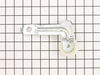
Idler pulley squeaking very badly
Took back panel of dryer off completely disconnected the drive belt to drum of dryer took off old idler pulley reinstall the new pulley and belt works like a brand new dryer
Parts Used:
-
Andy from DAGGETT, MI
-
Difficulty Level:Really Easy
-
Total Repair Time:30 - 60 mins
-
Tools:Socket set
6 of 6 people
found this instruction helpful.
Was this instruction helpful to you?
Thank you for voting!
Door catch will no longer secure the door close
Pliers and screw driver to pop out the old door catch and pop in the new one. Saved $69.95 service charge for a tech to come to the home.
Parts Used:

-
Gregory from Carlsbad, CA
-
Difficulty Level:Easy
-
Total Repair Time:Less than 15 mins
-
Tools:Pliers, Screw drivers
6 of 6 people
found this instruction helpful.
Was this instruction helpful to you?
Thank you for voting!
Broken door latch
Followed video instructions using flat scraper & pliers (easy).Tried to remove "SPARE" latch on other side of door. Even removed door myself (Easy).Tried for (45) minutes without success. Ordered part @ 11:30 pm. Replaced door easily by myself by leaving bottom screw for each hinge in place & replaced broken latch. Received new latch in (5) days. Removed broken latch without tools & replaced new latch in (15) seconds. Need help from any "Ladies" who can remove second latch so it is available for next replacement. This "Engineer" was too lazy to remove the screws around the door because he was going to "Follow the Video". Overall it was an "Easy Fix". Keep the 'Videos"coming.
Parts Used:
-
William from ROCK ISLAND, IL
-
Difficulty Level:Very Easy
-
Total Repair Time:Less than 15 mins
-
Tools:Pliers
6 of 6 people
found this instruction helpful.
Was this instruction helpful to you?
Thank you for voting!
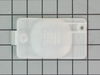
Lens melted because paper got behind the lens and was heated by the lamp.
-
Chris from Valley Stream, NY
-
Difficulty Level:Really Easy
-
Total Repair Time:Less than 15 mins
-
Tools:Screw drivers
6 of 6 people
found this instruction helpful.
Was this instruction helpful to you?
Thank you for voting!
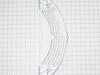
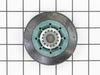
High pitch noice
Raised the front of top panel with the putty knife and the front panel was unscrewed as the video showed. The drum slid out after the belt was released.
My machine had 4 rollers, which was not shown in the schematics. So I replaced the back, cleaned the front ones and works great for now. Plan to replace the front later.
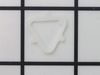
Removing the tri rings is much easier if cut w wire cutters. Otherwise waist lots of time to get them off. Just buy new ones.
My machine had 4 rollers, which was not shown in the schematics. So I replaced the back, cleaned the front ones and works great for now. Plan to replace the front later.
Removing the tri rings is much easier if cut w wire cutters. Otherwise waist lots of time to get them off. Just buy new ones.
Parts Used:
-
Luis from FRESNO, CA
-
Difficulty Level:Easy
-
Total Repair Time:30 - 60 mins
-
Tools:Pliers, Socket set
8 of 13 people
found this instruction helpful.
Was this instruction helpful to you?
Thank you for voting!
the factory door catch punched out
new part came in a day or two. took part out of package and it easly snaped in place. very nice
Parts Used:
-
phillip from evansville, IN
-
Difficulty Level:Really Easy
-
Total Repair Time:Less than 15 mins
8 of 13 people
found this instruction helpful.
Was this instruction helpful to you?
Thank you for voting!
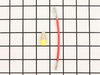
Dryer stopped heating
(Always unplug dryer before making any repairs) I opened the dryer and checked the heating element. Making sure that the connection was good and nothing was damaged, I determined the problem was overheated wires. They melted and lots connection. I replaced them with the heating element wire connection kit. Easy to install and simple to get right. I cleaned the dryer again with a vaccum cleaner, removing all the lint, and checked the vents, making sure they were clear...I turned the breaker on (it was tripped when the dryer overheated)and everything worked great.
Parts Used:
-
Joseph from Austin, TX
-
Difficulty Level:Really Easy
-
Total Repair Time:15 - 30 mins
-
Tools:Screw drivers, Socket set
6 of 7 people
found this instruction helpful.
Was this instruction helpful to you?
Thank you for voting!
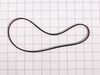
1`) broken blower motor drive belt,2) blower moter drive belt pulley loosened & seperated from shaft
1) Unplugged unit & used the 5 in 1 tool to disengage top panel clips from top of front panel & tilted top panel up & out of the way, .
2) Disconnected electrical connection @ upper right of front panel, Used drill & 5/16" socket & adapter to remove 2 upper front panel screws on backside of panel & removed panel.
3) Removed 4 screws from lint screen duct, unplugged elect. con.@ the right & removed lint screen & duct from dryer bulkhead..
4) Loosened 2 top screws & removed 2 bottom screws from bulkhead & lifted bulkhead up & out & set aside.
5) Slid drum belt off the back of the drum & removed the drum
6) Ceaned the blower moter drive shaft threads & threads inside the shaft pulley. Used a file to clean up any burrs on shaft pulley, coated treads of pulley & shaft with red lock tite thread dressing & re-instaled pulley back onto shaft with ajustable pliers while holding blower fan blades steady from inside the blower motor housing. with other hand. note: (pulley is left handed thread)
7) Looped new belt onto drive motor pulley then worked it back onto blower moter pulley with one hand while turning the blades of the blower from inside the blower housing with other hand until it was back in place & ribs on belt were seated in the mating ribs of the pulley.
8) Put everything back in reverse order with the exception of removing the back panel to reinstall the drum belt onto the drive motor shaft pulley and tensioner @ bottom left in back of the dryer.
Hope this instructional is able to help some one else & good luck with your projects!
2) Disconnected electrical connection @ upper right of front panel, Used drill & 5/16" socket & adapter to remove 2 upper front panel screws on backside of panel & removed panel.
3) Removed 4 screws from lint screen duct, unplugged elect. con.@ the right & removed lint screen & duct from dryer bulkhead..
4) Loosened 2 top screws & removed 2 bottom screws from bulkhead & lifted bulkhead up & out & set aside.
5) Slid drum belt off the back of the drum & removed the drum
6) Ceaned the blower moter drive shaft threads & threads inside the shaft pulley. Used a file to clean up any burrs on shaft pulley, coated treads of pulley & shaft with red lock tite thread dressing & re-instaled pulley back onto shaft with ajustable pliers while holding blower fan blades steady from inside the blower motor housing. with other hand. note: (pulley is left handed thread)
7) Looped new belt onto drive motor pulley then worked it back onto blower moter pulley with one hand while turning the blades of the blower from inside the blower housing with other hand until it was back in place & ribs on belt were seated in the mating ribs of the pulley.
8) Put everything back in reverse order with the exception of removing the back panel to reinstall the drum belt onto the drive motor shaft pulley and tensioner @ bottom left in back of the dryer.
Hope this instructional is able to help some one else & good luck with your projects!
Parts Used:
-
Tim from DUNCANVILLE, TX
-
Difficulty Level:A Bit Difficult
-
Total Repair Time:30 - 60 mins
-
Tools:Nutdriver, Screw drivers, Socket set, Wrench (Adjustable)
5 of 5 people
found this instruction helpful.
Was this instruction helpful to you?
Thank you for voting!
idler pulley wheel was bad
Simply removed back cover on dryer and the idler pulley wheel and arm was right there and only had one screw to remove after relieving tension on belt by removing spring. Very simple
Parts Used:
-
Jasper from FLORIEN, LA
-
Difficulty Level:Very Easy
-
Total Repair Time:30 - 60 mins
-
Tools:Screw drivers, Socket set, Wrench (Adjustable)
5 of 5 people
found this instruction helpful.
Was this instruction helpful to you?
Thank you for voting!
Squealing pulley
Removed rear cover. Released tension on spring to pulley to remove belt from pulley. Used a socket to remove idler. Did the reverse to install.
Parts Used:
-
Randall from MILLSAP, TX
-
Difficulty Level:Really Easy
-
Total Repair Time:30 - 60 mins
-
Tools:Nutdriver, Socket set
6 of 8 people
found this instruction helpful.
Was this instruction helpful to you?
Thank you for voting!
Drum support roller making very loud noise
had to take front off of Dryer then was able to replace drum roller
Parts Used:

-
William from TROY, AL
-
Difficulty Level:Really Easy
-
Total Repair Time:1- 2 hours
-
Tools:Screw drivers, Socket set
5 of 5 people
found this instruction helpful.
Was this instruction helpful to you?
Thank you for voting!
Old lint filter was broken

-
Earl from Santa Ana, CA
-
Difficulty Level:Really Easy
-
Total Repair Time:Less than 15 mins
8 of 14 people
found this instruction helpful.
Was this instruction helpful to you?
Thank you for voting!
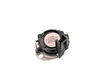
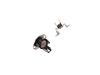
Dryer wasn't heating.
Replaced high limit thermostat and thermal cutoff. Dryer works like a champ. Reviewed couple of YouTube videos that showed clearly how to
get to the effected parts, test them and replace them. I had an old front loading dryer once before that I repaired a couple of times but these parts were accessible by removing a panel on the rear of the unit. The procedure was more involved with this unit. After studying the videos and getting a feel for what was involved, the process, while involved, was fairly simple and putting the unit back together was also fairly easy. Replacement parts did the trick. Very happy.
get to the effected parts, test them and replace them. I had an old front loading dryer once before that I repaired a couple of times but these parts were accessible by removing a panel on the rear of the unit. The procedure was more involved with this unit. After studying the videos and getting a feel for what was involved, the process, while involved, was fairly simple and putting the unit back together was also fairly easy. Replacement parts did the trick. Very happy.
Parts Used:
-
Bob from OMAHA, NE
-
Difficulty Level:Really Easy
-
Total Repair Time:30 - 60 mins
-
Tools:Nutdriver, Screw drivers
5 of 5 people
found this instruction helpful.
Was this instruction helpful to you?
Thank you for voting!
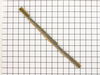
Lint filter seal worn out
The part wasn’t for my machine. Unfortunaly I was not able to repair it. I was sent stripe of foam with an adhesive strip on the back. I needed a felt strip.
Parts Used:
-
Dennis from PALM BCH GDNS, FL
-
Difficulty Level:Very Easy
-
Total Repair Time:Less than 15 mins
5 of 5 people
found this instruction helpful.
Was this instruction helpful to you?
Thank you for voting!
Squel with heavy load
Well before ordering parts. I removed back panel with screw gun to locate issue noise. The I applied a real quilty spray lube to the tensioner an spun it a few times. Then put dryer back together and ordered parts. I'm waiting for the noise to return before I actually make the repair. Old saying if it's not broke don't fix it.
Parts Used:

-
Matt from SAINT LOUIS, MO
-
Difficulty Level:Easy
-
Total Repair Time:15 - 30 mins
-
Tools:Nutdriver, Screw drivers
5 of 5 people
found this instruction helpful.
Was this instruction helpful to you?
Thank you for voting!