




















MED6000AG0 Maytag Dryer - Instructions
Keep searches simple. Use keywords, e.g. "leaking", "pump", "broken" or "fit".
Noisy sound from dryer
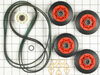
Just like video except there were two screws in back to take control head off. Be prepared to have shop vacation ready. Clean dryer duct too. Have bandaids ready. Plastic triangles are not easy to take off, video makes it look easy.
Parts Used:
-
john from OLYMPIA, WA
-
Difficulty Level:Easy
-
Total Repair Time:1- 2 hours
-
Tools:Nutdriver, Screw drivers
20 of 23 people
found this instruction helpful.
Was this instruction helpful to you?
Thank you for voting!
Moisture sensors need replacement
Inside the dryer tub, remove the filter housing by removing two phillips head screws. Unplug the sensor wires, note when replacing wires, black wire goes on upper sensor.
Separate filter grill from housing. Using the pliers, compress the tabs on the sensor plugs and push it thru the grill. The small blade screwdriver may come in handy here to pry up on sensor to assist in pulling the plug end through the grill. Replace the sensors by hooking short end into grill and pushing the long end through the grill. When replacing the housing to the dryer, the most difficult thing is getting the screwdriver onto the recessed screws. Be sure to put the tab on top of the housing under the dryer frame when rotating the assembly into place.
Separate filter grill from housing. Using the pliers, compress the tabs on the sensor plugs and push it thru the grill. The small blade screwdriver may come in handy here to pry up on sensor to assist in pulling the plug end through the grill. Replace the sensors by hooking short end into grill and pushing the long end through the grill. When replacing the housing to the dryer, the most difficult thing is getting the screwdriver onto the recessed screws. Be sure to put the tab on top of the housing under the dryer frame when rotating the assembly into place.
Parts Used:

-
Jack from JONESBORO, AR
-
Difficulty Level:Easy
-
Total Repair Time:30 - 60 mins
-
Tools:Pliers, Screw drivers
20 of 24 people
found this instruction helpful.
Was this instruction helpful to you?
Thank you for voting!
Scratches in Surface
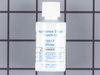
This product comes in a bottle with a brush like Liquid Paper. It goes on incredibly easy. A second coat might be needed. I wanted to prevent rust from setting in so I covered the scratches and dings. The paint is a little brighter since my washer is 10 years old but it still looks great.
Parts Used:
-
Michelle from Richardson, TX
-
Difficulty Level:Really Easy
-
Total Repair Time:Less than 15 mins
79 of 202 people
found this instruction helpful.
Was this instruction helpful to you?
Thank you for voting!
Dryer working fine but no heat
Found this website and reviewed videos and comments prior to purchasing the heater element and high limit thermostat and thermal fuse kit. We had recently put our Whirlpool duet washer and dryer on pedestals and after that, the dryer would come on and run, but would not heat up. Installation of the parts we ordered was simple...and we would be considered novice installers....really great website and easy to understand. Customer service was excellent as well. After installation of the parts, still no heat and heating element was registering only 120v. We checked everything again and found that the dryer plug was not all the way in the socket. Probably came loose with the move to the petestal.....plugged it in securely and it works great now. Should have checked that first, but because it was running we just didn't think of checking it. Good lesson learned and so glad we found this website. We will definately be using this site again and telling everyone we know about how great you guys are! And at least we won't have to worry about the dryer for a while and we now know we can fix a dryer that won't heat up!
Parts Used:

-
Cornelius from ELKO, GA
-
Difficulty Level:Really Easy
-
Total Repair Time:15 - 30 mins
-
Tools:Nutdriver, Screw drivers, Socket set
18 of 22 people
found this instruction helpful.
Was this instruction helpful to you?
Thank you for voting!
One of the hinges broke, making the door sag
Using the Torx Screwdriver, we removed the door from the unit. Then we removed all of the screws on the inside of the washer door. After that we flipped it over and opened it up exposing the inside. We couldn't separate them entirely because there was a screw under the latch piece that we couldn't figure out how to get to. However with all the screws out on the inside of the door, we did have enough room to open it up and access the place cover that holds the hinges in. Once we accessed that we removed the roller tips from the old unit and placed them on the new one. Then we reversed the process. With a couple screws in we realized we had put the hinge in reversed from what it needed to be, so we reopened it and switched it around. Then completed replacing all the screws and reattached it to the washer. It opens and closes perfectly and we saved a couple hundred dollars for sure, as the quote to come out had been a $150 trip charge.
Parts Used:
-
Sandy from MILWAUKIE, OR
-
Difficulty Level:Easy
-
Total Repair Time:1- 2 hours
20 of 29 people
found this instruction helpful.
Was this instruction helpful to you?
Thank you for voting!
Flashing E1 code for a bad thermistor
I replaced the thermistor earlier, but the code was still flashing. I noticed the heater terminals were charred and pretty well covered in carbon. So, I replaced the heater, the thermostat and thermal fuse and replaced the 3/8" spade terminals on the heater wires. (These are hard to find - most electrical spades terminals are .250. Also, I crimped and soldered these for a connection with the lowest resistance possible). After all that, the code still flashed! I let the explatives fly, calmed down, and ran the control board test. (This is done by pressing "more time" "less time" "more time" "less time" in succession.) The control board was passing all the tests, but the thermistor test, and the only thing is in this circuit is the thermistor, the wires, the connector to the control board, and some circuit on the control board that involves a few resistors and the "brain" chip. So, I checked the terminals at the thermistor, the wires up to the control board and the connector at the board. The control board connector was fairly dust encrusted, so I unplugged it, cleaned the control board terminals and sucked away all the lint and dust. Finally, I carefully removed earch crimp terminal from the Molex connector (the white female connector) and cleaned and bent them to yield a better connection to the terminals on the control board. I put it all back together, and thus far it is working fine.
Parts Used:
-
John from Cedar Rapids, IA
-
Difficulty Level:A Bit Difficult
-
Total Repair Time:30 - 60 mins
-
Tools:Nutdriver, Pliers, Screw drivers
19 of 28 people
found this instruction helpful.
Was this instruction helpful to you?
Thank you for voting!
Dryer would not heat, also had thumping sound as drum turned.
Viewed a video provided on this site for disassembly etc. It was not my exact same model, but the instructions were pretty much spot on. The main issues we had were just that it was bulky etc. and somewhat heavy. We could not really work on it in place, so we had to drag it to the kitchen area. I found the existing heater element to be open upon inspection. Changed it out with the one I purchased which was an exact replacement. The drum rollers, motor pulley, and belt did not really look bad, but since I ordered the repair kit, I went ahead and replaced all of them. I was glad I did because it is much quieter now. The only thing I did differently was I cut off the existing plastic triangle keepers for the rollers with my diagonal cutters instead of work them off with a small screwdriver like in the video, which saved some time and frustration. New ones were provided in the kit I purchased anyway. I also would recommend marking the front of the drum somehow so there is no confusion which way it goes when you put it back together. Works as good as new now, good for another 10 years (I hope).
Parts Used:
-
Michael from McKinney, TX
-
Difficulty Level:A Bit Difficult
-
Total Repair Time:1- 2 hours
-
Tools:Nutdriver, Screw drivers, Socket set
14 of 14 people
found this instruction helpful.
Was this instruction helpful to you?
Thank you for voting!
parts took more than two months to get here.
I'm still waiting on my idler pulley. It arrived at Fed EX depot in Tracy CA on December 14th and has still not been shipped. So it is pretty fucking hard for me to install it! Maybe if you had customer service that would answer their phones or reply to my Emails would be helpful
Parts Used:

-
rodney from Mad River, CA
-
Difficulty Level:Very Difficult
-
Total Repair Time:More than 2 hours
15 of 17 people
found this instruction helpful.
Was this instruction helpful to you?
Thank you for voting!
the dryer was making squealing noises when it first started.
We watched the video at whirlpool.com! Made it so simple anyone could have done it!
Parts Used:
-
Christine from BIRCH RUN, MI
-
Difficulty Level:Really Easy
-
Total Repair Time:1- 2 hours
-
Tools:Nutdriver, Screw drivers
13 of 14 people
found this instruction helpful.
Was this instruction helpful to you?
Thank you for voting!
Dryer made a terrible screeching noise when tumbling.
I followed the repair Vedic and took the drum out and replaced the pulls and bracket. Very straightforward job. Dryer is now as quite as the first day we bought it.
Parts Used:
-
Richard from SAUGERTIES, NY
-
Difficulty Level:A Bit Difficult
-
Total Repair Time:30 - 60 mins
-
Tools:Nutdriver, Screw drivers, Socket set
13 of 14 people
found this instruction helpful.
Was this instruction helpful to you?
Thank you for voting!
Rear dryer drum seal came out
Used my Whirlpool Dryer User Instructions Manual and followed instructions and used the Cabinet Parts page to see the diagrams.
Parts Used:
-
William from Pontiac, MO
-
Difficulty Level:Easy
-
Total Repair Time:More than 2 hours
-
Tools:Screw drivers, Socket set
17 of 29 people
found this instruction helpful.
Was this instruction helpful to you?
Thank you for voting!
Dry was making a loud squeaking noise.
Just watch YouTube videos. They show you how step by step. Easy to install. Clean all the dust out while dryer is apart if you can with a vacuum.
Parts Used:
-
Michael from OREGON CITY, OR
-
Difficulty Level:Easy
-
Total Repair Time:1- 2 hours
-
Tools:Nutdriver, Screw drivers
11 of 11 people
found this instruction helpful.
Was this instruction helpful to you?
Thank you for voting!
squeaking sound due to worn out bearing idler pulley wheel.
BEFORE ANYTHING ELSE UNPLUG THE POWER AND TURN OFF THE GAS SUPPLY 1. unscrew the 3 nut screws at the back to remove the cover lid. 2. pull the control console cable from the electronic board. (only 3 wires on it).3. unscrew the 2 nut screws of the control console then remove it by pulling up.4. unscrew the 5 screws to remove the door. (pull little up to unhinged then remove). 6. unscrew the 5 nut screws to remove the lower siding. 7. unscrew the copper 4 nut screws then remove the lint suction fixture 8. unscrew the 4 nut screws to remove door fixture ,then just lay next to the machine.(the wires are long enough so you don't need to unplug and separate it from the machine.9. remove the belt by pulling the idler pulley towards the motor pulley (against the tension spring) 10. remove the drum by lifting a little bit upward. 11. remove the plastic triangular lock using a small screw driver then remove the idler pulley wheel then install the replacement. (clean your machine using a vacuum cleaner and remove all the lints). 12. install back the drum, be sure to set the drum belt to the right position. (groove on drum side). 13. install back the belt to the pulley the same procedure as to remove it. 14. assemble back what you have removed. end.
Parts Used:
-
Evan from NORTHRIDGE, CA
-
Difficulty Level:Really Easy
-
Total Repair Time:30 - 60 mins
-
Tools:Nutdriver, Screw drivers
13 of 18 people
found this instruction helpful.
Was this instruction helpful to you?
Thank you for voting!
When using the dryer the cycle would stop and display E1 as the reason
Unscrewed the bottom panelof the dryer and located the thermistor through the schematic for my machine. Removed the old one and put the new one in the same way. No more E1 problems and all cycles now complete themselves.
Parts Used:

-
Joyce from Holbrook, NY
-
Difficulty Level:Really Easy
-
Total Repair Time:15 - 30 mins
-
Tools:Screw drivers
13 of 18 people
found this instruction helpful.
Was this instruction helpful to you?
Thank you for voting!
Idler pulley wore out
Removed the back panel and saw that the idler pulley was worn out. It only took me 5min. To replace, it was very easy to replace.
Parts Used:
-
Peter from HUEYTOWN, AL
-
Difficulty Level:Very Easy
-
Total Repair Time:15 - 30 mins
-
Tools:Screw drivers, Socket set
10 of 11 people
found this instruction helpful.
Was this instruction helpful to you?
Thank you for voting!