




















MBR2256KES Maytag Refrigerator - Instructions
Keep searches simple. Use keywords, e.g. "leaking", "pump", "broken" or "fit".
Icemaker was dumping water into ice bin and the ice maker shut off arm broke its rear mount
First I removed the 14.3 tons of freezer contents, closed the water valve, shut off the juice, and removed the freezer bins, the freezer door and the three screws that held the element in place. After bringing in 397 hand tools from my garage inventory, I loosened the unit and, after extensive evaluation, I finally disconnected the wiring connector from its freezer rear wall connector counterpart. You ain't gonna believe the rest of my story--of total ineptitude by an experienced fix-it-yourself dummy.
I searched the internet for a replacement ice maker and found it at partselect.com. I called Sears to ask if I could add my refrigerator to my existing appliance repair account. Sears said sure--it would cost me only one arm, three toes and one grandchild. I abruptly declined their magnanimous offer—I don’t give up my arms and toes so easily.
I visited the local Maytag repair parts and service retailer, who advised they didn't do parts anymore. Expecting their repair price would be greater than Sears, I resorted to partselect.com. I called them to be assured what I was buying was not mistakenly a 747 Landing Gear. On the afternoon (West Coast) of 4/28/10, I ordered (via internet) one PS21215123 Ice Maker Assy. Much to my pleasant surprise, it arrived via FedEX on 4/30/10 (no freight charges to me).
My repair/replacement efforts were hampered by the effects of my right rotator cuff surgery a few months before and major left wrist surgery two months ago to remove fractured bones and torn ligaments.
Undaunted by my physical handicaps, I forged forward. After re-installing the unit, I turned the water supply and electricity back on. It was graveyard dead. I wisely then bought two bags of ice as an interim solution to the severe needs of my wife and me for our daily chilled evening cocktails. I removed the unit, checked it out and re-installed it. I bought two more bags of ice. All the while, I turned the water and electricity off and on as required by reasonable safety standards. High tediousness!
Several more home maintenance tasks then arose for Sergeant Super Fixer, but I returned to the ice maker problem on 4/8/10. Last chance--remove the device and insure there was no frozen ice in the inlet tube--or call the local partsless repairman. No ice found, but I did learn the wiring connector to the unit was awry--no contact! While explaining that to my wife, I realized the two upper mounting screws were intended to be partially installed into the freezer wall to accommodate the unit's slotted mounting holes! Then, tighten the screws. Oh my God! During my 143 installations and removals, I had installed those screws blindly--using the (handicapped) skills of my right and left hands without any benefit of direct eyesight.
I returned to my challenging project this morning (4/9/10), fully utilizing all the expertise I had gained yesterday. Fifteen minutes of amusing effort! Turn on the juice! Turn on the water!Two hours later, ice cubes were dropping into the bin like rhinoceros bisquits in the jungle.
Hallelujah! I now am free for the next challenge!
HINT: Put a bed pillow (an old one, or your wife's) in the freezer compartment to soften the harshness of its cold metal on your back, if you use the "crawl in on your back" approach.
I searched the internet for a replacement ice maker and found it at partselect.com. I called Sears to ask if I could add my refrigerator to my existing appliance repair account. Sears said sure--it would cost me only one arm, three toes and one grandchild. I abruptly declined their magnanimous offer—I don’t give up my arms and toes so easily.
I visited the local Maytag repair parts and service retailer, who advised they didn't do parts anymore. Expecting their repair price would be greater than Sears, I resorted to partselect.com. I called them to be assured what I was buying was not mistakenly a 747 Landing Gear. On the afternoon (West Coast) of 4/28/10, I ordered (via internet) one PS21215123 Ice Maker Assy. Much to my pleasant surprise, it arrived via FedEX on 4/30/10 (no freight charges to me).
My repair/replacement efforts were hampered by the effects of my right rotator cuff surgery a few months before and major left wrist surgery two months ago to remove fractured bones and torn ligaments.
Undaunted by my physical handicaps, I forged forward. After re-installing the unit, I turned the water supply and electricity back on. It was graveyard dead. I wisely then bought two bags of ice as an interim solution to the severe needs of my wife and me for our daily chilled evening cocktails. I removed the unit, checked it out and re-installed it. I bought two more bags of ice. All the while, I turned the water and electricity off and on as required by reasonable safety standards. High tediousness!
Several more home maintenance tasks then arose for Sergeant Super Fixer, but I returned to the ice maker problem on 4/8/10. Last chance--remove the device and insure there was no frozen ice in the inlet tube--or call the local partsless repairman. No ice found, but I did learn the wiring connector to the unit was awry--no contact! While explaining that to my wife, I realized the two upper mounting screws were intended to be partially installed into the freezer wall to accommodate the unit's slotted mounting holes! Then, tighten the screws. Oh my God! During my 143 installations and removals, I had installed those screws blindly--using the (handicapped) skills of my right and left hands without any benefit of direct eyesight.
I returned to my challenging project this morning (4/9/10), fully utilizing all the expertise I had gained yesterday. Fifteen minutes of amusing effort! Turn on the juice! Turn on the water!Two hours later, ice cubes were dropping into the bin like rhinoceros bisquits in the jungle.
Hallelujah! I now am free for the next challenge!
HINT: Put a bed pillow (an old one, or your wife's) in the freezer compartment to soften the harshness of its cold metal on your back, if you use the "crawl in on your back" approach.
Parts Used:
-
GORDON from CUPERTINO, CA
-
Difficulty Level:Very Difficult
-
Total Repair Time:More than 2 hours
-
Tools:Nutdriver, Pliers, Screw drivers
51 of 72 people
found this instruction helpful.
Was this instruction helpful to you?
Thank you for voting!
compressor clicking but not turning on
I just opened up the fridge back panel accessed the old relay/capacitor, pulled it out, replaced with the new one, snapped it back into place, tested it (compressor came on), replaced the back panel and went on my way. Really, really easy repair.
Parts Used:
-
brice from irving, TX
-
Difficulty Level:Really Easy
-
Total Repair Time:15 - 30 mins
-
Tools:Nutdriver
45 of 55 people
found this instruction helpful.
Was this instruction helpful to you?
Thank you for voting!
crisper drawers were off center rail due to c.r fracture
removed old rail,lifted glass panel above and inserted new rail-voila!!done.
Parts Used:

-
albert from quakertown, PA
-
Difficulty Level:Really Easy
-
Total Repair Time:Less than 15 mins
42 of 47 people
found this instruction helpful.
Was this instruction helpful to you?
Thank you for voting!
while closing the door, the light switch fouled, resulting in the switch breaking
I used a flat screwdriver and released the lock tab on the bottom of the light switch, and pried the switch out, being careful to not damage the plastic around the mounting place of the switch, unplugged wiring from old switch, plugged in the new one and pushed the new switch into place. Job finished light switch now working.
Parts Used:
-
Kevin from Beckley, WV
-
Difficulty Level:Really Easy
-
Total Repair Time:Less than 15 mins
-
Tools:Screw drivers
64 of 113 people
found this instruction helpful.
Was this instruction helpful to you?
Thank you for voting!
Refrigerator stopped cooling
Problem: My Maytag side by side door refrigerator just stopped cooling and has to discard all frozen items after I discovered being away for 3 days. First, I went to my computer and read some of the repair stories at Part Select “Need help with your repair?” and installation video guide.
1. I ordered the Refrigerator Adaptive Defrost Board (ADP) - followed the procedures how to disconnect and installed the new part. Unfortunately, it did not correct the problem and only warm is coming out.
2. I ordered the Defrost Heater Thermostat Assembly - removed the old and replaced with new assembly. Again, warm air coming out. Meanwhile, I kept on hearing “clicking sound every few second” not knowing where this coming from. Again, at Part Select, I read the story about it and I ordered the
Run Capacitor and the Overload/Relay with Capacitor. Soon as I opened the parts and tried to match it from the part at the back of the refrigerator and to the part from the compressor, I have discovered that they are not in compatible with the original parts from my Maytag Refrigerator and cannot be installed. And so I contacted (Email) Part Select customer service (Jeanette) if I could return the unused parts and had provided me the “Return address and the Reference Number”. This time, I gave Jeanette the Maytag Model and Serial numbers and asked where I could find this on my refrigerator and make the necessary repair and came back with the diagram and located #4 to the compressor. Ordered the correct part# PS2004058.
3. Upon receipt of the part above, I was puzzled, in the plastic container are four parts, included a plastic cover. I have not given up, I removed the original part encased in white plastic container pulled straight off the compressor and examined it closely. Before detaching all the wiring, I also noted before disconnecting from wire harness and read the Diagram/Instruction Sheet provided.
4. From the four new parts provided, installed the Overload Terminal, bottom part on Compressor with one terminal to the Blue wire. Connected White Jumper to the old harness. Lastly, I plugged the PTC Start Device (two terminals) above the Overload Terminal on the Compressor with the proper wiring as I previously noted and installed the electrical cover. “Plugged in the refrigerator to the power outlet”. To test the result, I left a glass of water inside the freezer and a bottle of wine into the refrigerator. The result - I checked after 2 hours, the water was frozen and a cool wine. “Little frustration included here, as I am not an electrician.” But now, I could say, I fixed it, and very proud of this accomplishment.
Thank You, PartSelect and to a great Customer Support!
Safety Note: Always make sure to unplugged the refrigerator (power off) prior doing the necessary repairs.
Rodolfo Julao/S. San Francisco, CA
1. I ordered the Refrigerator Adaptive Defrost Board (ADP) - followed the procedures how to disconnect and installed the new part. Unfortunately, it did not correct the problem and only warm is coming out.
2. I ordered the Defrost Heater Thermostat Assembly - removed the old and replaced with new assembly. Again, warm air coming out. Meanwhile, I kept on hearing “clicking sound every few second” not knowing where this coming from. Again, at Part Select, I read the story about it and I ordered the
Run Capacitor and the Overload/Relay with Capacitor. Soon as I opened the parts and tried to match it from the part at the back of the refrigerator and to the part from the compressor, I have discovered that they are not in compatible with the original parts from my Maytag Refrigerator and cannot be installed. And so I contacted (Email) Part Select customer service (Jeanette) if I could return the unused parts and had provided me the “Return address and the Reference Number”. This time, I gave Jeanette the Maytag Model and Serial numbers and asked where I could find this on my refrigerator and make the necessary repair and came back with the diagram and located #4 to the compressor. Ordered the correct part# PS2004058.
3. Upon receipt of the part above, I was puzzled, in the plastic container are four parts, included a plastic cover. I have not given up, I removed the original part encased in white plastic container pulled straight off the compressor and examined it closely. Before detaching all the wiring, I also noted before disconnecting from wire harness and read the Diagram/Instruction Sheet provided.
4. From the four new parts provided, installed the Overload Terminal, bottom part on Compressor with one terminal to the Blue wire. Connected White Jumper to the old harness. Lastly, I plugged the PTC Start Device (two terminals) above the Overload Terminal on the Compressor with the proper wiring as I previously noted and installed the electrical cover. “Plugged in the refrigerator to the power outlet”. To test the result, I left a glass of water inside the freezer and a bottle of wine into the refrigerator. The result - I checked after 2 hours, the water was frozen and a cool wine. “Little frustration included here, as I am not an electrician.” But now, I could say, I fixed it, and very proud of this accomplishment.
Thank You, PartSelect and to a great Customer Support!
Safety Note: Always make sure to unplugged the refrigerator (power off) prior doing the necessary repairs.
Rodolfo Julao/S. San Francisco, CA
Parts Used:

-
Rodolfo from South San Francisco, CA
-
Difficulty Level:Easy
-
Total Repair Time:15 - 30 mins
-
Tools:Pliers, Screw drivers
42 of 48 people
found this instruction helpful.
Was this instruction helpful to you?
Thank you for voting!
No Ice, Water did not fill icemaker
We weren't sure if the problem was in the Water Inlet Valve or in the Icemaker Control & Motor Assembly. The water in the door did work. We removed the Water Inlet Valve & tested it with an Ohm Meter. It tested good so we put it back in. We then ordered the Icemaker Control & Motor Assembly. When it arrived we installed it and waited a few hours but the icemaker still did not fill with water. We telephoned a parts store and were told the problem could be the thermostat or we could replace the whole icemaker. We replaced the whole icemaker.
Parts Used:
-
Barbara from Davenport, IA
-
Difficulty Level:A Bit Difficult
-
Total Repair Time:1- 2 hours
-
Tools:Nutdriver, Screw drivers, Wrench (Adjustable)
45 of 59 people
found this instruction helpful.
Was this instruction helpful to you?
Thank you for voting!
Drip pan in the back bottom was cracked during shipping and leaked
We had periodic leaks from under the Unit from new, could never figure out where it was coming from. Finally as it began to cause damage to surrounding cabinets, we took the back off and found the multiple cracks in the drip pan. Someone had hand trucked it from the wrong side! It was difficult to figure out the fan removal (it sits in the pan) but push the top forward and pull the bottom back and the fan came out. Then the pan was simple to remove / replace, by reversing the removal procedure, the fan was re installed.
Parts Used:
-
David from Traverse City, MI
-
Difficulty Level:A Bit Difficult
-
Total Repair Time:15 - 30 mins
-
Tools:Nutdriver
39 of 48 people
found this instruction helpful.
Was this instruction helpful to you?
Thank you for voting!
Light Switch broke
An easy job for smaller hands. Removed the two bolts holding the light cover. Removed two electrical connections from the old switch by pinching the retaining clip,removed the switch, snapped in the new one and re-attached the connectors. Your online illustrations helped me to know that the plastic housing for the light switch would only swing down so far and was not intended to be removed. Saved me from breaking that plastic cover's tabs. This home repair saved me more than 5 times the cost of hiring a professional to do it. Very happy homeowner.
Parts Used:
-
James Richard from St. Cloud, MN
-
Difficulty Level:Easy
-
Total Repair Time:Less than 15 mins
-
Tools:Socket set
48 of 76 people
found this instruction helpful.
Was this instruction helpful to you?
Thank you for voting!
The icemaker stopped filling the ice tray to make ice.
I checked the fuses and hoses in the back of the refrigerator to make sure water WAS in fact getting to the front of the fridge. Since the water through the front door worked fine, I had to check the water tube running to the ice maker. It was fine and water was waiting to go somewhere! I decided to pull the icemaker out of the fridge to see what I could fine. Once it was out, I took the ICEMAKER CONTROL AND MOTOR ASSEMBLY off (that's the side part with the dial on it). Only 3 screws to take that off, and it was EASY to see what was wrong once I took that off. There was a connection that was obviously bad (looked almost like it had burned out). My thought was that it was obvious what part was bad, what would it hurt for me to try to fix it myself? When I got online to find the part, PartSelect was the only one that I found that had the EXACT part that I needed, and lucky for me, there were multiple pictures of multiple angles of the part so I could compare and make sure I had the right one!! The part with shipping cost less than the cost of a repair tech to even come out and look at the fridge. Then add the cost of the part and labor if I had the repair tech fix it...I probably saved about $250!!!!
Parts Used:
-
shannon from sierra vista, AZ
-
Difficulty Level:Easy
-
Total Repair Time:Less than 15 mins
-
Tools:Screw drivers, Socket set
32 of 37 people
found this instruction helpful.
Was this instruction helpful to you?
Thank you for voting!
Plastic frame broke
Through out broken plastic, replace with new one
to be replaced in a few years.
to be replaced in a few years.
Parts Used:

-
Don from Lake Crystal, MN
-
Difficulty Level:Really Easy
-
Total Repair Time:Less than 15 mins
36 of 52 people
found this instruction helpful.
Was this instruction helpful to you?
Thank you for voting!
Icemaker arm was broken
The tiny piece of plastic that holds the wire that shuts off the icemaker, broke early on with our fridge (after just a few months.) We superglued it, but last week it bit the dust for good.
Once I got this part, I removed the freezer door and trays, and pulled the icemaker out by removing 3 flathead screws and unplugging the cables. Laying in the freezer on the floor was a bit unconfortable, but not too bad.
Then I inspected the icemaker. There was no obvious way to remove the part without disassembling the front of the unit (where the motor is) to release the spindle and free the part, so I did that - 3 or 4 nuts was all that held it together. Once that was out, I removed the spindle, swapped out the part, and put it all back together and back in the freezer. Plugged it in and waited.
It took a while to start making ice. Like 5 hours. Now it's going pretty slow (much slower than before.) Haven't had time to look into it, but my suspicion is the rubber hose that feeds water into the icemaker is blocked with ice or kinked. In any case, we have ice now (but not a lot), and the unit shuts itself off properly. However, we went from having too much ice (thing never shut off) to too little (thing makes ice too slow), so I need to shoot for somewhere in the middle ;)
Once I got this part, I removed the freezer door and trays, and pulled the icemaker out by removing 3 flathead screws and unplugging the cables. Laying in the freezer on the floor was a bit unconfortable, but not too bad.
Then I inspected the icemaker. There was no obvious way to remove the part without disassembling the front of the unit (where the motor is) to release the spindle and free the part, so I did that - 3 or 4 nuts was all that held it together. Once that was out, I removed the spindle, swapped out the part, and put it all back together and back in the freezer. Plugged it in and waited.
It took a while to start making ice. Like 5 hours. Now it's going pretty slow (much slower than before.) Haven't had time to look into it, but my suspicion is the rubber hose that feeds water into the icemaker is blocked with ice or kinked. In any case, we have ice now (but not a lot), and the unit shuts itself off properly. However, we went from having too much ice (thing never shut off) to too little (thing makes ice too slow), so I need to shoot for somewhere in the middle ;)
Parts Used:

-
Jason from Austin, TX
-
Difficulty Level:A Bit Difficult
-
Total Repair Time:30 - 60 mins
-
Tools:Nutdriver, Screw drivers
33 of 45 people
found this instruction helpful.
Was this instruction helpful to you?
Thank you for voting!
The black plastic or teflon coating on the ice mold was coming off in flakes and freezing in the ice cubes
I took out the ice collection box and auger to get access to the three screws holding the ice maker assembly against the left wall of the freezer. You can use a screwdriver or a nut driver. I then unpluged the assembly and wiggled it loose from the water fill tube. I assumed that unplugging the unit would disable the water valve but I put a plastic tub under the fill tube just in case. I studied the assembly on the kitchen table for a few minutes before I disasembled it. After removing a snapon plastick cover I removed three or four screws on the gearbox and was able to pull and wiggle the parts apart. The heater contacts have rubber O rings so you have to be firm pulling the mould out of and into the gearbox mount. Make sure it is fully seated. On reassembly note that the ice kicking arm is notched so it fits into the gearbox only one way and it helps to have it in position when you screw the gearbox back on. I also found the plastic ice guide that fits on top of the mold a little awkward in snaping back together. Make sure its fingers space evenly with the ice kicking arms.
Parts Used:
-
Roger from Sunnyvale, CA
-
Difficulty Level:Easy
-
Total Repair Time:30 - 60 mins
-
Tools:Nutdriver, Screw drivers
32 of 42 people
found this instruction helpful.
Was this instruction helpful to you?
Thank you for voting!
Ice maker mold was cracked and leaking water into the bin which then froze all the cubes together.
I removed the ice maker assembly from the freezer compartment (four nuts/ nut driver) and unplugged the wire harness. I discovered the nature of the problem and I went on the Internet to look for replacement parts expecting I'd have to buy the entire ice maker. When I found PartSelect.com I looked through the pictures of the parts available for my ice maker. I found the correct part quickly and easily. And having an acurate photo on the site, I was able to match all the key features of the mold I had with the one on the screen. I ordered the part, and installed it the day it arrived with just a Phillips screwdriver and a nut driver. It functions perfectly.
Parts Used:
-
George from Cottage Grove, MN
-
Difficulty Level:Really Easy
-
Total Repair Time:Less than 15 mins
-
Tools:Nutdriver, Screw drivers
28 of 30 people
found this instruction helpful.
Was this instruction helpful to you?
Thank you for voting!
The light switch on the refridgerator broke - no light.
Once I saw the replacement part I understood how to pry out the switch with a small screwdriver. Then just unplug the old one, plug in the new one and pop it into place.
The PartSelect site made it easy to correctly identify the correct part, it was inexpensive, and the shipping was fast.
I'm very pleased!
The PartSelect site made it easy to correctly identify the correct part, it was inexpensive, and the shipping was fast.
I'm very pleased!
Parts Used:
-
David from Albany, OR
-
Difficulty Level:Really Easy
-
Total Repair Time:Less than 15 mins
-
Tools:Screw drivers
36 of 56 people
found this instruction helpful.
Was this instruction helpful to you?
Thank you for voting!
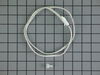
The refrigerator was freezing most products
Remove the light cover. Use a flat head screw driver to push in the tabs on the back of the program mount and pull down to expose the computer board. The Thermistor is clipped on under the vent holes on the right side. Cut both wires to remove the old thermistor strip a 1/4 inch off the remaning wires and the new thermistor wires twist both ends together crimp on the wire caps snap in the new thermistor reinstall the program board until the retainer clips snap into place, slide the light cover back on.
Parts Used:
-
michael from MARION, IL
-
Difficulty Level:Easy
-
Total Repair Time:Less than 15 mins
-
Tools:Pliers, Screw drivers
27 of 30 people
found this instruction helpful.
Was this instruction helpful to you?
Thank you for voting!