




















KSSC36QTS05 KitchenAid Refrigerator - Instructions
Keep searches simple. Use keywords, e.g. "leaking", "pump", "broken" or "fit".
Replace doors on utility bins where clear plastic faces have broken loose from frames.
These are instructions are for replacing the see-through covers (manufacturer part number WPW10131132) on the two upper door utility bins.
First it is easiest to remove the entire bins rather than hold open the fridge doors while you work.
There are two plastic studs on the bin body designed to fit through the holes in the bin cover. The tips of these studs will have to be simultaneously compressed with pliers (thus two sets of needle nose pliers) in order to slide the old cover past the studs to remove. Unless you have three hands, you will need another person to slide the cover left past the studs while you are handling both sets of pliers. Although the studs are pretty flexible, be careful not to break them off in the process. Once the cover is past the studs you can pull in free.
installing the new cover is easy. Since the studs are tapered, simply align with the holes on both ends of the the cover with the studs and apply pressure to the right. The cover will slide over the tapered studs and lock into place.
Once the new covers are installed, simply reinstall the complete bin back on the refrigerator door. Just push and snap in the tracks on the refrigerator door interior body.
First it is easiest to remove the entire bins rather than hold open the fridge doors while you work.
There are two plastic studs on the bin body designed to fit through the holes in the bin cover. The tips of these studs will have to be simultaneously compressed with pliers (thus two sets of needle nose pliers) in order to slide the old cover past the studs to remove. Unless you have three hands, you will need another person to slide the cover left past the studs while you are handling both sets of pliers. Although the studs are pretty flexible, be careful not to break them off in the process. Once the cover is past the studs you can pull in free.
installing the new cover is easy. Since the studs are tapered, simply align with the holes on both ends of the the cover with the studs and apply pressure to the right. The cover will slide over the tapered studs and lock into place.
Once the new covers are installed, simply reinstall the complete bin back on the refrigerator door. Just push and snap in the tracks on the refrigerator door interior body.
Parts Used:
-
John from Forest, VA
-
Difficulty Level:A Bit Difficult
-
Total Repair Time:15 - 30 mins
-
Tools:Pliers
3 of 3 people
found this instruction helpful.
Was this instruction helpful to you?
Thank you for voting!
broken push button on ice bin
removed ice bin then removed 2 screws and removed broken button. replaced with new button and 2 screws. 5 minutes max thanks for quick response with part
Parts Used:
-
Danny from Houston, TX
-
Difficulty Level:Really Easy
-
Total Repair Time:Less than 15 mins
-
Tools:Screw drivers
6 of 12 people
found this instruction helpful.
Was this instruction helpful to you?
Thank you for voting!
Refrigerator would not stop making ice
Easy repair, unplug the fridge and then remove the 3 screws on each side of the freezer holding the emitter and receiver. Swap the boards and re-install. Takes less than 10 minutes.
Parts Used:

-
Joshua from Lawrenceville, GA
-
Difficulty Level:Easy
-
Total Repair Time:Less than 15 mins
-
Tools:Screw drivers
3 of 4 people
found this instruction helpful.
Was this instruction helpful to you?
Thank you for voting!
Light switch wasn't working.. As I would close the door I would notice our frig light wasn't going off...
I simply removed the old switch by gently pulling down on the old switch with a screwdriver. When it was about half way out I just gently pulled down on the old switch and it popped out... I removed the two connectors attached to the old switch by pulling on the connectors with a pliers...I tried using my fingers but wasn't able to pull the connectors off so I used pliers. It worked perfectly.. When pulling off the old connectors, make sure you attach the new switch to the same tabs on the new switch... It was very easy to do and took under 5 mins.....The light switch works perfect....P.S. You should unplug the frig while making the connection just in case....Safety first....!!!
Parts Used:
-
David from Hemet, CA
-
Difficulty Level:Really Easy
-
Total Repair Time:Less than 15 mins
-
Tools:Pliers, Screw drivers
3 of 4 people
found this instruction helpful.
Was this instruction helpful to you?
Thank you for voting!
defective light switch
inserted a knife between the switch and the plastic interior in order to pop the switch out.
then took off the 2 wires on the old switch put them on the new switch and reinserted the switch into the plastic interior.
then took off the 2 wires on the old switch put them on the new switch and reinserted the switch into the plastic interior.
Parts Used:
-
THOMAS from WILLARD, OH
-
Difficulty Level:Really Easy
-
Total Repair Time:Less than 15 mins
3 of 4 people
found this instruction helpful.
Was this instruction helpful to you?
Thank you for voting!
changed the light bulb still would not work so I figured it was the switch sure enough.
I took a chance and ordered a switch that is next to the top of the door. looked for how to remove it easily done in ten minutes works fine last long time.
Parts Used:
-
anthony from HAVELOCK, NC
-
Difficulty Level:Really Easy
-
Total Repair Time:15 - 30 mins
3 of 4 people
found this instruction helpful.
Was this instruction helpful to you?
Thank you for voting!
Ice Maker Stopped Making Ice
Replacement of parts was simple. But there are three main reasons that ice maker quits: door sensors stop working; ice maker, or it control system, stop working, or the coil controlling when water is released into the ice maker stops working. It was easy to replace the door senors; repairman replaced the ice maker and control board, which is located in one end of ice maker, but it ended up being the coil or simply a frozen water outlet into the ice maker that stopped the system from from working. The first thing you should do is to make sure that the water outlet into the icemaker is not frozen - use a hair dryer to melt frozen ice in the outlet - don't melt the plastic outlet with high heat. If the system still does not work go to this: look at red sensor on door to the the right. If it blinks twice in a couple of second with a time out and then repeats over and over, close the door on the receiving sensor on the left hand side of the casing and if the red light comes on steady then the sensor is working properly. So, now you have the coil that turns the water on and off or the water maker itself that can be bad. It will be one of these that are at fault, but not both. Call a repairman.
Parts Used:
-
Stephen from North Bend, OR
-
Difficulty Level:Really Easy
-
Total Repair Time:15 - 30 mins
-
Tools:Screw drivers
3 of 4 people
found this instruction helpful.
Was this instruction helpful to you?
Thank you for voting!
Dispenser motor wore out
Unplugged power from unit. Removed tray bracket, removed 2 screws from drive motor cover, removed 4 screws from motor assembly, disconnected power from assembly, Replaced rubber seal at the lower end of the recently installed new shaft. Re-connected the power plug, placed the new dispenser assembly into position making sure the shaft was properly seated in the motor. Replace the four screws, plugged in main power and tested the dispenser prior to replacing the ice container. Tightened the screws, replace the cover and the tray bracket.
Parts Used:
-
Larry from AIKEN, SC
-
Difficulty Level:Really Easy
-
Total Repair Time:15 - 30 mins
-
Tools:Nutdriver
3 of 4 people
found this instruction helpful.
Was this instruction helpful to you?
Thank you for voting!
ice maker quit making ice
removed the LED covers on both sides of the freezer, unplugged each circuit board, plugged in both circuits, replaced the LED covers, job complete, making ice
Parts Used:
-
Thomas from Sherrard, IL
-
Difficulty Level:Really Easy
-
Total Repair Time:15 - 30 mins
-
Tools:Screw drivers
3 of 4 people
found this instruction helpful.
Was this instruction helpful to you?
Thank you for voting!
Ice maker in the freezer section quit making ice cubes.
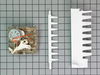
First I had to figure out how to get the old unit out so I could work on it. The three screws that others wrote about were the ones that hold the motor in place. There are 3 screws holding the ice maker in the frame, along with one screw covering the electrical connection. The electrical connection was difficult to unplug because the locking tab was on the back side of the connection and with no room to work in the freezer it didn't become apparent until several frustrating minutes went by. There were no instructions provided, the picture on the ordering page showed the complete ice maker, and for $80 you get a printed circuit board with a small round item which must be the motor/timer control. The two plastic parts for moving the ice from the ice maker were included but not replaced because I didn't notice them until I had finished replacing the ice maker back in the freezer and wasn't going to start over again.
Once installed, there wasn't any noise, even of water flowing like the old one, could not tell if the unit was working or not. In the morning there was new ice in the bin indicating the repair had been successful. This is like anything else, if you have done it before it is a 5 minuter job but when you have to look at it and try to figure it out it takes a bit longer. All in all, it was simple enough, I was expecting a complete ice maker unit like was in the picture when ordered but only the motor module was actually needed.
We have another refrigerator/freezer that has an icemaker that is over 20 years old and has never been repaired, it is a Sears model though, probably made by Whirlpool or someone else.
Once installed, there wasn't any noise, even of water flowing like the old one, could not tell if the unit was working or not. In the morning there was new ice in the bin indicating the repair had been successful. This is like anything else, if you have done it before it is a 5 minuter job but when you have to look at it and try to figure it out it takes a bit longer. All in all, it was simple enough, I was expecting a complete ice maker unit like was in the picture when ordered but only the motor module was actually needed.
We have another refrigerator/freezer that has an icemaker that is over 20 years old and has never been repaired, it is a Sears model though, probably made by Whirlpool or someone else.
Parts Used:
-
Craig from Orange, CA
-
Difficulty Level:A Bit Difficult
-
Total Repair Time:15 - 30 mins
-
Tools:Nutdriver, Screw drivers
3 of 4 people
found this instruction helpful.
Was this instruction helpful to you?
Thank you for voting!
Ice Maker continued to make ice - would not turn itself off
followed the video provided on website. repair was very simple / straight forward. Once emitter and receiver boards were replaced, issue with ice maker was resolved.
Parts Used:
-
Andrew from MEDWAY, MA
-
Difficulty Level:Very Easy
-
Total Repair Time:Less than 15 mins
-
Tools:Screw drivers
2 of 2 people
found this instruction helpful.
Was this instruction helpful to you?
Thank you for voting!
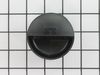
Filter applicator broke
-
Susan from AVON, CT
-
Difficulty Level:Really Easy
-
Total Repair Time:Less than 15 mins
2 of 2 people
found this instruction helpful.
Was this instruction helpful to you?
Thank you for voting!
cap had broken notches
filter has to be removed and attached then inserted into rifrigerator
Parts Used:
-
gina from HAMMONTON, NJ
-
Difficulty Level:Really Easy
-
Total Repair Time:Less than 15 mins
2 of 2 people
found this instruction helpful.
Was this instruction helpful to you?
Thank you for voting!
Both Upper Lights Burned Out Same Time
The holder is held in place with two screws. Once you have it unscrewed you can snap the old sockets out and replace them.
Ordered new sockets and presto, the lights work again.
They just snapped into the holder and the holder went up with two screws.
HINT: I did take a photo of the 4 electrical connectors AND labeled each one with a Sharpie 1, 2, 3, and 4 from left to right.
Ordered new sockets and presto, the lights work again.
They just snapped into the holder and the holder went up with two screws.
HINT: I did take a photo of the 4 electrical connectors AND labeled each one with a Sharpie 1, 2, 3, and 4 from left to right.
Parts Used:

-
Victor from CEDAR CREEK, TX
-
Difficulty Level:Very Easy
-
Total Repair Time:Less than 15 mins
-
Tools:Nutdriver
2 of 2 people
found this instruction helpful.
Was this instruction helpful to you?
Thank you for voting!
Ice Door Bracket Assemby failed resulting in Ice Door no longer opening and closing
With the freezer door closed, remove 4 screws around the ice maker door assembly. Open the freezer door and remove about a dozen small flat-head screws around the sides of the door that hold the stainless steel cover to the freezer door. No need to remove the very bottom screws if you have something to support the cover with. Remover 4 hex-head screws that hold the ice/water dispenser control pad in place, use tape to secure this pad to the freezer door so you don't have to undue all the electrical connections. Remove two screws that hold the Ice Door Motor & Bracket Assembly in place - disconnect the electrical connection for the assembly. Replace the new assembly in the opposite order it was taken off. Presto - done.
Parts Used:

-
Thomas from KATY, TX
-
Difficulty Level:Really Easy
-
Total Repair Time:15 - 30 mins
-
Tools:Nutdriver, Screw drivers
2 of 2 people
found this instruction helpful.
Was this instruction helpful to you?
Thank you for voting!