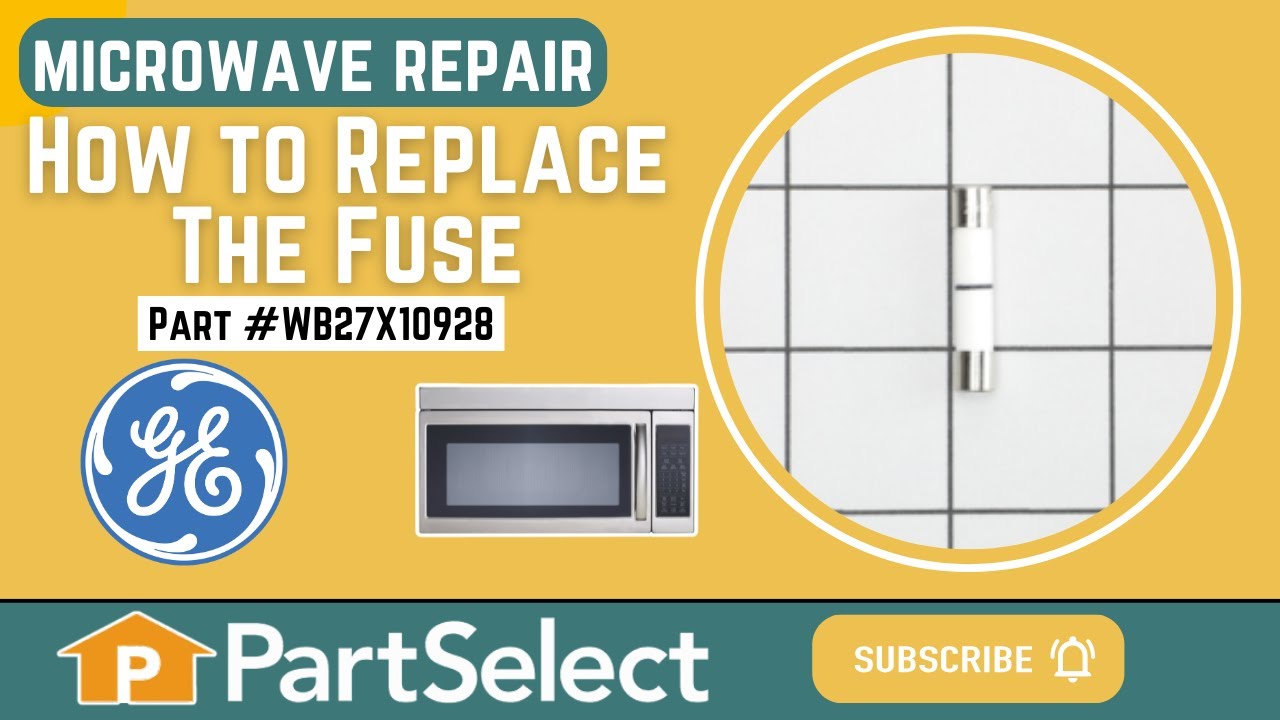
This ceramic microwave fuse is just over an inch in length. It is white in the center, and metal on both ends. This is a 20-amp fuse, and is used to power your microwave. If the touch pad on the microwave becomes unresponsive, the microwave produces little to no heat, or the appliance simply does not turn on, it could mean that your fuse ...Read moreis at fault and needs to be replaced. Because this part contains an electrical charge, remember to disconnect power to the microwave unit before you begin this repair.
NOTE: Before you start this repair, ensure that the microwave is unplugged, and the capacitor is discharged. A capacitor stores large amounts of electricity even after your microwave is unplugged.
Keep your kitchen air fresh with this charcoal filter for your microwave. It traps grease and odors while you cook, helping your microwave vent properly. It’s easy to install—just slide it into place. Be sure to check your microwave’s model number to make sure it fits.
Ask our experts a question about this model and we'll get back to you as soon as possible!
We may have answered a similar question already! Search questions and answers left by others using simple keywords like "fit", "broken", "easy", or "quality" to find questions that match.
Search filter:
Clear Filter
Your search term must have 3 or more characters.
Sort by:
Prev
1
2
Next
Sorry, we couldn't find any existing answers that matched.Try using some different or simpler keywords, or submit your new question by using the "Ask a Question" button above!
Thomas - For model number JVM1870SF02
February 10, 2020
What are the dimensions of this microwave
Hello and thank you for writing.
Approx. Product Dimensions (WxHxD) (in.) 29 7/8 in x 16 13/32 in x 15 1/4 in. We hope this helps. Please contact us anytime if you require further assistance.
1 personfound this instruction helpful.
Was this helpful?
Thank you for voting!
Tom - For model number JVM1870SF02
November 22, 2022
The surface light has stopped working on high. The bulbs have been changed with no change or improvement in operation. The light works on low. Searches on line suggest it is "the circuit board". Can you tell me what board it is?
Hello Tom, thank you for reaching out. If replacing the light bulbs has not helped, then it is likely that the control board might be the issue. The part number for the control board is PS651427. If you require assistance to place an order, please contact customer service. We hope that helps!
Hello Fritz, thank you for contacting us. We would recommend checking the light socket, part number PS752189. If this does not help, you need to replace the light bulb, part number PS651484. It is located on the underside of the microwave. Just on the lamp bracket. We hope this sorts out your problem!
Open fan start running ;close door fan motor stop?
Hello Walt, thank you for your question. The most likely issue cause that problem are the door switches. There are multiple switches on the unit. We would recommend testing them to determine which one(s) are faulty. Here is a link on how to test a microwave switch.
https://www.partselect.com/Microwave+test-door-switch+repair.htm
I hope this helps.
Was this helpful?
Thank you for voting!
Brenda - For model number JVM1870SF02
February 12, 2020
Can you tell me the cubic feet of this model
Hello Brenda, Thank you for the question. This Microwave is 1.7 Cubic Feet. We hope this helps.
Was this helpful?
Thank you for voting!
Prev
1
2
Next
✖
Ask a Question
Ask our experts a question on this model and we'll respond as soon as we can.
See how others fixed this model. Time, tools, difficulty, and steps that lead to victory!View More
Search repair tips from other customers using simple keywords like "replace", "fit", "remove", "inspect". DIY doesn't mean you have to do it alone!
Search filter:
Clear Filter
Your search term must have 3 or more characters.
Microwave completely stopped working
968 of 1266 peoplefound this instruction helpful.
Kim from Cliffside Park, NJ
Really Easy
15 - 30 mins
Screw drivers
Turned out the issue was easily solved by replacing a single, inexpensive fuse.
First off, UNPLUG THE MICROWAVE.
The fuse is located under the plastic grill at the top of the microwave. It's held on by two screws. Once you've removed the screws and taken off the plastic grill, you go to the right side of the mic
... Read morerowave and remove another screw that holds a small metal grill in place. Removing the small metal grill is probably the toughest part of this repair. You kind of have to rock it back and forth a bit to get it to release. Once that's off, you can get to the fuse. I removed the burnt out one with a pair of needle nose pliers. I also put a small piece of cardboard under the fuse when I did this so I didn't accidentally drop it into the innards of the microwave. I did the same thing when I replaced the new fuse. I then plugged the appliance back in and made sure it worked. Once that was confirmed, I replaced both grills.
Read less
Was this helpful?
Thank you for voting!
Dirty filter - replacement filter installed
537 of 612 peoplefound this instruction helpful.
Laura from Sugar Grove, IL
Really Easy
Less than 15 mins
Manually with no tools
Was this helpful?
Thank you for voting!
turntable made a loud noise
374 of 380 peoplefound this instruction helpful.
Dianne from Westminster, CO
Really Easy
Less than 15 mins
Screw drivers
First I unscrewed the screws that were holding the panel underneath. Then I removed the panel and removed the screws that held the turntable motor in place. Then replaced the old motor with the new and screwed everything back into place.



 My Orders