




















JVM1660WB008 General Electric Microwave - Instructions
Keep searches simple. Use keywords, e.g. "leaking", "pump", "broken" or "fit".
Frost build up on bottom to ice bin and delivery chute in door creating ice blockage
Remove the ice bin.
Turn the ice maker selection to "OFF"
Use small flat blade screwdriver to open the plastic ears on the electic plug in connectiion
Use #2 Phillips screwdriver to remove the screw on the front left side of the ice maker
Pull the ice maker forward until free of the two studs in the left side rear of the freezer wall
Check to see if the supplied water chute is the correct size for your application, if not remove the water chute from the old ice maker and place it on the new one.
Place the new ice maker in the freezer connecting the slots on the left read with the studs on the left wall
NOTE; IF THE ICE MAKER DOES NOT APPEAR TO BE LEVEL HORIZONTALLY REMOVE IT AND CAREFULLY REINSTALL IT TO ACHIEVE LEVEL
NOTE: ENSURE THE WATER DELIVERY TUBE RESTS IN THE RECEIVER TRAY
Reconnect the electrical plug ( needle nose pliers may be helpful in aligning the male plug with the female plug)
Move the selector from "OFF" to "ON"
Replace the ice bin and close the freezer door
Turn the ice maker selection to "OFF"
Use small flat blade screwdriver to open the plastic ears on the electic plug in connectiion
Use #2 Phillips screwdriver to remove the screw on the front left side of the ice maker
Pull the ice maker forward until free of the two studs in the left side rear of the freezer wall
Check to see if the supplied water chute is the correct size for your application, if not remove the water chute from the old ice maker and place it on the new one.
Place the new ice maker in the freezer connecting the slots on the left read with the studs on the left wall
NOTE; IF THE ICE MAKER DOES NOT APPEAR TO BE LEVEL HORIZONTALLY REMOVE IT AND CAREFULLY REINSTALL IT TO ACHIEVE LEVEL
NOTE: ENSURE THE WATER DELIVERY TUBE RESTS IN THE RECEIVER TRAY
Reconnect the electrical plug ( needle nose pliers may be helpful in aligning the male plug with the female plug)
Move the selector from "OFF" to "ON"
Replace the ice bin and close the freezer door
Parts Used:

-
Ronald from PONCA CITY, OK
-
Difficulty Level:Really Easy
-
Total Repair Time:15 - 30 mins
-
Tools:Pliers, Screw drivers
3 of 5 people
found this instruction helpful.
Was this instruction helpful to you?
Thank you for voting!
Broken Light Socket
Turned the power to the unit off. Removed seven- (7) small screws from the base plate, not removing the rear screws. The plate dropped a few inches allowing me to get to the light socket. I removed one- (1) screw that allowed the socket to be removed. I then detached the two- (2) electrical leads. I now installed the new socket, replacing the leads and the screw along with a new bulb. I pushed the bottom plate back into the up position and replaced the seven- (7) screws. Turned the power back on and we were good to go.
Parts Used:
-
Richard from Batavia, OH
-
Difficulty Level:Easy
-
Total Repair Time:Less than 15 mins
-
Tools:Screw drivers
3 of 5 people
found this instruction helpful.
Was this instruction helpful to you?
Thank you for voting!
no lights on microwave
ordered 2 new sockets and bulbs easy replacement great service from this site
Parts Used:
-
james from CHESTERFIELD, VA
-
Difficulty Level:Very Easy
-
Total Repair Time:Less than 15 mins
-
Tools:Screw drivers
2 of 2 people
found this instruction helpful.
Was this instruction helpful to you?
Thank you for voting!
Remove old light sockets and replace in Microwave over stove
Have a microwave that the light and sockets just broke in pieces so I ordered two sockets from this site . The fit perfectly and it was a breeze to install. Took out 7 screws and the plate dropped down, hooked up the little wire which was so simple and bingo I had lite again. I just wished the hold plate came down but it didn't but it was still very easy to install. Will continue to get my appliance parts from this company.
Parts Used:
-
Cathy from LINCOLN, CA
-
Difficulty Level:Very Easy
-
Total Repair Time:Less than 15 mins
-
Tools:Screw drivers
2 of 2 people
found this instruction helpful.
Was this instruction helpful to you?
Thank you for voting!
rotating plate broke

-
regina from weston, FL
-
Difficulty Level:Really Easy
-
Total Repair Time:Less than 15 mins
2 of 3 people
found this instruction helpful.
Was this instruction helpful to you?
Thank you for voting!
Noisy cooking tray motor with electrical smoke smell
Just removed the screws from botton of unit, unplugged and removed the burned up motor, reveresed the process to install new motor. Less than 10 minute job.
Parts Used:
-
Larry from Sedalia, MO
-
Difficulty Level:Really Easy
-
Total Repair Time:Less than 15 mins
-
Tools:Screw drivers
3 of 6 people
found this instruction helpful.
Was this instruction helpful to you?
Thank you for voting!
turntable in microwave stopped working
I turned off the breaker/electric power to the microwave; opened the base of the microwave, detached the wire to the old drive motor, removed the
screws holding the drive motor in place; removed the old drive motor and installed
the new drive motor---beyond easy!!!
Thank you!
screws holding the drive motor in place; removed the old drive motor and installed
the new drive motor---beyond easy!!!
Thank you!
Parts Used:
-
Marcia from Orange, CA
-
Difficulty Level:Really Easy
-
Total Repair Time:Less than 15 mins
-
Tools:Screw drivers
2 of 3 people
found this instruction helpful.
Was this instruction helpful to you?
Thank you for voting!
tray drive motor
unsrewed the bottom of the microwave(there was about five or six screws)located the motor unpluged it and unscrewed the two screws holding the motor once installed i reversed the proceedure and put everything back together...simple as 1,2,3...
Parts Used:
-
gerald from richmond, IN
-
Difficulty Level:Really Easy
-
Total Repair Time:Less than 15 mins
-
Tools:Screw drivers
3 of 6 people
found this instruction helpful.
Was this instruction helpful to you?
Thank you for voting!
Had to replace the door handle on my microwave
I removed the inner bracket that held the glass in place with a nylon dish scraper that we use to clean our pots and pans with. It was safer than using a screw driver. I inserted the tapered portion of the scraper between in the bracket and the door edge on the inside of course,then slid it across the opening all around the door until the it separated. Making it easy to remove scews for the handle and the glass bracket.
Parts Used:
-
JOHN from McKINNEY, TX
-
Difficulty Level:Easy
-
Total Repair Time:15 - 30 mins
-
Tools:Screw drivers
3 of 6 people
found this instruction helpful.
Was this instruction helpful to you?
Thank you for voting!
The microwave was making a lot of noise and the glass plate was turning very slowly.
I diagnosed the problem myself. I googled GE parts and was refered to you guys. I ordered the part and it took less than a 5 days to arrive. I used a phillips scewdrive to remove the cover of my microwave and removed the turning glass motor. This took less that 30min and cost less that $50.00. I figured that it would have cost me approx $125.00 to get a tech person to my home for this repair.
Thanks a lot!
Bernard
Thanks a lot!
Bernard
Parts Used:
-
Bernard from McDonough, GA
-
Difficulty Level:Really Easy
-
Total Repair Time:15 - 30 mins
-
Tools:Screw drivers
2 of 3 people
found this instruction helpful.
Was this instruction helpful to you?
Thank you for voting!
The turn table was making a terrible noise and wouldn't turn. I called a repair company and they told me it would be at least a hundred dollars to fix it.
I removed the screws that held the bottom in and then dropped it down to access the motor. I removed the 2 screws that held the motor in and unplugged it. I then plugged the new one in and reattached it with the 2 screws and put the bottom back on. It took me about 5 minutes to fix it for only $40.00.
Parts Used:
-
Kathie from Tipton, IN
-
Difficulty Level:Really Easy
-
Total Repair Time:Less than 15 mins
-
Tools:Screw drivers
2 of 3 people
found this instruction helpful.
Was this instruction helpful to you?
Thank you for voting!
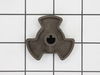
My Turntable Coupler was broken
I took the glass table up and underneath was the turntable coupler. I reached in with my hands and gently pulled the old coupler out. Once out I lined up the new one and gently pushed it in the hole until it locked into place. The process took about 5 minutes to complete. Very easy to install.
Parts Used:
-
Teresa from Fredericksburg, VA
-
Difficulty Level:Really Easy
-
Total Repair Time:Less than 15 mins
2 of 3 people
found this instruction helpful.
Was this instruction helpful to you?
Thank you for voting!
burnt out bulb and broken light socket
removed the bottom plate from microwave and replaced parts
Parts Used:
-
Richard from Jackson Center, OH
-
Difficulty Level:Easy
-
Total Repair Time:Less than 15 mins
-
Tools:Screw drivers
2 of 3 people
found this instruction helpful.
Was this instruction helpful to you?
Thank you for voting!
Coupler broke at shaft & motor seized
Removed 5 philip head screws from under panel. Under panel droped down exposing drive motor. Removed one drive motor screw, replaced with new motor at the same time lining up new coupler. Pressed together, reinstalled motor srew, attached wire coupling and tested. Worked fine. Reinstalled lower panel screws (5)and unit was ready to go. I ordered two of each units because I believe this to be weak link in the unit. It was only 2 years old, used little as I have another home. I recently installed a like unit (Hanging) and it was a breez. 4 srews properly placed, electrical cord hole properly drilled & ready to go in 45 minutes.
Parts Used:
-
Joseph from Columbia, TN
-
Difficulty Level:Really Easy
-
Total Repair Time:15 - 30 mins
-
Tools:Screw drivers
2 of 3 people
found this instruction helpful.
Was this instruction helpful to you?
Thank you for voting!
turntable would not turn
Removed five screws from the underside of the mircowave. Disconnected the two prong plug in. Removed the one screw that held the motor and replaced with new motor. Reconnected the plug and replaced the five screws
Tested the result with a bag of microwave popcorn. Worked perfectly.
Tested the result with a bag of microwave popcorn. Worked perfectly.
Parts Used:
-
Roy from Olathe, KS
-
Difficulty Level:Easy
-
Total Repair Time:Less than 15 mins
-
Tools:Screw drivers
1 person
found this instruction helpful.
Was this instruction helpful to you?
Thank you for voting!