




















JVM1630SPC General Electric - Instructions
Keep searches simple. Use keywords, e.g. "leaking", "pump", "broken" or "fit".
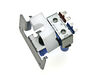
cold water dispenser would not stop running
Turn off the water.
Unplug the refrigerator
Take the back off of the refrigerator
use socket wrenchs to undo and take off the water valve in the lower left corner of refrigerator.
Pull out and disconnect electrical connections
Pull out the 2 water tubes one for ice and 1 for water-white is water and black is ice.
install the new valve and connect the water and ice back in the new unit
connect the two power cords and reattach unit to the frame Turn water on and check for leaks.
If no leaks put back on refrigerator and plug in.
Wait 30 min to an hour for water to begin to flow back into the unit.
Unplug the refrigerator
Take the back off of the refrigerator
use socket wrenchs to undo and take off the water valve in the lower left corner of refrigerator.
Pull out and disconnect electrical connections
Pull out the 2 water tubes one for ice and 1 for water-white is water and black is ice.
install the new valve and connect the water and ice back in the new unit
connect the two power cords and reattach unit to the frame Turn water on and check for leaks.
If no leaks put back on refrigerator and plug in.
Wait 30 min to an hour for water to begin to flow back into the unit.
Parts Used:
-
Robert from Summer feild, FL
-
Difficulty Level:Really Easy
-
Total Repair Time:Less than 15 mins
-
Tools:Socket set
5 of 6 people
found this instruction helpful.
Was this instruction helpful to you?
Thank you for voting!
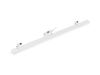
Mullion not working. Replaced mullion.
1. Turned power off.
2. Removed 2 screws holding plastid plate which connected electrical wire from mullion to door (requires Torq-tip screwdriver).
3. Unplugged wire plug behind the plate.
4. Lifted up old mullion from 2 slots holding it in place to remove it from door.
5. Inserted new mullion into slots on door.
6. Connected electrical wire to plug inside door.
7. Screwed 2 screws to reattached plastic plate to door.
8. Turned power back on.
2. Removed 2 screws holding plastid plate which connected electrical wire from mullion to door (requires Torq-tip screwdriver).
3. Unplugged wire plug behind the plate.
4. Lifted up old mullion from 2 slots holding it in place to remove it from door.
5. Inserted new mullion into slots on door.
6. Connected electrical wire to plug inside door.
7. Screwed 2 screws to reattached plastic plate to door.
8. Turned power back on.
Parts Used:
-
David from DIAMOND BAR, CA
-
Difficulty Level:Very Easy
-
Total Repair Time:Less than 15 mins
-
Tools:Screw drivers
4 of 4 people
found this instruction helpful.
Was this instruction helpful to you?
Thank you for voting!
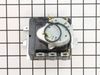
My dryer timer was defective
I simply took the back panel behind the timer unplugged the old part and when the new part came in I hooked it back up in less than 5 minutes. I did mark each wire to match order I took them out.
Parts Used:
-
Jeanette from ODESSA, TX
-
Difficulty Level:Very Easy
-
Total Repair Time:Less than 15 mins
-
Tools:Screw drivers
4 of 4 people
found this instruction helpful.
Was this instruction helpful to you?
Thank you for voting!
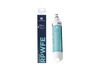
I lack physical strength
I asked two strong male neighbors to do the work and told them how to do it. Follow the simple directions on the box. You can Google it, but it will tell you the same directions.
Parts Used:
-
Sheryl from SAINT LOUIS, MO
-
Difficulty Level:Really Easy
-
Total Repair Time:30 - 60 mins
6 of 10 people
found this instruction helpful.
Was this instruction helpful to you?
Thank you for voting!
Light bulb went out on my microwave/ventahood. It's the bulb under the microwave that lights up the cooktop area.
Using a screwdriver, removed the cover, pulled out the bad bulb, and easily put in the new one.
Parts Used:

-
James from FORREST CITY, AR
-
Difficulty Level:Really Easy
-
Total Repair Time:Less than 15 mins
-
Tools:Screw drivers
8 of 16 people
found this instruction helpful.
Was this instruction helpful to you?
Thank you for voting!
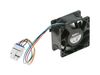
fan noise
-
Robert from LA PLATA, MD
-
Difficulty Level:Really Easy
-
Total Repair Time:30 - 60 mins
-
Tools:Nutdriver, Screw drivers
4 of 4 people
found this instruction helpful.
Was this instruction helpful to you?
Thank you for voting!
The ice maker, water/ice dispenser and refrigerator lights were not functional. Refrigerator and freezer were holding normal temperatures.
Shut off power to the appliance. Remove the 8 to 10 1/4in screws holding the main control board cover in place and remove the cover. Use a small screwdriver or pick to gently press in the latch on the 4 plastic clips that hold the board in place. One at a time remove and reinstall on the new board the electrical connectors, gently pull or the electrical connectors by the the plug do not pull the wires. Reinstall board onto the 4 clips and tuck wires so they will not get pinched. Reinstall main board cover and power the refrigerator.
Parts Used:

-
T from MONTEREY, CA
-
Difficulty Level:Easy
-
Total Repair Time:15 - 30 mins
-
Tools:Screw drivers, Socket set
4 of 4 people
found this instruction helpful.
Was this instruction helpful to you?
Thank you for voting!
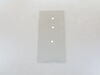
We broke the glass shelf above the vegetable bins, when we took it out to clean it.
I went on line, found PartSelect, located the diagram for our model, selected the part and ordered it. The part arrived in about 5 days, well packaged. We removed it from the packaging, and installed the new shelf. Extremely easy process. The exploded diagram on the web site allowed me to make sure I was ordering the right part.
Excellent process!
Excellent process!
Parts Used:
-
George from WEST END, NC
-
Difficulty Level:Very Easy
-
Total Repair Time:Less than 15 mins
4 of 4 people
found this instruction helpful.
Was this instruction helpful to you?
Thank you for voting!
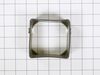
This model of refrigerator has a dual cooling system and it was the refer condenser fan that was making noise
You have to remove the shelves and drawer's along with the drawer mount. there is a wiring harness you need to unclip to remove the crisper electrical panel
There are six nuts to remove the lower panel at the back of the compartment where the lower drawer normally is. no need to completely remove the panel, you only need to get wiggle room to remove the fan at the base of the center panel.
There is a small triangular cover used to conceal the fan wiring harness on the right side of the center panel that you can use the putty knife to slip in on the center panel side to unclip and remove
Use the putty knife and slide it down both sides of the center panel that runs vertically to unclip it - at the base of this panel is where you'll find the condenser fan, you should be able to wiggle it out - there is a built in clip on the lower right side of the center panel that you can slip the wiring harness out of - for me this was the hardest part of the replacement as it was just awkward.
After it's removed slip in the new fan and seal and reassemble. I think the whole operation took maybe a half hour - 40 minutes. It's pretty easy all said and done.
There are six nuts to remove the lower panel at the back of the compartment where the lower drawer normally is. no need to completely remove the panel, you only need to get wiggle room to remove the fan at the base of the center panel.
There is a small triangular cover used to conceal the fan wiring harness on the right side of the center panel that you can use the putty knife to slip in on the center panel side to unclip and remove
Use the putty knife and slide it down both sides of the center panel that runs vertically to unclip it - at the base of this panel is where you'll find the condenser fan, you should be able to wiggle it out - there is a built in clip on the lower right side of the center panel that you can slip the wiring harness out of - for me this was the hardest part of the replacement as it was just awkward.
After it's removed slip in the new fan and seal and reassemble. I think the whole operation took maybe a half hour - 40 minutes. It's pretty easy all said and done.
Parts Used:
-
Jerry from BELLINGHAM, WA
-
Difficulty Level:Really Easy
-
Total Repair Time:30 - 60 mins
-
Tools:Nutdriver
4 of 4 people
found this instruction helpful.
Was this instruction helpful to you?
Thank you for voting!
Not Cooling
-Pulled refrigerator out to access back.
-Removed compressed paperboard cover.
-Found compressor running by the feel.
-Removed metal cover to control board.
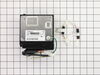
-Found ~5V coming from control board to inverter (variable frequency drive) board assembly attached to compressor.
-Found ~120 going to inverter board.
-Removed inverter board assembly from compressor.
-Found equal resistance (~7 ohms for mine) at all three contacts of inverter (DC) compressor.
-Ordered inverter assembly, plus one extra and control board for possible future use so not to loose all my food again; I might order a compressor so I have it before price goes up.
-Installed inverter when arrived.
-Used air compressor to blow out accumulated dust on condenser coil.
-Closed up and cleaned up (C^2).
-Fridge cooled and back to proper temperature the next day.
-Removed compressed paperboard cover.
-Found compressor running by the feel.
-Removed metal cover to control board.
-Found ~5V coming from control board to inverter (variable frequency drive) board assembly attached to compressor.
-Found ~120 going to inverter board.
-Removed inverter board assembly from compressor.
-Found equal resistance (~7 ohms for mine) at all three contacts of inverter (DC) compressor.
-Ordered inverter assembly, plus one extra and control board for possible future use so not to loose all my food again; I might order a compressor so I have it before price goes up.
-Installed inverter when arrived.
-Used air compressor to blow out accumulated dust on condenser coil.
-Closed up and cleaned up (C^2).
-Fridge cooled and back to proper temperature the next day.
Parts Used:
-
ROBERT from OCALA, FL
-
Difficulty Level:Really Easy
-
Total Repair Time:30 - 60 mins
-
Tools:Screw drivers, Wrench set
4 of 4 people
found this instruction helpful.
Was this instruction helpful to you?
Thank you for voting!
Water not dispensing
Moved refrigerator forward, this allowed me to work on the back panel. Unplugged the refrigerator power cord. Released all 6 screws, removed panel then release an additional screw that was holding the water valve and the two (red & blue) connectors. Then installed the new part in reverse steps. Plug the unit and job well done. I had purchase the water filter already after several minutes push for water from the dispensing front part of the refrigerator and good to go, later in the evening we notice the ice maker working fine and producing ice. Thank you parts select.
Parts Used:
-
Alex from Tampa, FL
-
Difficulty Level:Really Easy
-
Total Repair Time:15 - 30 mins
-
Tools:Nutdriver, Wrench (Adjustable)
4 of 4 people
found this instruction helpful.
Was this instruction helpful to you?
Thank you for voting!
control panel lights blinking "no control"
1. took off back cover, 2. removed main control board cover 3. unplugged board wiring, 4. removed main board, 5. replaced board and wires. 6. replaced covers after vacuuming dust from frig coils. 7. plugged frig back in and repair was complete.
Parts Used:
-
john from CENTERVILLE, TX
-
Difficulty Level:Very Easy
-
Total Repair Time:15 - 30 mins
-
Tools:Nutdriver
4 of 4 people
found this instruction helpful.
Was this instruction helpful to you?
Thank you for voting!
dishwasher did not start
Took out interlock switch (two leads) and replaced with new one. As simple as that.
Parts Used:
-
Lawrence from ROLESVILLE, NC
-
Difficulty Level:Very Easy
-
Total Repair Time:Less than 15 mins
7 of 13 people
found this instruction helpful.
Was this instruction helpful to you?
Thank you for voting!
Refrigerator light wouldn't come on.
After replacing the light bulb and still no light I manually pushed the light switch button. Intermittently the light would come on then go out. I removed the power plug from the power source then replaced the light switch. I plugged the refrigerator back in and now I open the door the light comes on and stays on until the door is closed.
Parts Used:

-
Daniel from Crown Point, IN
-
Difficulty Level:Easy
-
Total Repair Time:15 - 30 mins
-
Tools:Pliers, Screw drivers
4 of 5 people
found this instruction helpful.
Was this instruction helpful to you?
Thank you for voting!
Difficulty in removing the old switch
The old switch was hard to remove. Thinking that I may have to loosen the wires I used a socket wrench to remove a clamp. This was unnecessary. In the end the switch did come out using a large size screwdriver. The problem was that the expanding plastic tongue is not visible from the ouside so you have to try to feel your way around. If i had ordered the replacement before and not afterwards I would have seen this before hand.
Parts Used:
-
James from Federal Way, AL
-
Difficulty Level:A Bit Difficult
-
Total Repair Time:30 - 60 mins
-
Tools:Screw drivers, Socket set
5 of 8 people
found this instruction helpful.
Was this instruction helpful to you?
Thank you for voting!