




















JVM1533WD004 General Electric Microwave - Instructions
Keep searches simple. Use keywords, e.g. "leaking", "pump", "broken" or "fit".
Holder bracket broken so Door swithch could not be activated
Part arrived next day! Thank you Parts Select. Holder bracket on older GE microwave was broken so MW would not start because door latch did not activate door switch. Removed front panel unplugged all the wiring (after I had taken a picture) to gain access to the holder bracket. Unplugged the three door switches. Removed two screws that held the holder bracket. Installed three new door switches into the new holder bracket. Positioned the bracket behind the frame and screwed back in the two screws. Snapped in this seven wire attachments, set the control panel back in the microwave and secured it with two screws. I only needed one screwdriver and one needle nose plier to remove the wire attachment from a door switch which made it easier to remove. 40 minutes.
Parts Used:

-
David from MISSION VIEJO, CA
-
Difficulty Level:Easy
-
Total Repair Time:30 - 60 mins
-
Tools:Screw drivers
1 person
found this instruction helpful.
Was this instruction helpful to you?
Thank you for voting!
Changing door switch
When removing a non-working door switch, you will see a hooked piece of plastic on the holder locker that looks like a latch. If you try to pull it back in order to either remove the bad switch or install a good one, it will likely break. Instead, you need to pivot the switch (It pivots on a little post which is fitted into a hole at the corner of the switch) out of position so that it is not held back by the 'latch'. Then lift the switch out. If you have to use lots of force anything, you're doing something wrong. Reverse all this when installing the new switch.
Parts Used:
-
STEPHEN from MINNEAPOLIS, MN
-
Difficulty Level:Really Easy
-
Total Repair Time:30 - 60 mins
1 person
found this instruction helpful.
Was this instruction helpful to you?
Thank you for voting!
Microwave would not heat. Convection still worked.
I verified I had 120 volts going into transformer when the microwave was supposed to be running. The capacitor and HV diode both tested good. Be sure to discharge the capacitor before working in this area. This isolated trouble to either the transformer or magnetron. The windings of the transformer measured good. So ordered a magnetron. It was very easy to swap. There were 4 screws and one connector. This fixed our microwave.
Parts Used:
-
Stacie from Granbury, TX
-
Difficulty Level:Really Easy
-
Total Repair Time:Less than 15 mins
-
Tools:Screw drivers
1 person
found this instruction helpful.
Was this instruction helpful to you?
Thank you for voting!
To heat a cup of coffee, user entered "10:00" instead of "1:00". Mess! After cleanup, microwave ran, but would not heat. While running, it made 2 or 3 time the noise volume as before.
I went for the cheap things first. Ohmmeter showed one of the thermostats in the magnetron compartment was open. I ordered and replaced all three thermostats. Still no heat. I took the unit off the wall (aaarrgh!) and checked the oven cavity thermal cutout. It said 7 ohms. I tested by shorting the wires together, but still no heat. So, I ordered the magnetron and diode cable. When replacing the diode cable (be sure to discharge the big cap!) either I broke it, or it was already damaged. It came off in two pieces. The new diode cable was re-enforced with thick heat shrink tubing, to prevent such breaking. You need a very short screwdriver to replace the magnetron. Now, all fixed! ~$150. A new one lists for $2000, installed in the overhead. My wife thinks I am a genius.
Parts Used:

-
G. Wayne from GARDNERVILLE, NV
-
Difficulty Level:Easy
-
Total Repair Time:1- 2 hours
-
Tools:Pliers, Screw drivers
1 of 2 people
found this instruction helpful.
Was this instruction helpful to you?
Thank you for voting!
no back plate 2 mount
mtg plate came and the rest was easy,did wiring in upper cabinet 4 microwave,drilled 1 1/8 hole in btm of cab 4 power cord 2 go thru.All this was done by common sence and a tape measure,no templates were with this unit (YARD SALE)GE1600,3 bolt holes 2 hold micro upafter installing on back plate,plugged it in and it worked! end of story.
Parts Used:
-
Michael from Bradenton, FL
-
Difficulty Level:Really Easy
-
Total Repair Time:1- 2 hours
1 of 3 people
found this instruction helpful.
Was this instruction helpful to you?
Thank you for voting!
The 1st hardware kit I ordered had a missing alinement screw.
. The part arrived in acouple of days and the repair to minutes. Good work Jim.
Parts Used:
-
James from Livermore, CA
-
Difficulty Level:Really Easy
-
Total Repair Time:Less than 15 mins
-
Tools:Screw drivers
3 of 9 people
found this instruction helpful.
Was this instruction helpful to you?
Thank you for voting!
The vent cover got pulled down and it broke.

-
David from Clinton, NY
-
Difficulty Level:Really Easy
-
Total Repair Time:Less than 15 mins
-
Tools:Screw drivers
1 of 3 people
found this instruction helpful.
Was this instruction helpful to you?
Thank you for voting!
no heat
unplug the unit then pull down , lot of screws are on top. open the cover . you could see the parts that need to replace on the right hand side (heavy side). disconnect wires then test the parts that need to replace by a tester to make sure that it's really broke .then unscrew part and replace .
Parts Used:
-
Nelia from Streamwood, IL
-
Difficulty Level:Really Easy
-
Total Repair Time:30 - 60 mins
-
Tools:Nutdriver, Screw drivers
0 of 1 people
found this instruction helpful.
Was this instruction helpful to you?
Thank you for voting!
No heat

-
Edwin from New York, NY
-
Difficulty Level:Really Easy
-
Total Repair Time:15 - 30 mins
-
Tools:Screw drivers
0 of 1 people
found this instruction helpful.
Was this instruction helpful to you?
Thank you for voting!
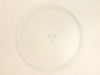
Glass turntable broke when being washed.
Ordered the part on Monday, it was delivered on Wednesday, only paid for standard shipping. All I had to do was put it in, right part, back to new!
Parts Used:
-
Lee from Spartanburg, SC
-
Difficulty Level:Really Easy
-
Total Repair Time:Less than 15 mins
0 of 1 people
found this instruction helpful.
Was this instruction helpful to you?
Thank you for voting!
No heat.
-
Mack from Jacksonville, FL
-
Difficulty Level:Really Easy
-
Total Repair Time:Less than 15 mins
-
Tools:Pliers, Screw drivers
0 of 1 people
found this instruction helpful.
Was this instruction helpful to you?
Thank you for voting!
Replacement of Magnetron
I UNPLUGGED the microwave and removed the cover, using a phillips and a Torx screwdriver for the machine screws. I set these screws aside, so as not to confuse them with the later encountered screws. I photographed the magnetron to assure proper placement of the 6 phillips machine screws involved in reassembly (marking the the locations on the old magnetron would do as well. I marked the old magnetron "old", to avoid later confusion. I removed the two screws holding the shields to the magnetron. I removed 3 of the 4 screws holding the magnetron to the microwave, leaving one of the top screws. I held the magnetron securely and removed the last screw, pulling out a the part of the magnetron that penetrated the microwave. I installed the new magnetron in reverse order. One problem I encountered was locating one of the six screws, which had been pulled into the old magnetron by magnetism.
Parts Used:
-
Benjamin from Anchorage, AK
-
Difficulty Level:Really Easy
-
Total Repair Time:15 - 30 mins
-
Tools:Screw drivers
0 of 1 people
found this instruction helpful.
Was this instruction helpful to you?
Thank you for voting!
the grill was broken
I had trouble replacing the new grill., after trying to fit the new grill two or three times I saw that two tabs on the top of the grill would not insert into the unit. Checking the old grill did not have the two tabs. I cut them off and the grill fit great.
Parts Used:
-
gene from Palatine, IL
-
Difficulty Level:A Bit Difficult
-
Total Repair Time:30 - 60 mins
-
Tools:Screw drivers
0 of 3 people
found this instruction helpful.
Was this instruction helpful to you?
Thank you for voting!
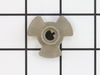
Broken turntable coupler
-
Donald from Sioux Falls, SD
-
Difficulty Level:Really Easy
-
Total Repair Time:Less than 15 mins
3 of 15 people
found this instruction helpful.
Was this instruction helpful to you?
Thank you for voting!
Powered Off completely
After reading reviews that there was no power what so ever and a fuse replacement will solve the problem, I tried it. Replacing the fuse is very easy (and I am not handy at all). All you have to do is remove the microwave cover from the top by removing two screws, slide the cover to the left and pulling the cover off. Then remove the grill in front of you, by removing one or two screws. The fuse is in front of you, use pliers and be firm but gentle. Replacing the fuse is easy but it did not solve my problem.
Parts Used:
-
Mohammad from Piscataway, NJ
-
Difficulty Level:Easy
-
Total Repair Time:Less than 15 mins
-
Tools:Screw drivers
Was this instruction helpful to you?
Thank you for voting!