




















JVM1530DM1WW General Electric Microwave - Instructions
Keep searches simple. Use keywords, e.g. "leaking", "pump", "broken" or "fit".
After closing door the display panel must be tapped on to keep the unit operating.
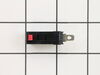
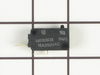
The switches are not the problem! The problem is in the tolerences of the latch housing. I have ordered two new housings (Upper & Lower) and will see if the tolerences are closer. If not I will try epoxying a shim to the plate that operates the microswitches. The other option is to file the mounting slots of the housing to allow adjustment, which would be iffy,keeping them from moving with use. The exploded drawings really need to be clarified. The scale is way too small. It was extremely difficult to pick out the individual parts of the mechanisiam.
Parts Used:
-
Paul from San Jose, CA
-
Difficulty Level:Really Easy
-
Total Repair Time:15 - 30 mins
-
Tools:Screw drivers
25 of 49 people
found this instruction helpful.
Was this instruction helpful to you?
Thank you for voting!
No power to microwave
Had trouble isolating the problem, so I had a repairman identify the problem, then I ordered the part and replaced it myself.
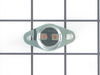
Removed screws holding the grill in place. Removed air filter, removed screw holding plate under the filter in place. Reached in under fan cowling to find the thermostat cut-out. Disconnected the two wires. Put the new thermostat in place. Replaced screws plates and filter in reverse order.
Removed screws holding the grill in place. Removed air filter, removed screw holding plate under the filter in place. Reached in under fan cowling to find the thermostat cut-out. Disconnected the two wires. Put the new thermostat in place. Replaced screws plates and filter in reverse order.
Parts Used:
-
James from Highland, UT
-
Difficulty Level:A Bit Difficult
-
Total Repair Time:15 - 30 mins
-
Tools:Screw drivers
16 of 23 people
found this instruction helpful.
Was this instruction helpful to you?
Thank you for voting!
Touch pad failed to respond to any programming effort
Went to onlin source, found a couple youtube videos then went to the GE site which had a not-too-easy that find trouble shooting guide. It was extremely helpful as it described a fuse as a fix 80% of the time for touch paid failure. I really didn't believe it would b a fuse, but it was the cheapest fix, $8. I got the fuse and was surprised to fine there are two of them on this model. I took a guess and replaced the top one ( neither fuse was black or burned to indicate a failure but the top one was a bit mor greyish). put it all back together and it works fine.
Parts Used:

-
charles from SARASOTA, FL
-
Difficulty Level:Easy
-
Total Repair Time:30 - 60 mins
-
Tools:Screw drivers
13 of 14 people
found this instruction helpful.
Was this instruction helpful to you?
Thank you for voting!
microwave stopped working
took off upper grille and touch pad and removed the old line fuse and replaced with a new fuse ...turned on it is working fine...sources of help: UTube and GE manuel
Parts Used:
-
John from OWOSSO, MI
-
Difficulty Level:Easy
-
Total Repair Time:30 - 60 mins
-
Tools:Pliers, Screw drivers
13 of 15 people
found this instruction helpful.
Was this instruction helpful to you?
Thank you for voting!
Microwave would not go on
All electrical worked (fan, lights, control panel) door switch was broke. Pulled the oven out. Took out two big screws from the cabinet above. (be careful not to drop oven)Set the oven on kitchen counter. Took off five screws that held the vent cover. Removed vent cover. Took out one screw that held the control panel. Lifted, turned and slid the panel into the space below so I could get to the upper door switch. Replace door switch and re-assemble.
Parts Used:
-
Jim from Lincolnshire, IL
-
Difficulty Level:A Bit Difficult
-
Total Repair Time:15 - 30 mins
-
Tools:Screw drivers
18 of 30 people
found this instruction helpful.
Was this instruction helpful to you?
Thank you for voting!
microwave would not start
-
JULIA from JACKSONVILLE, FL
-
Difficulty Level:Really Easy
-
Total Repair Time:Less than 15 mins
-
Tools:Screw drivers
13 of 18 people
found this instruction helpful.
Was this instruction helpful to you?
Thank you for voting!
Light socket replacement
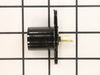
I unscrewed the entire undersurface of the microwave (I didn't do this before!) and replaced the light socket. Easy job and I'm glad the part was still available.
Parts Used:
-
lester from orlando, FL
-
Difficulty Level:Really Easy
-
Total Repair Time:Less than 15 mins
-
Tools:Screw drivers
11 of 12 people
found this instruction helpful.
Was this instruction helpful to you?
Thank you for voting!
Broke light fixture socket
Rather than open access door took off bottom (5 screws) This gave more room as the microwave is mounted under the wall cabinets over the stove.
Parts Used:
-
Norman from Benson, NC
-
Difficulty Level:Easy
-
Total Repair Time:Less than 15 mins
-
Tools:Screw drivers
11 of 12 people
found this instruction helpful.
Was this instruction helpful to you?
Thank you for voting!
Turntable did not turn
The motor shaft was broken. This microwave is mounted over a stove. first unplug the microwave. I removed 6 screws from the bottom to gain access to the turntable motor. Remove single screw holding motor. Rotate motor to remove. unplug wiring plug from motor. Reverse procedure to install new motor. Note that spindle for turn table goes on from above and is indexed to motor.
Parts Used:
-
TIMOTHY from AVON, IN
-
Difficulty Level:Easy
-
Total Repair Time:Less than 15 mins
-
Tools:Screw drivers
11 of 12 people
found this instruction helpful.
Was this instruction helpful to you?
Thank you for voting!
Light Socket replacement
I was told by 2 different appliance technicians that the crumbled/melted light socket could not be replaced which meant replacing the entire microwave (expensive!). Other posters on your sight described the repair steps and I gave it a try. The hardest part was probably figuring out which switch in the fuse box belonged to it (now marked clearly). It was a simple matter of unscrewing the bottom panel of the microwave to access the socket, pulling the crumbled/melted unit off and shoving the new one on. I can't believe the repairmen didn't want any part of even giving it a try.
Parts Used:
-
Jill from Arlington, TN
-
Difficulty Level:Easy
-
Total Repair Time:15 - 30 mins
-
Tools:Pliers, Screw drivers
11 of 13 people
found this instruction helpful.
Was this instruction helpful to you?
Thank you for voting!
Microwave wouldn't start after "Start" pushed
Took cover off, noted the two side by side switches easily visible and we hought one of these was responsible. Then son noted a third switch at the top of the plastic assembly which inserts at an odd angle. When it was inspected signs of a previous short showed up with burnt contact points. Reinserted at same odd angle as there were guide holes, closed things up and oven worked 100%. Great prompt service and great website!! We will use you again
Parts Used:
-
Don from Monte Sereno, CA
-
Difficulty Level:A Bit Difficult
-
Total Repair Time:Less than 15 mins
-
Tools:Screw drivers
11 of 14 people
found this instruction helpful.
Was this instruction helpful to you?
Thank you for voting!
Oven blows 20 amp fuse
Primary door switch was shorted and blew the fuse when the oven was plugged in. Replaced primary door interlock switch.
Parts Used:
-
PATRICK from Covington, LA
-
Difficulty Level:A Bit Difficult
-
Total Repair Time:15 - 30 mins
-
Tools:Screw drivers
12 of 18 people
found this instruction helpful.
Was this instruction helpful to you?
Thank you for voting!
When you open the door at the start the fan wood come on
I removed the unit from the wall removed the top two screws holding the panel above the door I the two screws holding the control panel removed the three switchs I found the top one to be blown and replaced it
Parts Used:
-
Larry from CHARLOTTE, NC
-
Difficulty Level:Easy
-
Total Repair Time:15 - 30 mins
-
Tools:Screw drivers
9 of 9 people
found this instruction helpful.
Was this instruction helpful to you?
Thank you for voting!
Microwave stays on when door opened
Removed control panel first then removed bracket holding door switches 8 screws total very easy fix ????
Parts Used:
-
Charles from OAKDALE, NY
-
Difficulty Level:Very Easy
-
Total Repair Time:15 - 30 mins
-
Tools:Screw drivers
9 of 10 people
found this instruction helpful.
Was this instruction helpful to you?
Thank you for voting!
Bulbs broke off in socket, socket would not come out
I removed both sockets from the microwave and when your part arrived, I installed them both including the new lights. The work perfectly and it was very easy to put them in. I also appreciate the speed of delivery and your concern for my feed back on the product. I have you number in my contact list and should I need another part, I'll check with your first.
thanks you
thanks you
Parts Used:
-
William from Kingwood, TX
-
Difficulty Level:Easy
-
Total Repair Time:30 - 60 mins
-
Tools:Pliers, Screw drivers
10 of 13 people
found this instruction helpful.
Was this instruction helpful to you?
Thank you for voting!