




















JTP90DP1CC General Electric Microwave Oven Combo - Instructions
Keep searches simple. Use keywords, e.g. "leaking", "pump", "broken" or "fit".
Blown fuse in microwave
One small Phillips screwdriver and one fuse puller (I used cord). Unplug unit. Remove the two screws on the vent face plate. Remove the one screw on the panel assembly. Gently let hang. Pull the fuse located on the upper left wall. Replace fuse. Reassemble.
Parts Used:

-
Frank from VIPER, KY
-
Difficulty Level:Very Easy
-
Total Repair Time:15 - 30 mins
-
Tools:Screw drivers
8 of 9 people
found this instruction helpful.
Was this instruction helpful to you?
Thank you for voting!
Microwave does not have power at all, though outlet has power
unplugged power cable / unhooked front vent / unscrew the monitor panel / slide up to dislodge / take the fuse out and put in the new one in / fuse is located right in front of monitor panel once its open might be covered by wirings / you can unpin the cables from the panel to make it easier for you just make sure to put it back properly or you can have somebody hold the panel for you. Installing the fuse is easy waiting for the parts is crazy......
Parts Used:
-
Ronie from BRIARWOOD, NY
-
Difficulty Level:Really Easy
-
Total Repair Time:Less than 15 mins
-
Tools:Screw drivers
8 of 9 people
found this instruction helpful.
Was this instruction helpful to you?
Thank you for voting!
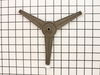
Carousel would not turn
Popped broken assembly off, slid new on onto shaft. Took more time to open the box than to fix the microwave.
Parts Used:
-
hazel from Martinsburg, WV
-
Difficulty Level:Really Easy
-
Total Repair Time:Less than 15 mins
8 of 9 people
found this instruction helpful.
Was this instruction helpful to you?
Thank you for voting!
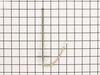
Oven not getting to temperature
Very simple. Remove one screw and carefully pull the sensor until you see the connection point. Remove the old one and snap the new one in and guide the wire back and reassemble the screw. Be sure to remove the oven door for easy access.
Parts Used:
-
Kyle from MIDDLETON, WI
-
Difficulty Level:Very Easy
-
Total Repair Time:Less than 15 mins
-
Tools:Nutdriver
7 of 7 people
found this instruction helpful.
Was this instruction helpful to you?
Thank you for voting!
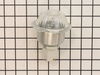
Oven light did not work
Turned off power to the oven, Removed the oven light housing, installed new housing, turned power on and walla.
Parts Used:
-
Howard from Rio Vista, CA
-
Difficulty Level:Really Easy
-
Total Repair Time:Less than 15 mins
-
Tools:Nutdriver
9 of 16 people
found this instruction helpful.
Was this instruction helpful to you?
Thank you for voting!
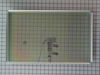
Wife broke the interior window by splashing water on it while heated to 450.
Well I did it all wrong from the get go. I did finally do a search on how to replace it and then it was quite easy. Learn from me, watch video and save yourself tons of hassle.
Parts Used:
-
Dennis from GRETNA, NE
-
Difficulty Level:Difficult
-
Total Repair Time:30 - 60 mins
-
Tools:Nutdriver, Screw drivers, Socket set
6 of 8 people
found this instruction helpful.
Was this instruction helpful to you?
Thank you for voting!
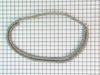
replaced gasket on oven door
-
mary from MODESTO, CA
-
Difficulty Level:Easy
-
Total Repair Time:15 - 30 mins
5 of 6 people
found this instruction helpful.
Was this instruction helpful to you?
Thank you for voting!
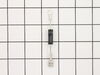
Microwave wasn't heating up foods
Per instructions on part select.com website. But needs further repair because still doesn't heat food and pad is partially disabled.
Parts Used:
-
William from LAKE ELSINORE, CA
-
Difficulty Level:Really Easy
-
Total Repair Time:30 - 60 mins
-
Tools:Pliers, Screw drivers
6 of 9 people
found this instruction helpful.
Was this instruction helpful to you?
Thank you for voting!
the temp was not accurate
had to remove the oven from the wall. once i realized that i had to take the side wall brackets off before removing the oven it was quite easy. then just had to remove oven door and slide the unit onto a chair while replacing the sensor. put it all back in and the wife was so happy to have her oven back she made me a batch of brownies. yum.
Parts Used:
-
scott from new harmony, UT
-
Difficulty Level:A Bit Difficult
-
Total Repair Time:15 - 30 mins
-
Tools:Socket set
7 of 12 people
found this instruction helpful.
Was this instruction helpful to you?
Thank you for voting!
Oven slow to heat.
First I removed the 4 screws that hold the element in place. I then pulled the element out about 3 inches. I removed the sensor and disconnected the connector.
Parts Used:
-
Scott from Burleson, TX
-
Difficulty Level:Really Easy
-
Total Repair Time:Less than 15 mins
-
Tools:Nutdriver, Pliers, Screw drivers
6 of 10 people
found this instruction helpful.
Was this instruction helpful to you?
Thank you for voting!
oven not as hot as temp display said it was
pull out stove, unbolt old temp sensor inside stove with 1/4 nutdriver, go to back of stove and take off cover and unhook sensor and hook up new one, put all back together and slide stove back in place.
Parts Used:
-
John from HOT SPRINGS, AR
-
Difficulty Level:Really Easy
-
Total Repair Time:30 - 60 mins
-
Tools:Nutdriver
4 of 4 people
found this instruction helpful.
Was this instruction helpful to you?
Thank you for voting!
wire connection to socket was bad
Disconnected the old socket ( 2 srews ) removed the two wires from the old socket, reconnected them to the new socket and reinstalled the lamp.
Parts Used:
-
David from Gansevoort, NY
-
Difficulty Level:A Bit Difficult
-
Total Repair Time:15 - 30 mins
-
Tools:Pliers, Screw drivers
6 of 10 people
found this instruction helpful.
Was this instruction helpful to you?
Thank you for voting!
Broken inner window
-
randy from LORETTO, TN
-
Difficulty Level:Very Easy
-
Total Repair Time:15 - 30 mins
-
Tools:Nutdriver, Screw drivers
5 of 7 people
found this instruction helpful.
Was this instruction helpful to you?
Thank you for voting!
Light not working tried to Remove light assembly not knowing glass could screw out. Without thinking grounded exposed hot wire to burner bracket melting light socket connector. Had to replace socket.
First and most important trun off curcit breaker. Use 1/4 inch but driver to remove socket (2) screws. Remove ground and hot wire clips from old socket, replace on new socket. Screw back into oven ceiling and turn on power. Reset clock and your are done. Very simple.
Parts Used:
-
Richard from CUMMING, GA
-
Difficulty Level:Really Easy
-
Total Repair Time:15 - 30 mins
-
Tools:Socket set
4 of 4 people
found this instruction helpful.
Was this instruction helpful to you?
Thank you for voting!
F2 Warning - Oven overheating
I checked various sites on the net and decided that the temperature sensor was the problem. The GE price for the replacement part was about $105, most of the other sites offered the sensor in the $70 range. PartSelect $12.95 When the part arrived, I removed a small self taping screw, pulled the high temperature wire connector into the oven space, disconnected the quick disconnect fitting, attached the new temperature sensor, pushed the connecting wire into its hole, replaced the screw and that was it. I probably saved about $200 in parts and labor over what a local repairman would have charged. Oh yes!! I first disconnected the power at the breaker box. Very important.
Parts Used:
-
john from bend, OR
-
Difficulty Level:Really Easy
-
Total Repair Time:Less than 15 mins
-
Tools:Socket set
3 of 3 people
found this instruction helpful.
Was this instruction helpful to you?
Thank you for voting!