




















JJW8530ACB Jenn-Air Wall Oven - Instructions
Keep searches simple. Use keywords, e.g. "leaking", "pump", "broken" or "fit".
After doing an oven self clean cycle, oven temp couldnt be set correctly, heat element was warm,not hot
After trying to set the bake temp after the self cleaning, it would not heat up. I Googled the model number,selected your link because it mentioned my symptom,and said usually it is the temp sensor in the oven that gets damaged by the high self cleaning heat. Your site had a place to enter my model number. You provided a great exploded view of the parts, showing me my sensor,then you provided the part number of the kit i needed,and filled out the order form with payment method. Less than a week later I got my part with instructions. Your video showed me the two screws I remove from the front ,and I pulled the old part out and uplugged it's connector. Replacement was easy, and oven was fixed! Thank you for a great site! You held my hand through it all!
Parts Used:

-
Philip from Winter Haven, FL
-
Difficulty Level:Really Easy
-
Total Repair Time:Less than 15 mins
-
Tools:Screw drivers
1 of 2 people
found this instruction helpful.
Was this instruction helpful to you?
Thank you for voting!
door of oven came apart when plastic screw holders broke
put back together with parts ordered. Parts arrived in 2 days!!!! and saved my large dinner party the following day from being ruined. Thank you so much for your parts inventory and for Jenn Air supplying only the part needed and not the entire door. It was a life saver!
Parts Used:
-
patricia from chipely, FL
-
Difficulty Level:Really Easy
-
Total Repair Time:15 - 30 mins
-
Tools:Screw drivers
1 of 2 people
found this instruction helpful.
Was this instruction helpful to you?
Thank you for voting!
broken glass inside oven door;
My husband ( a superior handy man) very easily replaced the glass on the inside of the oven door and further replaced the hinges which had sprung yrs ago when I rested a 30+ lb turkey on the door. He removed the oven door and it was obvious to him how to repair the problem. The oven is back to heating correctly.
Parts Used:
-
Ken from Bozeman, MT
-
Difficulty Level:Easy
-
Total Repair Time:30 - 60 mins
-
Tools:Screw drivers
2 of 5 people
found this instruction helpful.
Was this instruction helpful to you?
Thank you for voting!
Oven would not heat
Flipped off breaker and removed oven door and pulled built in stove out so the back panel could be removed. Unplugged the sensor then removed the two screws securing the old sensor inside the oven and installed new sensor. Put stove back together and installed back into counter top, re-installed oven door, flipped on the breaker and oven works like new.
Parts Used:
-
Ralph from Nicholasville, KY
-
Difficulty Level:Easy
-
Total Repair Time:30 - 60 mins
-
Tools:Screw drivers
1 of 2 people
found this instruction helpful.
Was this instruction helpful to you?
Thank you for voting!
F1-1 and F3-1 error code
Very easy to repair, but you have to be able to pull your stove out. Two screws in the oven and then remove part of back cover of oven and one plug from there. Simple to do, but did not fix our problem. We are waiting repair now from service company as it looks like it needs a control panel. Worth trying yourself to fix the problem. Inexpensive part and easy to install. Also be sure to turn power off your oven to reset the control panel as this may fix the problem - try this first and also after installing new part - like rebooting a computer...
Parts Used:
-
Barbara from Lakeville, MA
-
Difficulty Level:Really Easy
-
Total Repair Time:15 - 30 mins
-
Tools:Screw drivers
2 of 5 people
found this instruction helpful.
Was this instruction helpful to you?
Thank you for voting!
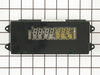
Clock/Oven Display Light went out
First I removed the 4 screws that hold the cover in place. I then removed the 4 screws that held the clock. I pulled the element out about 3 inches and disconnected the 3 wires, swapped the old with the new clock and reinserted the screws.
The great thing though was my order arrived the day after it was ordered. Good going!
The great thing though was my order arrived the day after it was ordered. Good going!
Parts Used:
-
Steve from Tracy, CA
-
Difficulty Level:Really Easy
-
Total Repair Time:Less than 15 mins
-
Tools:Socket set
1 of 2 people
found this instruction helpful.
Was this instruction helpful to you?
Thank you for voting!
Electronic panel on oven went blank; oven still worked if you recalled where to press
Actually, my brother was visiting and he removed the screws that held the panel in place, pulled it out and disconnected all the wires, noting how things were connected. Each set of wires was fairly idiosyncratic in shape and color, making it pretty obvious how they connected, but one tripped us by having several different ways that seemed to fit. After one negative trial, he found the right way to make it fit. We were amazed at how easy it really was.
Parts Used:
-
Jane from Smithfield, PA
-
Difficulty Level:Easy
-
Total Repair Time:15 - 30 mins
-
Tools:Screw drivers
1 of 2 people
found this instruction helpful.
Was this instruction helpful to you?
Thank you for voting!
Top oven element works, but bottom element works only intermittently
Replaced the long Oven Sensor but have not resolved the root problem. Oven still will not reach required temperature. Bottom element becomes red hot, but turns off and will not start again.
Parts Used:
-
Bruce from Glencoe, MN
-
Difficulty Level:Really Easy
-
Total Repair Time:15 - 30 mins
-
Tools:Screw drivers
2 of 5 people
found this instruction helpful.
Was this instruction helpful to you?
Thank you for voting!
Oven not heating to desired temp
Had to remove oven from mounting cabinet to get to the back since the wire lenght to the conector was to short to come through the mounting hole.
Other than that the repair was straight forward. 4 screws to dismount the Oven from cabinet, 2 screws to remove Sensor and 3 srews to open the back of the oven once out in the open. New cable adapter that came with the new sensor was needed in my case.
Other than that the repair was straight forward. 4 screws to dismount the Oven from cabinet, 2 screws to remove Sensor and 3 srews to open the back of the oven once out in the open. New cable adapter that came with the new sensor was needed in my case.
Parts Used:
-
Raymond from Ridgecrest, CA
-
Difficulty Level:A Bit Difficult
-
Total Repair Time:1- 2 hours
-
Tools:Nutdriver, Screw drivers
2 of 5 people
found this instruction helpful.
Was this instruction helpful to you?
Thank you for voting!
Clock and oven display was dim, could not read
Remove trim piece from microwave above oven.
Remove 5 screws from inside oven below the display and control module
Lift out module and unplug three wire harnesses
Remove display and PCB from module.
Install in reverse
Remove 5 screws from inside oven below the display and control module
Lift out module and unplug three wire harnesses
Remove display and PCB from module.
Install in reverse
Parts Used:
-
William from Escondido, CA
-
Difficulty Level:Easy
-
Total Repair Time:15 - 30 mins
-
Tools:Screw drivers
1 of 2 people
found this instruction helpful.
Was this instruction helpful to you?
Thank you for voting!
display very dim but controls still work.
the glass front that houses the clock has four screw just above the door. Open the door to access the screws. Once the screws are out,
the glass front can be lifted up off the oven.
Instead of replacing the housing and the circuit board I removed the board from the housing and
and it snaps back into the old housing.
the glass front can be lifted up off the oven.
Instead of replacing the housing and the circuit board I removed the board from the housing and
and it snaps back into the old housing.
Parts Used:
-
Scott from Jemison, AL
-
Difficulty Level:Really Easy
-
Total Repair Time:Less than 15 mins
-
Tools:Screw drivers
1 of 2 people
found this instruction helpful.
Was this instruction helpful to you?
Thank you for voting!
Oven Over Heating
Removed the oven from the wall. Removed back cover and unplugged sensor from the harness. Remove and replace sensor from inside the oven. Reconnect harness and reinstall back cover. Secure oven back into the wall.
Parts Used:
-
Steve from New Albany, OH
-
Difficulty Level:Easy
-
Total Repair Time:15 - 30 mins
-
Tools:Nutdriver, Screw drivers
1 of 2 people
found this instruction helpful.
Was this instruction helpful to you?
Thank you for voting!
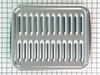
broiler pan missing
-
RAYMOND from JACKSONVILLE, FL
-
Difficulty Level:Really Easy
-
Total Repair Time:Less than 15 mins
1 of 2 people
found this instruction helpful.
Was this instruction helpful to you?
Thank you for voting!
The inner glass of the oven door was cracked
First, there are NO instructions on how to replace the glass on this type of oven door! Nothing came with the replacement glass and we could not find anything on the internet for this model. The oven door hinges are like no other oven door. There is no hinge lock and you can't just remove the guard plate and lift the door off the hinge. I ended up with a smashed finger because the hinge slammed shut before I could move my hand. The oven glass is STILL not replaced and we are having a heck of a time trying to find an expert to come to our home to fix it.
Parts Used:
-
Katherine from Southfield, MI
-
Difficulty Level:Very Difficult
-
Total Repair Time:More than 2 hours
-
Tools:Screw drivers
4 of 12 people
found this instruction helpful.
Was this instruction helpful to you?
Thank you for voting!
Oven control portion of the electronic clock assembly failed (became too dim to read).
This is a straight forward part replacement. You will need a phillips screw driver, a hex nut driver, a towel folded lengthwise, and a flash light. A second person's hands are helpful, but not necessary if you have a folded towel ready to use. First, shut off the electricity to the oven at the circuit breaker. Then open the oven door and remove the four phillips head screws under the oven control panel. The panel will then lift up and out easily. Highly recommended: have a second person present to help hold the control panel securely while you remove the three wire cable plugs from the existing electronic clock assembly to avoid scratching the plastic surface of the control panel against the sheet metal brackets that hold it in place. Alternatively, have a folded towel handy so that you may rest the control panel face down on the sheet metal brackets from which it was removed with the folded towel protecting it from being scratched by the metal brackets. Once the wire cable plugs have been removed, the control panel may be moved to a safer location with a soft surface (on a towel or other protective surface) to remove the four hex screws that hold the clock assembly to the control panel. Substitute the new part and replace the hex screws to hold in place. Attach the three wire cables to the new clock assembly, set the control panel back into it's brackets, and replace the four phillips screws to hold it firmly into place. Reset the circuit breaker to the oven. Reset the clock time, which will be 15 to 30 minutes slow (the time you had the power off). Done!
Parts Used:
-
Gary D. from Petoskey, MI
-
Difficulty Level:Easy
-
Total Repair Time:15 - 30 mins
-
Tools:Nutdriver, Screw drivers
1 of 3 people
found this instruction helpful.
Was this instruction helpful to you?
Thank you for voting!