




















JJW8527CAS Jenn-Air Wall Oven - Instructions
Keep searches simple. Use keywords, e.g. "leaking", "pump", "broken" or "fit".
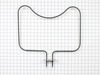
No heat in oven
The repair was really simple. I removed the 2 screws holding the baking element to the oven wall, pulled the element out about 2 inches, lifted the front of the element and pulled it out more to reach the 2 wires. I disconnected the two wires and reversed the procedure for installation, inserted the 2 screws and turned the power back on. The element works fine.
Parts Used:
-
Thomas from Pittsburgh, PA
-
Difficulty Level:Really Easy
-
Total Repair Time:Less than 15 mins
-
Tools:Screw drivers, Socket set
3 of 3 people
found this instruction helpful.
Was this instruction helpful to you?
Thank you for voting!
Oven erratic, not heating correctly, timer beeper sounding
The video indicating •unscrew old sensor, •pull wiring, •unplug old sensor, and •plug in replacement was good until I pulled the old one and saw wire nuts behind the small square hole! After some research, I learned that the nuts COULD come through that small hole with use of needle nose pliers. One of the wire nuts had the edges pinched off (chipped) in the process. Then I learned about ceramic wire nuts, which I'd never previously encountered. Very important if you don't want to melt your nuts! I cut and stripped the end of a disconnect plug to the stove wiring and now I have a plug in place; which, hopefully, I'll never need to use.
Parts Used:

-
Dave from SANTA BARBARA, CA
-
Difficulty Level:A Bit Difficult
-
Total Repair Time:30 - 60 mins
-
Tools:Pliers, Screw drivers
3 of 3 people
found this instruction helpful.
Was this instruction helpful to you?
Thank you for voting!
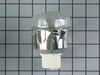
needed new oven light assembly/part #PS1864256
Removed old assembly, attached wires to new and inserted into space for same. Of course you must turn off the range circuit breaker. The part that took the most time was removing the old assembly. Once that was done, the rest took only a few minutes.
Parts Used:
-
Sara from Harwich Port, MA
-
Difficulty Level:A Bit Difficult
-
Total Repair Time:15 - 30 mins
-
Tools:Pliers, Screw drivers
25 of 70 people
found this instruction helpful.
Was this instruction helpful to you?
Thank you for voting!
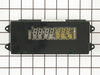
clock not illuminated, controls not responding
Turned off power at beaker box. Opened oven door. Removed four screws from botton of display panel. Lifted display panel up and out to remove. Unplugged three wire bundles from back of circuit board. Removed four screws holding circuit board and replaced circuit board. Reassembled panel. Turned power back on. Presto.....saved $200.00 from repair estimate.
Parts Used:
-
John from Upland, CA
-
Difficulty Level:Easy
-
Total Repair Time:15 - 30 mins
-
Tools:Screw drivers
3 of 4 people
found this instruction helpful.
Was this instruction helpful to you?
Thank you for voting!
ovens wouldn't maintain temperature after preheat cycle
unplugged oven. removed 2 screws that hold the sensor in place, then removed the dozen or so screws that hold on the rear panel, unplugged sensor and fed wire through insulation. identified and installed correct harness adapter then fed new wire and connecter through insulation and connected to adapter. installed sensor retaining screws.plugged oven back in and tested function.no dice. unplugged oven once again. removed oven control panel and upon inspection of printed circuit board discovered 3 solder joints had failed. dang. resoldered failed joints and also sweetened up a few others that looked suspect. reinstalled controller, replaced all retaining hardware, and plugged in the oven. tah-dah!! works like a charm now. moral of the story is check the pc board first and save $50 for unneeded pats!!! or buy the controller from parts direct for $260ish. btw a roll of solder and soldering iron from an auto parts store cost around $10, learned to solder on you-tube $0. amazing all the home appliances yo can fix if you're not afraid to take a few screws out and poke around a bit. CHEERS!
Parts Used:
-
sherri from elk horn, IA
-
Difficulty Level:A Bit Difficult
-
Total Repair Time:30 - 60 mins
-
Tools:Screw drivers
3 of 4 people
found this instruction helpful.
Was this instruction helpful to you?
Thank you for voting!
same as all the others. Display went dim over the last two months.
Same as the others to get to the bad clock. My old part was a circuit board which was made with white material and manufactured by RoberShaw. The new one was on a green material and by another manufacture. The new one felt a little heavier and look like there were more componets on it. However the plug-in connections and the mounting method was exactly the same. Before reassembly, I used a long handled brush to clean out most of the baking gunk that
had accumulated in this area and I used a clean wipeing cloth to clean the inside glass for the display. The best thing about this was the part came on the Thursday before
Hollowee, I installed it as soon as I got home from work. My wife started baking cookies and cup cakes for trick or
treat and all is well.
had accumulated in this area and I used a clean wipeing cloth to clean the inside glass for the display. The best thing about this was the part came on the Thursday before
Hollowee, I installed it as soon as I got home from work. My wife started baking cookies and cup cakes for trick or
treat and all is well.
Parts Used:
-
Stan from San Marcos, CA
-
Difficulty Level:Easy
-
Total Repair Time:15 - 30 mins
-
Tools:Screw drivers
2 of 2 people
found this instruction helpful.
Was this instruction helpful to you?
Thank you for voting!
After cleaning, F1-1 error flashed and neither oven worked
First I called a repairman and left a message. That was 3 weeks ago. So, I 'googled' the error message and determined what part I thought I needed. Ordered the part on Wednesday evening and it was there when I got home from work on Friday. I unpacked the part, got a phillips screwdriver and then watched the repair video on your website. About 20 minutes later I pushed my stove back in place and the flashing said 'set time'. Then I checked both ovens, and have since used both, and everything works!!
Parts Used:
-
Georgene from Rock City, IL
-
Difficulty Level:Easy
-
Total Repair Time:15 - 30 mins
-
Tools:Screw drivers
3 of 5 people
found this instruction helpful.
Was this instruction helpful to you?
Thank you for voting!
oven light glass cover was broken
took out the old dome cover and replaced it with a new one by unscrewing and replaced the new one and a fiberglass gasket. simple.
Parts Used:

-
wayne from LIMINGTON, ME
-
Difficulty Level:Really Easy
-
Total Repair Time:15 - 30 mins
2 of 2 people
found this instruction helpful.
Was this instruction helpful to you?
Thank you for voting!
Oven would not heat
Spoke to your very helpful staff, who advised me that a likely problem was the oven sensor. I took a chance and ordered the part, which came promptly. Your service video for the part was most helpful in my decision to try the part. Installation was a breeze, but it was the oven controller board that had failed and not the oven sensor. That called for a service professional, who ultimately fixed the problem. Your service though, was excellent and I would highly recommend you to others.
Parts Used:
-
francis from mount holley, VA
-
Difficulty Level:Really Easy
-
Total Repair Time:Less than 15 mins
-
Tools:Screw drivers
2 of 2 people
found this instruction helpful.
Was this instruction helpful to you?
Thank you for voting!
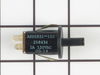
Door Lock Switch fell apart
My son removed the switch panel and unpluged
the switch. Then he replaced it with the new
switch fasten back the panel and turned the
power back on and everythiing worked fine.
the switch. Then he replaced it with the new
switch fasten back the panel and turned the
power back on and everythiing worked fine.
Parts Used:
-
Yvonne from Lake Odessa, MI
-
Difficulty Level:Really Easy
-
Total Repair Time:Less than 15 mins
-
Tools:Socket set
2 of 2 people
found this instruction helpful.
Was this instruction helpful to you?
Thank you for voting!
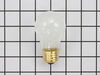
Replacing the bulb in the freezer side
Removed the ice brucket,
Removed the light shield by releasing one screw using a nutdriver.
Replacing the bulb and reinstalled the light shield.
Your web site is one of the best and most helpfull service sites I ever used. Just wish that in the future you will ship parts overseas.
Removed the light shield by releasing one screw using a nutdriver.
Replacing the bulb and reinstalled the light shield.
Your web site is one of the best and most helpfull service sites I ever used. Just wish that in the future you will ship parts overseas.
Parts Used:
-
Yafa (and David) from Bothell, WA
-
Difficulty Level:Easy
-
Total Repair Time:Less than 15 mins
-
Tools:Nutdriver
5 of 11 people
found this instruction helpful.
Was this instruction helpful to you?
Thank you for voting!
The display would not light
I removed the four screws holding the control panel to the oven. I then lifted off the panel and rested it on the the oven rack which I set in the top position and pulled out about a foot. Next, I removed the three plug in cables and removed the two screws from the frame that was holding the clock assembly in place. I put in the new part and reversed the procedure. Total time to replace part was six minutes.
Parts Used:
-
daniel from manlius, NY
-
Difficulty Level:Really Easy
-
Total Repair Time:Less than 15 mins
-
Tools:Nutdriver, Screw drivers
2 of 2 people
found this instruction helpful.
Was this instruction helpful to you?
Thank you for voting!
left cover for the oven light broke when trying to replace the bulb
Ordered the part. when it arrived-quite speedily, I just unpacked it and put the cotton gasket around the glass and screwed it to the proper place in the oven. Very easy.
Parts Used:
-
Mark from SHOREVIEW, MN
-
Difficulty Level:Very Easy
-
Total Repair Time:Less than 15 mins
2 of 2 people
found this instruction helpful.
Was this instruction helpful to you?
Thank you for voting!
Element burnt out
First I removed the two retaining screws that hold the element in place. I then pulled the element out about 3 inches to disconnected the two wire leads. Removed element.
Note: Retain the two screws, the new element doesn't come with new screws.
To install new element simply reverse what you did to remove old element.
Note: Retain the two screws, the new element doesn't come with new screws.
To install new element simply reverse what you did to remove old element.
Parts Used:
-
George from Medford, NJ
-
Difficulty Level:Really Easy
-
Total Repair Time:Less than 15 mins
-
Tools:Screw drivers
3 of 5 people
found this instruction helpful.
Was this instruction helpful to you?
Thank you for voting!
No readout on time/temperature panel and door wouldn't stay closed.
Replacing the electronic Clock Assembly was a piece of cake - just as earlier DIYers had experienced.
The door hinges were not any harder to replace, but it does not affect the behavior of the door. The light stays on unless we keep the door closed with a hook and anchor ( bent piece of metal and a wooden wedge). Not pretty, but effective. Obviously a design flaw... keeping door closed in this way forces all airflow to top and has melted the paint into a wrinkled surface. We had a service person replace the gasket seal and hinges before, but the problem still persists. I did discover that soaking the light cover in a cola drink overnight did a splendid job of cleaning off the gunk.
The door hinges were not any harder to replace, but it does not affect the behavior of the door. The light stays on unless we keep the door closed with a hook and anchor ( bent piece of metal and a wooden wedge). Not pretty, but effective. Obviously a design flaw... keeping door closed in this way forces all airflow to top and has melted the paint into a wrinkled surface. We had a service person replace the gasket seal and hinges before, but the problem still persists. I did discover that soaking the light cover in a cola drink overnight did a splendid job of cleaning off the gunk.
Parts Used:
-
Sally from Keene, NH
-
Difficulty Level:Easy
-
Total Repair Time:15 - 30 mins
-
Tools:Nutdriver, Pliers
3 of 5 people
found this instruction helpful.
Was this instruction helpful to you?
Thank you for voting!