




















JJW8527BAB Jenn-Air Wall Oven - Instructions
Keep searches simple. Use keywords, e.g. "leaking", "pump", "broken" or "fit".
Needed replacement oven rack.
-
Bobby K. from Huntsville, TX
-
Difficulty Level:Very Easy
-
Total Repair Time:Less than 15 mins
1 person
found this instruction helpful.
Was this instruction helpful to you?
Thank you for voting!
No problem installing the sensor
I removed the two mounting screws and pulled the harness through the opening unsnapped the sensor from the harness and installed the new sensor i didn't have to used the adapters the new sensor fitted
Parts Used:

-
tommy from FAYETTEVILLE, NC
-
Difficulty Level:Very Easy
-
Total Repair Time:Less than 15 mins
-
Tools:Screw drivers
1 person
found this instruction helpful.
Was this instruction helpful to you?
Thank you for voting!
the clock digets on the control panel faded away
I removed the four screws that hold the control panel in place, unpluged the three wire connectors, and removed the clock assembly by removing four screws that hold it in place. Next I replaced the four screws that hold the clock in place, pluged in the wire connectors, and replaced the control panel. It was a very simple task.
Parts Used:
-
William from Hayden Lake, ID
-
Difficulty Level:Really Easy
-
Total Repair Time:Less than 15 mins
-
Tools:Screw drivers
1 person
found this instruction helpful.
Was this instruction helpful to you?
Thank you for voting!
Time light dimmed and then no longer seen
First I had to remove the cover for the oven because my appliance is an oven/microwave combination. Then I just followed the directions of the people on site and it worked like a charm!!!
Parts Used:
-
Carol from Kilgore, TX
-
Difficulty Level:Really Easy
-
Total Repair Time:15 - 30 mins
-
Tools:Screw drivers, Wrench (Adjustable)
1 person
found this instruction helpful.
Was this instruction helpful to you?
Thank you for voting!
Needed to replace the clock assembly
Repair was just exactly like a dozen I read before I ordered the part. Turn off breaker. Remove 4 phillips head screws on the bottom of the clock face. Tilt out from the bottom, take out 4 screws with 1/4" nutdriver, unplug 3 wiring harnesses. Replace in reverse order and turn the power back on.
Parts Used:
-
Terry from Grand Prairie, TX
-
Difficulty Level:Really Easy
-
Total Repair Time:Less than 15 mins
-
Tools:Nutdriver, Screw drivers
1 person
found this instruction helpful.
Was this instruction helpful to you?
Thank you for voting!
LED clock faded then black,oven worked but no clock
First: my problem was with the oven. Turn power off at breaker,should be one of the largest breakers, 30 or 40 amp. type.Then open door look up under LED readout you will see 4 phillip head screws, remove them,then lift LED section upward and off.You may want/need someone to hold this section.Then unplug the wires by pulling firmly upward and off of the LED plastic box. The box is held on by 4 hex nut screws, unscrew and remove box,install new LED display in reverse order. turn power back on.Set clock. Your done.Sounds like a long project but I actually had two ovens to do.Total time for the first oven was 12 minutes.
Parts Used:
-
George from Wilmington, DE
-
Difficulty Level:Really Easy
-
Total Repair Time:Less than 15 mins
-
Tools:Nutdriver, Screw drivers
1 person
found this instruction helpful.
Was this instruction helpful to you?
Thank you for voting!
Jenn-air oven electronic display ceased working
Number one: trip the breaker on the oven. Next, I removed four screws from the bottom of the front display panel. Then, unhooked the panel and gently placed it on the counter next to it. Then I un-plugged each of the three inputs and plugged them into the new component. I then unscrewed the four hex screws from assembly and removed the old unit. I reversed the process and screwed it back in, and when I turned on the circuit breaker, everything worked as advertised. Total time: less than 15 minutes.
Parts Used:
-
Jeffery from Seguin, TX
-
Difficulty Level:Really Easy
-
Total Repair Time:Less than 15 mins
-
Tools:Screw drivers, Socket set
1 person
found this instruction helpful.
Was this instruction helpful to you?
Thank you for voting!
Broken oven door hinge
My daughter & I followed the instructions in your video and had fun repairing the door. The video showed exactly how to do the repair. I hope I don't need any appliance parts very soon but I will certainly pull up your web site if I do. Thanks for an excellent instruction video.
John - Hot Springs Village, AR
John - Hot Springs Village, AR
Parts Used:
-
John from HOT SPRINGS, AR
-
Difficulty Level:Very Easy
-
Total Repair Time:15 - 30 mins
-
Tools:Screw drivers
1 person
found this instruction helpful.
Was this instruction helpful to you?
Thank you for voting!
Oven door was locked, couldn't set oven temps
Got a bent metal coathook to temporarily release the oven door, removed the screws from the old probe, inserted the new one, and hooked it up, using the one of the plug adapters provided. Problem solved! The oven door latch was now disengaged, the oven would now accept temperature inputs, and the rear cooling fan (which wouldn't shut off) now turned off. That's a lot of things working better for less than $50!
Parts Used:
-
William from Nashville, TN
-
Difficulty Level:Easy
-
Total Repair Time:15 - 30 mins
-
Tools:Screw drivers
1 person
found this instruction helpful.
Was this instruction helpful to you?
Thank you for voting!
"F3" error message and no oven heat
Unplugged the range, removed screws holding the old sensor. When I pulled it out, the wire connecting to the sensor was completely broken through,therefore I could not just pull the wire to get to the connector. Unscrewed one side of back panel to access the connector. Pushed the connector and wire of the new sensor through the hole ( and behind the insulation), disconnected the old sensor and connected the new one. Re screwed the new connector in place plus rescrewed the back panel. Plugged the range in and - Viola! Everything now works like a charm and I have my oven back. Easy-Peasy. Oh - I am an older female with very limited DYI experience. I just saved myself $650.00!
Parts Used:
-
Pat from PAYSON, AZ
-
Difficulty Level:Very Easy
-
Total Repair Time:15 - 30 mins
-
Tools:Screw drivers
1 person
found this instruction helpful.
Was this instruction helpful to you?
Thank you for voting!
Oven would not heat
Flipped off breaker and removed oven door and pulled built in stove out so the back panel could be removed. Unplugged the sensor then removed the two screws securing the old sensor inside the oven and installed new sensor. Put stove back together and installed back into counter top, re-installed oven door, flipped on the breaker and oven works like new.
Parts Used:
-
Ralph from Nicholasville, KY
-
Difficulty Level:Easy
-
Total Repair Time:30 - 60 mins
-
Tools:Screw drivers
1 of 2 people
found this instruction helpful.
Was this instruction helpful to you?
Thank you for voting!
door of oven came apart when plastic screw holders broke
put back together with parts ordered. Parts arrived in 2 days!!!! and saved my large dinner party the following day from being ruined. Thank you so much for your parts inventory and for Jenn Air supplying only the part needed and not the entire door. It was a life saver!
Parts Used:
-
patricia from chipely, FL
-
Difficulty Level:Really Easy
-
Total Repair Time:15 - 30 mins
-
Tools:Screw drivers
1 of 2 people
found this instruction helpful.
Was this instruction helpful to you?
Thank you for voting!
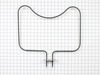
Burnt oven heating element
Ordered part on line, part came within few days well wrapped and protected, very simple repair removed two mounting screws and two lead wires to remove burnt element, replaced with new one, wire were re-connected and the mounting screws secured the new element in place, about 20 min job.
Parts Used:
-
Fadi from Wilmington, OH
-
Difficulty Level:Really Easy
-
Total Repair Time:15 - 30 mins
-
Tools:Nutdriver
1 of 2 people
found this instruction helpful.
Was this instruction helpful to you?
Thank you for voting!
Uneven Heating In Oven
Removed two screws, pulled out element and trnasfered over lead wires. Made sure power is off first. Easy to order, easy to replace.
Parts Used:
-
Jenni from Rolling Meadows, IL
-
Difficulty Level:Really Easy
-
Total Repair Time:Less than 15 mins
-
Tools:Screw drivers
1 of 2 people
found this instruction helpful.
Was this instruction helpful to you?
Thank you for voting!
Clock/Oven Display Light went out
First I removed the 4 screws that hold the cover in place. I then removed the 4 screws that held the clock. I pulled the element out about 3 inches and disconnected the 3 wires, swapped the old with the new clock and reinserted the screws.
The great thing though was my order arrived the day after it was ordered. Good going!
The great thing though was my order arrived the day after it was ordered. Good going!
Parts Used:
-
Steve from Tracy, CA
-
Difficulty Level:Really Easy
-
Total Repair Time:Less than 15 mins
-
Tools:Socket set
1 of 2 people
found this instruction helpful.
Was this instruction helpful to you?
Thank you for voting!