




















JJW8130DDB Jenn-Air Wall Oven - Instructions
Keep searches simple. Use keywords, e.g. "leaking", "pump", "broken" or "fit".
F1 code and oven wouldn't operate
I was told by appliance repairman that sensor and electronic panel were out - so ordered both as PartSelect was less expensive (about 1/2) than service call price. Sensor was in stock and arrived in 2 days, panel was special order from factory.
Replaced the sensor. Pressed Control Lock pad for several seconds and oven clock came on. Was able to set baking temp, broiler, and convection operation as normal.
Canceled order on panel as Sensor fixed my problem.
Replaced the sensor. Pressed Control Lock pad for several seconds and oven clock came on. Was able to set baking temp, broiler, and convection operation as normal.
Canceled order on panel as Sensor fixed my problem.
Parts Used:

-
Robbie from Hillsboro, TX
-
Difficulty Level:Really Easy
-
Total Repair Time:Less than 15 mins
-
Tools:Nutdriver
11 of 15 people
found this instruction helpful.
Was this instruction helpful to you?
Thank you for voting!
1998 oven unit flashing F3
SHUT OFF BREAKER FOR OVEN! pulled oven out to get at backside,removed 3 screws on back coverplate,removed 2 screws inside oven at sensor in top left corner of oven,disconnected plastic clip at back ,pulled old sensor through hole.replaced sensor with new in reverse order. 15minutes tops.
Parts Used:
-
chris from houston, TX
-
Difficulty Level:Really Easy
-
Total Repair Time:Less than 15 mins
-
Tools:Screw drivers
10 of 14 people
found this instruction helpful.
Was this instruction helpful to you?
Thank you for voting!
Original oven light lens had cracked and broken in two.
I screwed the light lens into the socket and went beautifully. Better than the original. (I am a retired, 75 yr. old woman).
Parts Used:

-
Pat from Bucklin, KS
-
Difficulty Level:Really Easy
-
Total Repair Time:Less than 15 mins
17 of 36 people
found this instruction helpful.
Was this instruction helpful to you?
Thank you for voting!
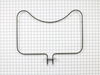
Bake Element failed
Removed 2 screws securing bake element, pulled element clear with wires still attached, then removed the wire push terminals. Attached terminals to new bake element and reinstalled. Extremely simple.
Parts Used:
-
Terry from Bedminster, NJ
-
Difficulty Level:Really Easy
-
Total Repair Time:Less than 15 mins
-
Tools:Screw drivers
8 of 10 people
found this instruction helpful.
Was this instruction helpful to you?
Thank you for voting!
The oven and ranges would not heat up and an F9 error was displaying on the Oven Screen.
So, the F9 error indicates a electrical power issue. First I pulled the oven out and verified I had 240 volts at my outlet.
Then I removed the fire panel over the terminal block and the issue was apparent. The nuts on the terminal block were corroded. This had cause the resistance in the connection to raise and burn up the wire to my oven plug at the terminal block.
I removed the whole back panel and everything else seemed OK visually.
1. I go new connectors for the oven plug, stripped the wires, and crimped on the new connectors.
2. The terminal block DOES NOT come with the nuts to connect the wire to the terminal block. Mine were so corroded they had to be replaced. So I went and purchased the correct ones and installed the terminal block and reconnected all the wires.
3. I applied some dielectric grease to the connections through out the process of reinstalling to prevent it from happening in the future.
Then I removed the fire panel over the terminal block and the issue was apparent. The nuts on the terminal block were corroded. This had cause the resistance in the connection to raise and burn up the wire to my oven plug at the terminal block.
I removed the whole back panel and everything else seemed OK visually.
1. I go new connectors for the oven plug, stripped the wires, and crimped on the new connectors.
2. The terminal block DOES NOT come with the nuts to connect the wire to the terminal block. Mine were so corroded they had to be replaced. So I went and purchased the correct ones and installed the terminal block and reconnected all the wires.
3. I applied some dielectric grease to the connections through out the process of reinstalling to prevent it from happening in the future.
Parts Used:

-
Jared from UNION GROVE, AL
-
Difficulty Level:Really Easy
-
Total Repair Time:30 - 60 mins
-
Tools:Pliers, Screw drivers, Socket set
7 of 7 people
found this instruction helpful.
Was this instruction helpful to you?
Thank you for voting!
Stove top wouldn't come on. Oven couldn't go higher than low heat
Had a technician from Home Advisor to check the problem out with my Whirlpool Double oven(1 1/2 old). Paid $60 to find the problem. According to the technician problem was control board and cost of labor and parts $465.00
Jumped on Part Select website, placed a question with my stove problem through the chat. Immediately they answered my question and told me the problem was the Terminal Block. Cost of part and shipping $25.00. Replaced it myself and everything works fine.
Thank you, Thank you Part Select for your help and honesty.
Sincerely
Peter from Maryland
Jumped on Part Select website, placed a question with my stove problem through the chat. Immediately they answered my question and told me the problem was the Terminal Block. Cost of part and shipping $25.00. Replaced it myself and everything works fine.
Thank you, Thank you Part Select for your help and honesty.
Sincerely
Peter from Maryland
Parts Used:
-
Peter from FREDERICK, MD
-
Difficulty Level:Really Easy
-
Total Repair Time:Less than 15 mins
-
Tools:Screw drivers, Socket set
7 of 9 people
found this instruction helpful.
Was this instruction helpful to you?
Thank you for voting!
my oven would not heat to proper temp
I slide the range out and unplugged it from the outlet. I removed the back of the oven ( 8 screws ) using a cordless drill and phillips bit then with a phillips screwdriver I removed the oven sensor (2 screws) then I installed the new sensor , reinstalled the oven back , plugged the range in , slide it back into place and that was it. This repair took about 10 mins and the oven works perfectly. Thanks !
Parts Used:
-
mark from CHAMBERLAIN, SD
-
Difficulty Level:Very Easy
-
Total Repair Time:Less than 15 mins
-
Tools:Screw drivers
6 of 6 people
found this instruction helpful.
Was this instruction helpful to you?
Thank you for voting!
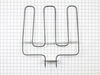
Broiler blement failed
Sunday, four days before Thanksgiving, our oven would not bake properly. A quick check indicated the top element was not working. What to do? Where to get a part in time to fix for Thanksgiving dinner? The answer was easy - PartSelect. I had the part in my hands on Tuesday AM. Oven was fixed in 15 minutes and my wife was baking pies within an hour. All worked well and yes, we had a wonderful trukey dinner. Great service !
Parts Used:
-
Donald from Hudson, NH
-
Difficulty Level:Really Easy
-
Total Repair Time:Less than 15 mins
-
Tools:Screw drivers
8 of 13 people
found this instruction helpful.
Was this instruction helpful to you?
Thank you for voting!
Oven sensor caused cooling fan to run continuously. Had to flip breaker to get it to turn off..
Left oven off. Located sensor in pdf manual. Unscrewed mount, pulled sensor out to access connector. Disconnected old sensor, checked continuity(resistance) on ohms with multimeter. No continuity; connected new sensor, screwed mount back into place, turned on oven and baked cookies to check operation & it worked perfectly.
Parts Used:
-
Aubrey from EADS, TN
-
Difficulty Level:Really Easy
-
Total Repair Time:Less than 15 mins
-
Tools:Screw drivers
5 of 5 people
found this instruction helpful.
Was this instruction helpful to you?
Thank you for voting!
Bottom oven would not heat
When I removed the bottom bake element and tested it with an ohm meter, it was an open circuit. Once the new one arrived, I simply had to hook up the two leads, screw the cover back on the back of the oven and the job was done.
Parts Used:
-
Jack from Seward, NE
-
Difficulty Level:Easy
-
Total Repair Time:Less than 15 mins
-
Tools:Screw drivers
5 of 7 people
found this instruction helpful.
Was this instruction helpful to you?
Thank you for voting!
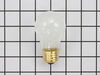
light bulb in water ice freezer door went bad
I didn't. Don't know how to get to light bulb to change it for this specific model
Parts Used:
-
Carl from RIVERSIDE, CA
-
Difficulty Level:Very Difficult
-
Total Repair Time:More than 2 hours
-
Tools:Screw drivers
7 of 13 people
found this instruction helpful.
Was this instruction helpful to you?
Thank you for voting!
Oven was not correctly heating to set temperature
Removed the approximatly 10 screws that hold on both the upper and lower pieces of sheet metal that cover the back of the oven. Removed the screw holding in the temp sensor. Unplugged and removed the old sensor. Plugged in and installed the new sensor (using one of the included adapter wires supplied with the sensor). Put the 2 pieces of sheet metal back on and plugged in the oven.
Parts Used:
-
Trace from Ofallon, MO
-
Difficulty Level:Really Easy
-
Total Repair Time:Less than 15 mins
-
Tools:Nutdriver
4 of 5 people
found this instruction helpful.
Was this instruction helpful to you?
Thank you for voting!
Low temperature replaced heating element
Took longer to turn off the power than replace the element ,, crazy the appliance company would charge $180.00 for a 3 minute job.
Parts Used:
-
PAUL G from FAIR OAKS, TX
-
Difficulty Level:Very Easy
-
Total Repair Time:Less than 15 mins
-
Tools:Screw drivers
4 of 5 people
found this instruction helpful.
Was this instruction helpful to you?
Thank you for voting!
Oven erratic, not heating correctly, timer beeper sounding
The video indicating •unscrew old sensor, •pull wiring, •unplug old sensor, and •plug in replacement was good until I pulled the old one and saw wire nuts behind the small square hole! After some research, I learned that the nuts COULD come through that small hole with use of needle nose pliers. One of the wire nuts had the edges pinched off (chipped) in the process. Then I learned about ceramic wire nuts, which I'd never previously encountered. Very important if you don't want to melt your nuts! I cut and stripped the end of a disconnect plug to the stove wiring and now I have a plug in place; which, hopefully, I'll never need to use.
Parts Used:
-
Dave from SANTA BARBARA, CA
-
Difficulty Level:A Bit Difficult
-
Total Repair Time:30 - 60 mins
-
Tools:Pliers, Screw drivers
3 of 3 people
found this instruction helpful.
Was this instruction helpful to you?
Thank you for voting!
Elements went out in oven.
Shut off electricity to stove. Took out bolts, removed old element. Slide tabs out of connectors. Put new heating element in. Put bolts back in and turned electricity back on.
Parts Used:
-
Kathy from WHITE HALL, AR
-
Difficulty Level:Very Easy
-
Total Repair Time:Less than 15 mins
-
Tools:Screw drivers
3 of 3 people
found this instruction helpful.
Was this instruction helpful to you?
Thank you for voting!