




















JES9900BAF19 Jenn-Air Range - Instructions
Keep searches simple. Use keywords, e.g. "leaking", "pump", "broken" or "fit".
Bake element blew up
took the old one out (two phillips head screws)and put the new one in. done. took about 5-6 minutes.
Parts Used:

-
Kevin from Norfolk, VA
-
Difficulty Level:Easy
-
Total Repair Time:Less than 15 mins
-
Tools:Screw drivers
4 of 7 people
found this instruction helpful.
Was this instruction helpful to you?
Thank you for voting!
Inner glass pane broke during self-cleaning operation
I removed all the screws that held the trim and inner frame to the outside window unit first. Then, I removed a protective glass from over the two inner panes. Next after removing the frame that held the two inner glass panes together, I took the broken inner glass pane out and replaced it with the new one. Then basically I just retraced my steps and had the door put back together in about 45 minutes. You just need to pay close attention to your disassembly so that you are able to put the pieces back together quickly.
Parts Used:

-
Mark from Abingdon, VA
-
Difficulty Level:Easy
-
Total Repair Time:30 - 60 mins
-
Tools:Screw drivers
4 of 7 people
found this instruction helpful.
Was this instruction helpful to you?
Thank you for voting!
ovens wouldn't maintain temperature after preheat cycle
unplugged oven. removed 2 screws that hold the sensor in place, then removed the dozen or so screws that hold on the rear panel, unplugged sensor and fed wire through insulation. identified and installed correct harness adapter then fed new wire and connecter through insulation and connected to adapter. installed sensor retaining screws.plugged oven back in and tested function.no dice. unplugged oven once again. removed oven control panel and upon inspection of printed circuit board discovered 3 solder joints had failed. dang. resoldered failed joints and also sweetened up a few others that looked suspect. reinstalled controller, replaced all retaining hardware, and plugged in the oven. tah-dah!! works like a charm now. moral of the story is check the pc board first and save $50 for unneeded pats!!! or buy the controller from parts direct for $260ish. btw a roll of solder and soldering iron from an auto parts store cost around $10, learned to solder on you-tube $0. amazing all the home appliances yo can fix if you're not afraid to take a few screws out and poke around a bit. CHEERS!
Parts Used:

-
sherri from elk horn, IA
-
Difficulty Level:A Bit Difficult
-
Total Repair Time:30 - 60 mins
-
Tools:Screw drivers
3 of 4 people
found this instruction helpful.
Was this instruction helpful to you?
Thank you for voting!
bake element needed replacement
-
svetlana from chicago, IL
-
Difficulty Level:Really Easy
-
Total Repair Time:Less than 15 mins
-
Tools:Screw drivers
4 of 7 people
found this instruction helpful.
Was this instruction helpful to you?
Thank you for voting!
Defective Custom Control Switch
Remove 6 screws from control module cover, replace switch with new one.(stake on wiring connectors) Easy.
Parts Used:

-
Lynn from Pinehurst, NC
-
Difficulty Level:Really Easy
-
Total Repair Time:Less than 15 mins
-
Tools:Nutdriver, Screw drivers
3 of 4 people
found this instruction helpful.
Was this instruction helpful to you?
Thank you for voting!
element burn out
-
steve from mcminnville, OR
-
Difficulty Level:Easy
-
Total Repair Time:Less than 15 mins
-
Tools:Pliers, Screw drivers
4 of 7 people
found this instruction helpful.
Was this instruction helpful to you?
Thank you for voting!
Oven heat loss, door gasket needed replacement
The entire "project" took me less than 3 minutes, and required no tools at all! First, the saleswoman over the phone pointed me to the correct product for my problem ($30 less than what I thought I needed), and it arrived at my home within 4 days. Then, it was just a matter of pulling off the old gasket, and snapping the new one in place! Simple!
Parts Used:

-
Stephen from Chapell Hill, NC
-
Difficulty Level:Really Easy
-
Total Repair Time:Less than 15 mins
3 of 4 people
found this instruction helpful.
Was this instruction helpful to you?
Thank you for voting!
Cooling fan runs fault code displayed
Removed the two screws holding the sensor to the rear oven wall. pulled out sensor wire. It was caught on other wires behind the oven. removed the three screws holding the 8" inspection plate in the center of the rear panel. Carefully move the insulation and reach in to grasp the back end of the sensor wire. Once free from the snag it easily pulls out with the sensor just as stated in the video. using the appropriate adaptor it was easy to re-asseble and and attach to the oven wall. Replace the rear panel with the three screws and it was done
Parts Used:
-
FRANK from CLARENCE CTR, NY
-
Difficulty Level:Easy
-
Total Repair Time:30 - 60 mins
-
Tools:Screw drivers
2 of 2 people
found this instruction helpful.
Was this instruction helpful to you?
Thank you for voting!
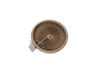
Old dual burner lost one half. It appeared the metal strip that wound into and around the circle, broke right where it came into the inside of the entrance, and I wasn't about to try and break everything open to try and fix it, as it didn't look like soldering would be easy, or that it would fix it.
Verified via ohmmeter that one of the two burners was open and not working. I also tested the switch and that appeared to be working okay. I then took out the old unit and compared it to the new one, and found that they upgraded the new unit. I followed the instructions to match the labeled parts and move the wire to the newer location of that. i.e the old one had 2B and 2A at the top and 1B and 1A at the bottom. The new one had 2B and 1B at the top and 2A and 1A at the bottom. It did come with wire extenders and insulated tubes on top of them, and extra to cover additional. After a couple of tries, I decided which wire I needed to use on which (small connectors to match small, and large to match large.) In a second try I decided to flip it over to have it face up instead of down. Overall, it worked out very well, and I was very pleased when I did the power up test and everything worked as desired.
Parts Used:
-
Chris from WHEATON, IL
-
Difficulty Level:Easy
-
Total Repair Time:30 - 60 mins
-
Tools:Nutdriver, Screw drivers
2 of 2 people
found this instruction helpful.
Was this instruction helpful to you?
Thank you for voting!
Broken inner glass window.
Remove the door.
Remove screws
Clear out broken glass. Vacuum out small glass shards.
Clean all glass.
Reattach all parts.
Replace the door.
Smile!
Remove screws
Clear out broken glass. Vacuum out small glass shards.
Clean all glass.
Reattach all parts.
Replace the door.
Smile!
Parts Used:
-
Jerome from RICHFIELD, MN
-
Difficulty Level:Really Easy
-
Total Repair Time:30 - 60 mins
-
Tools:Screw drivers, Socket set
2 of 2 people
found this instruction helpful.
Was this instruction helpful to you?
Thank you for voting!
Inner oven door glass cracked.
-
pamela from MONROE, WA
-
Difficulty Level:Really Easy
-
Total Repair Time:30 - 60 mins
-
Tools:Screw drivers
2 of 2 people
found this instruction helpful.
Was this instruction helpful to you?
Thank you for voting!
Replace the oven Sensor
The sensor is mounted in the top right side of the oven.An extra long screw driver helps to avoid damage to the sensor when replacing it.The connectors were the opposite to the old sensor and I did not see that there were adapter cables included. It might help to connect or tie these together as I only expected the sensor and did not look for adapters.I had cut the wires and used wire nuts when I found the adapters.The repairs works fine.
Mike
Mike
Parts Used:
-
Michael from Exeter, NH
-
Difficulty Level:Really Easy
-
Total Repair Time:15 - 30 mins
-
Tools:Nutdriver, Pliers, Screw drivers
3 of 5 people
found this instruction helpful.
Was this instruction helpful to you?
Thank you for voting!
Oven would not heat
Spoke to your very helpful staff, who advised me that a likely problem was the oven sensor. I took a chance and ordered the part, which came promptly. Your service video for the part was most helpful in my decision to try the part. Installation was a breeze, but it was the oven controller board that had failed and not the oven sensor. That called for a service professional, who ultimately fixed the problem. Your service though, was excellent and I would highly recommend you to others.
Parts Used:
-
francis from mount holley, VA
-
Difficulty Level:Really Easy
-
Total Repair Time:Less than 15 mins
-
Tools:Screw drivers
2 of 2 people
found this instruction helpful.
Was this instruction helpful to you?
Thank you for voting!
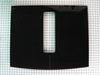
Broken stove top
-
Olaf from BAINBRIDGE IS, WA
-
Difficulty Level:Really Easy
-
Total Repair Time:15 - 30 mins
-
Tools:Screw drivers
2 of 2 people
found this instruction helpful.
Was this instruction helpful to you?
Thank you for voting!
Oven would over heat and produce a F2 error code on the display. It would not turn off or cool down until I switched the circuit breaker off.
I switched the oven sensor easily enough, but it did not remedy the problem, so we are in the process of replacing the oven since it's about 20 yrs. old.
Parts Used:
-
richard from SAINT MARYS, KS
-
Difficulty Level:Very Easy
-
Total Repair Time:Less than 15 mins
-
Tools:Screw drivers
2 of 2 people
found this instruction helpful.
Was this instruction helpful to you?
Thank you for voting!