




















JES8850BAQ Jenn-Air Range - Instructions
Keep searches simple. Use keywords, e.g. "leaking", "pump", "broken" or "fit".
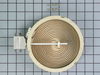
Glass top stove burner not working
OMG you have no idea how grateful I am. My husband and I watched your how-to-video and decided that it looked pretty easy for us to replace on our own. We saved close to $200 between the flat fee for a service call plus labor. Thank you very much. We were also pleased how fast our part was shipped to us.
Parts Used:
-
Juan from Miami, FL
-
Difficulty Level:Really Easy
-
Total Repair Time:15 - 30 mins
-
Tools:Screw drivers
Was this instruction helpful to you?
Thank you for voting!
Oven randomly turned off and locked

-
Robert from homilton, MT
-
Difficulty Level:Really Easy
-
Total Repair Time:15 - 30 mins
-
Tools:Screw drivers
Was this instruction helpful to you?
Thank you for voting!
F-4 Code, oven wouldn't heat
Watching the video of how to replace the sensor was great help and much appreciated, the only difference was that my wires were much shorter and I had to pull the oven out of the cabinet to get to the back of the oven to release the clip holding the wires together, unlike the video where the man jiggled the wires until the clip holding the wires together came through the little slot where the probe is attached, otherwise it was pretty simple, just a few extra steps to pull the oven forward to get to the rear to release the clip holding the wires together. Once I was able to release the clip I used one of the 2 adapters that was sent with the sensor probe and attached them after putting the wires through the hole where the probe was attached first then replaced the 2 screws that holds the sensor in place, slid the oven back in and turned the circuit breaker back on and it works perfectly. The video gave me the confidence to do this job though and I thank PartSelect very much for being a great company to help with videos and sending the parts so quickly.
Parts Used:
-
Gary from San Jose, CA
-
Difficulty Level:Easy
-
Total Repair Time:15 - 30 mins
-
Tools:Screw drivers
Was this instruction helpful to you?
Thank you for voting!
Dual element outer ring not working.
Took off the back panel, unplugged the power cord, and tested the switch with an ohm meter. Found it open and ordered new switch. Replaced it easily and now have both elements working as required.
Parts Used:

-
James from Bowdoinham, ME
-
Difficulty Level:Easy
-
Total Repair Time:Less than 15 mins
-
Tools:Nutdriver
Was this instruction helpful to you?
Thank you for voting!
Range had an F-2 code on the control panel
I removed the old thermostat and replaced it with the new one using the supplied wiring adapter for my model of range. Parts Select made this an easy project. Thanksyou
Parts Used:
-
Greg from Frederick, MD
-
Difficulty Level:Really Easy
-
Total Repair Time:15 - 30 mins
-
Tools:Screw drivers
Was this instruction helpful to you?
Thank you for voting!
replaced gasket around inside door
It was easy because the clips were already on the new door gasket. Just had to remove old door gasket and replace it with the new one. Very simple job.
Parts Used:

-
Betty from Hamburg, PA
-
Difficulty Level:Really Easy
-
Total Repair Time:Less than 15 mins
Was this instruction helpful to you?
Thank you for voting!
The inner glass shattered when the oven was in the clean mode
First I took the door off and outside to dump the glass in the trash which I had some Kevlar gloves so not to get cut. Removed the three screws on the bottom trim piece and the two on the sides remove the outside face glass next remove the four screws that hold the next glass. This glass is in a frame there is bent tab on one corner unbend open frame and install inner glass close frame rebend tab and reinstall all the parts.
Parts Used:

-
Charles from Sulphur, LA
-
Difficulty Level:Easy
-
Total Repair Time:30 - 60 mins
-
Tools:Screw drivers
Was this instruction helpful to you?
Thank you for voting!
Hot burner light went out
Unplugged the range, took off back shield (4 screws) unplugged the old part and plugged the new part in, put the shield back on and plugged the range back in. When you remove the light unit behind the lens after unplugging the two contacts slide it sideways toward you, it is slotted, don't try to pull it straight out or you will break the lens.
Parts Used:

-
Harold from Russell Springs, KY
-
Difficulty Level:Really Easy
-
Total Repair Time:Less than 15 mins
-
Tools:Screw drivers, Socket set
Was this instruction helpful to you?
Thank you for voting!
My oven was not holding temperature.
I removed the old sensor via the two screws holding it in, unplugged it and replaced it with a new one.
Parts Used:
-
Anthony from Acworth, GA
-
Difficulty Level:Really Easy
-
Total Repair Time:15 - 30 mins
-
Tools:Screw drivers
Was this instruction helpful to you?
Thank you for voting!
temperature varied in oven.couldn't set
removed 2 screws in probe and pulled it out.had to take back off as wire was tangled from factory and couldn't do quick repair
Parts Used:
-
tom from winter haven, FL
-
Difficulty Level:Really Easy
-
Total Repair Time:15 - 30 mins
-
Tools:Screw drivers
Was this instruction helpful to you?
Thank you for voting!
Outer glass from oven door shattered
Removed oven door (slides out). Removed side and bottom screws from frame and slid new glass into place. screwed in the 8(or so) screws.
Parts Used:
-
Edward from Ipswich, MA
-
Difficulty Level:Really Easy
-
Total Repair Time:15 - 30 mins
-
Tools:Screw drivers
Was this instruction helpful to you?
Thank you for voting!
burner not heating up
first I checked continuity through the surface element (burner) switch (rheostat) which was fine. then found the screws holding the burner top on and removed, this made it possible to lift up the burner top and remove the burnt out surface element.which was easy to see. take down the number, buy a new one and re hook up the four wires to the new element. (always mark down where the wires went)
Parts Used:
-
David from Herriman, UT
-
Difficulty Level:A Bit Difficult
-
Total Repair Time:15 - 30 mins
-
Tools:Screw drivers
Was this instruction helpful to you?
Thank you for voting!
1 Pane of Inner Safety Glass
It was necessary to take the decorative glass and metal safety panel off using a screwdriver in order to get to the frame that holds the safety glass. It was hard to slide the new glass into the frame without help from a second person to hold the other pane in place.This was an easy repair to make I would just suggest having 2 people to hole things in place while replacing screws.
Parts Used:
-
Mary from Bellefonte, PA
-
Difficulty Level:Easy
-
Total Repair Time:15 - 30 mins
-
Tools:Screw drivers
Was this instruction helpful to you?
Thank you for voting!
Rear left burner,went out.
I did exactly what your instruction video showed. The most important thing to remember is to TURN THE POWER OFF FIRST.
Parts Used:
-
Ruben from Port St Lucie, FL
-
Difficulty Level:Really Easy
-
Total Repair Time:15 - 30 mins
-
Tools:Screw drivers
Was this instruction helpful to you?
Thank you for voting!
Oven would overheat
Followed directions as supplied. New part did not work, so it must be in the control unit which is no longer available. So time for a new range.
Parts Used:
-
MARK from roseville, MN
-
Difficulty Level:Really Easy
-
Total Repair Time:Less than 15 mins
-
Tools:Screw drivers
Was this instruction helpful to you?
Thank you for voting!