




















JE610BF001 General Electric Microwave - Instructions
Keep searches simple. Use keywords, e.g. "leaking", "pump", "broken" or "fit".
No power, no lights, did not work
-
Igor from Delray Beach, FL
-
Difficulty Level:Really Easy
-
Total Repair Time:30 - 60 mins
-
Tools:Pliers, Screw drivers, Socket set
1 person
found this instruction helpful.
Was this instruction helpful to you?
Thank you for voting!
Started with a burning smell and eventually no operation at all.
Took the screws out that held the oven case on. Looked around and found a connection on the oven cavity thermal cut out the plastic melted and black looking. I knew this was the problem but I checked the fuse anyway and the fuse was good, so I ordered the part from part select and they shipped it out fast and now my microwave is working again.
Parts Used:
-
Butch from Gulfport, MS
-
Difficulty Level:Really Easy
-
Total Repair Time:15 - 30 mins
-
Tools:Screw drivers
Was this instruction helpful to you?
Thank you for voting!
Oven failed to heat food.
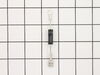
Remove the microwave cover. Requires a phillips screwdriver and a torx security bit/nut driver (there are two security type screws on the back...guess they don't want you to do this at home!). I had to buy the a security bit set (about $7). The diode is easily accessible on the right side under the fan. Requires removing on small phillips screw and unplugging on electrical connection. GE provides some instructions in an envelope on top (after cover removed). There is a warning/instruction to discharge the capacitor before service. This was not a problem for me. Actual diode replacement took 30 seconds. Whole job = 15 minutes.
Parts Used:
-
Jeffrey from Gaithersburg, MD
-
Difficulty Level:Easy
-
Total Repair Time:15 - 30 mins
-
Tools:Nutdriver, Pliers, Screw drivers
Was this instruction helpful to you?
Thank you for voting!
GE m/w wiring defect damaged cavity thermal sensor
20 month old GE m/w had made "electrical" smells from beginning. Finally unit failed to turn on. Disassembly was easy except that I needed to buy anti-tamper screw driver bits from Sears to remove two screws. Found the blade connector to the sensor was a loose fit, resulting in severe heating at the connection. Plastic connector was melted and sensor was damaged to the extent this seems a possible fire hazard. Replacing the sensor is trivial, and requires removing one Phillips head screw. Reterminating the defective connector requires basic electrical skills; wire stripping and crimping. Be sure to clip a few millimeters of wire to get undamaged copper. Be sure to replace both connectors if connections feel at all loose. M/w reassembly is trivial.
Parts Used:
-
Robert from Edmonds, WA
-
Difficulty Level:Easy
-
Total Repair Time:30 - 60 mins
-
Tools:Screw drivers
Was this instruction helpful to you?
Thank you for voting!
No display
I had a bad cut off sensor on oven cavity I ran the Microwave with nothing in it and it smoked I ran it for another 6 months then 1 day I was heating water and it stop- working. I put a new tube in might be Okay but I was not going to risk it taking another cut off sensor on overload. You have to change sensor and put on a new tube. Clearly it would be cheaper to buy a new unit but it was only 2 years old and I am an old tech and was curious. The sensor cost only 16 bucks new tube about 55 a replace brand new oven 81 bucks there you have it I was stubborn and going to get that sucker back into operation I had another oven go out the same way
Parts Used:
-
Dan from Middleburg Hts, OH
-
Difficulty Level:Really Easy
-
Total Repair Time:15 - 30 mins
-
Tools:Pliers, Screw drivers
Was this instruction helpful to you?
Thank you for voting!
Microwave inoperative no power to display
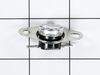
Remove the back cover screws and remove back/top. Locate the thermostat and remove the two Phillip screws. Cut off old scorched terminals and replace with new terminal connectors on the wire ends and install new thermostat and reassemble.
Parts Used:
-
Fuller from Gulfport, MS
-
Difficulty Level:Easy
-
Total Repair Time:15 - 30 mins
-
Tools:Screw drivers
Was this instruction helpful to you?
Thank you for voting!
Display dead. Microwave appears like it isn't plugged in.
Removed cover. Found oven flame thermal cutout and measured across the terminals with an ohmmeter. Found no continuity. Thermal cutout wasn't allowing a complete path for input line. Ordered the oven cutout and 2 days later I installed the new part, re-assembled the oven cover and Voila! Fixed. Simple repair saved my friend from having to purchase a new microwave.
Parts Used:
-
Wayne from Elkton, FL
-
Difficulty Level:Really Easy
-
Total Repair Time:15 - 30 mins
-
Tools:Screw drivers
Was this instruction helpful to you?
Thank you for voting!
Microwave stopped working and nothing would show on the display...completely dead. Wife had just heated two separate items, one for about 10 minutes and one for about 6 minutes. Mircowave was hot to the touch.
I googled "Microwave stopped working", and after reviewing numerous websites with suggestions, I found the response noted below at "Help Owl" which was the most straighfoward and clear explanation to trouble shoot the problem. I first tested the Thermal Cut Out (TCO) per the instructions below and that was the problem. I didn't have to test the electrical fuse. Turns out that you cannot typically use the microwave continuously for more the 12 or 13 minutes or it may overheat and the TCO will shut it down. Extremely easy to test for and fix, and the part is only $15! See Trouble Shooting steps as follows: Make sure that the unit is vented properly and that if you are using it for prolonged periods while cooking, that you turn-on the vent fan.
If there is no display / power within the unit...first check your power source where you plug the unit into the wall.
If that is good, Remove the Cabinette/Cover "Note: it has 3-Torx Anti-Tamper Screws".
Then as you face the microwave from the rear, at the left rear corner is a small circuit board with a fuse. "Check the Fuse"
If the fuse is good, Check the following:
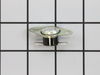
1 - The most common component failure is the "Cabinette TCO" (Thermal Cut-Off Thermostat).
As you face the microwave from the rear...It is located under the cover, on top, on the left front corner area.
It is a Circular, Black & Silver Disc Shaped component about the size of a dime in diameter and is about 1/2" in height.
It has Two (2) Wires attached to it's spade connectors and it acts as a safety fuse.
"IF YOU PUT AN INSULATED JUMPER WIRE ACROSS THE 2 TERMINALS THE POWER SHOULD RETURN AND THE DISPLAY WILL LIGHT"
Anything other than these two items should be checked by an Authorized Service Technician as these microwaves have components thay carry "HIGH VOLTAGE SHOCK HAZZARDS"
If there is no display / power within the unit...first check your power source where you plug the unit into the wall.
If that is good, Remove the Cabinette/Cover "Note: it has 3-Torx Anti-Tamper Screws".
Then as you face the microwave from the rear, at the left rear corner is a small circuit board with a fuse. "Check the Fuse"
If the fuse is good, Check the following:
1 - The most common component failure is the "Cabinette TCO" (Thermal Cut-Off Thermostat).
As you face the microwave from the rear...It is located under the cover, on top, on the left front corner area.
It is a Circular, Black & Silver Disc Shaped component about the size of a dime in diameter and is about 1/2" in height.
It has Two (2) Wires attached to it's spade connectors and it acts as a safety fuse.
"IF YOU PUT AN INSULATED JUMPER WIRE ACROSS THE 2 TERMINALS THE POWER SHOULD RETURN AND THE DISPLAY WILL LIGHT"
Anything other than these two items should be checked by an Authorized Service Technician as these microwaves have components thay carry "HIGH VOLTAGE SHOCK HAZZARDS"
Parts Used:
-
Robert from The Woodlands, TX
-
Difficulty Level:Really Easy
-
Total Repair Time:Less than 15 mins
-
Tools:Screw drivers
Was this instruction helpful to you?
Thank you for voting!
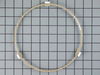
One of the rollers on my turntable guide became squared so that the roller wheel would not turn.
I opened the box, took the turntable guide out and put it under the microwave plate.
Parts Used:
-
Nancy from Inverness, IL
-
Difficulty Level:Really Easy
-
Total Repair Time:Less than 15 mins
Was this instruction helpful to you?
Thank you for voting!
Oven Cavity Thermal Cutout Open
Remove cover-the hardest part, as I needed to buy a new set of driver bits that included the dimpled security drivers to remove three screws. GE includes schematic and troubleshooting flow chart with the unit, taped inside the cover. Required more time to look up the part on-line and order it than time used to make the repair.
Parts Used:
-
Marion from Coupeville, WA
-
Difficulty Level:Really Easy
-
Total Repair Time:Less than 15 mins
-
Tools:Screw drivers
Was this instruction helpful to you?
Thank you for voting!
Microwave would not turn on
I removed the cover this required a special star Apex tip witha hole in the center. $10 for a set at Lowes.Replaced the fuse and Thermal cut out at the same time. The oven woks like a charm.I would like to add that GE customer service was no help basically told me that it was a throw away unit. If they built it you can fix it.Hope this helps any DIY breathern outthere.
Parts Used:
-
Bill from Lexington Park, MD
-
Difficulty Level:Really Easy
-
Total Repair Time:Less than 15 mins
-
Tools:Screw drivers
Was this instruction helpful to you?
Thank you for voting!
lost roller turntable guide
Installed new one. I do not know if these rings can be repaired
Parts Used:
-
ruth from pawleys island, SC
-
Difficulty Level:Really Easy
-
Total Repair Time:Less than 15 mins
Was this instruction helpful to you?
Thank you for voting!
Not heating
Removed the above stove microhood. Removed the side panels & the top panel. Diode located on right hand side of microwave. Removed with screwdriver & replaced new diode. It's best to get the microwave schematic online to pinpoint location of the part.
Parts Used:
-
Debra from Concord, CA
-
Difficulty Level:Easy
-
Total Repair Time:Less than 15 mins
-
Tools:Nutdriver, Screw drivers
Was this instruction helpful to you?
Thank you for voting!
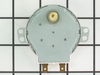
turn table motor failed
1. Using wire cutters, cut out sheet metal cover over motor on oven bottom. The stamped bottom is retained by the four corners which were not cut in the stamping. 2. Remove and replace motor. 3. Replace motor cover with supplied screw. (failure symptoms: turn table vibrated before it stopped completely.)
Parts Used:
-
Joe from Prescott, AZ
-
Difficulty Level:Easy
-
Total Repair Time:Less than 15 mins
-
Tools:Pliers, Screw drivers
Was this instruction helpful to you?
Thank you for voting!
diode burnt
-
MANUEL from ESCONDIDO, CA
-
Difficulty Level:Really Easy
-
Total Repair Time:Less than 15 mins
-
Tools:Screw drivers
Was this instruction helpful to you?
Thank you for voting!