




















JD900BKB General Electric Range - Instructions
Keep searches simple. Use keywords, e.g. "leaking", "pump", "broken" or "fit".
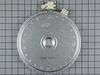
The front right outer element was defective.
My cooktop is a stand alone unit mounted in a counter top not associated with an oven.
-Removed power to the cook top. Breaker off.
-Lifted the cook top straight up from the counter top and placed two 24 inch board strips to support it above the counter top. This was very easy by pushing up from the bottom of the cook top. This is a two person job preferably.
-Removed the six phillip screws below the glass surface edge. 3 in the front, three in the back.
-Remove knobs and remove the glass top by lifting straight up.
-Record the wire positions on the element on paper and remove the connections.
-The element is mounted on two spring loaded studs that have spring clips as a retainer. Remove the two clips by pulling straight up with a plier or needlenose.
-The replacement element did not come equipped with the two mounting ears that the original had. I removed the two ears from the defective element and installed them on the new element. Very easy. Two phillips screws. The elements have perferations in the correct areas to accommodate this.
-Placed the new element in position and reinstalled the spring clips.
-Install the wiring terminals in the correct positions.
-Reinstalled the glass surface and the six phillips screws. Reinstall the knobs.
-Lower the cook top back into its counter top position.
-Return power to the cook top.
-Installation complete. Very simple!
-Removed power to the cook top. Breaker off.
-Lifted the cook top straight up from the counter top and placed two 24 inch board strips to support it above the counter top. This was very easy by pushing up from the bottom of the cook top. This is a two person job preferably.
-Removed the six phillip screws below the glass surface edge. 3 in the front, three in the back.
-Remove knobs and remove the glass top by lifting straight up.
-Record the wire positions on the element on paper and remove the connections.
-The element is mounted on two spring loaded studs that have spring clips as a retainer. Remove the two clips by pulling straight up with a plier or needlenose.
-The replacement element did not come equipped with the two mounting ears that the original had. I removed the two ears from the defective element and installed them on the new element. Very easy. Two phillips screws. The elements have perferations in the correct areas to accommodate this.
-Placed the new element in position and reinstalled the spring clips.
-Install the wiring terminals in the correct positions.
-Reinstalled the glass surface and the six phillips screws. Reinstall the knobs.
-Lower the cook top back into its counter top position.
-Return power to the cook top.
-Installation complete. Very simple!
Parts Used:
-
Peter from Abbeville, LA
-
Difficulty Level:Really Easy
-
Total Repair Time:15 - 30 mins
-
Tools:Pliers, Screw drivers
4 of 5 people
found this instruction helpful.
Was this instruction helpful to you?
Thank you for voting!
Burner element was burnt
It was very easy. First turn off the power. Remove two screws to pick up the hood then remove two screws holding the element. Tag the wires with number. Unplug the old burner attach the wires to new burner. Attach two screws with spring to hold the burner, put the hood down and put the screws holding the top hood.
Parts Used:
-
Chandra from Naugaeuck, CT
-
Difficulty Level:Really Easy
-
Total Repair Time:Less than 15 mins
-
Tools:Screw drivers, Socket set
4 of 5 people
found this instruction helpful.
Was this instruction helpful to you?
Thank you for voting!
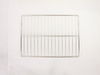
old blackened oven racks
-
Roger from Falls Church, VA
-
Difficulty Level:Really Easy
-
Total Repair Time:Less than 15 mins
8 of 17 people
found this instruction helpful.
Was this instruction helpful to you?
Thank you for voting!
The dual burnner had somthing drop on it and it went out
I pulled out the range from the wall unplugged it from the wall then i opened the oven door and removed the two small screws on the front off the range and lifted the glass top and supported it with a 1/2" X 18inc wooden dowel, then i removed the two burner retaining screws with a small Phillips screw driver and removed the wires from the burner,
then i replaced the burner with the new one and reconnected the wires and placed the burner in to the two retaining clips and then tightened the two screws then i removed the wooden dowel and installed the two screws on the front bottom side on the range then i plugged in the range in and tested the burner then put the range back against the wall.
then i replaced the burner with the new one and reconnected the wires and placed the burner in to the two retaining clips and then tightened the two screws then i removed the wooden dowel and installed the two screws on the front bottom side on the range then i plugged in the range in and tested the burner then put the range back against the wall.
Parts Used:
-
Thad from Layton, UT
-
Difficulty Level:A Bit Difficult
-
Total Repair Time:15 - 30 mins
-
Tools:Screw drivers
3 of 3 people
found this instruction helpful.
Was this instruction helpful to you?
Thank you for voting!
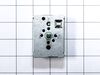
Installed a new switch
Took off cover plate and removed screws from housing to switch. Connected each wire from old switch to new one. No problems.
Parts Used:
-
Vilas from Hanover Township, PA
-
Difficulty Level:Really Easy
-
Total Repair Time:15 - 30 mins
-
Tools:Screw drivers, Wrench set
3 of 3 people
found this instruction helpful.
Was this instruction helpful to you?
Thank you for voting!
Inside burner would no longer heat
I went online and ordered the part after reading other people's repair experiences, confident that I could do it because the part was quite pricey. First, be sure you're circuit breaker to your range is off. Next, open the oven door and locate and remove two screws with a socket, that are just under the top surface which will allow you to lift up the glass top which is actually hinged...no need to pull the range out. Securely prop up the glass surface area and the burners are exposed. With a marker, mark where each color wire goes on the burner you are going to remove and also mark where the two holding brackets are. This way you can reference the locations to connect to the new one. Carefully remove the wires and brackets and install new burner with brackets and connections. Close up the top, replace two screws, turn on breaker, and if there were no other faulty components,it'll work great. P.S Be gentle getting the very snug wires off. Good Luck
Parts Used:
-
John from CHARLESTOWN, NH
-
Difficulty Level:Easy
-
Total Repair Time:15 - 30 mins
-
Tools:Screw drivers, Socket set
3 of 3 people
found this instruction helpful.
Was this instruction helpful to you?
Thank you for voting!
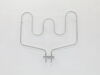
The lower heating element no longer worked
Turned off the oven power at the breaker. Removed the oven door by opening it all the way down. Flip the two metal tabs, one on each side, so the door releases. I used a flathead screwdriver to do it. Close door almost all the way and lift up to remove. Once the door is removed, there are two screws in the back of the oven connected to the heating element. Unscrew both screws. Gently pull out the heating element from the back wall. There are two terminals connected to wire clips holding the wiring in the back. disconnect, both terminals from the wire clips. Be careful not to pull on the wire or pull out from the wall too far. Connect to the new heating element to the same wire clips gently push it back into the wall reattached the two screws, reattached the door and turn on the breaker and test the heating element. I used YouTube to figure out how to disconnect and reconnect the door so that is an option.
Parts Used:
-
Michael from FRISCO, TX
-
Difficulty Level:Really Easy
-
Total Repair Time:30 - 60 mins
-
Tools:Screw drivers
3 of 3 people
found this instruction helpful.
Was this instruction helpful to you?
Thank you for voting!
F2 Warning - Oven overheating
I checked various sites on the net and decided that the temperature sensor was the problem. The GE price for the replacement part was about $105, most of the other sites offered the sensor in the $70 range. PartSelect $12.95 When the part arrived, I removed a small self taping screw, pulled the high temperature wire connector into the oven space, disconnected the quick disconnect fitting, attached the new temperature sensor, pushed the connecting wire into its hole, replaced the screw and that was it. I probably saved about $200 in parts and labor over what a local repairman would have charged. Oh yes!! I first disconnected the power at the breaker box. Very important.
Parts Used:
-
john from bend, OR
-
Difficulty Level:Really Easy
-
Total Repair Time:Less than 15 mins
-
Tools:Socket set
3 of 3 people
found this instruction helpful.
Was this instruction helpful to you?
Thank you for voting!
none
-
Michael from Laughlin, NV
-
Difficulty Level:Very Easy
-
Total Repair Time:Less than 15 mins
3 of 3 people
found this instruction helpful.
Was this instruction helpful to you?
Thank you for voting!
Burner Was Not Working
Removed the two screws that hold the range top down. Lifted up yhe range top and propped with a stick. Proceeded to mark the wires connected to the old burner so that the new one would be connected correctly. Removed the wires and then the two brackets that hold the burner in place. Removed the old burner and installed the new one. Connected the wires and resecured top to base. Turned on the current and it worked beautifully.
Parts Used:
-
Roland from Miami, FL
-
Difficulty Level:Easy
-
Total Repair Time:15 - 30 mins
-
Tools:Nutdriver, Pliers, Screw drivers
3 of 4 people
found this instruction helpful.
Was this instruction helpful to you?
Thank you for voting!
Oven Light Assembly damaged
I have a double oven and coincidently I had to replace the two Oven Light Assemblies.
I am really glad about your web site because once I got the number from my oven model you guys were the first ones that came up. Thanks to your prompt and reliable service my oven is back to its original state.
Jose Figueroa
I am really glad about your web site because once I got the number from my oven model you guys were the first ones that came up. Thanks to your prompt and reliable service my oven is back to its original state.
Jose Figueroa
Parts Used:
-
Jose from Frederick, MD
-
Difficulty Level:Really Easy
-
Total Repair Time:15 - 30 mins
-
Tools:Nutdriver, Pliers
5 of 10 people
found this instruction helpful.
Was this instruction helpful to you?
Thank you for voting!
My large burner had "burnt out" and would not turn on
I removed the screws from the underside of the stovetop, lifted up the top, propped it up to keep it from falling (using a large book), and removed the old burner by unscrewing it from the top and removing the wire connections. I then screwed the new burner into the top, and attached the wires back to the burner, dropped the top down (gently and carefully, of course), and screwed the top back down to the rest of the stove. It was fairly quick and painless. Although, putting the stove back into his position was not easy, but that was no fault of the stove!!
Parts Used:
-
Michael from Orlando, FL
-
Difficulty Level:Easy
-
Total Repair Time:30 - 60 mins
-
Tools:Pliers, Screw drivers
2 of 2 people
found this instruction helpful.
Was this instruction helpful to you?
Thank you for voting!
Oven tempeture off by 50 degrees
Sensor is in rear and on top ov oven. What could be a 10" job took 45". My problem was the oven door was diffinately in the way. Also I wear bifocals which makes me tilt head to see nuts. I felt like a contortionist. HINT: remove door and give yourself some room to work.
Parts Used:
-
James from CHESTER SPRGS, PA
-
Difficulty Level:A Bit Difficult
-
Total Repair Time:30 - 60 mins
-
Tools:Nutdriver
4 of 8 people
found this instruction helpful.
Was this instruction helpful to you?
Thank you for voting!
The light inside the oven had burned out
0. As a safety precaution, unplug the range or hit the relevant fuse breaker before you start. You might also want to grab a flashlight. Definitely do not try to do this while the oven is hot.
1. Pinch the wire over the light bulb cap to remove it. This is inside the oven at the back.
2. Pop off the hemispherical glass cap.
3. Unscrew the old light bulb, and screw the new light bulb in its place.
4. Put the cap back.
5. Secure the cap by putting the wire back in its slots on the cap.
No tools needed, the cap is just held in place with pressure from the wire.
1. Pinch the wire over the light bulb cap to remove it. This is inside the oven at the back.
2. Pop off the hemispherical glass cap.
3. Unscrew the old light bulb, and screw the new light bulb in its place.
4. Put the cap back.
5. Secure the cap by putting the wire back in its slots on the cap.
No tools needed, the cap is just held in place with pressure from the wire.
Parts Used:

-
Catherine from SEATTLE, WA
-
Difficulty Level:Very Easy
-
Total Repair Time:Less than 15 mins
3 of 5 people
found this instruction helpful.
Was this instruction helpful to you?
Thank you for voting!
Oven heat would not reach thermostat setting.
Turned off breaker to oven at breaker box. Removed the 2 screws. Gently pulled the heating element out enough to remove the 2 wires. Connected the 2 wires to the new element. Pushed connecdted ends back into hole and replaced and tightened 2 screws. Turned breaker back on, tested oven, and it worked.
Parts Used:
-
Robert from Terrell, TX
-
Difficulty Level:Really Easy
-
Total Repair Time:15 - 30 mins
-
Tools:Nutdriver
3 of 5 people
found this instruction helpful.
Was this instruction helpful to you?
Thank you for voting!