




















JCBS660SF1SS General Electric Range - Instructions
Keep searches simple. Use keywords, e.g. "leaking", "pump", "broken" or "fit".
Replace Oven light socket and light bulb in kitchen Range
1) Turn off power at circuit breaker panel
2) Slide out Range from wall
3) Unplug Range
4) Remove back panel and unplug electrical connections to socket
5) From front of oven, remove glass cover over old oven light bulb and remove flange that holds socket and bulb
6) Remove old socket from mounting flange and discard.
7) Place new socket into mounting flange
8) Screw mounting flange and new socket into the oven from front. Reattach electrical connections from back.
9) Screw in new light bulb from front
10) Replace existing glass cover over new light bulb and snap wire holder in place
11) Replace back panel
11) Plug in range
12) Slide range back to original position
13) Turn on power
Works like a charm! Thanks for having the parts after 30 years!
2) Slide out Range from wall
3) Unplug Range
4) Remove back panel and unplug electrical connections to socket
5) From front of oven, remove glass cover over old oven light bulb and remove flange that holds socket and bulb
6) Remove old socket from mounting flange and discard.
7) Place new socket into mounting flange
8) Screw mounting flange and new socket into the oven from front. Reattach electrical connections from back.
9) Screw in new light bulb from front
10) Replace existing glass cover over new light bulb and snap wire holder in place
11) Replace back panel
11) Plug in range
12) Slide range back to original position
13) Turn on power
Works like a charm! Thanks for having the parts after 30 years!
Parts Used:

-
Ronald from TUCSON, AZ
-
Difficulty Level:A Bit Difficult
-
Total Repair Time:30 - 60 mins
-
Tools:Pliers, Screw drivers, Socket set, Wrench set
6 of 6 people
found this instruction helpful.
Was this instruction helpful to you?
Thank you for voting!
switch went to high setting no matter what the setting was
took off cover, pulled all wires off switch, pushed wires on new switch, put cover back on. Whalaa..
Parts Used:
-
Frank from Glen Cove, NY
-
Difficulty Level:Easy
-
Total Repair Time:15 - 30 mins
-
Tools:Nutdriver, Screw drivers
10 of 19 people
found this instruction helpful.
Was this instruction helpful to you?
Thank you for voting!
The drawer support broke.
Removed the screw from the broken piece and put the new piece on and put the screw on.
Parts Used:
-
Cindy from Golden Valley, ND
-
Difficulty Level:Really Easy
-
Total Repair Time:Less than 15 mins
-
Tools:Screw drivers
8 of 14 people
found this instruction helpful.
Was this instruction helpful to you?
Thank you for voting!
Red Light On
-
Lawrence from DECATUR, AL
-
Difficulty Level:Really Easy
-
Total Repair Time:30 - 60 mins
5 of 5 people
found this instruction helpful.
Was this instruction helpful to you?
Thank you for voting!
I broke the left drawer glide on our oven
I unscrewed to old glide and replaced it then re attached the screw
Parts Used:
-
Keith from Freeport, IL
-
Difficulty Level:Really Easy
-
Total Repair Time:Less than 15 mins
-
Tools:Screw drivers
5 of 6 people
found this instruction helpful.
Was this instruction helpful to you?
Thank you for voting!
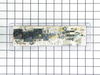
Shorted the control panel changing bulb without shutting off power dumbass
Replaced control panel after removing original control panel facing with heat gun and Wala
Parts Used:
-
Stephen from BELLINGHAM, MA
-
Difficulty Level:Really Easy
-
Total Repair Time:30 - 60 mins
-
Tools:Nutdriver, Screw drivers
5 of 6 people
found this instruction helpful.
Was this instruction helpful to you?
Thank you for voting!
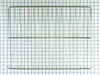
I needed another oven rack. It came with two. Now I have three.
I cut the box open with a utility knife and removed the grill. I then opened the oven door and rearranged the two existing racks so that the third one would go in so they all have the same distance between each of them. I slid the new rack into position. It didn't go in smoothly though as I had to push it in and out several times so that it would line up perfectly. Finally in went in all the way. Then I closed the oven door and went and sat down to think about the wonderful job I just did.
Parts Used:
-
Frank from N ROYALTON, OH
-
Difficulty Level:Really Easy
-
Total Repair Time:Less than 15 mins
6 of 9 people
found this instruction helpful.
Was this instruction helpful to you?
Thank you for voting!
surface burner switch was burned
After receiving the new swith from part select in less than four days with surface mail as they promised, it took me less than five minutes to replace the new swith with the old one. The only tools that I needed were A) a 5/16 nut driver to remove the back panel in order to get an access to the swith.B) a phillips screw driver to remove the swith assembley from the front panel.
I had an estimate from a technician to do the job for 196.27 dollars!!!!!:(:(. I only paid 29.56 Dollars to part select to get this swith, including the shipping.:):):)
I had an estimate from a technician to do the job for 196.27 dollars!!!!!:(:(. I only paid 29.56 Dollars to part select to get this swith, including the shipping.:):):)
Parts Used:
-
abbas from redmond, WA
-
Difficulty Level:Really Easy
-
Total Repair Time:More than 2 hours
-
Tools:Nutdriver, Screw drivers
5 of 6 people
found this instruction helpful.
Was this instruction helpful to you?
Thank you for voting!
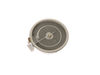
Element bad
Since this was the third time I did it all I had to take two screws out to lift the top of stove and replace element.
Parts Used:
-
Cheryl from JOHNSONVILLE, SC
-
Difficulty Level:Very Easy
-
Total Repair Time:Less than 15 mins
-
Tools:Socket set
4 of 4 people
found this instruction helpful.
Was this instruction helpful to you?
Thank you for voting!
Small radiant wasn't working but large was.
Ordered the dual replacement. I am 76 so I had someone else do it. It took him about 15 minutes. Just pulled the oven forward about 8" so he could lift the top up. 2 Screws to release the top. Then just removed the part and plugged in the replacement. Rescrewed the top screws and pushed the oven back.
Parts Used:
-
Joan from CLEMMONS, NC
-
Difficulty Level:Really Easy
-
Total Repair Time:15 - 30 mins
-
Tools:Pliers, Screw drivers
4 of 4 people
found this instruction helpful.
Was this instruction helpful to you?
Thank you for voting!
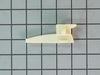
nylon guide was broke off
took drawer out removed broken guide. It had 1 screw removed it put the new guide in place put screw back in. Put drawer back in stove, It works fine.
Parts Used:
-
Lathan from Goodyear, AZ
-
Difficulty Level:Really Easy
-
Total Repair Time:15 - 30 mins
-
Tools:Screw drivers
5 of 7 people
found this instruction helpful.
Was this instruction helpful to you?
Thank you for voting!
Oven Wouldn't Heat
-
Russell from Yuma, AZ
-
Difficulty Level:Really Easy
-
Total Repair Time:30 - 60 mins
-
Tools:Pliers, Screw drivers, Socket set
7 of 13 people
found this instruction helpful.
Was this instruction helpful to you?
Thank you for voting!
Oven control panel shorted while remove a broken lightbulb from the oven
I removed the new control panel from its packaging and noticed that the button overlay was not included. I grabbed a putty knife and carefully loosened the adhesive on the old panel and was able to apply it to the new control panel. After installing it I looked up the number of my old panel on the included paperwork and simply entered the “profile” number after powering up the new one and It worked perfectly. I was very relieved to not have to buy a new range!
Parts Used:
-
Terry from SEATTLE, WA
-
Difficulty Level:Very Easy
-
Total Repair Time:30 - 60 mins
-
Tools:Nutdriver, Pliers
4 of 4 people
found this instruction helpful.
Was this instruction helpful to you?
Thank you for voting!
oven would not heat
I removed the 4 hex head screws holding the control panel , then the other 4 slotted screws. Disconnected all wires being careful to keep track of the color coding. Had a little trouble with the adhesive holding the face plate( I don't know why they even used it). Put the new panel in and reconnected it. Re set circuit breaker and tried the oven. It still wouldn't heat. it wasn't the control panel, but a burned out wire connecting the element in the back of the oven. Well, anyway I learned how to do the job and the the new panel activates better, so all was not lost.
Parts Used:
-
Jim from Williamsburg, VA
-
Difficulty Level:Easy
-
Total Repair Time:1- 2 hours
-
Tools:Nutdriver, Pliers, Screw drivers
5 of 8 people
found this instruction helpful.
Was this instruction helpful to you?
Thank you for voting!
The oven does not keep adequate temperature.
Pull the range out from the wall to access the rear of the unit. Turn off power to the range by unplugging from the wall or turning off the breaker.
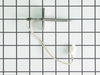
Remove the large back cover from the oven portion of the range. Locate the two small wires and connector which is located between the two connections for the broiler heating element. Unplug the small connector.
Open the oven door and remove the screw that holds the temperature sensor in place between the broiler heating elements on the inside of the oven. Gently pull the sensor and the wire connector through the hole and discard.
Feed the new connector and wire through the hole from the inside of the oven. Attach the sensor to the oven wall with the screw.
Go to the back of the unit and make sure that no insulation has gotten into the oven space. Re-route the new wire being careful not to let it touch the contacts for the broiler heating element. Reconnect the wires to the connector and replace the back cover of the oven.
Plug in the range or turn on the circuit breaker. Slide the range back into place and re-level the unit. Test the oven to make sure the temperature is accurate and will maintain temperature.
Remove the large back cover from the oven portion of the range. Locate the two small wires and connector which is located between the two connections for the broiler heating element. Unplug the small connector.
Open the oven door and remove the screw that holds the temperature sensor in place between the broiler heating elements on the inside of the oven. Gently pull the sensor and the wire connector through the hole and discard.
Feed the new connector and wire through the hole from the inside of the oven. Attach the sensor to the oven wall with the screw.
Go to the back of the unit and make sure that no insulation has gotten into the oven space. Re-route the new wire being careful not to let it touch the contacts for the broiler heating element. Reconnect the wires to the connector and replace the back cover of the oven.
Plug in the range or turn on the circuit breaker. Slide the range back into place and re-level the unit. Test the oven to make sure the temperature is accurate and will maintain temperature.
Parts Used:
-
Michael from GILLETTE, WY
-
Difficulty Level:Really Easy
-
Total Repair Time:15 - 30 mins
-
Tools:Nutdriver
3 of 3 people
found this instruction helpful.
Was this instruction helpful to you?
Thank you for voting!