




















JCB730SF1SS General Electric Range - Instructions
Keep searches simple. Use keywords, e.g. "leaking", "pump", "broken" or "fit".
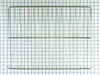
I needed another oven rack. It came with two. Now I have three.
I cut the box open with a utility knife and removed the grill. I then opened the oven door and rearranged the two existing racks so that the third one would go in so they all have the same distance between each of them. I slid the new rack into position. It didn't go in smoothly though as I had to push it in and out several times so that it would line up perfectly. Finally in went in all the way. Then I closed the oven door and went and sat down to think about the wonderful job I just did.
Parts Used:
-
Frank from N ROYALTON, OH
-
Difficulty Level:Really Easy
-
Total Repair Time:Less than 15 mins
6 of 9 people
found this instruction helpful.
Was this instruction helpful to you?
Thank you for voting!
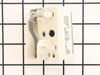
surface burner switch was burned
After receiving the new swith from part select in less than four days with surface mail as they promised, it took me less than five minutes to replace the new swith with the old one. The only tools that I needed were A) a 5/16 nut driver to remove the back panel in order to get an access to the swith.B) a phillips screw driver to remove the swith assembley from the front panel.
I had an estimate from a technician to do the job for 196.27 dollars!!!!!:(:(. I only paid 29.56 Dollars to part select to get this swith, including the shipping.:):):)
I had an estimate from a technician to do the job for 196.27 dollars!!!!!:(:(. I only paid 29.56 Dollars to part select to get this swith, including the shipping.:):):)
Parts Used:
-
abbas from redmond, WA
-
Difficulty Level:Really Easy
-
Total Repair Time:More than 2 hours
-
Tools:Nutdriver, Screw drivers
5 of 6 people
found this instruction helpful.
Was this instruction helpful to you?
Thank you for voting!
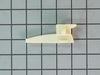
nylon guide was broke off
took drawer out removed broken guide. It had 1 screw removed it put the new guide in place put screw back in. Put drawer back in stove, It works fine.
Parts Used:
-
Lathan from Goodyear, AZ
-
Difficulty Level:Really Easy
-
Total Repair Time:15 - 30 mins
-
Tools:Screw drivers
5 of 7 people
found this instruction helpful.
Was this instruction helpful to you?
Thank you for voting!
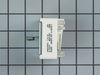
Replace Surface Burner Switch
Unplug stove.
Remove rear panel of stove with a nut driver or socket. Remove knob from switch and use small screwdriver to remove screws on front panel switch. Remove and replace each wire contact one at a time to ensure correct wiring configuration. Replace screws on front panel to secure switch. Plug stove in and check that it works properly. Replace rear panel and move stove back in place.
Remove rear panel of stove with a nut driver or socket. Remove knob from switch and use small screwdriver to remove screws on front panel switch. Remove and replace each wire contact one at a time to ensure correct wiring configuration. Replace screws on front panel to secure switch. Plug stove in and check that it works properly. Replace rear panel and move stove back in place.
Parts Used:
-
Mark from CHANNELVIEW, TX
-
Difficulty Level:Easy
-
Total Repair Time:15 - 30 mins
-
Tools:Nutdriver, Pliers, Screw drivers
4 of 4 people
found this instruction helpful.
Was this instruction helpful to you?
Thank you for voting!
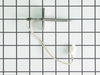
The oven does not keep adequate temperature.
Pull the range out from the wall to access the rear of the unit. Turn off power to the range by unplugging from the wall or turning off the breaker.
Remove the large back cover from the oven portion of the range. Locate the two small wires and connector which is located between the two connections for the broiler heating element. Unplug the small connector.
Open the oven door and remove the screw that holds the temperature sensor in place between the broiler heating elements on the inside of the oven. Gently pull the sensor and the wire connector through the hole and discard.
Feed the new connector and wire through the hole from the inside of the oven. Attach the sensor to the oven wall with the screw.
Go to the back of the unit and make sure that no insulation has gotten into the oven space. Re-route the new wire being careful not to let it touch the contacts for the broiler heating element. Reconnect the wires to the connector and replace the back cover of the oven.
Plug in the range or turn on the circuit breaker. Slide the range back into place and re-level the unit. Test the oven to make sure the temperature is accurate and will maintain temperature.
Remove the large back cover from the oven portion of the range. Locate the two small wires and connector which is located between the two connections for the broiler heating element. Unplug the small connector.
Open the oven door and remove the screw that holds the temperature sensor in place between the broiler heating elements on the inside of the oven. Gently pull the sensor and the wire connector through the hole and discard.
Feed the new connector and wire through the hole from the inside of the oven. Attach the sensor to the oven wall with the screw.
Go to the back of the unit and make sure that no insulation has gotten into the oven space. Re-route the new wire being careful not to let it touch the contacts for the broiler heating element. Reconnect the wires to the connector and replace the back cover of the oven.
Plug in the range or turn on the circuit breaker. Slide the range back into place and re-level the unit. Test the oven to make sure the temperature is accurate and will maintain temperature.
Parts Used:
-
Michael from GILLETTE, WY
-
Difficulty Level:Really Easy
-
Total Repair Time:15 - 30 mins
-
Tools:Nutdriver
3 of 3 people
found this instruction helpful.
Was this instruction helpful to you?
Thank you for voting!
Switch was not turning off range indicator light
Pulled stove out and unplugged. At the rear of the range there were 4 faster. Used a nutdriver piece in an electric drill. Pulled off the cover and located the switch. At the front of the stove, I removed the knob and unscrewed two screws releasing the switch. I undid and replaced each wire connector one-by-one to avoid any wrong connections. Replaced and secured the switch and replace the back panel. All secured, power on and fixed! Easy repair, but something that had been put off for a year!
Also follow the installation videos from PartSelect - very helpful!
Also follow the installation videos from PartSelect - very helpful!
Parts Used:
-
Charles from PORTLAND, OR
-
Difficulty Level:Really Easy
-
Total Repair Time:Less than 15 mins
-
Tools:Nutdriver, Screw drivers
3 of 3 people
found this instruction helpful.
Was this instruction helpful to you?
Thank you for voting!
Drawer glide broken
took nut driver to remove the old and replaced with new. simple.
Parts Used:
-
TERESA from SALTVILLE, VA
-
Difficulty Level:Very Easy
-
Total Repair Time:15 - 30 mins
-
Tools:Socket set
3 of 3 people
found this instruction helpful.
Was this instruction helpful to you?
Thank you for voting!
burner not work
Fue muy facil desconectar primero la estufa despues quite los tornillos de la parte superior detras de la estufa, desconecte un cable del switch y lo conecte en el nuevo despues el siguiente hasta conectar todos los cables en el nuevo switch. Lo mejor es desconectar uno por uno para mo mesclar los cables , despues removi el switch de la estufa y puse el nuevo , puse las partes de regreso y listo conecte la estufa t revise si funcionava el quemador y listo sin ningun problema.
Parts Used:
-
SILVIA from Midlothian, TX
-
Difficulty Level:Really Easy
-
Total Repair Time:15 - 30 mins
-
Tools:Screw drivers
3 of 4 people
found this instruction helpful.
Was this instruction helpful to you?
Thank you for voting!
Top glass top burner wasn’t working
I first ordered the wrong part and had to call customer service. They handled the return and ordered the new piece beautifully!! The installation was really simple. Once I took out two screws holding the top down, I removed three clips holding the burner on then switched out the electrical leads. Put everything back and it worked perfectly!!
Parts Used:
-
Robert from PAWTUCKET, RI
-
Difficulty Level:Very Easy
-
Total Repair Time:15 - 30 mins
-
Tools:Nutdriver, Pliers, Screw drivers
2 of 2 people
found this instruction helpful.
Was this instruction helpful to you?
Thank you for voting!
Defective switch
Replaced element control switches
Parts Used:
-
Mary from EDENTON, NC
-
Difficulty Level:Easy
-
Total Repair Time:15 - 30 mins
-
Tools:Screw drivers, Socket set
2 of 2 people
found this instruction helpful.
Was this instruction helpful to you?
Thank you for voting!
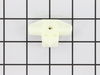
Drawer support broke
Remove drawer by pulling out and lifting up so drawer will slide out of range. Use 1/4 inch Nutdriver or socket - remove the screw that holds the drawer support to the body of the range. Remove support and install new one with screw Pay attention to the way the support fits. There are two holes one for the screw and the other for the plastic prong on the bottom of the support. The prong fits in the bottom hole and the screw in the above hole.
Parts Used:
-
Charles from BOULDER, WY
-
Difficulty Level:Really Easy
-
Total Repair Time:Less than 15 mins
-
Tools:Nutdriver
2 of 2 people
found this instruction helpful.
Was this instruction helpful to you?
Thank you for voting!
Drawer sticking and not operating smoothly
I was so sick of this drawer and I over heard a buddy telling a story about a website that you can get ANY piece for appliances. I take the drawer out, look up the website (partselect.com) look at the appliance diagram and find the missing piece. Order it, get it, install it. My wife thinks I'm a hero and I think I'm pretty cool too.
Parts Used:
-
Bill from Philadelphia, PA
-
Difficulty Level:Easy
-
Total Repair Time:Less than 15 mins
-
Tools:Screw drivers
3 of 5 people
found this instruction helpful.
Was this instruction helpful to you?
Thank you for voting!
The burner would not turn off and I or my wife would have to turn the breaker off.
I simply turned the power off and slide the stove forward to give myself room to get behind it and just unscrewed the cover behind the burner switchers and pulled the switch knob off then I removed the two small screws that hold the burner switch to the control panel and go to the back and pull the wires carefully and replace them on the new switch one by one and screw the new switch to the control panel and replace the back panel and done!
Parts Used:
-
Mark from WOOSTER, OH
-
Difficulty Level:Really Easy
-
Total Repair Time:15 - 30 mins
-
Tools:Nutdriver, Screw drivers
2 of 2 people
found this instruction helpful.
Was this instruction helpful to you?
Thank you for voting!
front lift burner not working and surface light on with everything off
unplugged the range removed 4 screws from back top cover then took the knob off controller removed 2 screws from behind the knob removed 1 wirer at a time and placed it on the new controller in same order the wires came off put everything back to gather did not fix the problem .
Parts Used:
-
kevin from GAYLORD, MI
-
Difficulty Level:Really Easy
-
Total Repair Time:15 - 30 mins
-
Tools:Nutdriver, Screw drivers
2 of 2 people
found this instruction helpful.
Was this instruction helpful to you?
Thank you for voting!
The light inside the oven had burned out
0. As a safety precaution, unplug the range or hit the relevant fuse breaker before you start. You might also want to grab a flashlight. Definitely do not try to do this while the oven is hot.
1. Pinch the wire over the light bulb cap to remove it. This is inside the oven at the back.
2. Pop off the hemispherical glass cap.
3. Unscrew the old light bulb, and screw the new light bulb in its place.
4. Put the cap back.
5. Secure the cap by putting the wire back in its slots on the cap.
No tools needed, the cap is just held in place with pressure from the wire.
1. Pinch the wire over the light bulb cap to remove it. This is inside the oven at the back.
2. Pop off the hemispherical glass cap.
3. Unscrew the old light bulb, and screw the new light bulb in its place.
4. Put the cap back.
5. Secure the cap by putting the wire back in its slots on the cap.
No tools needed, the cap is just held in place with pressure from the wire.
Parts Used:

-
Catherine from SEATTLE, WA
-
Difficulty Level:Very Easy
-
Total Repair Time:Less than 15 mins
3 of 5 people
found this instruction helpful.
Was this instruction helpful to you?
Thank you for voting!