




















JCB730DF2BB General Electric Range - Instructions
Keep searches simple. Use keywords, e.g. "leaking", "pump", "broken" or "fit".
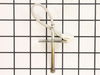
temp sensor in oven was failing.
I picked the least expensive and most likely issue with our oven that was not indicating a correct oven temperature. I am sure with a 15+ year appliance that the circuitry is on its way out but wanted to give this a try to avoid a new appliance purchase. Oven pre-heat setting takes much longer to finish with the age of the oven. However, after the new sensor the oven will maintain a more even temperature for the cycle.
Removal of the sensor from the inside of the oven is a bit awkward since it is located between the broiler elements at the back but a nut driver was the correct tool and worked fine. A bit stuck with the heating of the connection but pretty simple to replace. Must remove the back first to uncouple the connector. Simplest part of the repair.
At best a temporary fix for a an appliance this old.
Removal of the sensor from the inside of the oven is a bit awkward since it is located between the broiler elements at the back but a nut driver was the correct tool and worked fine. A bit stuck with the heating of the connection but pretty simple to replace. Must remove the back first to uncouple the connector. Simplest part of the repair.
At best a temporary fix for a an appliance this old.
Parts Used:
-
Chad from FRANKLIN, NC
-
Difficulty Level:Easy
-
Total Repair Time:15 - 30 mins
-
Tools:Nutdriver
4 of 4 people
found this instruction helpful.
Was this instruction helpful to you?
Thank you for voting!
F2 Error on Display
The repair was very easy to do. Our oven was showing the F2 error code, which is associated with an over-temperature fault. Upon inspection, the oven was warm, but definitely not beyond the temperature threshold. I researched the issue and found this temperature sensor.
Swapping the sensor was extremely easy. You take off the back panel of the oven, unhook a single wiring harness, and undo some bolts inside the oven, which allows you to pull off the old sensor. Simply hook up the new sensor to the harness, pull everything back through, replace the fasteners, and you're good to go.
Swapping the sensor was extremely easy. You take off the back panel of the oven, unhook a single wiring harness, and undo some bolts inside the oven, which allows you to pull off the old sensor. Simply hook up the new sensor to the harness, pull everything back through, replace the fasteners, and you're good to go.
Parts Used:
-
Tom from FORNEY, TX
-
Difficulty Level:Very Easy
-
Total Repair Time:Less than 15 mins
-
Tools:Nutdriver, Screw drivers
4 of 4 people
found this instruction helpful.
Was this instruction helpful to you?
Thank you for voting!
Replace Surface Burner Switch
Unplug stove.
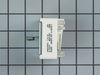
Remove rear panel of stove with a nut driver or socket. Remove knob from switch and use small screwdriver to remove screws on front panel switch. Remove and replace each wire contact one at a time to ensure correct wiring configuration. Replace screws on front panel to secure switch. Plug stove in and check that it works properly. Replace rear panel and move stove back in place.
Remove rear panel of stove with a nut driver or socket. Remove knob from switch and use small screwdriver to remove screws on front panel switch. Remove and replace each wire contact one at a time to ensure correct wiring configuration. Replace screws on front panel to secure switch. Plug stove in and check that it works properly. Replace rear panel and move stove back in place.
Parts Used:
-
Mark from CHANNELVIEW, TX
-
Difficulty Level:Easy
-
Total Repair Time:15 - 30 mins
-
Tools:Nutdriver, Pliers, Screw drivers
3 of 3 people
found this instruction helpful.
Was this instruction helpful to you?
Thank you for voting!
Incorrect oven temperature due to defective temperature sensor.
-
Anthony from FARMINGVILLE, NY
-
Difficulty Level:Really Easy
-
Total Repair Time:Less than 15 mins
-
Tools:Nutdriver
3 of 3 people
found this instruction helpful.
Was this instruction helpful to you?
Thank you for voting!
Drawer glide broken
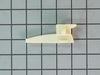
took nut driver to remove the old and replaced with new. simple.
Parts Used:
-
TERESA from SALTVILLE, VA
-
Difficulty Level:Very Easy
-
Total Repair Time:15 - 30 mins
-
Tools:Socket set
3 of 3 people
found this instruction helpful.
Was this instruction helpful to you?
Thank you for voting!
Stove overheated with an F2 error
Removed screws holding temp sensor, pulled wire out from behind wall until found connector, disconnected old sensor.
Measured resistance of old sensor and compared with new sensor, they measured nearly the same. Installed the new sensor and tested the stove. Came up to temp ok. No problem since, about 2 weeks.
Measured resistance of old sensor and compared with new sensor, they measured nearly the same. Installed the new sensor and tested the stove. Came up to temp ok. No problem since, about 2 weeks.
Parts Used:
-
Richard from PHOENIX, AZ
-
Difficulty Level:Easy
-
Total Repair Time:15 - 30 mins
-
Tools:Nutdriver
2 of 2 people
found this instruction helpful.
Was this instruction helpful to you?
Thank you for voting!
Drawer support broke
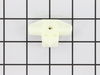
Remove drawer by pulling out and lifting up so drawer will slide out of range. Use 1/4 inch Nutdriver or socket - remove the screw that holds the drawer support to the body of the range. Remove support and install new one with screw Pay attention to the way the support fits. There are two holes one for the screw and the other for the plastic prong on the bottom of the support. The prong fits in the bottom hole and the screw in the above hole.
Parts Used:
-
Charles from BOULDER, WY
-
Difficulty Level:Really Easy
-
Total Repair Time:Less than 15 mins
-
Tools:Nutdriver
2 of 2 people
found this instruction helpful.
Was this instruction helpful to you?
Thank you for voting!
The light inside the oven had burned out
0. As a safety precaution, unplug the range or hit the relevant fuse breaker before you start. You might also want to grab a flashlight. Definitely do not try to do this while the oven is hot.
1. Pinch the wire over the light bulb cap to remove it. This is inside the oven at the back.
2. Pop off the hemispherical glass cap.
3. Unscrew the old light bulb, and screw the new light bulb in its place.
4. Put the cap back.
5. Secure the cap by putting the wire back in its slots on the cap.
No tools needed, the cap is just held in place with pressure from the wire.
1. Pinch the wire over the light bulb cap to remove it. This is inside the oven at the back.
2. Pop off the hemispherical glass cap.
3. Unscrew the old light bulb, and screw the new light bulb in its place.
4. Put the cap back.
5. Secure the cap by putting the wire back in its slots on the cap.
No tools needed, the cap is just held in place with pressure from the wire.
Parts Used:

-
Catherine from SEATTLE, WA
-
Difficulty Level:Very Easy
-
Total Repair Time:Less than 15 mins
3 of 5 people
found this instruction helpful.
Was this instruction helpful to you?
Thank you for voting!
Drawer sticking and not operating smoothly
I was so sick of this drawer and I over heard a buddy telling a story about a website that you can get ANY piece for appliances. I take the drawer out, look up the website (partselect.com) look at the appliance diagram and find the missing piece. Order it, get it, install it. My wife thinks I'm a hero and I think I'm pretty cool too.
Parts Used:
-
Bill from Philadelphia, PA
-
Difficulty Level:Easy
-
Total Repair Time:Less than 15 mins
-
Tools:Screw drivers
3 of 5 people
found this instruction helpful.
Was this instruction helpful to you?
Thank you for voting!
Replace Thermostat
Pull oven out away from the wall, unplugged from outlet, removed center cover by removing 5 sheet metal screws. disconnected thermostat sensor from control cable. Opened oven door and removed screw that holds thermostat sensor. Pulled thermostat sensor out replaced with new sensor. Plugged sensor in to control cable. Replace panel and screws. Then my wife made me clean the oven. I recommend making the repair when your wife is not home.
Parts Used:
-
Russell from Morgantown, WV
-
Difficulty Level:Really Easy
-
Total Repair Time:Less than 15 mins
-
Tools:Socket set
2 of 2 people
found this instruction helpful.
Was this instruction helpful to you?
Thank you for voting!
Broken drawer glider
Took off broken part and replaced it with the new part by removing a Phillips head screw, the broken part, replace with new and reinstalling the same screw.
Parts Used:
-
James from RANCHO MIRAGE, CA
-
Difficulty Level:Very Easy
-
Total Repair Time:Less than 15 mins
-
Tools:Screw drivers
2 of 2 people
found this instruction helpful.
Was this instruction helpful to you?
Thank you for voting!
lights blown out
-
Gerald from WINTERVILLE, GA
-
Difficulty Level:Very Easy
-
Total Repair Time:Less than 15 mins
6 of 14 people
found this instruction helpful.
Was this instruction helpful to you?
Thank you for voting!
No Instructions
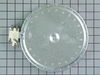
Lots of jiggling until I found the screws to remove. After finally getting the top off the base there was the Instructions on a pamphlet taped to the bottom. The key tho get the top off is to remove the face and remove the proper screws( they are identifiable)unplug the electric plug 2 screws on the back sides and poof it is free!
Parts Used:
-
Richard from FAYETTEVILLE, GA
-
Difficulty Level:Difficult
-
Total Repair Time:More than 2 hours
-
Tools:Nutdriver, Pliers, Wrench (Adjustable)
2 of 2 people
found this instruction helpful.
Was this instruction helpful to you?
Thank you for voting!
Light burnt out.
Turned the wire protector to the side. Turned out the old bulb and replaced it with the new. Turned the wire protector back in place and I'm like new.
Parts Used:
-
Roscoe G from ROCHESTER, NY
-
Difficulty Level:Very Easy
-
Total Repair Time:Less than 15 mins
2 of 3 people
found this instruction helpful.
Was this instruction helpful to you?
Thank you for voting!
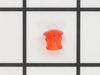
lens snapped off on the inside-plug was left loose
popped out the remainder of old lens, then pushed in new ones and slipped on plugs.
Parts Used:
-
RICKEY from MONTROSE, NY
-
Difficulty Level:Easy
-
Total Repair Time:Less than 15 mins
-
Tools:Screw drivers
3 of 6 people
found this instruction helpful.
Was this instruction helpful to you?
Thank you for voting!