




















JCB710SP3SS General Electric Range - Instructions
Keep searches simple. Use keywords, e.g. "leaking", "pump", "broken" or "fit".
Oven could not be turned off once settings were turned on except by unplugging hookup.
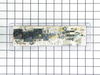
Took back cover panel off (upper) and removed the 4 1/4 inch nut screws. Used nut driver and removed the 4 screws holding control panel in place. Put new panel in place and unhooked electrical connections and installed on new panel. Plugged stove back in and checked operation. All OK, so then put back cover on and everybody is happy.
Parts Used:
-
Charles from BENNETTSVILLE, SC
-
Difficulty Level:Really Easy
-
Total Repair Time:30 - 60 mins
-
Tools:Nutdriver
2 of 2 people
found this instruction helpful.
Was this instruction helpful to you?
Thank you for voting!
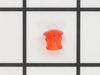
lens snapped off on the inside-plug was left loose
popped out the remainder of old lens, then pushed in new ones and slipped on plugs.
Parts Used:
-
RICKEY from MONTROSE, NY
-
Difficulty Level:Easy
-
Total Repair Time:Less than 15 mins
-
Tools:Screw drivers
3 of 6 people
found this instruction helpful.
Was this instruction helpful to you?
Thank you for voting!
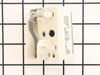
Burner spontaneously cycled without knob activation
First I cut the circuit at the breaker, and then pulled the range from wall to access the access panel. This top panel was held with 4 screws and removable with a standard phillips head screwdriver.
I then removed the 5 wire-crimped fasteners from the defective surface burner switch. (I first labeled these wires to ensure correct placement to the new switch). There were an additional two screws behind the corresponding knob that needed to be removed in order to completely remove the old switch.
The new switch was installed in reverse order to the steps indicated above (two screws behind knob, 5 wire-crimped fasteners, 4 screws to panel). Range was pushed back into position and breaker turned on.
I then removed the 5 wire-crimped fasteners from the defective surface burner switch. (I first labeled these wires to ensure correct placement to the new switch). There were an additional two screws behind the corresponding knob that needed to be removed in order to completely remove the old switch.
The new switch was installed in reverse order to the steps indicated above (two screws behind knob, 5 wire-crimped fasteners, 4 screws to panel). Range was pushed back into position and breaker turned on.
Parts Used:
-
Anil from Milpitas, CA
-
Difficulty Level:Easy
-
Total Repair Time:Less than 15 mins
-
Tools:Screw drivers
2 of 3 people
found this instruction helpful.
Was this instruction helpful to you?
Thank you for voting!
My electronic control board went out so I could not use my oven. My oven light blew as well.
I started with changing the bulb. I removed the small bracket that holds the glass cover over the bulb unscrewed the bulb and reversed to replace the bulb. To replace the control board I removed the top plate on the back of my stove took the small screw's out of the control panel and unplugged the wire's. Plugged the wire's into the right spots on the new control board and put it back together.
Parts Used:

-
Stella from PADUCAH, KY
-
Difficulty Level:Really Easy
-
Total Repair Time:Less than 15 mins
-
Tools:Pliers, Socket set
2 of 3 people
found this instruction helpful.
Was this instruction helpful to you?
Thank you for voting!
Light burnt out.
Turned the wire protector to the side. Turned out the old bulb and replaced it with the new. Turned the wire protector back in place and I'm like new.
Parts Used:
-
Roscoe G from ROCHESTER, NY
-
Difficulty Level:Very Easy
-
Total Repair Time:Less than 15 mins
2 of 4 people
found this instruction helpful.
Was this instruction helpful to you?
Thank you for voting!
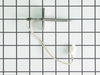
temperature sensor went
Took back panel off unplugged sensor and replugged in and worked like a charm!Sears wanted $400 and was going to 'overrepair"Got the 60 dollar part on here. UPS shipped to wrong address and customer service refunded my shipping and was excellent! would definetly use again!thanks
Parts Used:
-
Alex R from Randoff, NJ
-
Difficulty Level:Easy
-
Total Repair Time:Less than 15 mins
-
Tools:Nutdriver
1 person
found this instruction helpful.
Was this instruction helpful to you?
Thank you for voting!
Rubber cracked
-
Mark from ANDOVER, OH
-
Difficulty Level:Very Easy
-
Total Repair Time:Less than 15 mins
1 person
found this instruction helpful.
Was this instruction helpful to you?
Thank you for voting!
THE FACE PLATE IS HARD TO GET OFF THE OLD CONTROL BOARD. USE A THIN KNIFE
THE INSTRUCTIONS THAT COME IN THE EMAIL ARE VERY GOOD. BE SURE TO TAKE A PICTURE OF THE WIRING.
Parts Used:
-
Melvin from WEBSTER, TX
-
Difficulty Level:Really Easy
-
Total Repair Time:15 - 30 mins
-
Tools:Nutdriver, Pliers
1 person
found this instruction helpful.
Was this instruction helpful to you?
Thank you for voting!
Element blew hole in self then no power to burner.
Replaced burned element, did not fix no power problem. Ordered receptor replacement, replaced it, took less than 10 mminutes, but still no power to burned. Then ordered replacement switch, replacement too less than 10 minutes again and burner works fine.
Parts Used:
-
Melvin from Portland, TN
-
Difficulty Level:Easy
-
Total Repair Time:Less than 15 mins
-
Tools:Screw drivers, Socket set
2 of 4 people
found this instruction helpful.
Was this instruction helpful to you?
Thank you for voting!
Bad Line fault displayed on range clock
1. Unplug the range power cord from the outlet.
2. Moved range away from the wall and countertop.
3.Using a nut driver removed the 2 screws on each side of the removable panel on the back side of the control knobs and clock.
4. Using a phillips head screwdriver remove 2 screws on top side of the back side panel.
5. Using a nut driver remove 4 screws that secure the main control board in place.
6. Take photo of the wiring on the main control board if not color coded.
7. My control board, and the replacement board were both color coded with the color with the wire placement on the rear of the board.
8. Remove wires with needle nose pliers.
9. Using a hair dryer, heat the plastic control panel face plate that fits onto the front of the old control board.
10.With a putty knife carefully pry the face plate from the old control board.
11. Install the control board face plate onto the new control board.
12. Install the color coded wiring in place on the back side of the control board.
13. Replace the control board into the range, and install screws, and rear panel of the range.
14. Plug cord into outlet and test range for proper operation.
2. Moved range away from the wall and countertop.
3.Using a nut driver removed the 2 screws on each side of the removable panel on the back side of the control knobs and clock.
4. Using a phillips head screwdriver remove 2 screws on top side of the back side panel.
5. Using a nut driver remove 4 screws that secure the main control board in place.
6. Take photo of the wiring on the main control board if not color coded.
7. My control board, and the replacement board were both color coded with the color with the wire placement on the rear of the board.
8. Remove wires with needle nose pliers.
9. Using a hair dryer, heat the plastic control panel face plate that fits onto the front of the old control board.
10.With a putty knife carefully pry the face plate from the old control board.
11. Install the control board face plate onto the new control board.
12. Install the color coded wiring in place on the back side of the control board.
13. Replace the control board into the range, and install screws, and rear panel of the range.
14. Plug cord into outlet and test range for proper operation.
Parts Used:
-
Vincent J Paola, from GREENWEL SPGS, LA
-
Difficulty Level:Very Easy
-
Total Repair Time:Less than 15 mins
-
Tools:Nutdriver, Screw drivers
1 person
found this instruction helpful.
Was this instruction helpful to you?
Thank you for voting!
Oven board went out
One wire at at time then used my razor blade to get front off stuck right back on
Parts Used:
-
Jackie from TICKFAW, LA
-
Difficulty Level:Very Easy
-
Total Repair Time:15 - 30 mins
-
Tools:Pliers
1 person
found this instruction helpful.
Was this instruction helpful to you?
Thank you for voting!
Outside portion of Element broken
First unplug range from electrical outlet!
Removed screws under front edge of stove top, propped it open with long paint stick, pried clips off of the element, unplugged and plugged in new element, push element back into clips, closed top on stove, plug back into socket, tested new burner, put screws back in under top front edge of stove top!!!
Removed screws under front edge of stove top, propped it open with long paint stick, pried clips off of the element, unplugged and plugged in new element, push element back into clips, closed top on stove, plug back into socket, tested new burner, put screws back in under top front edge of stove top!!!
Parts Used:
-
Tiffany from Lexington, OH
-
Difficulty Level:Really Easy
-
Total Repair Time:30 - 60 mins
-
Tools:Pliers, Screw drivers, Socket set
1 person
found this instruction helpful.
Was this instruction helpful to you?
Thank you for voting!
Oven no longer working after running the self clean option. Only Stove top burners worked
I began by turning off the breaker in the panel.
Slide the oven out into the open area.
Removed 3 screws in order to remove rear top panel.
Took 2 pictures of the wiring location on the PCB
Removed all wiring going to the circuit board total of 8.
Removed 4 screws in order to remove bad PCB.
Remove faceplate from bad PCB (you will need to place this faceplate on the new PCB.
To Install.
Reverse steps above
Slide the oven out into the open area.
Removed 3 screws in order to remove rear top panel.
Took 2 pictures of the wiring location on the PCB
Removed all wiring going to the circuit board total of 8.
Removed 4 screws in order to remove bad PCB.
Remove faceplate from bad PCB (you will need to place this faceplate on the new PCB.
To Install.
Reverse steps above
Parts Used:
-
Dominick from THORNWOOD, NY
-
Difficulty Level:Really Easy
-
Total Repair Time:30 - 60 mins
-
Tools:Nutdriver, Pliers, Screw drivers
1 person
found this instruction helpful.
Was this instruction helpful to you?
Thank you for voting!
Oven door gasket was damaged and leaking
I watched the repair video on YouTube and followed his instructions as much as possible. Went pretty well as I thought it would be harder. I’m pretty handy so, I was pleased.
Parts Used:
-
Kerry from Sheboygan, WI
-
Difficulty Level:A Bit Difficult
-
Total Repair Time:1- 2 hours
-
Tools:Socket set
1 person
found this instruction helpful.
Was this instruction helpful to you?
Thank you for voting!
Bake button stopped registering
This was simple enough to repair for me, a relative novice. Just remember you need a nut driver to take the back panel off, take a photo of the existing board so you remember which wires go where, and you definitely need a hair dryer to heat up the sticker on the old board so you can remove it and put it on the new board.
Parts Used:
-
Ryan from COHOES, NY
-
Difficulty Level:Easy
-
Total Repair Time:30 - 60 mins
-
Tools:Nutdriver, Pliers
1 person
found this instruction helpful.
Was this instruction helpful to you?
Thank you for voting!