




















JCB710SP3SS General Electric Range - Instructions
Keep searches simple. Use keywords, e.g. "leaking", "pump", "broken" or "fit".
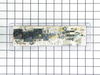
Blown Oven Control Board
After removing the back of the range the oven control board was visible and accessible by removing four nuts. There was some resistance removing the leads from the oven coils and light-bulb mechanisms but with some leverage and pliers they came loose. The only challenge was the face plate of the unit is attached using adhesive and needed to be carefully peeled off and added to the new oven control board. Getting this right was just a matter of taking time and lining up the components correctly. After applying the face, the new control board went right in. I reattached the back, plugged the unit back in, and the over has worked great for the past week. Part select being able to identify the part numbers listed from the component likely saved me at least $100 of having a GE certified repair technician come in.
Parts Used:
-
Julien from Barnhart, MO
-
Difficulty Level:A Bit Difficult
-
Total Repair Time:15 - 30 mins
-
Tools:Nutdriver, Screw drivers
56 of 63 people
found this instruction helpful.
Was this instruction helpful to you?
Thank you for voting!
after lightning cooktop worked oven did not
called service co. and described problem while i was looking at parts diagram and he agreed with my feeling what part got fried. he told me the part would be 183.00 plus labor and drive time. when i told him i was looking at the part on line for 65 dollars he hung up on me. i recieved the part and was slightly dissapointed to know there was a sepperate adhesive overlay. i saw that it was a sepperate part but if i knew it was adhesive i would have spent the extra 20 dollars for a new one. but, to my surprise the old one peeled off easily and gently re-apllied it to the new conrol board alighning it well seemed to be the trickiest part of the job. took the five wires with connectors out of the old one and inserted them into the same place on the new one. removed the old one from the frame (4 pan phillp sheet metal screws) and then screwed the new wired control board in. plugged in the unit and pressed the bake button and then mixed the brownie batter. replaced the back panel cover. 65 dollars and 15 minutes.
thanks
bob
thanks
bob
Parts Used:
-
robert from OXFORD, CT
-
Difficulty Level:Really Easy
-
Total Repair Time:15 - 30 mins
-
Tools:Screw drivers
47 of 57 people
found this instruction helpful.
Was this instruction helpful to you?
Thank you for voting!
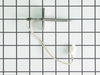
Oven sensor was not holding temperature range.
-
CHARLA from NEW BRAUNFELS, TX
-
Difficulty Level:Really Easy
-
Total Repair Time:Less than 15 mins
-
Tools:Nutdriver
47 of 80 people
found this instruction helpful.
Was this instruction helpful to you?
Thank you for voting!
Yje electronic control panel was shorted out. I orderd a new one and in a timely mannor your service delivered the part via Fed Ex.
The repair was simple. All wires were color coded and the new part had the same color codes marked. Simply unplugged the wires from the bad part and plugged them into the new part a reinstalled the part to the back panel of the range.
Parts Used:
-
Gary from Wichita, KS
-
Difficulty Level:Really Easy
-
Total Repair Time:15 - 30 mins
-
Tools:Nutdriver
28 of 36 people
found this instruction helpful.
Was this instruction helpful to you?
Thank you for voting!
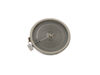
large portion of my duel heat burner went bad
easily lifted the top of the stove after removing two small screws in front of the stove.removed screws holding burner in place , disconnected some wires and replaced burner. be sure to turn off the power before beginning this project
Parts Used:
-
matthew from waterford, NY
-
Difficulty Level:A Bit Difficult
-
Total Repair Time:15 - 30 mins
-
Tools:Nutdriver, Screw drivers
19 of 24 people
found this instruction helpful.
Was this instruction helpful to you?
Thank you for voting!
Oven wouldn't heat
Remove upper rear cover (4 hex screws), then I removed the 4 phillips screws that mount the control panel, I memorized the wire positions (easy since they are color coded) unplug the wires and remove the old control panel. The face plate of the control panel did not come off easily and the adhesive pulled off some of the white paint, leaving an unsightly clear edge. So I used white-out, and painted the areas where the finish had pulled off. It worked beautifully, and the color match is perfect. Then I reapplied the face plate, put the new control panel in position, connected wires, screwed screws, repositioned rear cover, screwed screws, plugged it in and it was done. The longest pare of the job was waiting for the white-out to dry.
Parts Used:
-
Jeffrey from Hilton Head, SC
-
Difficulty Level:Really Easy
-
Total Repair Time:1- 2 hours
-
Tools:Nutdriver, Screw drivers
17 of 19 people
found this instruction helpful.
Was this instruction helpful to you?
Thank you for voting!
defective temp. sensor
Removed oven from cabinet. unblug old sensor pluged in new and reinstalled oven. Esay repair though wish oven was designed so did not have to pull itout of cabinet which requires disconect electric cabel
Parts Used:
-
Armand from COVENTRY, CT
-
Difficulty Level:Easy
-
Total Repair Time:30 - 60 mins
-
Tools:Screw drivers
20 of 30 people
found this instruction helpful.
Was this instruction helpful to you?
Thank you for voting!
When baking at temps > 400 the oven would beep with an error code F5 and shut off
I downloaded the installaion manual from the web for this model. First htings first, I located the circuit breaker for the oven and turned it off. Removed the lower trim piece from the bottom, next lifted the oven door off its hinges and set it to the side. I then wrapped a couple of small towels around the hinges for the door as per the manual (the hinges can pinch a finger). I then removed the four screws which secured the oven into the cabinet. Next I slid the oven forward allowing me access to the rear. I removed the pieces from the rear to gain access to the sensors connector, and unpl;ugged the sensor. Went around to the front and unscrewed the 2 screws securing the sensor and removed it. I then installed the new sensor, replaced the rear covers, slid the oven back into the cabinet, secured the four screws, snapped on the lower trim, remounted the oven door, and turned the breaker on. Oven working fine now.
Parts Used:
-
Jack from Cypress, TX
-
Difficulty Level:Easy
-
Total Repair Time:30 - 60 mins
-
Tools:Nutdriver, Screw drivers
16 of 20 people
found this instruction helpful.
Was this instruction helpful to you?
Thank you for voting!
Range Top Burners would not ignite
Here's how I fixed my problem.
I took the aluminum cover, the part that sits over the jet & the igniter, which simply comes off. It's the part that the igniter discharges to. I took this cover off & using a pencil I scratched the lead of the pencil into the area
which is around the igniter. I made sure to cover the area with as much lead as I could get on it. You need to make sure that you do this to all four burners. The only care you need to take, is not to block the gas jet which is in the igniter recess. It's been about 3 weeks since I added this & the burners click loudly & have lit without a problem. It appears that the aluminum may develop a coating on it of some kind which is highly resistive.
I took the aluminum cover, the part that sits over the jet & the igniter, which simply comes off. It's the part that the igniter discharges to. I took this cover off & using a pencil I scratched the lead of the pencil into the area
which is around the igniter. I made sure to cover the area with as much lead as I could get on it. You need to make sure that you do this to all four burners. The only care you need to take, is not to block the gas jet which is in the igniter recess. It's been about 3 weeks since I added this & the burners click loudly & have lit without a problem. It appears that the aluminum may develop a coating on it of some kind which is highly resistive.
Parts Used:
-
Kevin from Monroe, NY
-
Difficulty Level:Really Easy
-
Total Repair Time:15 - 30 mins
-
Tools:Pliers
17 of 24 people
found this instruction helpful.
Was this instruction helpful to you?
Thank you for voting!
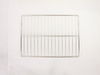
Oven rack missing when I purchased the house
I was very pleased with how quickly the new oven rack arrived and it was a perfect fit. Thanks.
Parts Used:
-
Patricia from Houston, TX
-
Difficulty Level:Really Easy
-
Total Repair Time:Less than 15 mins
18 of 28 people
found this instruction helpful.
Was this instruction helpful to you?
Thank you for voting!
Interior light needed replaced
Unplugged the appliance for safety. Removed two 1/4" screws that held the assembly in place. Carefully removed the wire guard that retains the glass shield. Unscrewed old light bulb and replaced with new part. Reversed the steps after cleaning glass cover.
Parts Used:

-
Leo from TWIN FALLS, ID
-
Difficulty Level:Really Easy
-
Total Repair Time:Less than 15 mins
-
Tools:Nutdriver
22 of 43 people
found this instruction helpful.
Was this instruction helpful to you?
Thank you for voting!
Oven was not reaching or maintaining temperature.
Took off oven door and removed racks. Removed the cover on the back side (5 screws removed with nut driver) Pulled sensor out the front side of the oven. Threaded the new sensor through and put all back together.
Parts Used:
-
Raymond from Madrid, IA
-
Difficulty Level:Really Easy
-
Total Repair Time:15 - 30 mins
-
Tools:Nutdriver
14 of 20 people
found this instruction helpful.
Was this instruction helpful to you?
Thank you for voting!
Needed extra oven space
Thanksgiving was coming and I needed extra oven space. So I ordered an additional rack. Installation ... just put it in the oven. My part came the day after I ordered it.
Parts Used:
-
noreen from flushing, NY
-
Difficulty Level:Really Easy
-
Total Repair Time:Less than 15 mins
11 of 15 people
found this instruction helpful.
Was this instruction helpful to you?
Thank you for voting!
No clock, oven control buttons don't work, stove top work ok, tested power was ok to the control board.
Removed back panel screws, removed back panel, removed screws of the control board, remove control board, heated glue and tore off plastic face plate, placed face plate on new control board, installed new control board, moved wires from old control board to new control board, test out oven, reinstalled back panel
Parts Used:
-
David from SANTA CLARA, CA
-
Difficulty Level:Really Easy
-
Total Repair Time:15 - 30 mins
-
Tools:Nutdriver, Pliers
9 of 10 people
found this instruction helpful.
Was this instruction helpful to you?
Thank you for voting!
The stove top had a 12” double burner that only outside burner was working
Ordered the part, turned off the circuit breaker, test to see that power is off, take a 5/16” nut driver, and remove the 2 screws under the front of the stove top, then lift the top up and hold it up with an old 2x4 about 24” long. All the connections are plug and play, so I took some needle nose pliers, to pull all 5 wires off of the burner. Then all that’s left to do is remove 3 spring clips. That was easily done by inserting a flat screwdriver into the back of each clip and pry them out. It ended up being a very easy fix. There is Utube videos to show you how to do it.
Parts Used:
-
Mark from SEYMOUR, IN
-
Difficulty Level:Really Easy
-
Total Repair Time:30 - 60 mins
-
Tools:Nutdriver, Pliers, Screw drivers
7 of 7 people
found this instruction helpful.
Was this instruction helpful to you?
Thank you for voting!