




















JBP89SLS General Electric Range - Instructions
Keep searches simple. Use keywords, e.g. "leaking", "pump", "broken" or "fit".
The light socket cup could no longer hold the bracket that holds the light cover in place.
I watched a video of a similar model to familiarize myself with the required steps needed. I opened the back and disconnected the power cord and ground wires connected to the removable socket I then removed the lightbulb and removable socket from the oven interior side. I then removed the defective light socket cup and replaced it with the part I purchased. After replacing the removable socket and lightbulb, the bracket holding the light cover functioned perfectly with the new light socket cup. Final steps were to reconnect the power and ground wires to the removable socket. I then replaced the back cover over the light socket cup area. One word of advise. Be very careful when removing and reconnecting the cables to the removable light socket.
Parts Used:

-
Roger from ALPENA, MI
-
Difficulty Level:Really Easy
-
Total Repair Time:30 - 60 mins
-
Tools:Socket set
1 person
found this instruction helpful.
Was this instruction helpful to you?
Thank you for voting!
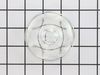
dropped & broke the oven light bulb cover
-
joseph from san jose, CA
-
Difficulty Level:Really Easy
-
Total Repair Time:Less than 15 mins
1 of 2 people
found this instruction helpful.
Was this instruction helpful to you?
Thank you for voting!
Change bulb

-
Louis from LEAGUE CITY, TX
-
Difficulty Level:Really Easy
-
Total Repair Time:30 - 60 mins
-
Tools:Nutdriver
3 of 8 people
found this instruction helpful.
Was this instruction helpful to you?
Thank you for voting!
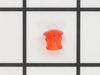
Hot burner light lens broke off.
Pull range away from back wall. Remove panel behind control knobs by removing the screws that hold it on. Find hot burner light that holds lens. Remove broken part of lens. Insert new lens into hole on front of control panel and into hot burner light receptacle. Replace back panel. Slide range back into place.
Parts Used:
-
Charles from NEKOOSA, WI
-
Difficulty Level:Easy
-
Total Repair Time:15 - 30 mins
-
Tools:Screw drivers
1 of 2 people
found this instruction helpful.
Was this instruction helpful to you?
Thank you for voting!
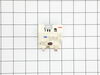
Knob stem broke off.
Pulled stove out to access back panel. Unscrew broken switch/stem. Replaced each wire one at a time to make sure they went in right spot. Screw in new switch. Replaced back panel.
Parts Used:
-
DALE from FREMONT, NE
-
Difficulty Level:Very Easy
-
Total Repair Time:Less than 15 mins
-
Tools:Nutdriver, Pliers, Screw drivers
1 of 2 people
found this instruction helpful.
Was this instruction helpful to you?
Thank you for voting!
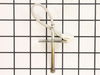
oven was not getting up to temp
Once I opened up the back of the range, the sensor wires where there and burnt just like your info said. One nut to take off in the oven and the sensor came right out and the new one went right in. The oven works great, cooked the turkey today. The worst part of the repare was the cleaning behind and under the range, it hasn't moved since it was put in 6 years ago. Very pleased with PS.
Parts Used:
-
walter from townshend, VT
-
Difficulty Level:Really Easy
-
Total Repair Time:Less than 15 mins
-
Tools:Nutdriver
0 of 1 people
found this instruction helpful.
Was this instruction helpful to you?
Thank you for voting!
F2 error when oven was heating up, along with a beeping noise and then it shut off
Unplugged oven, turned off breaker, took cover off back of oven, removed old sensor by disconnecting in back of oven and undoing screw inside oven. Pulled old one out replaced with new took 15min. Cost me less than $20. Parts Select rocks! Even received part in two days with standard shipping!
Parts Used:
-
Lori from Paris, TN
-
Difficulty Level:Really Easy
-
Total Repair Time:15 - 30 mins
-
Tools:Screw drivers, Socket set
0 of 1 people
found this instruction helpful.
Was this instruction helpful to you?
Thank you for voting!
oven not warming, f2 indicating overheat
Removed 4 screws from back panel, disconnected small electricsl connector from sensor, removed one mounting screw from sensor inside oven,pulled wires through and removed old sensor. Fed wires for new sensor through and connected electrical connector, installed panel, installed mounting screw on sensor and checked oven, worked like a champ. Took 5 minutes.
Parts Used:
-
David from Lisle, IL
-
Difficulty Level:Really Easy
-
Total Repair Time:Less than 15 mins
-
Tools:Nutdriver
Was this instruction helpful to you?
Thank you for voting!
Oven slow to heat up
Removed oven door. Removed 2 screws from heat sensor on rear upper wall of oven. Pulled unit out to access rear of unit. Removed six screws on shield on back of unit. Dis connected heat sensor wire and pulled old sensor through from inside of oven. Feed wire of new sensor through from inside and plug in. Everything in reverse. I also had the gas(propane) company come out and check the pressure coming out of the "low pres." regulator. It was low, they changed the regulator.
Parts Used:
-
Joe from Harkers Is., NC
-
Difficulty Level:Easy
-
Total Repair Time:15 - 30 mins
-
Tools:Nutdriver
Was this instruction helpful to you?
Thank you for voting!
The oven temperature could not be controlled
Disconnect the range from the mains. Open the door. Remove the single screw holding the temperature sensor - this is located on the back wall on center and is screwed to the broiler mounting plate. Remove the four screws holding the boiler element and allow it to hang down on the wire; this exposes a space to feed the wire through later. Now move to the back of the range and remove the six screws that hold the central cover plate. Now push the insulation to up out of the way and you can disconnect the temperature sensor, pull it out through front, insert the new one and connect it. Reassemble in the reverse order. Mine worked perfectly!
Parts Used:
-
Keith from Annapolis, MD
-
Difficulty Level:Easy
-
Total Repair Time:15 - 30 mins
-
Tools:Nutdriver, Socket set
Was this instruction helpful to you?
Thank you for voting!
Orange light "Hot Stovetop" lense broke off.
Parts arrived in record time and the right parts. The detailed diagram was so helpful in finding exactly the part I needed to order. Was so easy my girlfriend with no mechanical or electrical experience completely helped me through the entire project. She secured the electrical breaker to the range, and I had the top back to the oven removed. I showed her how the little white box simply slides off the lens cover, then replaced the new one in the holes and slide it back on. Secured the back and she turned on the breaker back on...and all lights work. Thanks for making this project easy, simple and quick.
Parts Used:
-
John from Woodbridge, VA
-
Difficulty Level:Really Easy
-
Total Repair Time:Less than 15 mins
-
Tools:Pliers, Screw drivers
Was this instruction helpful to you?
Thank you for voting!
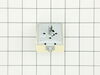
Left front burner would only heat on high setting.
Identified part and part # using schematic found on GE website, contacted PartSelect and confirmed part number, ordered and paid for part. Two days later I recieved part. Unplugged stove, removed two screws on bottom side of front panel and two on top back of same panel, pulled panel forward, pulled the control knob off, removed two small screws that hold the control switch in place, situated new control switch next to bad switch and removed one wire at the time from the bad switch and connected to the same terminal on the new switch. Put everything back together and Bingo, works like a new one. Thanks PartSelect for the friendly, personal phone service, the fast shipment and competitive pricing on my part.
Parts Used:
-
Morris from Ardmore, TN
-
Difficulty Level:Really Easy
-
Total Repair Time:Less than 15 mins
-
Tools:Screw drivers, Wrench (Adjustable)
Was this instruction helpful to you?
Thank you for voting!
Dual Burner was not turning off or turning on by itself
Pulled the top back panel off, pulled off burner control knob, removed 2 screws which released switch, removed 5 wires from switch and connected them to new switch (pulled off faily easily). Reconnected the 2 screws to range and pushed knob back on. Replaced panel and reconnect the electric. Now works as it should.
Parts Used:
-
Michael from North Miami Beach, FL
-
Difficulty Level:Easy
-
Total Repair Time:15 - 30 mins
-
Tools:Nutdriver, Screw drivers
Was this instruction helpful to you?
Thank you for voting!
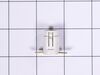
Pilot light out
Removed the power plug from the wall, screwdriver and small socket allowed me to remove the front control panel. Once I located the pilot light I pulled off the holding clips and placed a new light into the holding clips...problem solved.
Parts Used:
-
Henry from Sonoita, AZ
-
Difficulty Level:Really Easy
-
Total Repair Time:15 - 30 mins
-
Tools:Screw drivers, Socket set
Was this instruction helpful to you?
Thank you for voting!
f-2 or f-3
remove two bolts in on sensor and slip thru back un plug and reverse to put in
Parts Used:
-
daniel from gap, PA
-
Difficulty Level:Easy
-
Total Repair Time:15 - 30 mins
-
Tools:Nutdriver, Screw drivers
Was this instruction helpful to you?
Thank you for voting!