




















JB250DF5CC General Electric Range - Instructions
Keep searches simple. Use keywords, e.g. "leaking", "pump", "broken" or "fit".
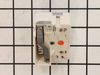
8 inch burner would not work on lower settings
1. Shut off power at breaker.
2. lift and prop up burner panel (top of stove)
3. removed three screws along top edge.
4. remove oven door (lifts off hinges easy)
5. remove 4 screws along upper oven opening
6. remove 2 screws up under front panel and pull out upper panel enough to access back of switches.
7. unplug wires (5) one at a time and plug onto new switch.
8. remove the two screws from front holding switch in place and remove old switch.
9. install the two screws attaching new switcj.
10 replace all screws in reverse order.
11. Re-install door.
12 close breaker
easy job any one with any mechanical no-how can do.
2. lift and prop up burner panel (top of stove)
3. removed three screws along top edge.
4. remove oven door (lifts off hinges easy)
5. remove 4 screws along upper oven opening
6. remove 2 screws up under front panel and pull out upper panel enough to access back of switches.
7. unplug wires (5) one at a time and plug onto new switch.
8. remove the two screws from front holding switch in place and remove old switch.
9. install the two screws attaching new switcj.
10 replace all screws in reverse order.
11. Re-install door.
12 close breaker
easy job any one with any mechanical no-how can do.
Parts Used:
-
Melvin J. from Waldport, OR
-
Difficulty Level:Really Easy
-
Total Repair Time:Less than 15 mins
-
Tools:Screw drivers
6 of 9 people
found this instruction helpful.
Was this instruction helpful to you?
Thank you for voting!
One of the drawer supports broke off
I pulled out the drawer and inserted the new support. This one inserts into the back of the drawer as opposed to the sides. I had ordered two of the replacements even though I only needed one and decided to replace both. I think it was a good move as the drawer works better than when we first got it. Just one simple screw made it complete.
Parts Used:
-
John from Sandy Hook, CT
-
Difficulty Level:Really Easy
-
Total Repair Time:Less than 15 mins
-
Tools:Nutdriver
5 of 7 people
found this instruction helpful.
Was this instruction helpful to you?
Thank you for voting!
Burner at full red hot power despite setting
After removing power from the range, I pulled the unit out for better access to the rear. I carefully pulled all four knobs off the front of the control panel. Next, using a short phillips screwdriver, I removed two screws from the front bottom of the control panel. On the rear of the control panel, there are four screws to loosen, now the whole panel is free to remove toward the front of the unit. The burner switches are held onto the panel with two screws that are located on the front under where the knob had been. The wires are all connected to the switch with crimp type connectors. These are on tight, but can be removed carefully with pliers. Before doing so, I took a picture on my phone to ensure I replaced the wires in the correct order. Everything goes back together in reverse order. This is a good time to clean behind and under the whole stove. The whole process took around 20 minutes.
Parts Used:
-
Matt from TAZEWELL, VA
-
Difficulty Level:Easy
-
Total Repair Time:Less than 15 mins
-
Tools:Nutdriver, Pliers, Screw drivers
4 of 4 people
found this instruction helpful.
Was this instruction helpful to you?
Thank you for voting!
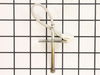
F2 fault code kept appearing on oven
Removed the oven door and shelves. Moved the oven out from wall, so that I could access the rear panel. Unplugged the oven. Removed the five (5) screws holding the rear panel in place and removed the panel. Disconnected the sensor at the connector. Removed the screw holding the sensor in place inside the oven and removed the sensor. Theaded the sensor wire through the rear of the oven wall. Installed the sensor and screw to hold it in place. Snapped the connector from the sensor to the mating connector at the rear of the oven. Installed the rear panel. Installed the five (5) screws to hold the panel. Plugged the oven back in and slide the oven back to the wall. Installed the oven shelves and the oven door.
Parts Used:
-
emmett from rocky mount, NC
-
Difficulty Level:Easy
-
Total Repair Time:15 - 30 mins
-
Tools:Nutdriver
5 of 7 people
found this instruction helpful.
Was this instruction helpful to you?
Thank you for voting!
Oven Temp. went too high and the door locked. Burnt the food
This temperature sensor is very easy to replace. There are two screws inside the oven in the top middle of the back of the oven. Take these off. on the back of the stove there is a metal plate with 5 screws I believe. Take these off with a nut driver. Then you will see a white connector coming from the spot where you took the other screws off. Take the white connector apart and pull out the temperature sensor from the inside of the oven. Then put the new one in.
Parts Used:
-
Nathan from BILLINGS, MT
-
Difficulty Level:Very Easy
-
Total Repair Time:Less than 15 mins
-
Tools:Nutdriver, Screw drivers
4 of 4 people
found this instruction helpful.
Was this instruction helpful to you?
Thank you for voting!
Broken inner window
-
randy from LORETTO, TN
-
Difficulty Level:Very Easy
-
Total Repair Time:15 - 30 mins
-
Tools:Nutdriver, Screw drivers
5 of 7 people
found this instruction helpful.
Was this instruction helpful to you?
Thank you for voting!
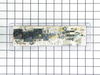
Oven Wouldn't Heat
-
Russell from Yuma, AZ
-
Difficulty Level:Really Easy
-
Total Repair Time:30 - 60 mins
-
Tools:Pliers, Screw drivers, Socket set
7 of 13 people
found this instruction helpful.
Was this instruction helpful to you?
Thank you for voting!
Oven control panel shorted while remove a broken lightbulb from the oven
I removed the new control panel from its packaging and noticed that the button overlay was not included. I grabbed a putty knife and carefully loosened the adhesive on the old panel and was able to apply it to the new control panel. After installing it I looked up the number of my old panel on the included paperwork and simply entered the “profile” number after powering up the new one and It worked perfectly. I was very relieved to not have to buy a new range!
Parts Used:

-
Terry from SEATTLE, WA
-
Difficulty Level:Very Easy
-
Total Repair Time:30 - 60 mins
-
Tools:Nutdriver, Pliers
4 of 4 people
found this instruction helpful.
Was this instruction helpful to you?
Thank you for voting!
temp sensor in oven was failing.
I picked the least expensive and most likely issue with our oven that was not indicating a correct oven temperature. I am sure with a 15+ year appliance that the circuitry is on its way out but wanted to give this a try to avoid a new appliance purchase. Oven pre-heat setting takes much longer to finish with the age of the oven. However, after the new sensor the oven will maintain a more even temperature for the cycle.
Removal of the sensor from the inside of the oven is a bit awkward since it is located between the broiler elements at the back but a nut driver was the correct tool and worked fine. A bit stuck with the heating of the connection but pretty simple to replace. Must remove the back first to uncouple the connector. Simplest part of the repair.
At best a temporary fix for a an appliance this old.
Removal of the sensor from the inside of the oven is a bit awkward since it is located between the broiler elements at the back but a nut driver was the correct tool and worked fine. A bit stuck with the heating of the connection but pretty simple to replace. Must remove the back first to uncouple the connector. Simplest part of the repair.
At best a temporary fix for a an appliance this old.
Parts Used:
-
Chad from FRANKLIN, NC
-
Difficulty Level:Easy
-
Total Repair Time:15 - 30 mins
-
Tools:Nutdriver
4 of 4 people
found this instruction helpful.
Was this instruction helpful to you?
Thank you for voting!
F2 Error on Display
The repair was very easy to do. Our oven was showing the F2 error code, which is associated with an over-temperature fault. Upon inspection, the oven was warm, but definitely not beyond the temperature threshold. I researched the issue and found this temperature sensor.
Swapping the sensor was extremely easy. You take off the back panel of the oven, unhook a single wiring harness, and undo some bolts inside the oven, which allows you to pull off the old sensor. Simply hook up the new sensor to the harness, pull everything back through, replace the fasteners, and you're good to go.
Swapping the sensor was extremely easy. You take off the back panel of the oven, unhook a single wiring harness, and undo some bolts inside the oven, which allows you to pull off the old sensor. Simply hook up the new sensor to the harness, pull everything back through, replace the fasteners, and you're good to go.
Parts Used:
-
Tom from FORNEY, TX
-
Difficulty Level:Very Easy
-
Total Repair Time:Less than 15 mins
-
Tools:Nutdriver, Screw drivers
4 of 4 people
found this instruction helpful.
Was this instruction helpful to you?
Thank you for voting!
oven would not heat
I removed the 4 hex head screws holding the control panel , then the other 4 slotted screws. Disconnected all wires being careful to keep track of the color coding. Had a little trouble with the adhesive holding the face plate( I don't know why they even used it). Put the new panel in and reconnected it. Re set circuit breaker and tried the oven. It still wouldn't heat. it wasn't the control panel, but a burned out wire connecting the element in the back of the oven. Well, anyway I learned how to do the job and the the new panel activates better, so all was not lost.
Parts Used:
-
Jim from Williamsburg, VA
-
Difficulty Level:Easy
-
Total Repair Time:1- 2 hours
-
Tools:Nutdriver, Pliers, Screw drivers
5 of 8 people
found this instruction helpful.
Was this instruction helpful to you?
Thank you for voting!
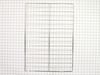
previous owner self cleaned and left oven racks in the oven
-
Judith from San Antonio, FL
-
Difficulty Level:Really Easy
-
Total Repair Time:Less than 15 mins
3 of 3 people
found this instruction helpful.
Was this instruction helpful to you?
Thank you for voting!
blew out board by crossing wires..mistakenly toke out bulb assembly to replace bad bulb
Turne off power to range..pulled oven out..Took top back panel off with nut driver. 4screws .. Took picture of control board....removed bad control board with Phillips driver...4 screws....installed New board...removed 1 connection at a time and replaced in New board..Turned power on to test new board...check picture to make sure connections are correct...turn off power...put back panel back on...put range back in place...turn power back o n...done ..approximate time 15 to 20 minutes..
Parts Used:
-
Ken from CALABASH, NC
-
Difficulty Level:Very Easy
-
Total Repair Time:15 - 30 mins
-
Tools:Nutdriver, Screw drivers
3 of 3 people
found this instruction helpful.
Was this instruction helpful to you?
Thank you for voting!
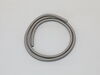
Needed to replace oven door gasket
-
Jayne from EAST PEORIA, IL
-
Difficulty Level:Very Easy
-
Total Repair Time:15 - 30 mins
-
Tools:Screw drivers
3 of 3 people
found this instruction helpful.
Was this instruction helpful to you?
Thank you for voting!
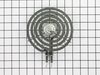
left front Burner not working
Unplug stove from its wall outlet. Remove two screws securing rear panel. Pull off knob to Burner control which was damaged when surface
heating element shorted out. Remove two screws securing control knob.
When removing control knob be sure the wires removed from the old control knob are put back on in the same position on the new knob. Reinstall the control knob, and reinstall screws. To remove heating element. Just lift it out and unplug and just plug the new one.
heating element shorted out. Remove two screws securing control knob.
When removing control knob be sure the wires removed from the old control knob are put back on in the same position on the new knob. Reinstall the control knob, and reinstall screws. To remove heating element. Just lift it out and unplug and just plug the new one.
Parts Used:
-
Ivan from FORT WORTH, TX
-
Difficulty Level:Really Easy
-
Total Repair Time:15 - 30 mins
-
Tools:Screw drivers
3 of 3 people
found this instruction helpful.
Was this instruction helpful to you?
Thank you for voting!