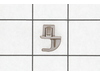
This front rack support helps stabilize and securely position a rack within the appliance. Its sturdy design ensures proper alignment and safe support during loading and unloading.
This microwave line fuse is a genuine replacement part designed to protect your appliance from power surges and overheating. It helps restore power when a blown fuse prevents the microwave from turnin...
Keep your microwave safe with this door interlock switch. It stops the microwave from running when the door is open, protecting you from accidental exposure. If your microwave won’t start or acts up, ...
This black metal tray helps your microwave heat food evenly by rotating during cooking. It fits on rollers and sits on the coupler inside the microwave, turning smoothly to make sure everything gets h...
Keep your microwave working like new with this easy-to-install turntable coupler. It links the motor to the glass tray so your food rotates evenly for better cooking. If your tray wobbles or doesn’t t...
This waveguide cover protects the interior of the microwave by shielding key components from food splatter and moisture. Made from durable mica material, it helps prevent sparking and keeps the applia...
The left door interlock support keeps the microwave’s door switch properly aligned so the appliance can detect when the door is fully closed and operate safely. If the switch becomes loose or misalign...
This support is a replacement structural component designed to hold or stabilize internal assemblies during operation. It helps maintain alignment and durability and is commonly replaced when bent, cr...
Ask our experts a question about this model and we'll get back to you as soon as possible!
7 questions answered by our experts.
< Prev
1
2
Next >
Sort by:
Search filter:
Clear Filter
Your search term must have 3 or more characters.
Keep searches simple. Use keywords, e.g. "leaking", "pump", "broken" or "fit".
Sorry, we couldn't find any existing answers that matched.Try using some different or simpler keywords, or submit your new question by using the "Ask a Question" button above!
A.J.
December 17, 2019
How do i turn off demo mode on HMC80252UC (01) Bosch Microwave
For model number HMC80252UC
Hello, A.J.and thanks for writing.
1. Press SETTINGS 12 times. "Demo Mode" and "ON. Press (1) to OFF" will appear in the display text area.
2. Press the "1" keypad to change the Demonstration Mode setting to Off.
3. "OFF Selected" will scroll in the text area. Demo Mode has been turned Off.
We hope this helps. Please contact us anytime.
1 personfound this helpful.
Was this helpful?
Thank you for voting!
Yarek
January 22, 2020
The part number is ps10060776 based on your website recommendation. I'm just wondering if it's easy to replace the old fuse with the new one? Hopefully there is easy access to the fuse once i pull it out.
For model number HMC80252UC
Thank you for your question. NOTE: If you are not comfortable doing this yourself, please get an electrician to do this repair. Before you begin any repair please unplug the appliance from the electrical outlet. Use a Phillips head screw driver to unthread the screws securing the grill. With the screws removed, open the microwave oven door then the slide the grill to the left and lift it up to remove. Next remove the control panel mounting screw then lift the control panel up to detach. Then remove the screw holding the inner access panel and then release the panel from the retaining clips. To avoid injury, you will need to release the potentially dangerous charge from the capacitor by placing a screw driver with an insulated handle across the terminals. Be careful not to touch the metal portion of the tool. Use pliers to detach the old fuse from the noise filter board. Install the new fuse by snapping it into the bracket. Replace the inner access panel and secure it with the screws. Now insert the control panel tabs to the slots in the frame and push the panel down. Secure it with the mounting screw. Insert the tabs of the grill into the frame and slide it to the right. Shut the oven door and then secure the grill with the screws. Plug the power cord back in and the microwave should now work. I hope this helps. Thank you and have a great day!
Was this helpful?
Thank you for voting!
Steve
January 12, 2024
Upon when first purchased the control panel was always dim when hooked up , approximately 1 yr later the unit had a burning smell and shut down. I removed the unit and noticed the cooling motor transformer burnt. I replaced the cooling motor and the 2 fuses where the power goes in. Hooked unit back up with the control panel not lighting up. When it originally shut down and quit the breaker never popped. Any suggestions? Control panel needs replacing,
Thx
For model number HMC80252UC
Hi Steve, thank you for contacting us. Based on the description you have provided, we would recommend checking the control unit, part number PS12071902. It manages various microwave functions such as heating, lighting and turntable operation. You may need to replace it to fix the issue. We hope this sorts out your problem!
Hello Malkit, Thank you for the question. The Door Spring is only sold as part of the Hinge and Door Assembly, PartSelect #: PS11724832. The Hinge and Spring are not sold separate from the Door. Thank you for the inquiry!
I HAVE THIS COMBO UNIT MICROWAVE AND OVEN ON TOP AND OVEN AT THE BOTTOM. THE TOP UNIT , THERE IS NO POWER TO IT. WHAT WOULD BE THE COMMON PART THAT NEED TO BE REPLACED?
For model number HMC80252UC
Hello Shawn, thank you for your question. First check to see if the fuse PS10060777 has blown. Next, test the door switches PS10060778, PS8727790. We hope this helps.
Replaced the wave cover. Unscrewed existing cover that is at the top inside the microwave. Screwed in the new cover. Took about 30 seconds to do. Bosch service wanted over $100 for a service call plus parts and labor. Did it myself in seconds for under $10.
Thermal switch on top of Magnetron was defective, spade contacts were burned and loose. New switch $6 +shipping. Removed top cover held on with several Philips head screws. Plugged unit in and gave it 30 seconds to test the fan was working, it was. Put 500ml water in cavity, ran it for 60 seconds, which after fiddling with wires it did, and got over 20C temp rise so magnetron was working (detailed instructions online). Switch is right on top of magnetron. Tried to remove spade lugs but lugs pulled out of switch so I cut the lugs off and removed the broken switch. Screwed down new switch using old hardware. Trimmed wires back and cleaned them. Used crimping tool to put on new spade lugs from car parts store. put heat shrink over lugs and wires to strain relief and buttoned the unit up. Microwave works fine and oven baked a cake so good repair.