




















GTS22ISSARSS General Electric Refrigerator - Instructions
Keep searches simple. Use keywords, e.g. "leaking", "pump", "broken" or "fit".
Condenser Fan Motor stopped turning
1. Unplugged the fridge. 2. unplugged the fan connection and removed the wire holding clip. 3. removed the 2 screws holding the motor bracket in place and removed the bracket. 4. Pulled gently back on the motor so that the fan pressed against the front bracket until the fan slid off the motor shaft. 5. Pulled the rubber motor mounts off of the old motor and placed on the new motor. 6. Slide the new motor in place pressed the fan all the way onto the shaft. 7. Placed the rear motor bracket in place and started the screws by hand making sure the ground wire was attached to the furthest away screw. 8. tightened the screws down. 9. Pushed in the wire holding clip into the clip hole. 10. Plugged back in the fan. 11. Plugged back in the fridge. 12. Turned down the temp on the fridge to kick on the compressor and checked to assure the fan was operating and then set the temp back to normal. 13. Vacuumed the condenser coils to get them all clean and ready for more years of service!
Parts Used:
-
Arthur from Alamosa, CO
-
Difficulty Level:Really Easy
-
Total Repair Time:Less than 15 mins
-
Tools:Socket set
14 of 15 people
found this instruction helpful.
Was this instruction helpful to you?
Thank you for voting!
my condensor fan made squeeking noise
took one screw that held the whole fan housing on, its a tight fit to try and pull it out cause of the copper lines in the back so I just turned it enough to where I could get to the 2 screws on the fan bracket, took the old fan and the rubber grommets out and replaced them! Put everything back together and works like new! Nice and quite! Plus I saved about $200-300 if a tech. would have came and fixed it!
A. Gustafson
Colorado
A. Gustafson
Colorado
Parts Used:
-
Andrew from Johnstown, CO
-
Difficulty Level:Easy
-
Total Repair Time:15 - 30 mins
-
Tools:Nutdriver, Screw drivers
16 of 25 people
found this instruction helpful.
Was this instruction helpful to you?
Thank you for voting!
refrigerator and freezer stopped working
I replaced the three sensors, 2 in the freezer 1 in the refrigerator. This was rated as the most common problem. Did not fix the problem. I then checked the ohms on the new sensors then the old sensors they were all within .5 of each other. So I got smart and went down the list of causes on their list. I emailed partselect and asked what the parts should read. They replied with that information and it turned out to be the voltage converter on the compressor. I ordered the part on friday payed for overnight delivery and it arrived tuesday. This as you can imagine makes me angry. But the part was easy to install and my refrigerator started working right away. I would advise anyone with this problem to start at the top of the problem list use a multi meter check everything on the list and only replace part or parts that don't come up to standards. This will save time and money and hopefully fix the problem the first time as you are not switching out parts and hoping that it solves the problem.
Parts Used:
-
mike from Aguilar, CO
-
Difficulty Level:Really Easy
-
Total Repair Time:30 - 60 mins
-
Tools:Nutdriver
9 of 9 people
found this instruction helpful.
Was this instruction helpful to you?
Thank you for voting!
Freezer stopped working
I noticed that if I unplugged the refrigerator and plugged it back in a while later it would start working but eventually would stop. I deduced the problem was likely the defrost thermostat. I ordered the thermostat but it was in a difficult place behind the evaporator coil which I could not remove. While I was trying to work it into position my hand pressed against the defrost coil and shattered the glass sheath. I ordered the coil and finally managed to get it and the thermostat installed. The refrigerator seems to work fine now.
Parts Used:

-
Clifford from Melbourne, FL
-
Difficulty Level:A Bit Difficult
-
Total Repair Time:More than 2 hours
-
Tools:Nutdriver, Pliers, Screw drivers
9 of 13 people
found this instruction helpful.
Was this instruction helpful to you?
Thank you for voting!
ICE MAKER NOT PRODUCING ICE
The original Ice maker water inlet valve proved to be good, I discovered that the water tube that delivers water to the ice maker was packed with ice. I remover the tube and ran hot water on it until it was ice free. Please check that tube before purcashing and installing any parts.
Parts Used:
-
JAMES H from COLUMBUS, OH
-
Difficulty Level:Easy
-
Total Repair Time:15 - 30 mins
-
Tools:Socket set, Wrench set
7 of 7 people
found this instruction helpful.
Was this instruction helpful to you?
Thank you for voting!
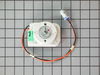
Fridge not cold enough/Freezer Sweating
I opened freezer and removed Ice maker. Then removed top fan hood and finally the freezer back panel. Unplug fridge.Removed fan bracket and swapped gromet and fand blade to new motor. Put back in fan bracket and reassembled.Note: Tried without putting back together to see if the fan worked and it won't. Must plug all connections in including ice maker for fan to function. Fixed problem and fridge is better than it ever was. Part Select was excellent,Fast shipping! Thanks
Parts Used:
-
Alfonso from Dingmans Ferry, PA
-
Difficulty Level:Easy
-
Total Repair Time:15 - 30 mins
-
Tools:Nutdriver
6 of 7 people
found this instruction helpful.
Was this instruction helpful to you?
Thank you for voting!
Refrigerator
The hard part was cleaning the dust around the coil and fan area. Its plug and play right after that. Two nuts on the fan housing and a wire harness snaps on and off. Bam! 1,2,3 Up and running. . Like new. . . Thank you ps
Parts Used:
-
Robert from Cutler Bay, FL
-
Difficulty Level:Really Easy
-
Total Repair Time:15 - 30 mins
-
Tools:Nutdriver, Screw drivers, Wrench (Adjustable)
7 of 11 people
found this instruction helpful.
Was this instruction helpful to you?
Thank you for voting!
fridge was cool not cold, ice cream in freezer wasn't hard
removed ice maker, back panel and two additional plastic trim pices to get to fan. Single molex connection for the wires. I got the part the next day. Wasn't expecting part for three to five days. Very impressed!
Parts Used:
-
adam from folsom, CA
-
Difficulty Level:Easy
-
Total Repair Time:15 - 30 mins
-
Tools:Nutdriver, Screw drivers
6 of 8 people
found this instruction helpful.
Was this instruction helpful to you?
Thank you for voting!
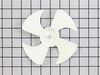
A rat had chewed half of all four blades off
First I removed the left condensor fan motor bracket nut, loosened the right motor bracket, dropped the moter bracket down freeing the motor from the rubber grommets.
Pulled the fan off from the motor shaft, pressed the new fan on the shaft and installed new grommets. Replaced the motor bracket and tightened the right bracket nut and checked fan for clearance and free spin. Reinstaled the left bracket nut. Turned on the refrigerator and checked fan for action. Everything worked great.
I did not know the fan replacement came with a compression ring already installed, so now I have an extra compression ring.
Pulled the fan off from the motor shaft, pressed the new fan on the shaft and installed new grommets. Replaced the motor bracket and tightened the right bracket nut and checked fan for clearance and free spin. Reinstaled the left bracket nut. Turned on the refrigerator and checked fan for action. Everything worked great.
I did not know the fan replacement came with a compression ring already installed, so now I have an extra compression ring.
Parts Used:
-
Curtis from Dothan, AL
-
Difficulty Level:Really Easy
-
Total Repair Time:Less than 15 mins
-
Tools:Nutdriver
9 of 18 people
found this instruction helpful.
Was this instruction helpful to you?
Thank you for voting!
bad condenser fan motor, noisy
used prior reviews, was good, I was not sure how to remove fan blade. It just pulls off.
space is tight but every thing went ok.
space is tight but every thing went ok.
Parts Used:
-
Jerold from Rocklin, CA
-
Difficulty Level:Easy
-
Total Repair Time:15 - 30 mins
-
Tools:Pliers, Socket set
4 of 5 people
found this instruction helpful.
Was this instruction helpful to you?
Thank you for voting!
Insufficient cooling
Like the other repair story I read about this part, the fridge was cool not cold (58* instead of an ideal 38*), and my ice cream stayed soft in the freezer. I removed the pannels in the freezer with a small socket wrench to find the fan burnt out. When the motor came, all I had to do was move the fan blade and gromets to the new motor. Closed it into the brackets and remounted it to the freezer. The part cost less here than at the factory web site and the fridge works great. Thank you PartSelect.com!
Parts Used:
-
Adam from Red Bluff, CA
-
Difficulty Level:Really Easy
-
Total Repair Time:15 - 30 mins
-
Tools:Screw drivers, Socket set
5 of 8 people
found this instruction helpful.
Was this instruction helpful to you?
Thank you for voting!
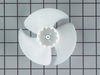
The original fan had its blades sheared by ice build-up
The original design is poor. The evaporator fan is mounted in an upright position just below the ice-maker. A plastic grate mounts over the fan assembly to allow for air circulation. Unfortunately, random chips of ice from the ice maker can fall into the fan, causing the fan to shear its blades. Replacement of the fan blade is relatively simple (accept for having to completely unload the freezer and remove all back covers, the ice-maker auger motor assembly, and the metal evaporator cover). In order to mimimze this from reoccuring, I installed a 1/4'' mesh metal screen over the exhaust ports on the cover. Thus far, this has worked well to keep ice chips out of the evaporator fan.
Parts Used:
-
Jeffrey from Broomfield, CO
-
Difficulty Level:Easy
-
Total Repair Time:30 - 60 mins
-
Tools:Nutdriver, Screw drivers, Wrench set
3 of 3 people
found this instruction helpful.
Was this instruction helpful to you?
Thank you for voting!
refriderator not cooling consistetly
1 opened door 2. pryed cover off from cieling 3.cut and stripped wires on 4. sodered wires from old wires to new sensor. 5 insulated conection.6 put cover back on. This did not fix the problem it was the control moduel.
Parts Used:
-
randall from coopersville, MI
-
Difficulty Level:Easy
-
Total Repair Time:Less than 15 mins
-
Tools:Pliers, Screw drivers
4 of 6 people
found this instruction helpful.
Was this instruction helpful to you?
Thank you for voting!
Defrost not working coil iced up
Removed back wall cover over coil. Defrost all ice with a hair dryer. Cut white wires and replaced Temperature Sensor. It has been working for a week and no trouble at this time. If you have this system on your GE refrigerator do this before replacing the motherboard. I must admit I was thinking that was the trouble. Motherboard was replaced after 5 years old now 5 years later my thinking is this a 5 year problem. So try the Temperature Sensor.
Parts Used:
-
charles from SCOTTSDALE, AZ
-
Difficulty Level:Very Easy
-
Total Repair Time:30 - 60 mins
-
Tools:Nutdriver
3 of 3 people
found this instruction helpful.
Was this instruction helpful to you?
Thank you for voting!
Deli drawer broke off, probably loaded to heavy
Removed the divided glass shelf, to which the slide rail is attached. Removed the broken rail, saved the two screws.
Now comes the clincher:
It would help if the replacement part website would tell you what size and what kind screwdriver you will need, so you could start chasing it while you wait for the part.
Even better if they could include it, since the plastic part and it‘s shipment is not exactly cheap.
So to screw in two screws you need a #15 Star screwdriver!
How many housewife’s have this one in the tool drawer?
Now comes the clincher:
It would help if the replacement part website would tell you what size and what kind screwdriver you will need, so you could start chasing it while you wait for the part.
Even better if they could include it, since the plastic part and it‘s shipment is not exactly cheap.
So to screw in two screws you need a #15 Star screwdriver!
How many housewife’s have this one in the tool drawer?
Parts Used:
-
esther from PELHAM, NY
-
Difficulty Level:Very Easy
-
Total Repair Time:Less than 15 mins
-
Tools:Screw drivers
3 of 3 people
found this instruction helpful.
Was this instruction helpful to you?
Thank you for voting!