




















GLMV168KB001 General Electric Range - Instructions
Keep searches simple. Use keywords, e.g. "leaking", "pump", "broken" or "fit".
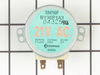
A horrid grinding noise while using appliance
I looked up the parts of the microwave on Part Select to see if there might be something I might be able to do myself. I found that the Cooking Tray drive motor was the problem. I ordered the part and got it the very next day. I loosened the 6 screws to the lower part of the microwave and then the two screws that held the part in place. I removed the element and pulled the wire plug from the element, placed the new element back in with the screws, repluged the wire, placed the lower cover back to the microwave, tested the microwave out and, is still working quietly as if it were new. Thanks to part select.com it was easy.
Parts Used:
-
Gordon from Norton, MA
-
Difficulty Level:Really Easy
-
Total Repair Time:Less than 15 mins
-
Tools:Screw drivers
13 of 17 people
found this instruction helpful.
Was this instruction helpful to you?
Thank you for voting!
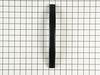
The handle was broken at bottom.
I gently removed the plastic outer cover of the door. I was able to remove two screws. I then removed the inside plastic cover, that allowed me to remove the two inner screws. I replaced the handle, screwed in the two inner screws. Replaced the inside plastic cover. After that I screwed in the two outer screws. The handle was secured. I then replaced the outer plastic cover. I was surprised at how easy I did it. It looked hard at first. I felt good about myself afterward, and save a lot of money.
Parts Used:
-
Frank from Oak Point, TX
-
Difficulty Level:Easy
-
Total Repair Time:15 - 30 mins
-
Tools:Screw drivers
12 of 14 people
found this instruction helpful.
Was this instruction helpful to you?
Thank you for voting!
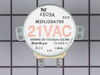
Loud noise from inside microwave
I initally thought the problem was the turn table motor but after installing that motor & not being successful I realized the problem was the stirrer motor.Removing & insalling that motor was a bit more challenging but worth the effort as I saved either the cost of a repair technician or the puchase of a new one.The microwave is back in service & running fine.
Parts Used:
-
Allan from Huntley, IL
-
Difficulty Level:A Bit Difficult
-
Total Repair Time:1- 2 hours
-
Tools:Screw drivers
16 of 26 people
found this instruction helpful.
Was this instruction helpful to you?
Thank you for voting!
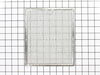
dirty, needed to be replaced
I was very happy with the ease of finding the product I needed, the time it took to arrive and the fact that I received the right part. The replacement process was easy and only took about a minute.
Parts Used:
-
Brenda from Iowa City, IA
-
Difficulty Level:Really Easy
-
Total Repair Time:Less than 15 mins
20 of 38 people
found this instruction helpful.
Was this instruction helpful to you?
Thank you for voting!
Cooking Tray motor failed
Found this site, was able to identify the specific part through the internal search engine, very user friendly.
Read what others had said about similar repair. Now with confidence, removed screws, got easy access to the motor, removed motor, installed new motor, re-installed bottom cover, done!
If you have electric burner or gas stove, I suggest laying down a towel or similar cloth. In the event you drop a screw, you done want it bouncing off the stove surface, or down into the burner dishes.
Great site, great resource, super fast shipping.
Read what others had said about similar repair. Now with confidence, removed screws, got easy access to the motor, removed motor, installed new motor, re-installed bottom cover, done!
If you have electric burner or gas stove, I suggest laying down a towel or similar cloth. In the event you drop a screw, you done want it bouncing off the stove surface, or down into the burner dishes.
Great site, great resource, super fast shipping.
Parts Used:
-
kEN from Southborough, MA
-
Difficulty Level:Easy
-
Total Repair Time:30 - 60 mins
-
Tools:Screw drivers
11 of 12 people
found this instruction helpful.
Was this instruction helpful to you?
Thank you for voting!
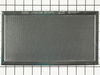
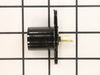
Original filter needed replacement, bulb socket was damaged, lens was broken.
Removed the 7 screws holding the bottom of the microwave cover, also opened the access covers to the lights. Damaged socket was easily replaced along with both bulbs and the broken lens, then resecured the covers. Top front cover was removed (2 screws) and the new filter was inserted, then the cover replaced. Very easy, about 15 minutes, without any injuries!
Parts Used:

-
David from Dade City, FL
-
Difficulty Level:Really Easy
-
Total Repair Time:Less than 15 mins
-
Tools:Screw drivers
14 of 21 people
found this instruction helpful.
Was this instruction helpful to you?
Thank you for voting!
Light socket replacement
I unscrewed the entire undersurface of the microwave (I didn't do this before!) and replaced the light socket. Easy job and I'm glad the part was still available.
Parts Used:
-
lester from orlando, FL
-
Difficulty Level:Really Easy
-
Total Repair Time:Less than 15 mins
-
Tools:Screw drivers
11 of 12 people
found this instruction helpful.
Was this instruction helpful to you?
Thank you for voting!
Broke light fixture socket
Rather than open access door took off bottom (5 screws) This gave more room as the microwave is mounted under the wall cabinets over the stove.
Parts Used:
-
Norman from Benson, NC
-
Difficulty Level:Easy
-
Total Repair Time:Less than 15 mins
-
Tools:Screw drivers
11 of 12 people
found this instruction helpful.
Was this instruction helpful to you?
Thank you for voting!
grinding of microwave turntable
Ordering was simple Recieved part day after shipping. 3 days sooner than I expected.
Removed bottom panel. Removed 2 screws holding motor. Pulled out motor. Replaced with new motor. Reinstalled 2 screws, Put bottom panel back in place. The easiest repair I have ever done.
Have bookmarked your web page. When I need another repair part, this will be the only company I would consider doing business wth.
Removed bottom panel. Removed 2 screws holding motor. Pulled out motor. Replaced with new motor. Reinstalled 2 screws, Put bottom panel back in place. The easiest repair I have ever done.
Have bookmarked your web page. When I need another repair part, this will be the only company I would consider doing business wth.
Parts Used:
-
William from Spring Hill, FL
-
Difficulty Level:Really Easy
-
Total Repair Time:Less than 15 mins
-
Tools:Screw drivers
10 of 12 people
found this instruction helpful.
Was this instruction helpful to you?
Thank you for voting!
Bulbs broke off in socket, socket would not come out
I removed both sockets from the microwave and when your part arrived, I installed them both including the new lights. The work perfectly and it was very easy to put them in. I also appreciate the speed of delivery and your concern for my feed back on the product. I have you number in my contact list and should I need another part, I'll check with your first.
thanks you
thanks you
Parts Used:
-
William from Kingwood, TX
-
Difficulty Level:Easy
-
Total Repair Time:30 - 60 mins
-
Tools:Pliers, Screw drivers
10 of 13 people
found this instruction helpful.
Was this instruction helpful to you?
Thank you for voting!
broken lens
first i remove the screw, then removed the lens assembly (really a frame) bent the feet out of the way, slid the old lens out and the new one in, bent the feet back in place and inserted the assembly into place replaced screw. the killer is a day later it was broken again, think the lens can't handle the heat from the oven below or the lights above. you guys where great fast and exact match part but the ge design is flawed
Parts Used:
-
greg from bellingham, MA
-
Difficulty Level:Really Easy
-
Total Repair Time:Less than 15 mins
-
Tools:Screw drivers
9 of 10 people
found this instruction helpful.
Was this instruction helpful to you?
Thank you for voting!
Broken light lens for the light bulbs
Took the screw out of the glass door holder, bent the clips up and removed the broken glass. While this was open chenged the light bulbs as well. Put new glass in bent the holding clips down and closed the doors and installed the screws again. So nice to have good light again and also new glass in them. Never noticed they were broken before.
BY THE WAY PARTS SELECT IS VERY PROMPT AND I RECEIVED MY PARTS IN ONE DAY AFTER THEY SHIPPED. SHIPPED ON MONDAY GOT THEM TUESDAY, thanks parts select for your promtness and speedy work for shipment.
BY THE WAY PARTS SELECT IS VERY PROMPT AND I RECEIVED MY PARTS IN ONE DAY AFTER THEY SHIPPED. SHIPPED ON MONDAY GOT THEM TUESDAY, thanks parts select for your promtness and speedy work for shipment.
Parts Used:
-
TERRELL from OAK POINT, TX
-
Difficulty Level:Really Easy
-
Total Repair Time:Less than 15 mins
-
Tools:Screw drivers
11 of 16 people
found this instruction helpful.
Was this instruction helpful to you?
Thank you for voting!
Microwave does not have power at all, though outlet has power
unplugged power cable / unhooked front vent / unscrew the monitor panel / slide up to dislodge / take the fuse out and put in the new one in / fuse is located right in front of monitor panel once its open might be covered by wirings / you can unpin the cables from the panel to make it easier for you just make sure to put it back properly or you can have somebody hold the panel for you. Installing the fuse is easy waiting for the parts is crazy......
Parts Used:

-
Ronie from BRIARWOOD, NY
-
Difficulty Level:Really Easy
-
Total Repair Time:Less than 15 mins
-
Tools:Screw drivers
8 of 9 people
found this instruction helpful.
Was this instruction helpful to you?
Thank you for voting!
Blown fuse in microwave
One small Phillips screwdriver and one fuse puller (I used cord). Unplug unit. Remove the two screws on the vent face plate. Remove the one screw on the panel assembly. Gently let hang. Pull the fuse located on the upper left wall. Replace fuse. Reassemble.
Parts Used:
-
Frank from VIPER, KY
-
Difficulty Level:Very Easy
-
Total Repair Time:15 - 30 mins
-
Tools:Screw drivers
8 of 9 people
found this instruction helpful.
Was this instruction helpful to you?
Thank you for voting!
A ratteling when the over was running
Unplugged the stirrer motor and the noise stopped. Therefore, replaced the stirrer motor.
Parts Used:
-
Clay from Kansas City, MO
-
Difficulty Level:A Bit Difficult
-
Total Repair Time:30 - 60 mins
-
Tools:Screw drivers, Socket set
10 of 15 people
found this instruction helpful.
Was this instruction helpful to you?
Thank you for voting!