




















GFDN120ED3WW General Electric Dryer - Instructions
Keep searches simple. Use keywords, e.g. "leaking", "pump", "broken" or "fit".
belt was broken.
remove top of cabinet and front panel. placed belt around drum and replaced idler pully placed new belt around pully and was done. not a hard job at all. replced front panel and top. thanks to a speedy delivery of my parts dryer was only down two days.
Parts Used:
-
robert from phenix city, AL
-
Difficulty Level:Really Easy
-
Total Repair Time:30 - 60 mins
-
Tools:Nutdriver, Wrench (Adjustable)
6 of 7 people
found this instruction helpful.
Was this instruction helpful to you?
Thank you for voting!
Plastic housing for the door latch mounted in the chassis of the dryer was damaged so the section of the latch in the door wouldn't align.
This kept the interlock open and shut off the dryer when the door swung open The broken latch was popped out using a flat blade screwdriver and the replacement snapped into place by hand. Good as new!
Parts Used:
-
STAN from UPPER ARLNGTN, OH
-
Difficulty Level:Very Easy
-
Total Repair Time:Less than 15 mins
-
Tools:Screw drivers
5 of 5 people
found this instruction helpful.
Was this instruction helpful to you?
Thank you for voting!
Dryer developed a Load Squeeking noise that occurred as the Drum Rotated.
I've experienced same symptoms on previous dryers over the last 30+ years, so I immediately ordered a rear drum bearing replacement kit from PartSelect. Perfect replacement parts for replacement of OEM parts.
1) After unplugging dryer, moved it to garage because of expected dust and lint deposits.
2) Removing two screws under from top lip allows top to lift and rotate off of dryer.
3) Removing two screws inside on both sides allows the front panel to be removed. Just remember to lift drum when you pull pannel off.
4) Best to take front panel off completely, so remove single screw on green ground wire at lower left and disconnect the white two wire connector (pull apart). Three wires need to come off of door switch (yellow/brown and white leading from the dryer inerds and one white to the drum light). Best to tag or remember where they connect. Otherwise, white from inerds goes to switch common, y/b goes to normally open and bulb white goes to normally closed terminals.
5) Get someone with really skinny arms to reach in to slide drum belt off of idler pulley. Otherwise, long sleeves are a necessity to keep from getting sliced to pieces on sheet metal edges.
6) Lift drum out and away from dryer frame. It's a pretty tight fit so get a helper to spread the side panels apart a bit.
7) Replace both bearing pin in drum and bearing socket in heater pan, following instructions that come with the parts or the video that is on the PartSelect website.
Didn't expect the drum slides and top drum slide support to be worn out, so I had to order them ASAP from PartSelect. The slides were totally gone and the support assemble was effectively toast. You might seriously consider replacing the slides and the lower felt when you try to fix the squeeks, since they are a major source of the noise and take an additional 2-3 minutes to replace.
8) Reassembly of the dryer is just doing the above steps in reverse. Best to clean out as much lint/dust as possible, since a clean dryer is an efficient dryer and we all want to make our "green" friends happy nowadays.
1) After unplugging dryer, moved it to garage because of expected dust and lint deposits.
2) Removing two screws under from top lip allows top to lift and rotate off of dryer.
3) Removing two screws inside on both sides allows the front panel to be removed. Just remember to lift drum when you pull pannel off.
4) Best to take front panel off completely, so remove single screw on green ground wire at lower left and disconnect the white two wire connector (pull apart). Three wires need to come off of door switch (yellow/brown and white leading from the dryer inerds and one white to the drum light). Best to tag or remember where they connect. Otherwise, white from inerds goes to switch common, y/b goes to normally open and bulb white goes to normally closed terminals.
5) Get someone with really skinny arms to reach in to slide drum belt off of idler pulley. Otherwise, long sleeves are a necessity to keep from getting sliced to pieces on sheet metal edges.
6) Lift drum out and away from dryer frame. It's a pretty tight fit so get a helper to spread the side panels apart a bit.
7) Replace both bearing pin in drum and bearing socket in heater pan, following instructions that come with the parts or the video that is on the PartSelect website.
Didn't expect the drum slides and top drum slide support to be worn out, so I had to order them ASAP from PartSelect. The slides were totally gone and the support assemble was effectively toast. You might seriously consider replacing the slides and the lower felt when you try to fix the squeeks, since they are a major source of the noise and take an additional 2-3 minutes to replace.
8) Reassembly of the dryer is just doing the above steps in reverse. Best to clean out as much lint/dust as possible, since a clean dryer is an efficient dryer and we all want to make our "green" friends happy nowadays.
Parts Used:
-
Chris from Gilbert, AZ
-
Difficulty Level:Easy
-
Total Repair Time:1- 2 hours
-
Tools:Screw drivers
5 of 6 people
found this instruction helpful.
Was this instruction helpful to you?
Thank you for voting!
old bearing completley gone; shaft eating through race making a horrible noise when running
pull top and front of dryer (6 screws), take belt off drum and pull drum out the front of dryer. Take the three star head screws out of stainless heat vent inside of drum and take old bearing housing out of back wall of dryer housing. Pretty much self evident putting everything back in, some trouble installing new bearing housing in back wall of dryer, screws are hard to turn in by hand (new hole). Vacum inside of dryer housing, install everything the way in came out, , plug it in and WA-LA.
Parts Used:
-
greg from abilene, TX
-
Difficulty Level:A Bit Difficult
-
Total Repair Time:30 - 60 mins
-
Tools:Screw drivers
4 of 4 people
found this instruction helpful.
Was this instruction helpful to you?
Thank you for voting!
the felt in front door worn out
i follow your video and all went well except now the dryer will not heat. i went back on your site an tried the no heat option an still no heat
Parts Used:
-
gerard from goldsboro, NC
-
Difficulty Level:Easy
-
Total Repair Time:30 - 60 mins
-
Tools:Nutdriver, Screw drivers
5 of 8 people
found this instruction helpful.
Was this instruction helpful to you?
Thank you for voting!
Noisey squeaking noise.
Replaced the rear drum bearing, Front drum bearing,front bearing tabs and belt. I replaced the belt from the front of dryer. Better to go thru the back. Much easier.
Parts Used:
-
Lewis from WESTFIELD, NJ
-
Difficulty Level:Really Easy
-
Total Repair Time:1- 2 hours
-
Tools:Screw drivers, Socket set
3 of 3 people
found this instruction helpful.
Was this instruction helpful to you?
Thank you for voting!
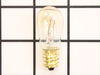
Dryer bulb burned out
Son found out where the bulb was by using YouTube. I googled lamp for model number and your website came up. I ordered the part, it arrived promptly, and my son installed it.
Parts Used:
-
Mary from NEW BRITAIN, CT
-
Difficulty Level:Very Easy
-
Total Repair Time:Less than 15 mins
3 of 3 people
found this instruction helpful.
Was this instruction helpful to you?
Thank you for voting!
Dryer's drum doesn't run
-
ruoli from Germantown, MD
-
Difficulty Level:Really Easy
-
Total Repair Time:1- 2 hours
-
Tools:Screw drivers
3 of 3 people
found this instruction helpful.
Was this instruction helpful to you?
Thank you for voting!
Dryer was making a loud noise while running
Easy repair, but did take a little longer than anticipated due to the extra cleaning that I did while the dryer was disassembled (highly recommend). First, unplug the power cord. Then, open the door, and locate the two screws in the upper corners, and remove. This will allow you to remove the top cover. Be careful and work the top panel up and down to loosen the control panel tabs, and set aside top panel. Next, remove the two screws located near the top on the inside of the front panel. Removing these two screws will allow you to lean the front panel forward, lift up, releasing the tabs holding the bottom of the panel. Be careful when you pull the front panel from the dryer as you will need to lift the drum off of the front bearing which is attached to the front panel as it is removed. You will also need to use your needle nose pliers to remove the wires prior to setting the panel aside. The wires are straight forward and power the light at the top, and the safety door switch. I always take a picture with my phone's camera just to validate when I re-connect them. Reaching underneath the drum you will be able to feel the belt and belt tensioner pulley. With both hands under the drum, use one hand to push the pulley to the right, releasing tension on the belt. Move the belt out of the groove, and let it hang freely. Now from the top of the drum, bump the drum to loosen, and remove from the cabinet. It is a tight fit, so you will need to spread the sides slightly in order to remove the drum. Next, remove the 3 screws holding the heat diffuser in the rear of the drum in order to remove the rear drum bearing. (Tip: It would be nice to have a helper hold the new drum bearing in place when starting the screws, and it also helped to tighten each a little at a time to keep the new bearing flat as it was drawn up next to the drum.) Tighten the screws holding the new bearing in place. Next, remove the 4 small screws holding the heating element housing to the rear of the dryer. (Tip: Rather than disconnecting the wires, I used a bent coat hanger to hold the housing while I removed the bearing retainer and clip from the rear of the housing.) Remove the 4 screws holding the bearing retainer and clip, and replace with you new part, paying close attention to the clip's position, and tighten. Replace the housing to the rear of the dryer. (Tip: Now is a good time to familiarize yourself with the belt and tensioner pulley for reassembly. Also, it may be a good idea to look at your belt, and replace as needed.) Next, reinstall the drum and insert the new bearing shaft into the new bearing housing. Using both hands again, reach underneath the drum, locate the tensioner pulley, and belt. Push the tensioner pulley over to the right, and move belt over the pulley on the motor, and behind the tensioner pulley. The belt should be tight. If not, inspect to ensure that the belt is over the motor pulley, and the tensioner pulley. Next step is to reinstall the front panel. I also spent the extra money and replaced the front drum bearing, and slides. Please note that the green slides are on top, and the white slides are on the bottom. Lift the panel over the tabs, lean forward while lifting the tub, resting the tub on the front bearing. Reinstall two screws in the upper corners, and tighten the front panel back in place. Now is a good time to turn the drum to ensure that the belt is in place, and that the drum turns correctly. (Tip: If your dryer is equipped with a light, you may also want to replace the bulb in the front panel (if needed) prior to attaching the front panel.) Reinstall the top panel by aligning the tabs in the control panel with the top panel, being careful not to bend the tabs. Next, open the front door and use the 2 long screws to reattach the top panel to the front panel. Plug in power cord.
Parts Used:
-
Carlton from Bedford, TX
-
Difficulty Level:Easy
-
Total Repair Time:1- 2 hours
-
Tools:Nutdriver, Pliers, Screw drivers
3 of 3 people
found this instruction helpful.
Was this instruction helpful to you?
Thank you for voting!
The dryer drum wasn't spinning, but I could hear the motor and feel the heat from the heating element.
UNPLUG the dryer. I removed the top panel by removing the two screws at the top of the dryer door. There are some hooks toward the back of the top panel, so you'll need to slide it to the left to get it off. The front panel needs to be removed by removing two screws just inside the top left and right corners. Lift and set it aside. I didn't disconnect the door wiring, but you can if you need to do so. I just spun the front panel to the left and out of the way. With the drum exposed, I confirmed the belt was broken. I replaced the belt, then the front panel and top panel. While I was inside the dryer, I did a through cleaning with the vacuum to get all the lint.
The video on the site is easy to understand and a snap to follow.
The video on the site is easy to understand and a snap to follow.
Parts Used:
-
David from LAWRENCEVILLE, GA
-
Difficulty Level:Really Easy
-
Total Repair Time:30 - 60 mins
-
Tools:Screw drivers
3 of 3 people
found this instruction helpful.
Was this instruction helpful to you?
Thank you for voting!
Replace dryer front bearing slides
If your dryer is making a grinding or loud plastic rubbing noise, you likely need to replace the slides. Here is how I did it.
TIP: Before beginning, set out a hand towel on the washing machine to set the screws onto, in the order and position you removed them.
IMPORTANT: Before beginning, turn off the gas to the unit and unplug it! This repair is all done from the front side of the machine, so you should only need to slide it out enough to unplug it.
Step 1: Remove the control panel
To do this, you need to pull out on the round silver control knob to remove it. This will expose a long screw. With the long screw removed, grab the panel with both hands and slide it straight up. Be careful, the control board is still connected with a 40-pin ribbon cable. Set the control board on top of the dryer temporarily.
Step 2: Remove the lid
There are three screws to remove the lid. Remove them and set them on the screw holding towel. The lid is attached at the back, so to remove it you need to slide it forward towards the front of the unit. Once the lid is loose, you can have a helper hold the control panel while you set the lid aside, or gently let the control panel dangle.
Step 3: Disconnect the control panel and wiring harnesses
Gently pull on the 40-pin ribbon connector until the control panel ribbon cable is removed. There is a notch to designate which direction the ribbon cable it goes back in. Set the control panel to the side. At the same time, you can disconnect the two wiring harnesses that feed the door light and sensor. These wiring harnesses are secured to a silver plate with a zip tie. Cut the zip tie with your diagonal cutters. (You can trim the old zip tie and replace it by feeding the extra small zip tie through the original opening later.)
Step 4: Remove the steel plate that the wiring harnesses were attached to
There are 6 screws to remove the steel plate. Pay attention to where the extra large head screws go, because these are what the control panel slides onto, when you put things back together. Pull out on each side to release the bottom clips, then slide it upwards. Set this piece aside.
Step 4: Remove the front panel (the door panel)
There are 4 screws to loosen the door panel. Two silver screws at the top, and 2 white screws at the bottom. Loosen the white screws about half way. These do not need to be completely removed because the door can rest on them. Remove the top silver screws. Gently lift the dryer drum off the front bezel while you tilt the front panel towards you. At this point you should be able to see the white and dark green slides. I found it easier to lift the front door off the white screws and set it up against the wall.
Step 5: Replace the slides
The slides have plastic hooks that go through the round holes on one end to hold them in place. You should be able to remove the slides with your fingers (maybe with a little help from a flat-head screwdriver), and replace them. There are dozens of YouTube videos on how to do this if you need help. Be careful not to break the plastic hooks that hold the slide to the front plastic bezel. Replace white slides with the white, and the dark green slides with dark green.
Step 6: Putting it all back together
Do everything in reverse. Set the front panel in the white screws, lift the drum, and slide the door panel back to rest on the slides while you put back the silver screws. Give the drum a few good spins manually to make sure there isn't anything still rubbing. Keep in mind the sliding noise is slightly louder than normal until all the panels are replaced.
It will help the process to only tighten the screws half way while putting them all back in. Once everything aligns, then you can tighten them down. DO NOT over tighten, use hand tightness only or you will strip them out. With the front door panel back on, you can put the steel panel back in place. Once you have the 6 screws done, remember to slide a small zip tie through the previous hole to secure the wiring harnesses. Connect the harnesses, and the front panel ribbon cable before putting the lid back on. Insert the screws to the lid, then slide the control panel back down, and replace the single long screw. Note that the control knob is notched, so align the flat sides as you put it back in.
Plug it back in, and turn back on the gas, you are done!
TIP: Before beginning, set out a hand towel on the washing machine to set the screws onto, in the order and position you removed them.
IMPORTANT: Before beginning, turn off the gas to the unit and unplug it! This repair is all done from the front side of the machine, so you should only need to slide it out enough to unplug it.
Step 1: Remove the control panel
To do this, you need to pull out on the round silver control knob to remove it. This will expose a long screw. With the long screw removed, grab the panel with both hands and slide it straight up. Be careful, the control board is still connected with a 40-pin ribbon cable. Set the control board on top of the dryer temporarily.
Step 2: Remove the lid
There are three screws to remove the lid. Remove them and set them on the screw holding towel. The lid is attached at the back, so to remove it you need to slide it forward towards the front of the unit. Once the lid is loose, you can have a helper hold the control panel while you set the lid aside, or gently let the control panel dangle.
Step 3: Disconnect the control panel and wiring harnesses
Gently pull on the 40-pin ribbon connector until the control panel ribbon cable is removed. There is a notch to designate which direction the ribbon cable it goes back in. Set the control panel to the side. At the same time, you can disconnect the two wiring harnesses that feed the door light and sensor. These wiring harnesses are secured to a silver plate with a zip tie. Cut the zip tie with your diagonal cutters. (You can trim the old zip tie and replace it by feeding the extra small zip tie through the original opening later.)
Step 4: Remove the steel plate that the wiring harnesses were attached to
There are 6 screws to remove the steel plate. Pay attention to where the extra large head screws go, because these are what the control panel slides onto, when you put things back together. Pull out on each side to release the bottom clips, then slide it upwards. Set this piece aside.
Step 4: Remove the front panel (the door panel)
There are 4 screws to loosen the door panel. Two silver screws at the top, and 2 white screws at the bottom. Loosen the white screws about half way. These do not need to be completely removed because the door can rest on them. Remove the top silver screws. Gently lift the dryer drum off the front bezel while you tilt the front panel towards you. At this point you should be able to see the white and dark green slides. I found it easier to lift the front door off the white screws and set it up against the wall.
Step 5: Replace the slides
The slides have plastic hooks that go through the round holes on one end to hold them in place. You should be able to remove the slides with your fingers (maybe with a little help from a flat-head screwdriver), and replace them. There are dozens of YouTube videos on how to do this if you need help. Be careful not to break the plastic hooks that hold the slide to the front plastic bezel. Replace white slides with the white, and the dark green slides with dark green.
Step 6: Putting it all back together
Do everything in reverse. Set the front panel in the white screws, lift the drum, and slide the door panel back to rest on the slides while you put back the silver screws. Give the drum a few good spins manually to make sure there isn't anything still rubbing. Keep in mind the sliding noise is slightly louder than normal until all the panels are replaced.
It will help the process to only tighten the screws half way while putting them all back in. Once everything aligns, then you can tighten them down. DO NOT over tighten, use hand tightness only or you will strip them out. With the front door panel back on, you can put the steel panel back in place. Once you have the 6 screws done, remember to slide a small zip tie through the previous hole to secure the wiring harnesses. Connect the harnesses, and the front panel ribbon cable before putting the lid back on. Insert the screws to the lid, then slide the control panel back down, and replace the single long screw. Note that the control knob is notched, so align the flat sides as you put it back in.
Plug it back in, and turn back on the gas, you are done!
Parts Used:


-
Darin from MEDINA, MN
-
Difficulty Level:Easy
-
Total Repair Time:30 - 60 mins
-
Tools:Screw drivers
3 of 3 people
found this instruction helpful.
Was this instruction helpful to you?
Thank you for voting!
Dryer leaving stains on clothes
Shortly after a piece of felt (the duct felt seal) was visible on the drum intererior, the dryer started making metal-on-metal squeaks. A few weeks later it started leaving'machine part' type brown/black marks on clothes. With the model # it was quite easy to find and order the correct part, which arrived a few days later. The accompanying video made installation quite straightforward, even for someone who's NEVER worked on a dryer before - even though the model used wasn't the same. Over half the repair time was to clean out lint and dirt from the various exposed parts. Overall, an easy and effective repair that solved the staining issue. Follow the video and you won't go wrong.
Parts Used:
-
Tahir from ARLINGTON, MA
-
Difficulty Level:Easy
-
Total Repair Time:1- 2 hours
-
Tools:Screw drivers
3 of 5 people
found this instruction helpful.
Was this instruction helpful to you?
Thank you for voting!
Dryer was making intermittent, loud, moaning and whistling-screeching noises (temporarily relieved by squirtin lubricant through the drum holes towards the bearing).
I used a flat head, a phillips head, and two sizes of sockets with my screwdriver to complete this project. I initially undid the control panel, but I don't think I needed to. I next took out two long screws that were holding the top of the cabinet on. These screws were just inside the doorway, directly above where the door sits when closed. I took the top off and set it aside. Being careful to mark which wire went to which lead, I undid the leads to the door open/closed switch. I next found two, black, hex-end screws, one each on the upper sides, towards the front, and undid these with a socket end on the screwdriver; being careful not to drop them as they came out. I then tilted the front panel out and up and set it aside. Note that the front opening holds the drum up so it can spin. Next, I tilted the front of the drum up, and pulled it outwards, till bearing at the back pulled out of the socket, and the drum dropped down enough that I could push the belt off the back of the drum. I then pulled the drum out through the front opening. I could see that the bearing was mostly worn away and metal was rubbing on metal. On the drum, I took off the air diffuser and the drum's half of the bearing assembly, and attached the new part of the bearing assembly, where the old one was. There was a metal disk that I was careful to reinsert in its former spot. I tried to make sure that all screws were tightened with equal force. Then I removed the entire bearing housing/blower assembly by undoing the outer screws that attached it ti the back wall of the cabinet, I rotated it outward at the top , pivoting around the compression fitting (no screws) at the base. I then removed the back half of the bearing housing, and replaced it. I needed to screw in the screws from the front while holding the spring-clip-thing in place (once installed, you can stick your finger through the hole in the bearing housing and feel the clip right behind it). I took this opportunity to clean all the excess lint out of the cabinet. I then replaced everything in reverse order until I got to the drum. I put the belt loosely arounf the drum, with the grooved/ridged side facing in. Then put the bearing (with drum), back in the socket. Feeling through the hole under the front of the drum, take the belt where it hangs off the drum TO YOUR RIGHT, run it under then up around the left side of the small pulley, then pull it to the right (above the small pulley) and around the right side of the big (tensioner) pulley, and let go. Note that there is a swithch in the tensioner that won't switch on unless there is enough tension on the belt! Put the front back on, lifting up the barrel from the inside, so that the barrel opening slides around the outside of the front's assembly. Ours seemed to fit more tightly than it had previously, into the felt padding around to bottom of the front assembly, but it seems to work fine? Screw in the two black, hex-head screws from the sides into the front, and re-attach the door-switch wires. Turn it on (carefully) to make sure it runs. Then attach the top, using the two long screws up through the door opening into the top. Ours is working much better than before - hotter, faster, quieter! Should we have lubricated the bearing with lithium grease?
Parts Used:
-
BJ from WHEAT RIDGE, CO
-
Difficulty Level:A Bit Difficult
-
Total Repair Time:More than 2 hours
-
Tools:Screw drivers, Socket set
2 of 2 people
found this instruction helpful.
Was this instruction helpful to you?
Thank you for voting!
belt broke
-
joseph a from VALLEY STREAM, NY
-
Difficulty Level:Easy
-
Total Repair Time:30 - 60 mins
-
Tools:Pliers, Screw drivers
2 of 2 people
found this instruction helpful.
Was this instruction helpful to you?
Thank you for voting!
Loud noise
-
Mary from Enterprise, AL
-
Difficulty Level:Easy
-
Total Repair Time:15 - 30 mins
-
Tools:Screw drivers
3 of 5 people
found this instruction helpful.
Was this instruction helpful to you?
Thank you for voting!