




















FES355RQ2 Roper Range - Instructions
Keep searches simple. Use keywords, e.g. "leaking", "pump", "broken" or "fit".
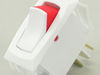
Switch had burned out due to faulty wiring by electrician when appliance first installed
my son simply replaced the switch, so now I have a working oven light once again
Parts Used:
-
Doriss from Cartersville, VA
-
Difficulty Level:Really Easy
-
Total Repair Time:Less than 15 mins
-
Tools:Screw drivers
1 of 4 people
found this instruction helpful.
Was this instruction helpful to you?
Thank you for voting!
Trim piece on the botom of the oven was chipped in three places
I used the allen wrenches to block the hinges, removed the oven door and used the kitchen counter for a work station. I removed the trim piece at the bottom which released the side trim and oven glass front, and then reversed the procedure. It took more time to clean things than to do the exchange. My only issue is with Fed Ex who delived the first trim piece bent in the middle inside a crushed box. Part Select had another part sent the same day after I called them.
Parts Used:

-
Terry from Maple Valley, WA
-
Difficulty Level:Easy
-
Total Repair Time:30 - 60 mins
-
Tools:Screw drivers
0 of 1 people
found this instruction helpful.
Was this instruction helpful to you?
Thank you for voting!
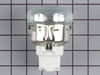
Inside Light would not work
Turned off CB for the oven,Remove the oven from the cabinet , remove the back of the oven, replaced the light Assembly. turned on CB for the oven, tested the light. and truned off the CB and replace the back and reinstalled the oven in the cabinet.
Parts Used:
-
Dan from Caddo Mills, TX
-
Difficulty Level:Really Easy
-
Total Repair Time:15 - 30 mins
-
Tools:Nutdriver
2 of 7 people
found this instruction helpful.
Was this instruction helpful to you?
Thank you for voting!
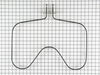
Oven not heating properly
Unplug the oven, pull it out and empty the inside of the oven. The bottom heating element just unscrews from the back of the oven with two screws. Pull it out from the back of the oven and gently pull off the electrical connections. Reattach them to the new heating element, put it back into the oven and reattach the screws. Turn the oven on and check to make sure that the new heating element is working. Put everything back in the oven and you're done!
Parts Used:
-
Matthew from Greenville, OH
-
Difficulty Level:Really Easy
-
Total Repair Time:Less than 15 mins
-
Tools:Screw drivers
0 of 1 people
found this instruction helpful.
Was this instruction helpful to you?
Thank you for voting!
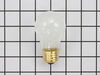
replaced oven lightbulb
-
peggy ann from forest city, NC
-
Difficulty Level:Really Easy
-
Total Repair Time:Less than 15 mins
0 of 1 people
found this instruction helpful.
Was this instruction helpful to you?
Thank you for voting!
door glide broken

-
David from Port Orange, FL
-
Difficulty Level:Really Easy
-
Total Repair Time:Less than 15 mins
-
Tools:Screw drivers
0 of 1 people
found this instruction helpful.
Was this instruction helpful to you?
Thank you for voting!
Oven gets too hot,if set at 350 it heats to 550. Changed the sensor and was not the problem.
Took off the screws on the back of the stove and took out the sensor, and put in the new one.
Parts Used:
-
Joanne from Negaunee, MI
-
Difficulty Level:Really Easy
-
Total Repair Time:Less than 15 mins
-
Tools:Screw drivers
0 of 2 people
found this instruction helpful.
Was this instruction helpful to you?
Thank you for voting!
Bulb Replacement
I pulled down the wire around the glass cover. . . Released on end of the wire from its holder being careful to not let the glass cover drop. Unscrewed the bulb and replaced with replacement. Easy, easy.
Parts Used:
-
Judith from Phoenix, AZ
-
Difficulty Level:Really Easy
-
Total Repair Time:Less than 15 mins
0 of 2 people
found this instruction helpful.
Was this instruction helpful to you?
Thank you for voting!
water pump went out
it was very easy i took the pump off only two clips and two hoses holding it type in the model number at parts select it came right up soi new it right one from the picture got with in 3 days put it back on less then 10 mins
Parts Used:
-
paul from windsor, VA
-
Difficulty Level:Really Easy
-
Total Repair Time:Less than 15 mins
-
Tools:Pliers
2 of 12 people
found this instruction helpful.
Was this instruction helpful to you?
Thank you for voting!
Chared Bake element
Unplug oven, open oven door wide,pull out racks, clean reside that old element left. I used power drill with phillips head bit,pulled out old element, and disconnected wires from clips. Connected new element to wires, and Presto.Turned bake element to 300 deg.and waited only to see it red and ready to cook.
Parts Used:
-
jon from lexington, GA
-
Difficulty Level:Really Easy
-
Total Repair Time:Less than 15 mins
-
Tools:Nutdriver, Screw drivers
Was this instruction helpful to you?
Thank you for voting!
Oven light not on.
Turn off the breaker to the range. Unplug, too. Took off the 8 screws that hold the upper back panel on. Took a picture of the wire setup (this ain't my first rodeo). Removed two screws on the bottom of the old latch that hold it in place. Carefully removed the wire leads with needle-nose pliers because I didn't want to replace the wire leads. Reconnected the wires to the new latch, replaced the two screws to hold it onto the oven. Tested with the rocker switch on top and the oven door, both worked. Put the back panel on with the 8 screws.
Parts Used:

-
Kasey from Morrisville, NC
-
Difficulty Level:Easy
-
Total Repair Time:Less than 15 mins
-
Tools:Pliers, Screw drivers
Was this instruction helpful to you?
Thank you for voting!
Bake element not working
Turn power off at breaker box, remove back cover inserted wires into element, done and ready to be use
Parts Used:
-
Eloy from Andrews, TX
-
Difficulty Level:Really Easy
-
Total Repair Time:Less than 15 mins
-
Tools:Screw drivers
Was this instruction helpful to you?
Thank you for voting!
Not heating properly.
Removed rear panel and removed switch. I placed wires from old switch to the new one. re installed switch an back panel.
Parts Used:
-
Joseph R. from Candia, NH
-
Difficulty Level:Really Easy
-
Total Repair Time:Less than 15 mins
-
Tools:Screw drivers
Was this instruction helpful to you?
Thank you for voting!
Oven was not heating up to temp.
Pulled the oven away from the wall, unplugged the oven. Unscrewed the back panel(2 screws)that covers the pigtail connection. Pulled the two wires that attached to the heating element. Inside the oven i removed the two screws holding the element in place and removed old element. Put the new element in place and returned screws. The two wires clipped effortlessly on the back, returned cover and screws and plugged the oven back in. Tested the oven and returned it to its position, reset the clock and done.
Parts Used:
-
charlie from glenwood springs, CO
-
Difficulty Level:Really Easy
-
Total Repair Time:Less than 15 mins
-
Tools:Screw drivers
Was this instruction helpful to you?
Thank you for voting!
elements (bake and broil) needed to be change out
-
Cynthia M from Houston, TX
-
Difficulty Level:Really Easy
-
Total Repair Time:Less than 15 mins
-
Tools:Screw drivers
Was this instruction helpful to you?
Thank you for voting!