Also known as Probe. The quick connect on this part may be different than your original part. If it doesn't fit, you have to cut off the quick connect and wire together with porcelain wire nuts.
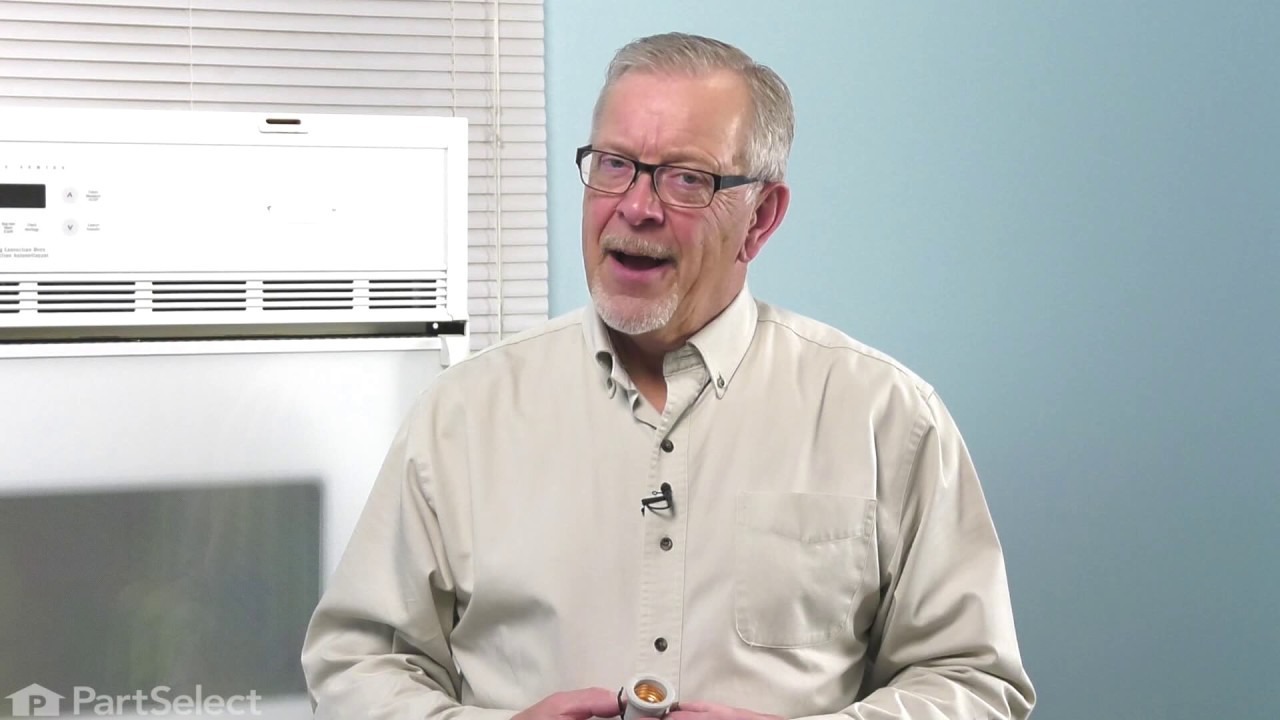
This 40-watt appliance light bulb is a reliable replacement for use in select ranges, refrigerators, freezers, and microwaves. It provides bright, consistent lighting to help you see clearly inside your appliance. Installation is simple—just unscrew the old bulb and replace it with the new one. If the existing bulb is broken, disconnect p...Read moreower and use needle-nose pliers to safely remove the remaining base. Sold individually, this bulb is a commonly replaced part—consider keeping a spare on hand.
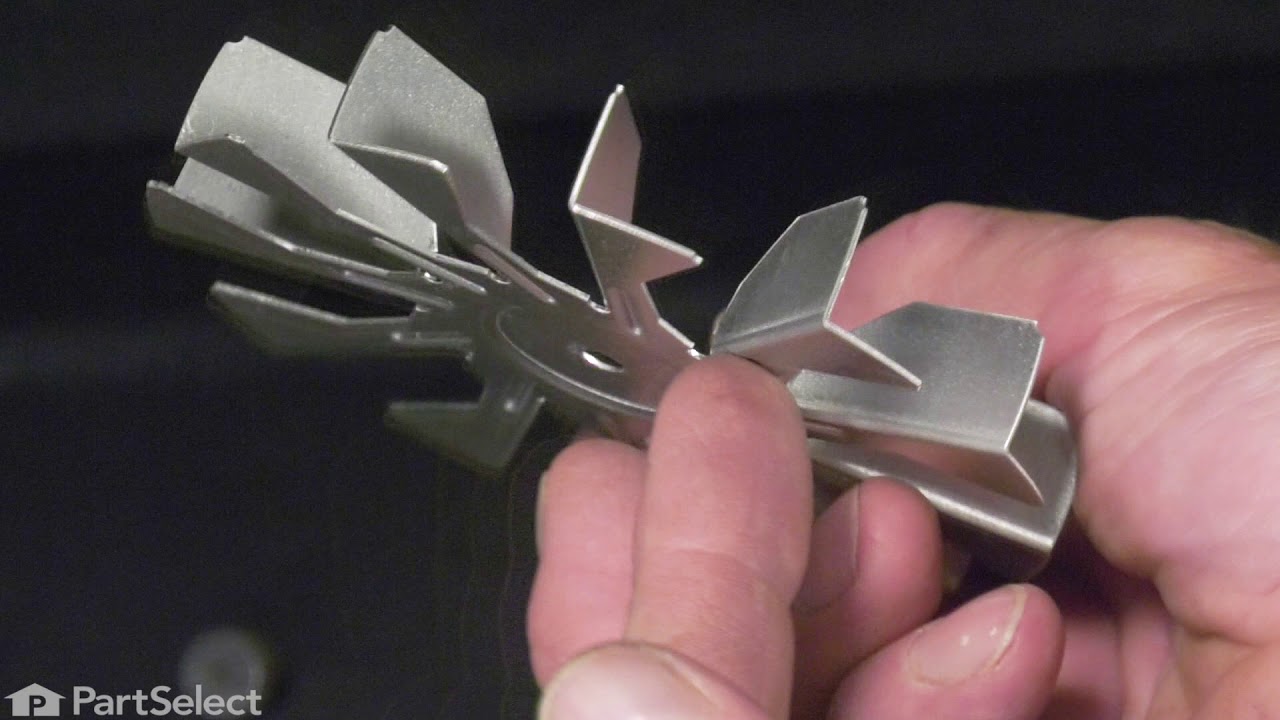
This convection fan blade is designed for use with various makes and models of range and oven and is sold as an individual part. Made of metal and measuring approximately 4.75-inches in diameter, this genuine OEM fan blade works with the convection motor to circulate and distribute heat evenly throughout the oven. If your oven is not gett...Read moreing hot enough or the heat is not circulating properly, or if the fan blade in your oven has become warped, damaged, or chipped, it needs to be replaced immediately. To replace the fan blade, disconnect your range from the power and locate the fan assembly. With the appropriate screwdriver and wrench, remove any assembly covers and the securing nut from the blade. Once the nut is removed, install the new blade and secure it and re-install the cover.
This oven door hinge is designed for use on a range and can be installed on either the left or right side of the oven door. It controls the rate at which the door opens and closes while allowing the door to remain securely open at an angle when in use. A properly functioning hinge helps ensure smooth door movement and safe, stable access to the oven interior.
This convection element generates heat to support even air circulation and consistent cooking performance. Its high-output design allows for efficient temperature recovery and uniform results. Replacing a damaged element can restore proper heating and baking performance.
This cooling fan and motor assembly is designed to maintain safe operating temperatures in electric ranges and wall ovens. By circulating air around the control board and internal components, it prevents overheating and ensures consistent airflow for reliable performance. Ideal for replacing a worn or noisy fan, this durable assembly help...Read mores protect electronics and maintain proper temperature regulation. Installation is straightforward—disconnect power, remove the old unit, and secure the new assembly following your appliance’s manual.
Restore your range’s performance with this replacement user interface control board. It helps manage cooking times, burner temperatures, and overall power flow. If your clock isn’t displaying or your timer won’t start, this part could be the fix. Made to match your original setup, it fits a variety of models and installs easily with the h...Read moreelp of manufacturer instructions. Be sure to check compatibility before purchasing.
Ask our experts a question about this model and we'll get back to you as soon as possible!
We may have answered a similar question already! Search questions and answers left by others using simple keywords like "fit", "broken", "easy", or "quality" to find questions that match.
Search filter:
Clear Filter
Your search term must have 3 or more characters.
Sort by:
Prev
1
Next
Sorry, we couldn't find any existing answers that matched.Try using some different or simpler keywords, or submit your new question by using the "Ask a Question" button above!
Richard - For model number EW30IS6CJSA
December 2, 2021
Hi, my lower oven didn’t to preheat higher than 100 degrees, even if you set in to 350, by example. It was working fine up to now. Do you have any idea why? Thanks.
Hello Richard, thank you for your question. There are a few parts that could cause this issue in your appliance. First, we would say test your elements with a multi meter to see if they are working correctly. They should be reading between 0 - 50 ohms to be working correctly. Part number (Bake) PS3497886 (Broil) PS1992192. The other part you should check would be your oven temperature sensor. That can also be tested with a multi meter and should be reading between 1000 - 1100 ohms. Part number PS820208. If those three parts are fine however, then the issue may be in your control board. Part number PS2582101. We hope that helps. Good luck with your repair.
WHEN PRESSING ON CONTOL PAD IM GETTING. F-14 ON PANEL & STARTS TO PING OR PEEP
Hi Richard, thank you for reaching out. The error code F14 means that the touch panel is not getting any response from the control board or is disconnected from the electronic control board. A power glitch can cause this error. Try unplugging the appliance for 2-5 minutes to see if that clears the error. If the error code returns, check the wire harness connection between the glass touch panel and the electronic oven control board. If the wire harness connection is okay, replace the glass touch panel. If the code resumes after replacing the glass touch panel, replace the electronic oven control board. Please submit a new question if you have any follow-ups.
we are unable to maintain the clock visible.
We press the “user pref” button the CLOCK 2030 appears (2030 is the correct time) and when we press the “Start” button every thing disappear,
This is the sole malfunctions.
Hello Richard, thank you for contacting us. According to our research, we recommend resetting the range. Press USER PREF until you get to the rSt no menu page. Then press + hi or - lo to select YES. Lastly, press START to reset to the default factory settings. If this does not solve your problem, the electronic control board, part number PS2378973, is probably the issue and needs to be replaced. We hope that helps!
Hello Diana, thank you for contacting us. The oven light assembly for your model is part number PS10062768. If you need help placing an order, customer service is open 7 days a week!
Still getting Error 21 after tech repaired control boards
Hi Jan, thank you for the question. The error code E21 means that the temperature sensor is not working properly or not sending the correct temperature information to the control board. We would suggest checking the wire harness of the temperature sensor first. If it is fine, the issue could be with the temperature sensor, part number PS820208. It measures the oven temperature. You may need to replace it to fix the issue. We hope this solves your problem!
See how others fixed this model. Time, tools, difficulty, and steps that lead to victory!View More
Search repair tips from other customers using simple keywords like "replace", "fit", "remove", "inspect". DIY doesn't mean you have to do it alone!
Search filter:
Clear Filter
Your search term must have 3 or more characters.
Oven not heating to desired temperature
155 of 244 peoplefound this instruction helpful.
Dan from Bellevue, ID
Easy
15 - 30 mins
Screw drivers
Replaced clock control by removing surface burner control knobs and plastic nuts, and then the cover over the oven control. Two screw hold the clock in place, after removal and disconnecting the plug-in you can reinstall the new clock control. The Heat Sensor inside the oven will also need to be replaced. It is located inside the oven
... Read moreand attached with two screws; the back of the oven will need to be removed to unplug. Reverse removal procedure and turn the power back on to the stove.
Read less
Was this helpful?
Thank you for voting!
Cord was not tightened enough by delivery crew.
109 of 174 peoplefound this instruction helpful.
Timothy from Spring Valley, AL
Really Easy
15 - 30 mins
Screw drivers, Socket set
PF alarm appeared on display. Noticed clicking when cord was moved. Had arced for some time and melted original block. New part slightly different. Only has 3 lugs, old one had six. Stack using washers provided. Take note of colors before disassembly. Use caution while working through access opening. The edges are sharp. Only tools neede
... Read mored are phillips screwdriver, deep socket for lug nuts. Nut driver optional. Hope this is helpful.
Read less
Was this helpful?
Thank you for voting!
Cracked oven door inner glass
76 of 135 peoplefound this instruction helpful.
Mitch from Fernandina Beach, FL
Easy
15 - 30 mins
Screw drivers
Repair was quite easy, as long as you have the instructions for removing the door. The screws that hold the bottom of the door to the fixed hinge are placed into the side of the hinge assembly after removal; this holds the door at a 45 degree angle for easy removal. After that, just place the door on a flat surface and dismantle the door
... Read morefrom the inside. The inner glass is contained in a metal frame with another piece of glass; this frame comes apart easily using the clips in each side. The door assembles easily after the glass is replaced; just take your time and give yourself enough room to lay out the parts as you go. Good luck!



 My Orders