




















EMO4000JSS03 General Electric Microwave - Instructions
Keep searches simple. Use keywords, e.g. "leaking", "pump", "broken" or "fit".
broken tray
Open the box that the part came in and place it in the microwave. The best is how fast it came to my home. Thanks
Parts Used:
-
Juan from Torrance, CA
-
Difficulty Level:Really Easy
-
Total Repair Time:Less than 15 mins
4 of 4 people
found this instruction helpful.
Was this instruction helpful to you?
Thank you for voting!
Broken glass microwave turn table
The new turntable shipment was super fast!!! I received it only a few days after ordering it. Installation was nothing more than placing it in the microwave oven.
GREAT Transaction!!! Thanjs!!!
GREAT Transaction!!! Thanjs!!!
Parts Used:
-
Serio from Lansdale, PA
-
Difficulty Level:Really Easy
-
Total Repair Time:Less than 15 mins
5 of 7 people
found this instruction helpful.
Was this instruction helpful to you?
Thank you for voting!
Glass was broken
I took the cover off, and replaced the glass-- the difficult part, was ordering the glass..on the list of parts to order-- the description of the glass was mis-leading
Parts Used:
-
jerene from Houston, TX
-
Difficulty Level:Easy
-
Total Repair Time:Less than 15 mins
-
Tools:Screw drivers
11 of 25 people
found this instruction helpful.
Was this instruction helpful to you?
Thank you for voting!
broke glass turntable
just set the glass turntable in and bingo it worked
no tools needed. thanks for such a fast delivery
sincerly dennis and chris delbello
no tools needed. thanks for such a fast delivery
sincerly dennis and chris delbello
Parts Used:
-
dennis from longbeach, CA
-
Difficulty Level:Really Easy
-
Total Repair Time:Less than 15 mins
6 of 10 people
found this instruction helpful.
Was this instruction helpful to you?
Thank you for voting!
Inside Bulb went out.
Remove top air grate via 2-screws. Remove metal top panel behind grate that's above bulb via 1-screw. Bulb is exposed and can be un-screwed. DONE
Parts Used:
-
Richard from Austin, TX
-
Difficulty Level:Really Easy
-
Total Repair Time:Less than 15 mins
-
Tools:Screw drivers
4 of 4 people
found this instruction helpful.
Was this instruction helpful to you?
Thank you for voting!
Glass turntable drive motor failure
Removed bottom cover of microwave, involved removing 7 screws, removed turntable motor, involved disconnecting wire harness plug, and 2 screws, connnected wiring to new motor and reinstalled with original hardware
Parts Used:
-
Brent from Sacramento, CA
-
Difficulty Level:Easy
-
Total Repair Time:15 - 30 mins
-
Tools:Screw drivers
4 of 5 people
found this instruction helpful.
Was this instruction helpful to you?
Thank you for voting!
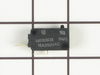
Microwave would turn on when door opened
Unscrewed numerous screws holding the "body/shell" to the microwave. Removed body. I then unplugged top door switch, replaced it with new one, and "tested" the new one. I fixed our $400 convection micro with an $18 switch. NICE!
Parts Used:
-
Lois from El Segundo, CA
-
Difficulty Level:Easy
-
Total Repair Time:15 - 30 mins
-
Tools:Screw drivers
5 of 8 people
found this instruction helpful.
Was this instruction helpful to you?
Thank you for voting!
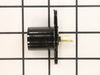
Left light socket was damaged beyond repair
Handed the part to my son. He unscrewed 5 screws in the base of the microwave, it dropped down. The light mechanism was clearly in view. With the exception of some corrosion on the old piece, it was simple to remove and replace, put back together, screw back up and all worked fine.
Parts Used:
-
Kathleen from Streamwood, IL
-
Difficulty Level:Really Easy
-
Total Repair Time:Less than 15 mins
-
Tools:Pliers, Screw drivers
4 of 5 people
found this instruction helpful.
Was this instruction helpful to you?
Thank you for voting!
Bulb broke in socket, socket had deteriorated beyond repair.
Phillips screws on bottom panel allowed me to install new socket and put electric connection back. Secured bottom panel and that was it.
Parts Used:
-
Frank from CICERO, IL
-
Difficulty Level:Very Easy
-
Total Repair Time:Less than 15 mins
-
Tools:Screw drivers
4 of 5 people
found this instruction helpful.
Was this instruction helpful to you?
Thank you for voting!
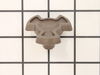
Turntable quit turning.
Disconnected power cord from receptacle. Removed 5 screws in bottom panel and allowed it to swing downward on rear hinged edge. Disconnnected power wires to motor. Removed screw to detach motor. Inserted coupler through hole beneath center of turntable. Inserted motor shaft into coupler and re-attached motor. Connected power wires to motor and then closed the bottom panel and re-inserted the 5 screws.
Parts Used:
-
JACK from ETOWAH, NC
-
Difficulty Level:Easy
-
Total Repair Time:Less than 15 mins
-
Tools:Screw drivers
5 of 8 people
found this instruction helpful.
Was this instruction helpful to you?
Thank you for voting!
bulb fused to jolder
removed electrical wires, unscrewed holder, inserted holder, attached wires, added bulb, and put cover back on.
Parts Used:
-
James from Big Rock, IL
-
Difficulty Level:Really Easy
-
Total Repair Time:Less than 15 mins
-
Tools:Screw drivers
4 of 6 people
found this instruction helpful.
Was this instruction helpful to you?
Thank you for voting!
Light bulb burned out and assembly broke when trying to replace bulb
I used the internet and your directions to complete the repair. It was easy!
Parts Used:
-
Jeanne from Kirkwood, MO
-
Difficulty Level:Really Easy
-
Total Repair Time:Less than 15 mins
-
Tools:Screw drivers
4 of 6 people
found this instruction helpful.
Was this instruction helpful to you?
Thank you for voting!
noise eminating from carousel
I removed 4 screw from the under carriage of the microwave then, removed the 2 screws from the motor, replaced the motor and replaced the screws. It was so easy it took only 4 minutes to perform, better than replacing the whole unit (microwave) and less expensive too. i only wish it was made in the US, I wouldn't mind to spend a little more.
Parts Used:
-
Paul from Mableton, GA
-
Difficulty Level:Really Easy
-
Total Repair Time:Less than 15 mins
-
Tools:Screw drivers
3 of 3 people
found this instruction helpful.
Was this instruction helpful to you?
Thank you for voting!
Smelling and smoking. Than stop.
I took the cabinet off and saw where the switch had been burnt. So I remove it and order another one from your company. And I put new clips on it with heat shrinks. We might get another 30 years out it, Although I'm 80 years old.
Parts Used:
-
CHARLES B. from CLARKSVILLE, TN
-
Difficulty Level:Really Easy
-
Total Repair Time:30 - 60 mins
-
Tools:Pliers, Screw drivers
3 of 3 people
found this instruction helpful.
Was this instruction helpful to you?
Thank you for voting!
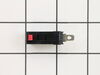
When door opened, microwave would turn on
Removed the outer cover to access the door switches. Turns out there were three switches, but I determined that only two were bad. When the small colored tab on the switch is pushed in it should make a clicking sound. The two bad switches had no resistance and did not make any noise when pressed. Removing the switch is relatively easy, you simply pull it away from a couple small tabs holding them in place. After reconnecting the wire leads, insert back into the holding tabs and install the cover.
Parts Used:
-
Tom from SUN PRAIRIE, WI
-
Difficulty Level:Easy
-
Total Repair Time:30 - 60 mins
-
Tools:Pliers, Screw drivers
3 of 3 people
found this instruction helpful.
Was this instruction helpful to you?
Thank you for voting!