




















EMO3000HWW01 General Electric Microwave - Instructions
Keep searches simple. Use keywords, e.g. "leaking", "pump", "broken" or "fit".
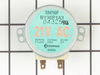
Cooking Tray motor failed
Found this site, was able to identify the specific part through the internal search engine, very user friendly.
Read what others had said about similar repair. Now with confidence, removed screws, got easy access to the motor, removed motor, installed new motor, re-installed bottom cover, done!
If you have electric burner or gas stove, I suggest laying down a towel or similar cloth. In the event you drop a screw, you done want it bouncing off the stove surface, or down into the burner dishes.
Great site, great resource, super fast shipping.
Read what others had said about similar repair. Now with confidence, removed screws, got easy access to the motor, removed motor, installed new motor, re-installed bottom cover, done!
If you have electric burner or gas stove, I suggest laying down a towel or similar cloth. In the event you drop a screw, you done want it bouncing off the stove surface, or down into the burner dishes.
Great site, great resource, super fast shipping.
Parts Used:
-
kEN from Southborough, MA
-
Difficulty Level:Easy
-
Total Repair Time:30 - 60 mins
-
Tools:Screw drivers
11 of 12 people
found this instruction helpful.
Was this instruction helpful to you?
Thank you for voting!
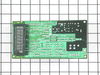
The display screen would flicker and shut the microwave down after a couple of seconds
i removed the front panel by removing the two screws on the top fan shroud then remove the shroud. then i removed the one screw over the main control panel and slid it down to unlatch it from the unit itself. i then removed the ground wire thus allowing you to remove the panel enough to unplug the wires. there are 4 sets of plugs and a ribbon strip to remove. i removed the 3 screws holding the board and installed the new board.i replaced the screws,the ribbon strip, and the plugs. i then installed the ground and repositioned the main panel onto the unit and reinstalled the screws to the board and the fan shroud. i plugged the unit in. programmed the dash and away we went.. no problems thus far. i have noticed on the old board some components that have got hot and rusted due to excess moisture from forgetting to use the exhaust fan when cooking,boiling ect.. thus causing the board to malfunction. i hope this has been semi helpful..
Parts Used:
-
KIP from WOODBOURNE, NY
-
Difficulty Level:Easy
-
Total Repair Time:Less than 15 mins
-
Tools:Screw drivers
14 of 21 people
found this instruction helpful.
Was this instruction helpful to you?
Thank you for voting!
A light burned out and fried the socket and wires.
The hard part was trying to figure out how to get to the light socket. It is a bulb in the floor of the microwave that lights the stove top. I found help at your website by typing in the model number to find the diagram of the parts list which showed how each part fit together (and thus how they came apart). So I could see how to take the bottom off the microwebb and get to the wiring for the bulb and the bulb socket as well. They both had to be replaced with parts ordered from PartSelect along with the wiring. Putting in the new was just a reverse opposition. I saved $200 for a repairman, by spending about $60.00 for parts. Our other choice was a new microwave - and a repairman to install.
Parts Used:

-
Billie from Georgetown, TX
-
Difficulty Level:A Bit Difficult
-
Total Repair Time:30 - 60 mins
-
Tools:Pliers, Screw drivers
11 of 13 people
found this instruction helpful.
Was this instruction helpful to you?
Thank you for voting!
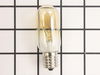
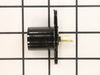
Light Socket replacement
I was told by 2 different appliance technicians that the crumbled/melted light socket could not be replaced which meant replacing the entire microwave (expensive!). Other posters on your sight described the repair steps and I gave it a try. The hardest part was probably figuring out which switch in the fuse box belonged to it (now marked clearly). It was a simple matter of unscrewing the bottom panel of the microwave to access the socket, pulling the crumbled/melted unit off and shoving the new one on. I can't believe the repairmen didn't want any part of even giving it a try.
Parts Used:
-
Jill from Arlington, TN
-
Difficulty Level:Easy
-
Total Repair Time:15 - 30 mins
-
Tools:Pliers, Screw drivers
11 of 13 people
found this instruction helpful.
Was this instruction helpful to you?
Thank you for voting!
grinding of microwave turntable
Ordering was simple Recieved part day after shipping. 3 days sooner than I expected.
Removed bottom panel. Removed 2 screws holding motor. Pulled out motor. Replaced with new motor. Reinstalled 2 screws, Put bottom panel back in place. The easiest repair I have ever done.
Have bookmarked your web page. When I need another repair part, this will be the only company I would consider doing business wth.
Removed bottom panel. Removed 2 screws holding motor. Pulled out motor. Replaced with new motor. Reinstalled 2 screws, Put bottom panel back in place. The easiest repair I have ever done.
Have bookmarked your web page. When I need another repair part, this will be the only company I would consider doing business wth.
Parts Used:
-
William from Spring Hill, FL
-
Difficulty Level:Really Easy
-
Total Repair Time:Less than 15 mins
-
Tools:Screw drivers
10 of 12 people
found this instruction helpful.
Was this instruction helpful to you?
Thank you for voting!
Bulbs broke off in socket, socket would not come out
I removed both sockets from the microwave and when your part arrived, I installed them both including the new lights. The work perfectly and it was very easy to put them in. I also appreciate the speed of delivery and your concern for my feed back on the product. I have you number in my contact list and should I need another part, I'll check with your first.
thanks you
thanks you
Parts Used:
-
William from Kingwood, TX
-
Difficulty Level:Easy
-
Total Repair Time:30 - 60 mins
-
Tools:Pliers, Screw drivers
10 of 13 people
found this instruction helpful.
Was this instruction helpful to you?
Thank you for voting!
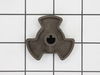
Microwave turntable stopped turning
1. Turned off circuit breaker for microwave.
2. Removed screws holding the bottom cover of the microwave; cover is hinged at the back, so it dropped open and stayed out of the way.
3. Unplugged turntable motor and removed screws that hold turntable motor in place.
4. Pushed broken pieces of the plastic turntable coupler out of the way (hole for motor's axle not big enough to remove them).
5. Put turntable coupler into hole in bottom of microwave interior, held it in place while putting the motor axle into it from below.
6. Replaced screws holding turntable motor in place, plugged in motor's electrical connector.
7. Closed bottom cover and replaced screws that hold it in place.
8. Switched on microwave circuit breaker.
2. Removed screws holding the bottom cover of the microwave; cover is hinged at the back, so it dropped open and stayed out of the way.
3. Unplugged turntable motor and removed screws that hold turntable motor in place.
4. Pushed broken pieces of the plastic turntable coupler out of the way (hole for motor's axle not big enough to remove them).
5. Put turntable coupler into hole in bottom of microwave interior, held it in place while putting the motor axle into it from below.
6. Replaced screws holding turntable motor in place, plugged in motor's electrical connector.
7. Closed bottom cover and replaced screws that hold it in place.
8. Switched on microwave circuit breaker.
Parts Used:
-
David from San Diego, CA
-
Difficulty Level:Easy
-
Total Repair Time:30 - 60 mins
-
Tools:Screw drivers
9 of 10 people
found this instruction helpful.
Was this instruction helpful to you?
Thank you for voting!
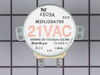
A ratteling when the over was running
Unplugged the stirrer motor and the noise stopped. Therefore, replaced the stirrer motor.
Parts Used:
-
Clay from Kansas City, MO
-
Difficulty Level:A Bit Difficult
-
Total Repair Time:30 - 60 mins
-
Tools:Screw drivers, Socket set
10 of 15 people
found this instruction helpful.
Was this instruction helpful to you?
Thank you for voting!
Cooktop light receptacle cracked
Remove screws holding bottom cover. Cover then swings down allowing access to the receptacles. Receptacles have a single screw attaching them to the appliance with a simple electrical plug supplying power. Very easy.
Parts Used:
-
Ronald from Wood Dale, IL
-
Difficulty Level:Easy
-
Total Repair Time:15 - 30 mins
-
Tools:Screw drivers
8 of 9 people
found this instruction helpful.
Was this instruction helpful to you?
Thank you for voting!
Blown fuse in microwave
One small Phillips screwdriver and one fuse puller (I used cord). Unplug unit. Remove the two screws on the vent face plate. Remove the one screw on the panel assembly. Gently let hang. Pull the fuse located on the upper left wall. Replace fuse. Reassemble.
Parts Used:

-
Frank from VIPER, KY
-
Difficulty Level:Very Easy
-
Total Repair Time:15 - 30 mins
-
Tools:Screw drivers
8 of 9 people
found this instruction helpful.
Was this instruction helpful to you?
Thank you for voting!
Microwave does not have power at all, though outlet has power
unplugged power cable / unhooked front vent / unscrew the monitor panel / slide up to dislodge / take the fuse out and put in the new one in / fuse is located right in front of monitor panel once its open might be covered by wirings / you can unpin the cables from the panel to make it easier for you just make sure to put it back properly or you can have somebody hold the panel for you. Installing the fuse is easy waiting for the parts is crazy......
Parts Used:
-
Ronie from BRIARWOOD, NY
-
Difficulty Level:Really Easy
-
Total Repair Time:Less than 15 mins
-
Tools:Screw drivers
8 of 9 people
found this instruction helpful.
Was this instruction helpful to you?
Thank you for voting!
Replace microwave light and broken base socket
Lower base of the microwave, about 6 screws,
replaced broken light bulb socket,then re-installed.
Installed new light bulb.
replaced broken light bulb socket,then re-installed.
Installed new light bulb.
Parts Used:
-
Jerry from Pearland, TX
-
Difficulty Level:Easy
-
Total Repair Time:15 - 30 mins
-
Tools:Screw drivers
8 of 10 people
found this instruction helpful.
Was this instruction helpful to you?
Thank you for voting!
Turntable would not turn
Ordered and replaced turntable coupler. Still didn't work.
Ordered turntable motor. Left bottom of microwave open for motor to arrive since the parts are shipped so quickly. Sure nuff parts arrived 3 days later, replaced and walla walla fixed in 10 minutes. Simple, simple.
Ordered turntable motor. Left bottom of microwave open for motor to arrive since the parts are shipped so quickly. Sure nuff parts arrived 3 days later, replaced and walla walla fixed in 10 minutes. Simple, simple.
Parts Used:
-
Johnnie from Dayton, TX
-
Difficulty Level:Really Easy
-
Total Repair Time:Less than 15 mins
-
Tools:Screw drivers
8 of 10 people
found this instruction helpful.
Was this instruction helpful to you?
Thank you for voting!
Loss of lighting for over-stove illumination.
Must remove 5 screws in bottom of Microwave, which is hinged to the unit. Then simply remove the old lamp holders, and replace with replacements. Uses only a single screw for each lamp.
Parts Used:
-
ROGER from BLUFFTON, SC
-
Difficulty Level:Easy
-
Total Repair Time:15 - 30 mins
-
Tools:Screw drivers
7 of 8 people
found this instruction helpful.
Was this instruction helpful to you?
Thank you for voting!
Turntable quit turning
I removed the broken turntable coupling and popped on the new one. Simple as that. It was a 2-minute job.
Parts Used:
-
Tommy from West Chester, OH
-
Difficulty Level:Really Easy
-
Total Repair Time:Less than 15 mins
7 of 8 people
found this instruction helpful.
Was this instruction helpful to you?
Thank you for voting!